
Pending Orders in Forex
 In many forex strategies, pending orders are used for entering positions. However, many forex traders neglect them, preferring market orders. And for nothing. In this video lesson, we will examine what pending orders are, what their advantage is, what types of pending orders there are, and when and how they can be used in trading.
How to trade with pending orders in forex?
In this article, we will become acquainted with the concept of pending orders in Forex. We will learn what their difference from market orders is and their advantages. We will consider the types of pending orders and when they should be used. And also how to edit, delete, move them, and so on.
What is a market order? A market order is an entry at the price that the market is currently offering us. At the moment, the EURUSD currency pair is at 1.29999.
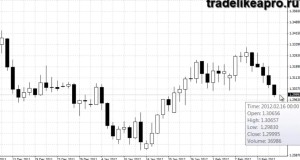
Go to the "new order" tab. We have 2 buttons, "Buy" and "Sell":
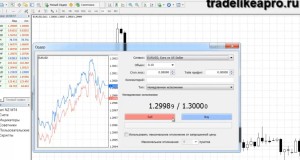
Let us, for example, sell:
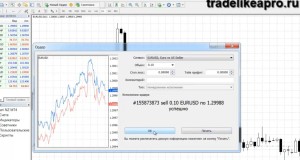
A notification arrives from the broker server, and accordingly, we get an open sell position:
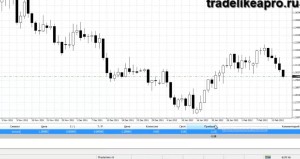
That is what concerns market orders. We immediately buy and sell at the current price. But what happens when we place a pending order? How does it differ from a market order? Let us try selecting it:
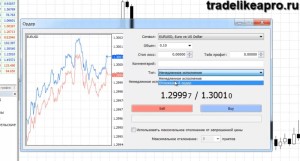
Below we have several types of pending orders. First, let us get acquainted with the orders of the types "Buy Stop" and "Sell Stop":
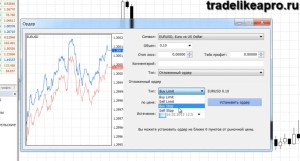
Let us choose Sell Stop:
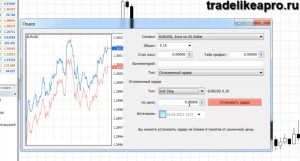
In the next field, we are offered to choose the price at which we want to place our pending sell order. Let it be 1.28700.
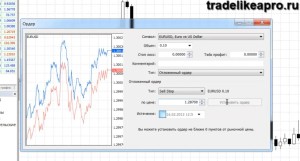
So, we have placed a pending sell order at the price of 1.28700. It is hanging there, but we have not sold yet. When the price reaches our mark, the sale will be carried out automatically from the broker's server. And we will get an open sell position that will show plus or minus depending on the further movement of the price.
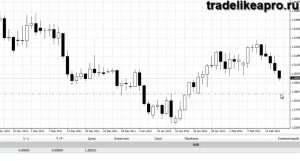
Beginning traders immediately have a logical question: If we think that the price will fall, then why not sell right now at the current market price? After all, when the price moves downward, we will get a head start by the number of points at which we place the pending order. That is, we will enter the market right away and be in profit if the price suddenly moves down. So why use a pending order if we can sell immediately?
The point is that by placing pending orders, we give ourselves a certain protection in case the price does not reach our order, turns around, and goes upward. In such a case, we will cancel our pending order, delete it, and lose absolutely nothing:
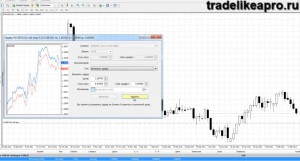
And if we had sold at the market price that exists at the moment and the price had sharply turned around, then we would have taken a loss. Thus, by using pending orders, we pay with the points that we could theoretically have earned by selling immediately. By placing "BuyStop" and "SellStop" pending orders, we increase our chances of a profitable trade. We increase our chance of a positive outcome of the trade, but we pay for it with possible profit. But still, in general, the use of pending orders will reduce the number of your losing trades and increase the percentage of profitable ones. Although theoretically we miss several points of price movement by placing a pending order.
We placed the pending order "SellStop". Now let us place a buy "BuyStop":
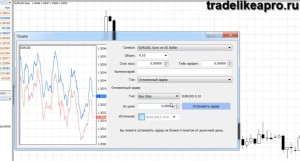
Let us set the price to 1.31000 and click place order.
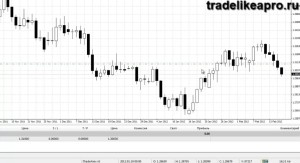
The principle of how the pending buy order "BuyStop" works is the same as for the sell order "SellStop". That is, when the price reaches our pending order, which we placed at 1.31000, we will automatically buy.
In what cases can this help? Let us look at an example. Suppose on the candle under which the arrow is placed:
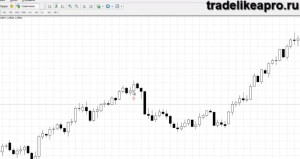
some indicator of yours or fundamental analysis or something else gave a buy signal. You decided that you need to buy at the close of this candle. You can buy at the price that is available at the moment. Or you can place a pending order slightly above the high point of this price.
Let us place a line where you could set a false order:
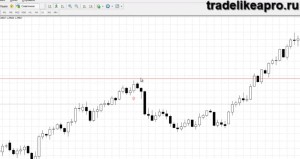
Suppose you placed a pending buy order "BuyStop" slightly above the high point of this candle. In this way, you insure yourself against a possible price reversal. And if the price goes even higher and your buy signal turns out to be correct, then we will automatically buy at the point where this pending order is placed.
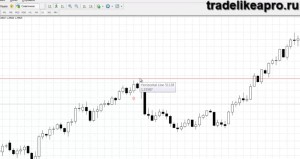
Let us see what happened afterward. We placed a pending buy order "BuyStop". On the next candle, the price reversed and went down. What do you do in that case? You simply delete the pending order and that is all. You took no losses.
But if you had immediately opened an order at the current market price on this candle, then you would have taken losses. Most likely the Stop Loss would have been triggered and accordingly you would have lost some number of points.
Thus, a pending order is a kind of insurance against a price reversal. But the price may very well reach the pending order and then reverse and bring a loss. Here it is already a matter of analysis, entry precision, and the like. In this article, we are considering only working with pending orders.
Therefore, when we place a Buy Stop above the current price, it is as if we are telling our broker to buy when the price reaches a certain mark. When we place "SellStop", it is as if we are giving an order to sell when the price reaches a certain mark below the current price. We cannot place a "SellStop" order above the current price. And likewise we cannot place a "BuyStop" order below the current price. In that case, if you suddenly want to buy a little lower than the current price now or, on the contrary, you want to sell several points higher relative to its current values, then in that case you will need to place a pending order of the "BuyLimit" and "SellLimit" type.
When placing orders, you probably noticed that we also have several more types of pending orders. These are "BuyLimit" and "SellLimit":
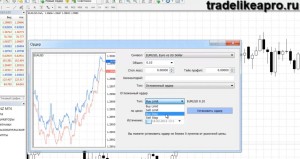
Let us first consider "BuyLimit". Let us set values below the current price. Suppose it will be 1.28800:
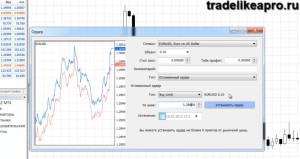
We placed the pending order "BuyLimit":
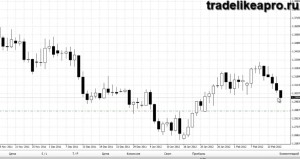
What does this mean? When the price falls to the level of our pending order, we will automatically buy. That is, you calculated that at the level of 1.28800 there will be a rebound and the price will move upward. You can sit and wait for this for hours. And at the same time, it is not a fact that you will definitely manage to enter at exactly that moment when the chart moves to the level of the price you calculated. Or you can place a pending order "BuyLimit" and calmly go about your business. When the price reaches this level, the buy will happen automatically.
A similar situation is with the Sell Limit order. Let us set the value 1.31000:
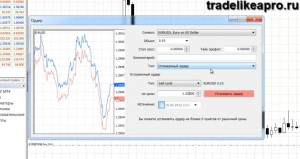
Just as with Buy Limit, when the price moves up and reaches our Sell Limit pending order level, we will automatically sell.
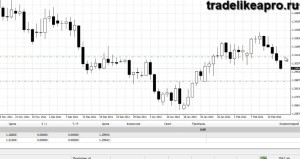
This can come in handy if you believe that after this level the price will reverse and move downward.
To sum up
If you want to sell above the current price, then you need to place a Sell Limit. If you want to sell below the current price, then place a Sell Stop.
If you want to buy above the current price, then place a Buy Stop. And if you want to buy below the current price, then place a Buy Limit. This applies to the types of pending orders. When placing a pending order, you have the option to set not only the price and type, but also Stop Loss and Take Profit right away.
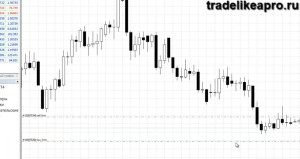
If you did not set them right away, then you have the option to double-click on the open orders panel.
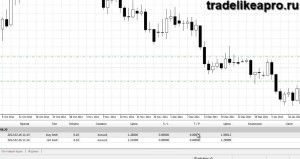
And in the menu that opens, set or change, if you suddenly decide to change them, the Stop Loss and Take Profit values.
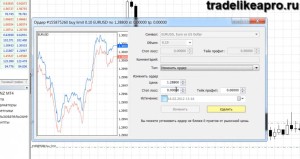
You can easily fix this. If you entered some value, click modify, and after a couple of seconds the pending order will be changed. The value that we set will be added to it.
If you want to delete a pending order, then double-click on it and press the yellow button labeled delete:
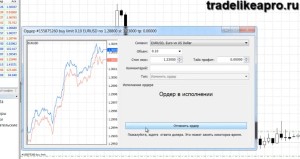
Thus, the pending order will be deleted. The broker does not charge any commissions for these actions. You do not incur any losses in the event of deleting a pending order. That is, you can place and delete them as much as you like. It is all completely free.
I hope that this article helped you better understand what pending orders are, how to work with them, and in what cases to use them.
Sincerely, Vlasov Pavel Tlap.io