
Pattern Graphix App, the AutoChartist Killer?
 Good afternoon, fellow forex traders!
Today we will review the Pattern Graphix software package from broker InstaForex. The program automatically identifies technical analysis patterns on the chart, promptly notifying you when new signals form. Earlier, we already reviewed a similar solution from other developers, Autochartist. Pattern Graphix provides similar functionality and can become a decent alternative for simplifying the routine processes of graphical analysis. In this review, we will compare both programs and choose the winner.
Program Features

Pattern Graphix is an application for MetaTrader 4 that allows you to identify the most common chart patterns and candlestick models on the chart in real time, freeing the trader from constant market monitoring. The program provides all the necessary settings to create a comfortable environment, in particular, color settings and the notification method.
The task of the auxiliary expert advisor is to identify trading patterns on the chart in a timely manner and generate ready-made entry signals. That is, the main task of the advisor is assistance in everyday trading. When a new signal appears, a notification arrives indicating the type and description of the detected pattern, which helps you stay aware of the current state of the market.
Also, it is worth noting the ability to identify a large number of candlestick models. This frees the trader from the "human factor," since it is very easy to miss one of many candlestick formations. In fact, this function can be used to confirm signals for a trading strategy, or to trade directly from the models detected on the chart.
Installation
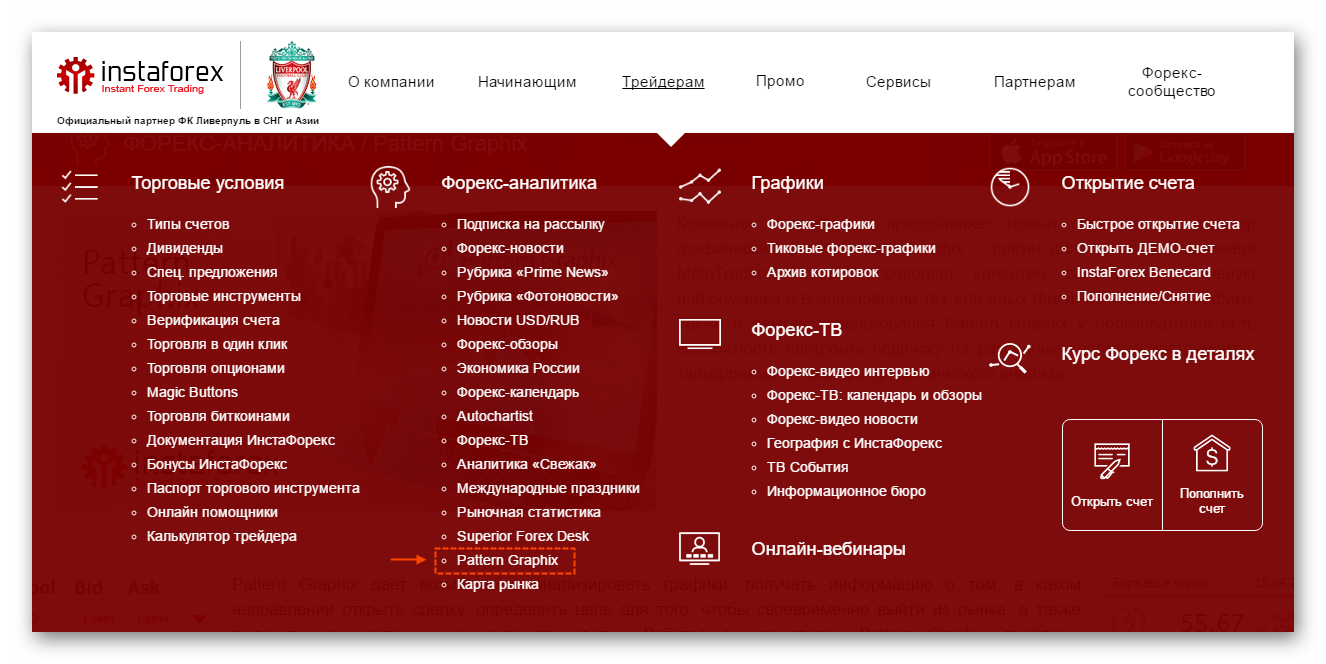
Go to the InstaForex website, to the "For Traders" - "Forex Analytics" - "Pattern Graphix" section.
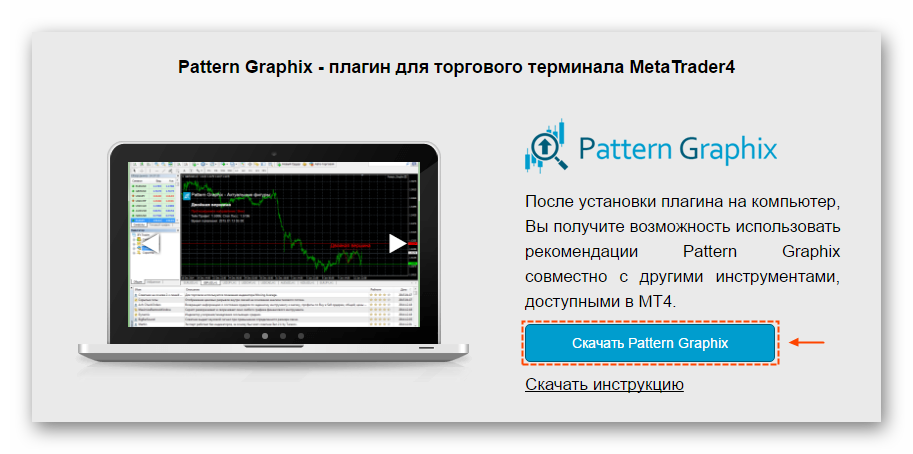
 A little lower there will be a link to download the program.
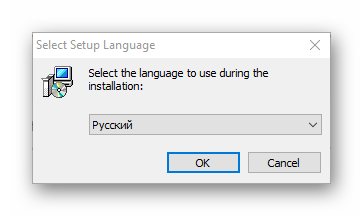
 Run the installation file and choose your preferred language.
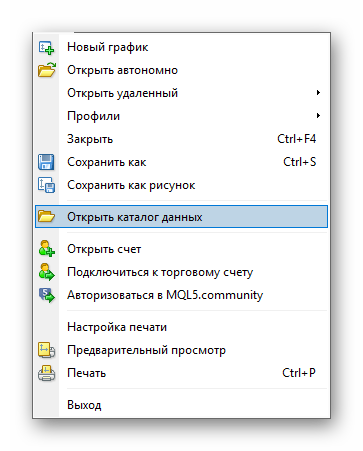
 At the next step, you need to specify the data directory of the InstaForex terminal. You can get it through "File" - "Open Data Folder".
 Specify the required directory and click "Next".
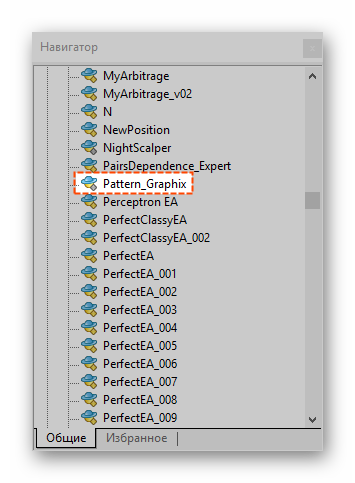
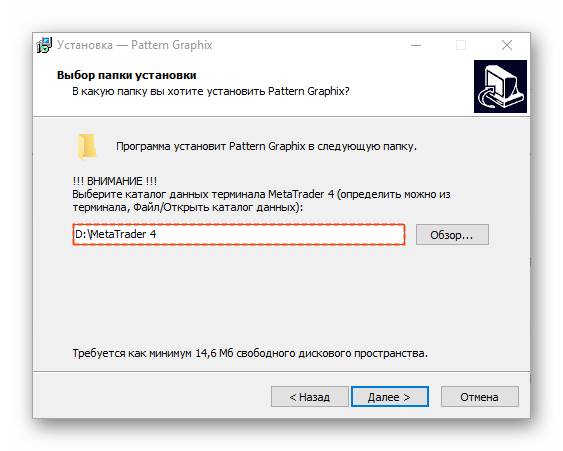 Restart the terminal. The "Pattern_Graphix" expert advisor will appear in the navigator window. To launch it, simply drag the advisor onto any chart you are interested in.
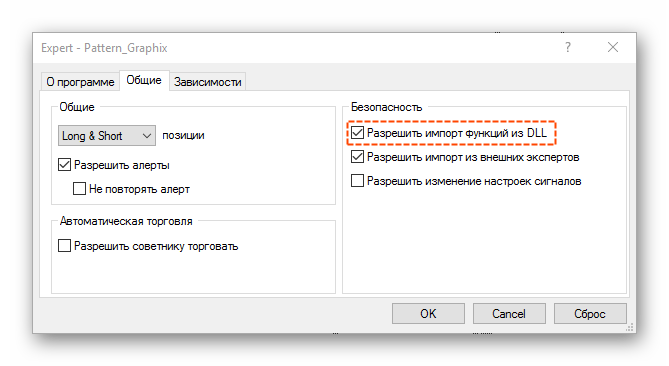
 Do not forget to allow the use of DLLs, otherwise the program will not work.
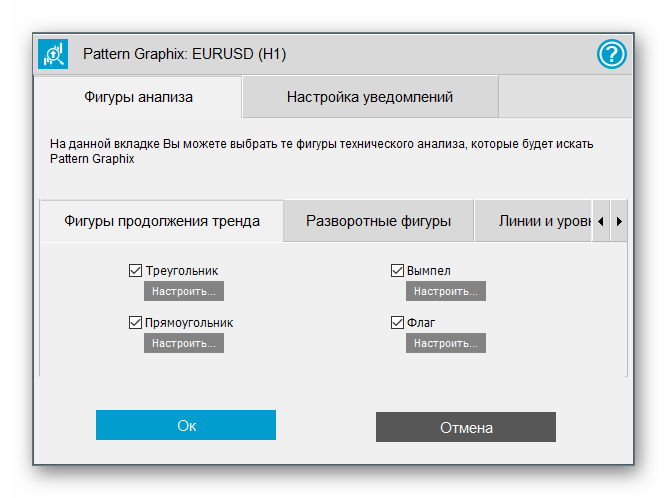
 If everything is done correctly, a settings window will appear on the chart.
 This product is an exclusive from InstaForex and does not work on accounts of other brokers. If you do not have a live account with the company, you can test the program on any InstaForex demo account.
Chart Patterns
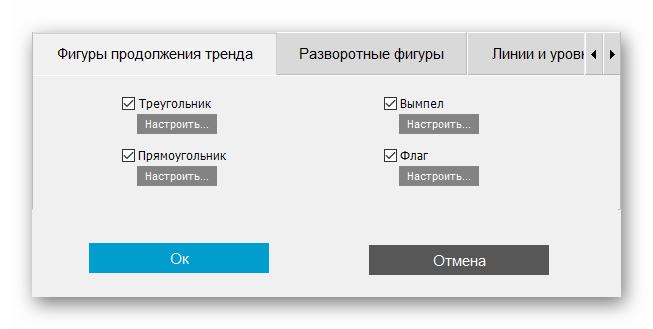
To enable the display of certain patterns, just check the corresponding boxes in the settings window. Pattern Graphix supports several types of chart patterns. These are trend continuation patterns: Triangle, Pennant, Rectangle, Flag.
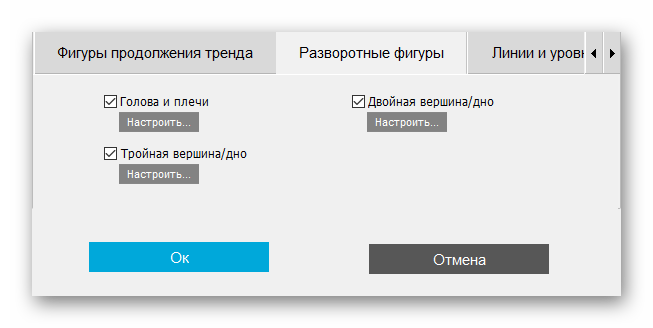
 Reversal patterns: Head and Shoulders, Double Top/Double Bottom, Triple Top/Triple Bottom.
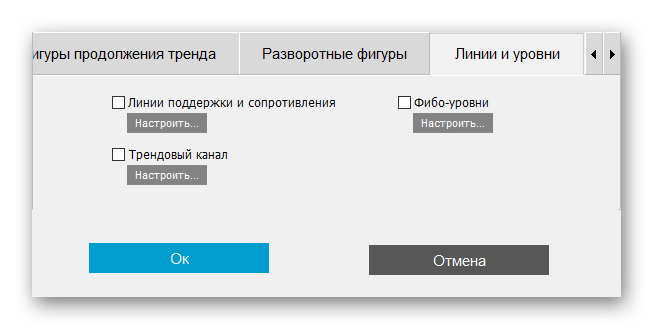
 Lines and levels: Support and resistance lines, Fibonacci levels, trend channel.
 And an extensive list of candlestick patterns: Hammer, Hanging Man, Engulfing, Harami, Harami Cross, Piercing Candle, Dark Clouds, Doji Star, Morning and Evening Star, Morning and Evening Doji Star, Homing Pigeon, Three Stars, Meeting Lines, Belt Hold, Three White Soldiers, Counterattack, Deliberation, Three Black Crows, Identical Three Crows, Breakout, Three Inside Up/Down, Three Outside Up/Down, Three Stars in the South, Concealing Baby Swallow, Stick Sandwich, Ladder Bottom, Matching Low.
Alert Settings
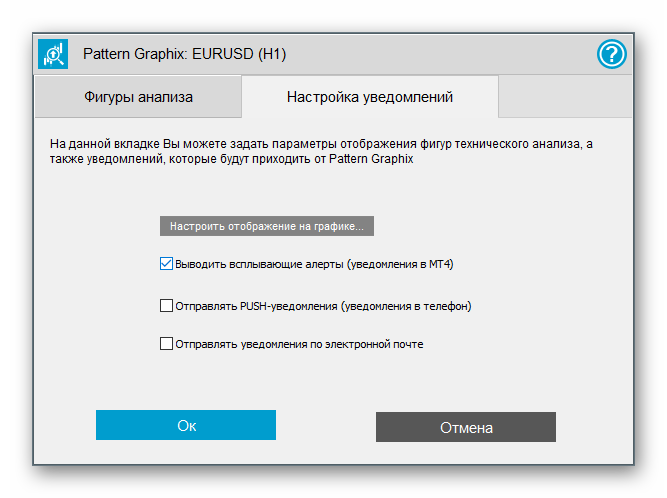
In the "Alert Settings" tab, you can choose the type of notifications: a pop-up window directly in the terminal, PUSH notifications to a smartphone, as well as email notifications.
 When a new signal appears, an alert window is displayed with a detailed description of the signal. The alert is shown above all windows, so you will not miss the signal even if the terminal was minimized. Right from here, you can open the chart with the formed pattern.
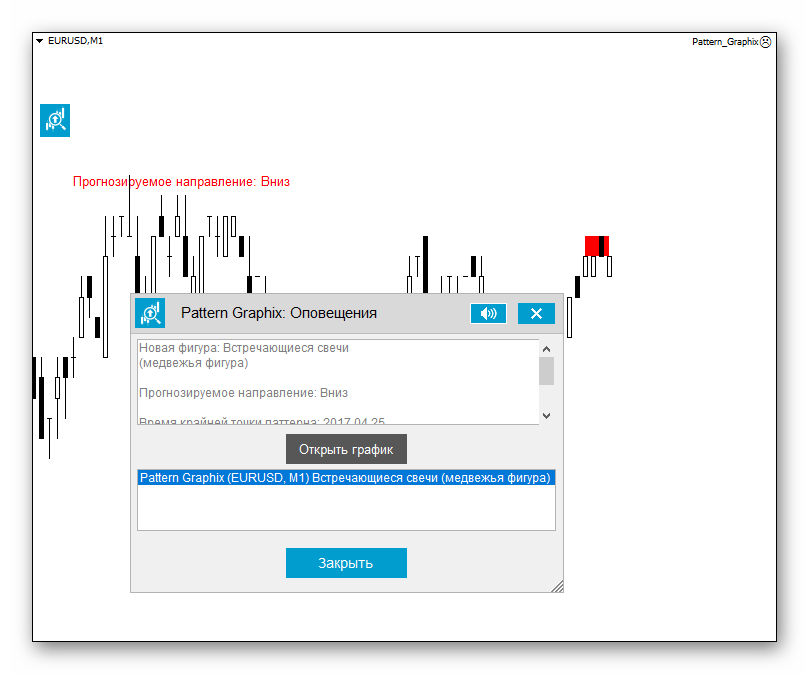 Along with this, information about the signal is displayed on the chart itself. You can change the indication color at your discretion. To configure the informational text, go to the "Alert Settings" - "Configure chart display" menu. Here you can choose the color for the main text and the color of the trading signals.
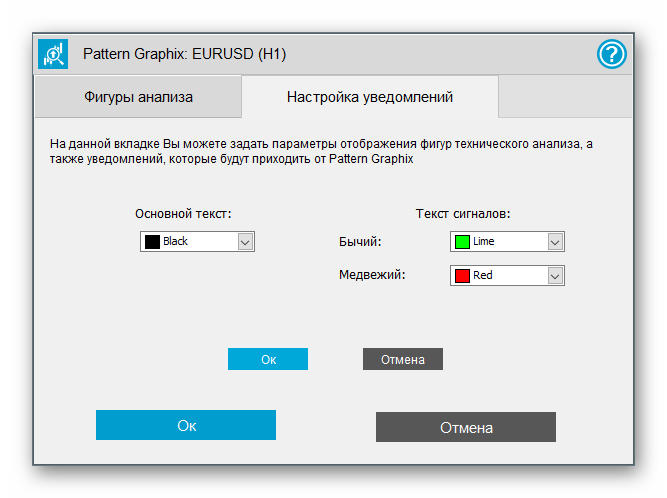 You can choose a separate color for each figure. To do this, click “Configure...” next to the pattern name.
Comparison with Autochartist
Unlike Autochartist, Pattern Graphix provides far less extensive capabilities. On the other hand, if you only need pattern detection and nothing more, the program will perform its functions perfectly. The comparison table will give a clearer idea of the main differences between the two programs.
| Autochartist | Pattern Graphix | |
| Recognition of well-known chart patterns | ✅ | ✅ |
| Recognition of harmonic patterns | ✅ | ❌ |
| Recognition of candlestick patterns | ❌ | ✅ |
| Pattern performance statistics | ✅ | ❌ |
| Pattern quality assessment | ✅ | ❌ |
| Analysis of volatility | ✅ | ❌ |
| Analysis of news events | ✅ | ❌ |
| Advanced pattern filter | ✅ | ❌ |
| Alert configuration | ✅ | ✅ |
| Limiting alerts by session time | ✅ | ❌ |
Here it should be taken into account that most of Autochartist's functionality is located in the web client, while all of Pattern Graphix's capabilities are available directly from MetaTrader4. The alert implementation in Pattern Graphix is more thought out: the message appears over all windows, plus there is the ability to send PUSH notifications. This allows you to react instantly to the appeared signal by following a quick link directly to the MT4 chart.
Autochartist has a separate section with statistics for already completed patterns, which allows you to quickly analyze the quality of how individual patterns played out. The application from InstaForex only provides the possibility of testing on history, so all the necessary statistics will have to be collected manually. The program's operation can be checked in the MT4 visual tester. For convenience, a button for starting/stopping testing has been added on the left side of the chart.
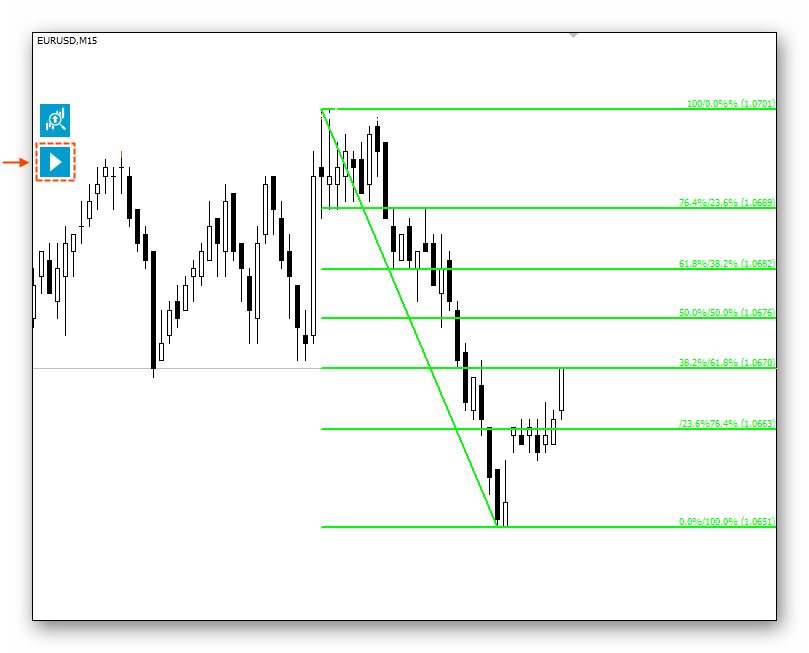 When a pattern is detected, testing stops automatically, so you will not miss the signal even if the tester was running in the background.
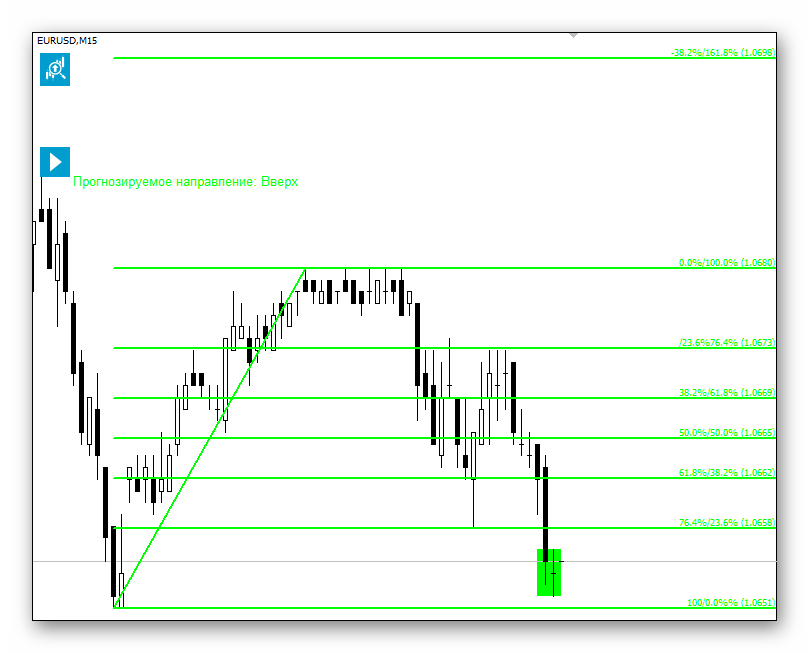 Just like Autochartist, the program is capable of identifying complex signals. For example, in this case we have a triple top pattern and a descending trend channel, together forming a strong bearish signal. Along with this, the recommended stop loss and take profit levels are displayed.
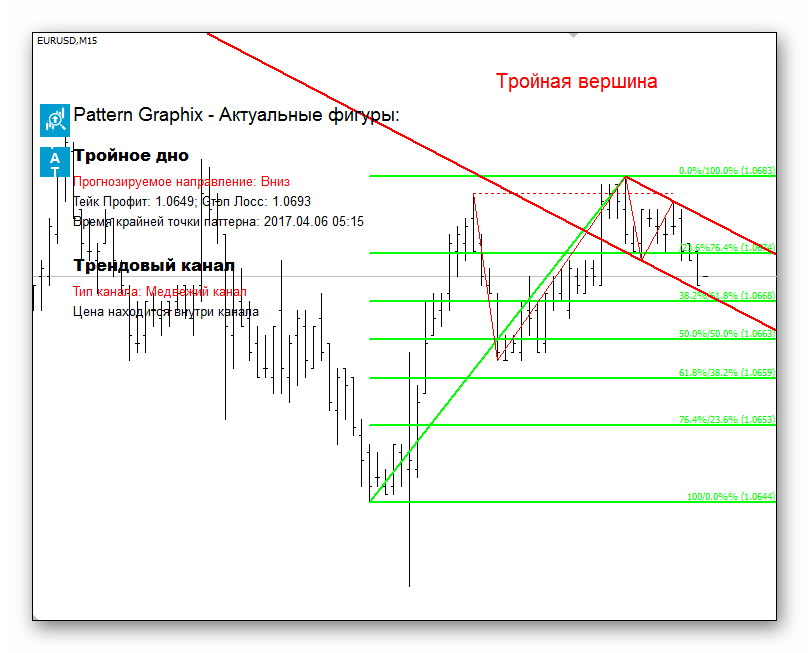 The only drawback at this stage is that the program does not identify breakouts of trend levels, but only signals their presence. In fact, this is why signals appear almost instantly: candlestick formations are identified after the candle is formed, and the trend channel is formed after three extremums are formed. Apparently, traditional Bill Williams fractals are used in the calculation. Therefore, before entering a trade, it is better to wait for additional confirmation.
Conclusion

For many, Pattern Graphix will not become an alternative to the already well-known product. Nevertheless, the provided functionality gives exactly that foundation on the basis of which it is already possible to conduct full-fledged trading. For beginners, the product is extremely useful. The main thing is not to try to follow the signals blindly, but to have your own understanding of the market situation.
Respectfully, Alexey Vergunov TradeLikeaPro.ru