
A Roundup of the Most Useful Programs for a Forex Trader

Hello, fellow forex traders.
Over many years, quite a few auxiliary programs and tools have been described on the pages of our site and forum that help solve various tasks in trading. So that you have the opportunity to find your way through all this variety, we compiled a roundup article where we collected everything most necessary.
Today we will talk about tools that, if you are not using them yet, are capable of raising your trading results to a new level. We will talk about how to make working with information more effective, how not to forget anything, learn quickly, and not lose a lot of time solving the most common tasks a trader faces every day.
Programs for analyzing the results of expert advisor testing

We have already talked about how to test an expert advisor in the strategy tester of the MT4 terminal and the MT5 terminal. You have also already read about testing on tick data here and here. We also already discussed optimization of expert advisors in the MT4 terminal and the MT5 terminal. Therefore, first of all, we will talk with you about what programs exist for a more detailed understanding of the testing results of your expert advisors. We have also already written about all these programs on the pages of the blog, but I simply could not help reminding you of their existence.
SQ EA Analizer
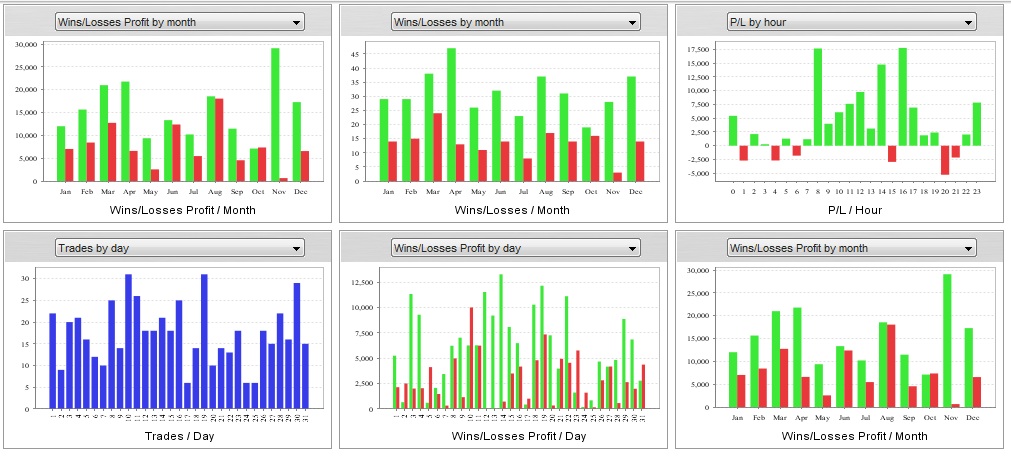 At the moment the program is paid and is called QuantAnalyzer. It costs 249$, but a demo version is also available in which most of the juiciest functions are cut down. The program will not only help analyze the expert advisor tests obtained in the terminal in more detail, but also assemble a portfolio from them, as well as conduct various tests of its stability and reliability. This article will help you study the program's capabilities in more detail.
ReportManager
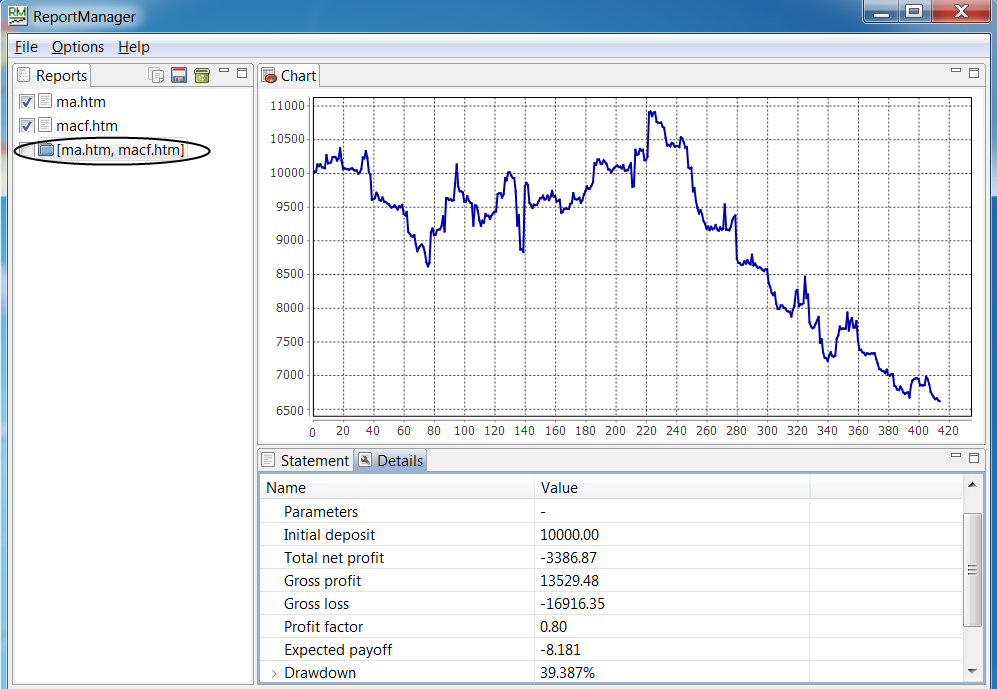 This is a completely free program with modest capabilities. Essentially, all it can do is combine several expert advisor test files into one resulting file. No additional parameters, no tests. It will suit those who simply want to see the balance curve and the final result of the expert advisor's work across all pairs together, or simply quickly get a summary test of the expert advisor across all instruments. Read more about this program here.
Microsoft Excel
 There is even an entire video course devoted to this wonderful program. In addition to keeping a journal and creating and testing your own trading systems, Excel is also quite convenient for analyzing the results of expert advisor tests. Moreover, in this program you will be able to get absolutely any characteristics of your systems and portfolios, because unlike the programs listed above, where the calculation of all indicators is rigidly integrated into the program itself, here you yourself are the creator. A histogram of the distribution of trade result dependency on entry time? No problem. Want to see the Sterling, Treynor, Schwager coefficient, or, for example, the time-weighted rate of return? Easily.
Walk Forward Analyzer
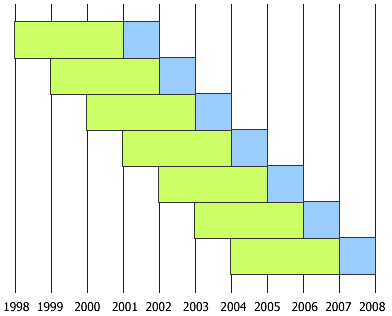 This program is built into the MT4 terminal and helps verify the results of forex expert advisor optimization. It is completely free; you can get acquainted with it and download it here. In addition, you can view the thread on our forum.
Forex System Creator
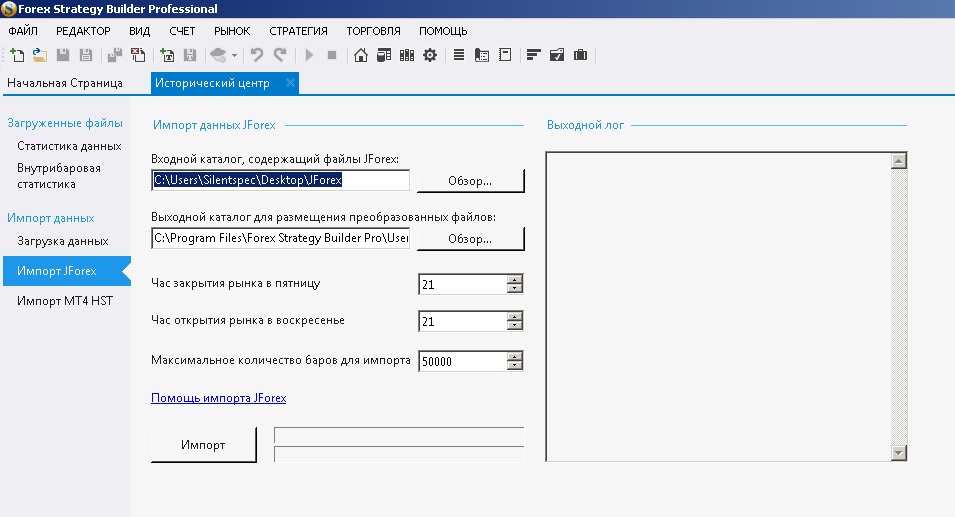 This program will help you automate a trading strategy or even automatically generate a large number of them. The program is not that difficult to master, and besides, the process of using it is explained in detail here. But if questions arise, you can always read the forum thread.
Online monitoring services

You can also analyze your results in online services for monitoring accounts. At the moment, two free options are available: the popular but rather slow myfxbook and the less popular fxblue. Which one to choose depends on your personal preferences, but the latter provides more different account statistics, while the former has widgets for embedding data from your monitorings on third-party resources on the web.
In addition, these services also offer various market analysis tools such as trader position ratios, currency pair correlation, and other useful indicators. You can also find some interesting tools on this site. A lot of interesting things can also be found on the Oanda website. It will also be useful for many people to use charts from trading view for analysis. By the way, our site also has an article about this service.
Programs for manual strategy testing

It is generally accepted that traders in the financial markets are divided into two camps: adherents of old-school manual trading and lovers of automated trading. And if the latter already know the capabilities of their trading systems perfectly well, then the former have to test their systems manually. Fortunately, special programs have also been invented for supporters of manual trading, with the help of which they can test their systems on historical data. Programs of this type also work perfectly well as simulators for rapidly developing your trading skills.
Forex Tester
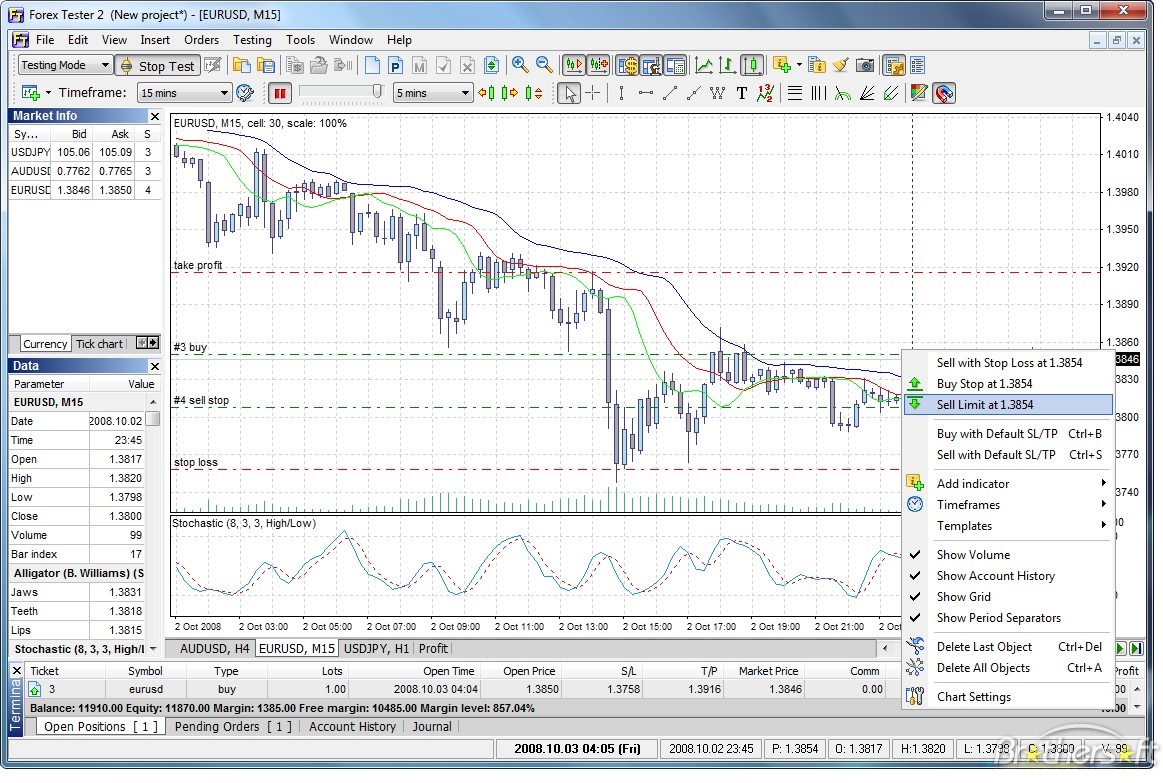 This wonderful program, very similar to the familiar MT4 terminal, will allow you to run a system test manually, as if you were simply trading online, that is, clicking buttons, placing orders, and so on. At the same time, you can stop, speed up, and slow down the time slider. At the end of the test, a report on your trading awaits you. The only downside of the program is the difficulty of using custom indicators. The thing is that the program has classic indicators and various drawing tools, but if you use some external indicator, you will have to rewrite it into the language built into the program. Another downside is that the program is paid and costs about 100$. You can get more detailed information about Forex Tester 3 from this article. In addition, our site has a video lesson on working with this program; you can also look at the thread on the forum.
Simple Forex Tester
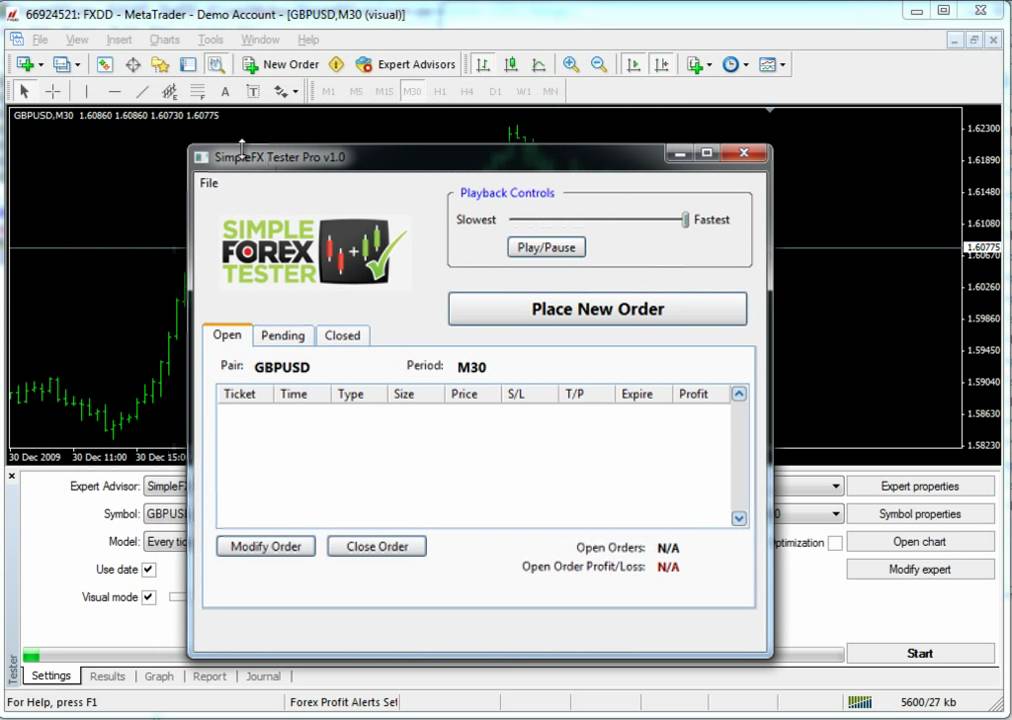 Another option for a program for manual testing of strategies is the already old Simple Forex Tester program. But it has several advantages that distinguish it favorably from its paid counterpart. The thing is that this is an expert advisor for the MT4 terminal, and the test takes place directly in the terminal. And that means you can use absolutely any indicators for trading. At the end of the test, the standard MT4 report will also be waiting for you. Oh yes, and the program is completely free. By the way, you can get acquainted with it here. And it would not hurt to look at the thread on the forum.
TradeSystem2
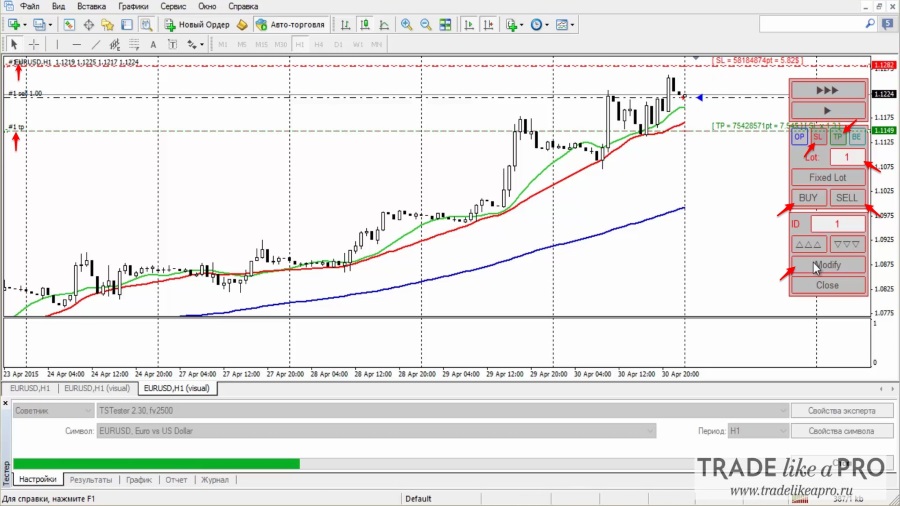 Similar to the previous one, this program is also launched from the MT4 terminal. It has more capabilities compared with Simple Forex Tester. You can read about it here. By the way, the author of this program is our forum member fv2500. There is also a large thread on our forum about this program.
Of course, this is not a complete list of programs that will help you test your manual strategy. There are several more that you will find in the Hard and Soft section on the forum. For convenience of searching, you can use the section contents.
Quote sources and working with them
 When testing both manual and automated strategies, the main resource is a high-quality history quote database. If it is too short, you will not be able to get reliable test results. If it is low-quality and contains many gaps and artifacts, then there can be no talk of any accuracy either. An important role in choosing quotes is also played by the operating principle of your strategy itself. If you are going to scalp inside M1 candles or work on news, you definitely need to use tick quotes. If all operations take place at candle close, then using ticks is not necessary. They are needed in order to know for sure what happened inside the candle. How can you get quotes?
Tickstory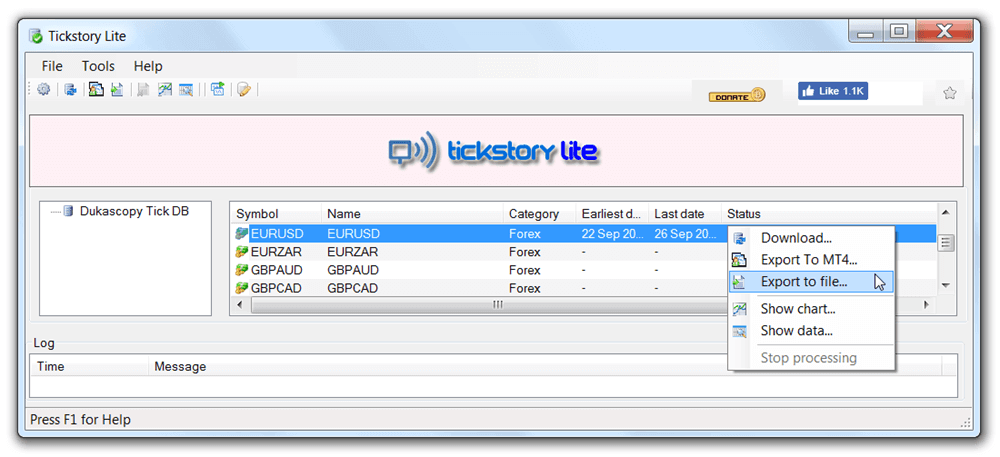 This program allows you to test strategies on tick data in the MT4 terminal. This program is also suitable for obtaining tick quotes. You can download the free version, which will only let you download tick data, or you can purchase the full version and get the ability to test. The thing is that the free version supports testing in terminals up to build 765. You can find old terminal versions on our forum and calmly use the free program, or pay something around 35 bucks. More details about Tickstory are written in this article, and as usual there is a thread on our forum about this program.
StrategyQuant Tick Data Downloader
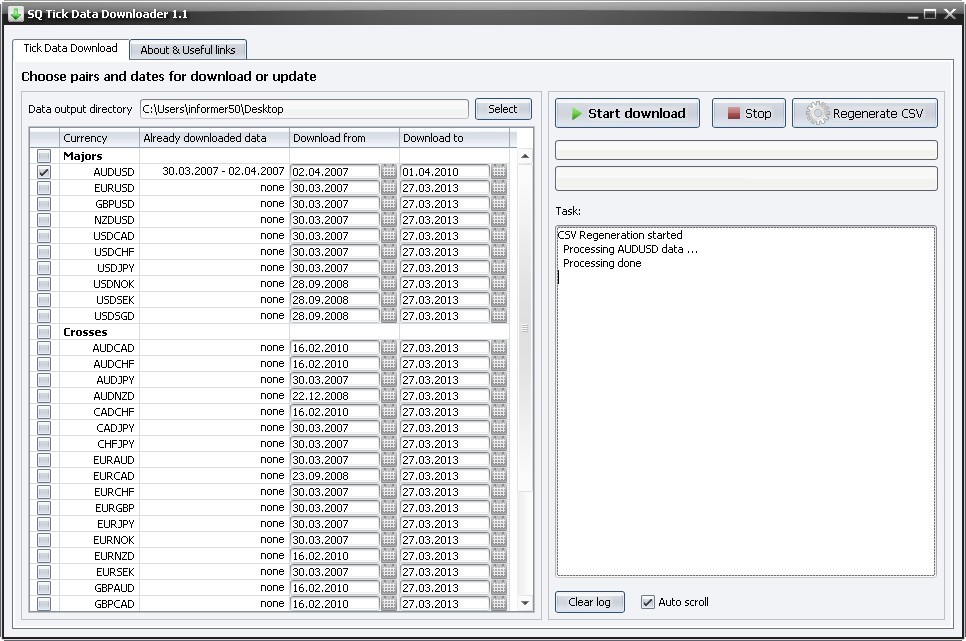 This program does exactly the same thing as the previous one, with one small difference: it does not assume testing from the MT4 terminal. Why is it needed then? The thing is that in new MT4 terminal builds, you can simply copy a tick history prepared in advance in .hst format, which the terminal prepares before launching the test. In old builds, the terminal created this file anew each time, overwriting the old one. At the moment, if the terminal finds the required file, it uses it without changes. Therefore, all that is needed to use real ticks is to prepare the files in .hst format once in advance. Tick Data Downloader will allow you to save the ticks downloaded with its help in .csv format, and a special script for MT4 will convert them into .hst format, and that's all there is to it. Read more about this procedure here.
Range Bars plug-in and Ultimate Renko plug-in
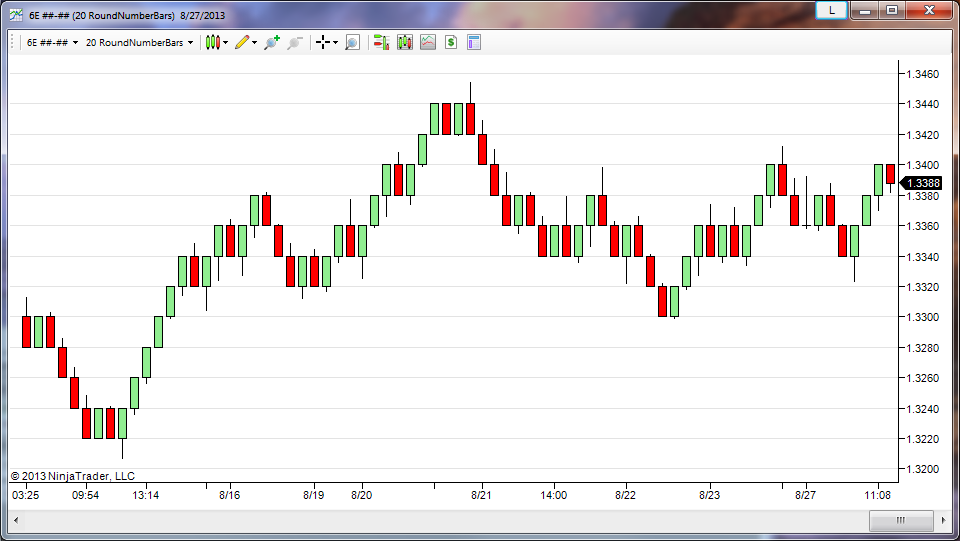 These scripts do not download anything; they convert history in the terminal into Range Bars and Renko charts. This is the same visual representation of price data as candles and bars, only a little more complex. In theory, such types of price representation give traders some advantages, but unfortunately they are not provided in the MT4 terminal. By converting your price data with these scripts, you will be able to test your expert advisors and manual systems on history on such types of charts.
Alpari ticks
When we talked about the tick data that the two programs above download, we were talking about ticks from Ducascopy. Nevertheless, some brokers have their own tick data. For example, at Alpari their own data for all account types can be downloaded here. If you trade with this broker, it is more correct to use exactly its data, because different brokers' feeds can differ noticeably.
MLDownloader and FuturesDownloader
These programs allow you to download a huge amount of currency pair and futures quotes. On the site you will also find several more interesting programs. For example, you can download various fundamental data for testing systems based on fundamental analysis.
TrueFX
As you know, tick data is also subject to various gaps and inaccuracies. Therefore, if you have set yourself the task of obtaining 100% quality of your historical database for more accurate testing, you cannot do without patches. Missing ticks can also be obtained from here.
Finam
You can also get tick and any other data from here. There are stocks, the commodity market, forex, and indices here, any instruments. However, from 10.00 to 18.00 Moscow time, you will not be able to download large files; you need to wait until the evening.
Minute quotes

If you are not chasing tick scalpers and prefer more stable systems for earning, a quality M1 history will suit you. Of course, to obtain 100% quality it also needs to be downloaded from different sources and then glued together, patched, and so on. There are several sources I know from which minute history can be obtained: Forexite (quotes for MetaStock, easily converted for MT4), GAIN Capital (here quotes are split by weeks, so you will have to download them for a long time and then glue them for a long time), FXOptimal (here quotes are available for three account types to choose from, fairly high quality), HistData (very decent quotes, already ready for loading into the terminal).
All this concerns quotes for the forex market. Nowadays various cryptocurrencies are also fashionable, so minute quotes for various bitcoins and others can be taken here. Again, you will have to bring them into a format edible for MT4, glue them together, and patch them.
D1 quotes

If you are a fan of long-term trading systems, you need reliable long D1 timeframe data. They can be obtained from investing.com, Google Finance, Yahoo Finance, stooq, global-view, quandl, knoema, fxhistoricaldata, fred, federalreserve. If you need macroeconomic and fundamental data, I advise you to start searching with worldbank and measuringworth.
Paid tick data

Good paid sources of tick data are considered to be Global Financial Data, Morningstar, Thomson Reuters, FactSet, Bloomberg, CRSP, TickData, AlgoSeek, IQFeed, xignite, quantquote, quantgo, eoddata, olsendata, cqg, Norgate Data, BarChart.
If you know any other sources, both paid and free, write in the comments, it may be useful to many. By the way, you can collect ticks yourself too; I devoted several articles to this issue in the MQL Lessons section. And you can learn how to prepare downloaded quotes and bring them into a form readable by the MT4 terminal from the Excel Trader course.
Programs for storing your notes

If we do not know why we lose or earn, then the matter is hopeless: without understanding the causes of failures, it is impossible to fight them; without understanding the causes of successful trades, it is impossible to repeat the same result in the future. Therefore, the more we train and the more trades we analyze, the more actively we develop.
One of the most common tools for analyzing your trades is a trade journal. Most traders use it primarily to record all completed operations and track so-called emotional trades, that is, trades that were not made according to the system.
Situations also arise quite often when an interesting thought regarding your trading comes to mind that is worth writing down so as not to forget it. In such a case some people use paper notebooks, someone uses built-in tools on phones, or even whatever happens to be at hand. Then all this gets lost, mixed up, and sometimes finding something necessary becomes almost impossible.
Another frequent situation: you find an interesting article on the web and want to make a note. Most often you simply have to copy the text from the browser into a file on the computer or make bookmarks. Over time such a system becomes more and more piled up, cluttered, and again it becomes difficult to find anything.
Yes, standard tools can be used. For example, Excel for keeping a journal, and Word or a similar program for notes. But still, quite a few more universal and useful applications have been invented to solve these problems.
Excel and Word
The simplest and also free solution is to use Excel for keeping a diary and Word for storing notes. You can organize your own system of folders on disk and sort notes according to the system. You can output any charts, coefficients, and other characteristics in your Excel journal. Everything seems good, but there is still one big downside here: Word will not save you somewhere far from the computer when sudden insight comes over you, and in Excel it is quite inconvenient to insert screenshots of the trades being made. Therefore, let's nevertheless get acquainted with the programs that are now available as an alternative.
Evernote
 This is the most popular program of this type. It has a convenient interface, a smartphone version, and a plugin for most modern browsers that lets you save articles from the internet directly into the program with just one button.
Its main advantage is a quick search for information through a unified database, when you can in a matter of seconds find the information that you entered into this database. After registering an account, you can download the desktop version or use the browser version, although it is still more convenient to download and install the program. To structure information on various topics, Evernote lets you create special notebooks, for example, trade journal, trading patterns, and so on. Inside each notebook you can create an unlimited number of notes. A note can contain text, pictures, and various files (pdf, word, and others). You can assign various labels to each note. This is something like tags that then let you search for the needed information very conveniently. The label system can, for example, be a great help when keeping a journal, because you can use the system name, trading time, and trading result as labels, and then use the filter built into the program to display only those trade notes that, for example, were opened before lunch by a trend system and closed at a loss.
In general, Evernote is an excellent tool for identifying your strengths and weaknesses, building skills, and increasing professionalism. Nevertheless, the free version has serious limitations, such as the inability to synchronize the program on a smartphone and a computer, as well as limited space for storing notes. The optimal plan, Premium, costs 2 000 rubles per year, which in principle is not that much. But do not rush to buy it, because next we will examine several more similar programs.
OutWiker
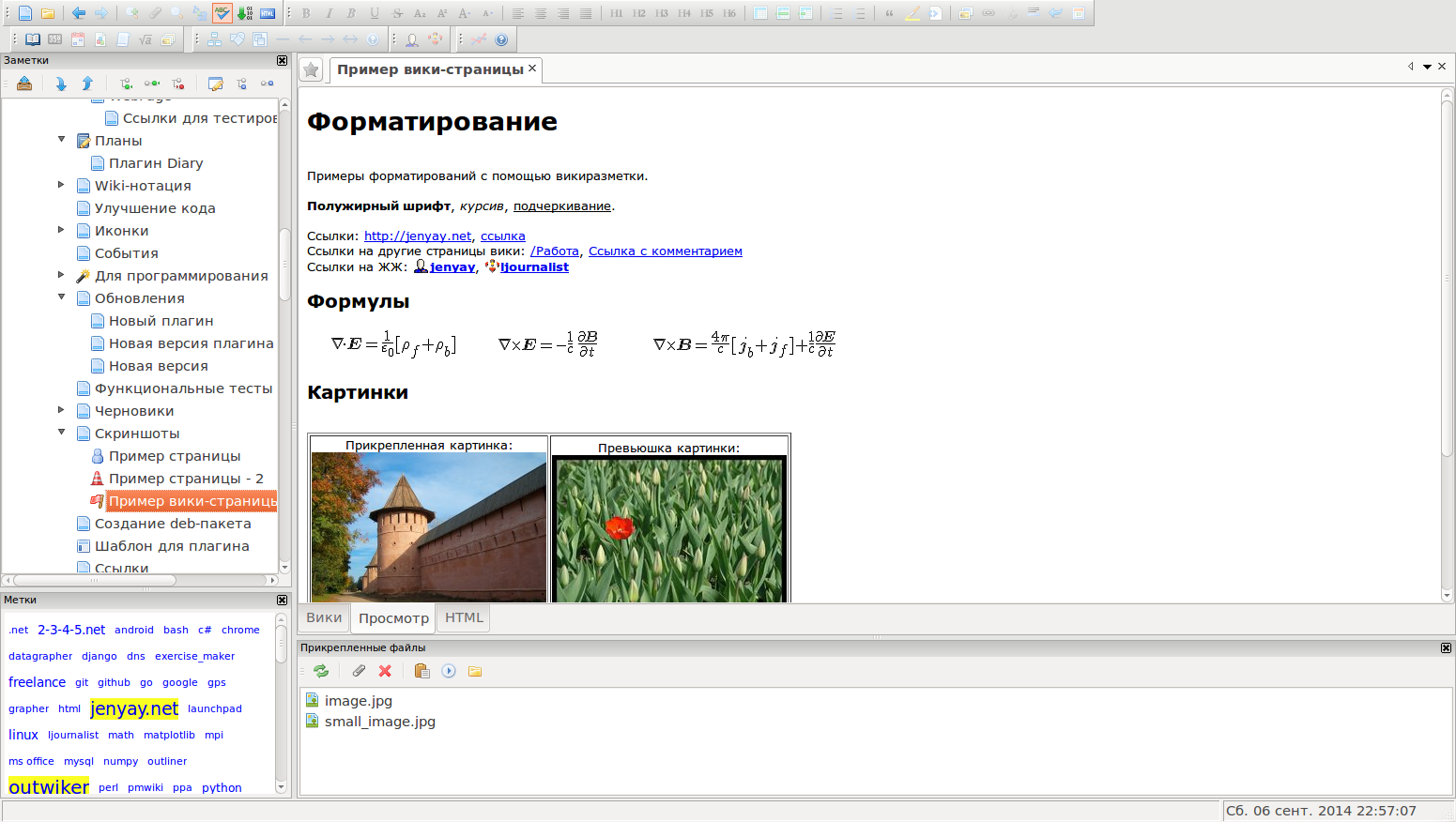 For those who do not want to pay for a useful program but want to have many different useful functions, the free OutWiker program may be suitable. Such programs are called outliners, personal wiki systems, or tree editors. Any number of files can also be attached to notes. OutWiker can contain pages of different types; at the moment four page types are supported: a page with wiki notation support, plain text, HTML pages, and a tree search page. With the help of plugins, you can add new cool features such as saving web pages, creating galleries, tables of contents, full control over page display, building diagrams and graphs of anything, viewing note statistics, inserting mathematical formulas, saving page templates, and much more. All this undoubtedly makes the program very convenient for keeping a trade journal. Nevertheless, there is one minus: there is no smartphone version. On the other hand, if you use the program only as a trader's diary, the minus is not so significant.
Microsoft OneNote
This program from Microsoft is often installed together with other office utilities like Word and Excel. A mobile version is also available. In it you will find absolutely the same functions as in Evernote, only for free and without any restrictions. For those who have long used Evernote, it may be a little unusual at first, but it is worth it, because in addition to the main functions of the competing program you will get the ability to make sketches right in the note, create tables as in Word, import tables from Excel, work with note templates, record audio and video notes, set up integration with Outlook Tasks and receive, for example, to-do lists or other notifications by mail, as well as many other functions. Therefore, for those looking for a way to create a personal knowledge base and systematize the storage of various information, I would recommend exactly this program.
Programs for remote control

TeamViewer
At present, keeping an eye on the market from a phone or tablet is not especially difficult: it is enough to install a special application or use the web cabinet that almost every broker has. But this is often not very convenient, and in some cases you may need to get exactly to your home computer, for example to urgently turn off a trading robot because of market instability. The wonderful TeamViewer program comes to the rescue. It exists both as a PC version and for smartphones. We simply install the program on all desired devices and get something like a network of your working machines with the ability to log into any of the connected devices right from the smartphone. I will not describe all the functions and capabilities of the program in detail; you can familiarize yourself with them on the site.
Access to a VPS from a smartphone

When you are working at your PC, logging into your VPS server is not a problem. But what if you are on the road or simply far from home and need to log into the VPS urgently? The RD Client program for smartphones will save the day. Similar to TeamViewer, RD Client gives full access to your server as if you had logged into it from your home computer.
Programs for storing passwords

A bunch of terminals, a couple dozen brokers, five email boxes, six dozen different online services and forums, plus a bunch of programs on the PC that require a login and password to enter: all this requires quite a memory or else a special program that will carefully store all this information for you.
Password Safe
This is an open-source software development intended for storing passwords. The program interface has been translated into many languages of the world, including Russian. To explain the program's operating principle simply, a container protected by a serious encryption algorithm is created, after which all your passwords and logins, links to internet resources, email addresses, and so on are placed into it, broken down as carefully as possible into groups while allowing some additional properties to be applied. Password Safe will let you have just one password that will provide access to the container created by the program, where in a convenient form you yourself organize comfortable storage of your access passwords. Create new groups in which you can place your user name and password that are close in subject or according to another principle. A convenient context menu function in Password Safe will let you quickly perform a number of really useful actions. For example, copy a password, login, link, or email address to the clipboard, go to the required resource with the possibility of auto-typing, send a letter to the addressee having first determined which mail program to work with, and so on.
Efficient Password Manager
This is an excellent free password manager. The program has a portable version for use from any drive, including USB media, for example from a flash drive. Using the portable version of the program, you will always have all your passwords with you. The program has forms for saving email account records, can store keys for software that you purchased, passwords for FTP accounts, and so on. The program has a built-in password generation function in case you find it difficult to come up with a secure password yourself. Efficient Password Manager will come up with a truly reliable password that will be difficult to guess. The Login Password pair that must be used to enter the utility interface is encrypted with an irreversible SHA algorithm, and the information is encrypted with a 256-bit AES algorithm. In addition to the main functions, this product has a mass of additional tools and settings, from choosing a theme to hierarchical grouping. You will also be able to create your own groups for passwords. The program supports many languages, and Russian is no exception.
Programs for servicing a home computer and VPS

There was already an article in the blog about VPS maintenance. The process of setting up a VPS server has also already been discussed. Now I want to suggest several programs for optimizing the work of a VPS and a home PC that I use myself.
WinUtilities
This is a set of utilities for cleaning and optimizing the Windows system, marked by more than 20 awards. At the same time, the program is provided by the developers completely free of charge. This tool set allows you to improve your computer's performance, increase its security, and also configure and personalize your windows. Registry Cleaner makes your system more stable by cleaning bad registry entries that accumulate every time programs are installed and removed. The registry optimizer rebuilds and defragments your registry, which makes the operation of the entire system smoother and faster. The program includes powerful tools for cleaning and optimizing hard drives. Disk Cleaner removes unnecessary files from your computer, allowing it to run faster. The memory optimizer guarantees that memory will be freed in the proper way. The History Cleaner module deletes internet history and other personal files that can be used to track your activity on the Internet. The Undelete function allows you to recover files that you accidentally deleted. You can even save files from deleted partitions. You can learn more about the program on the developer's site.
Ultimate Windows Tweaker

This software is a tool for fine-tuning the Windows operating system. The graphical interface of this application combines a huge number of settings and options, by changing which the user can optimize the operation of their computer for specific tasks in accordance with preferences. It should be said that the program is quite a serious tool and allows you to change parameters that may cause system instability. Therefore, users who are going to use this application should, of course, have certain knowledge and experience. Despite the simplicity and ease with which system parameter values can be changed, the user will be able to make quite significant changes in the operation of the PC. You can download the latest version of the program on the developer's site.
Sysinternals Suite
This is a set of system utilities from the well-known author of a huge number of tools for administering and servicing Windows operating systems. All the tools offered for use are distinguished by high reliability, the absence of malicious program code, the absence of advertising modules, and over many years have shown themselves as incredibly stable means for servicing and managing a computer running in the Windows environment. The list of programs for diagnostics and management of computer devices and applications is constantly replenished with new tools, while old versions are replaced by updated variants. At present the number of tools already amounts to seven dozen. Most likely, there is no special need to list the entire composition of this package, but it is worth mentioning the capabilities that allow a whole range of tasks to be solved. First of all, these are programs for increasing security that allow you to control access rights to files and folders, manage the autostart of applications launched together with the operating system, tools for working with databases, means for monitoring running processes in the system, including Windows services, and utilities for obtaining information both about devices and about software. The user will be able to control the cache, define its parameters, organize several desktops, use several tools for working with hard drives, and manage file fragments located on disks. And this is far from the full range of possibilities available to users. You can get acquainted with the program in more detail on this site.
Quick Startup

Quick Startup is a startup manager. When you turn on the computer, some applications, drivers, and services automatically start at the beginning of each Windows session. The same thing happens with your VPS server if it was forcibly rebooted, for example for maintenance work. The information that tells Windows about the automatic launch of these programs may be located in several places, ranging from a program group in the Start menu to certain initialization files that are executed when Windows starts in the system registry. The program allows you to centrally manage all these elements through one interface. Using the Startup Manager, you can easily add, remove, edit, disable, and enable any startup items to keep system boot as fast and efficient as possible. Quick Startup displays detailed information about the program in the Details field at the bottom of the window. You can download the program on the authors' site.
Conclusion

We have all more than once heard the expression: trading is not a sprint, it is a marathon. Among other things, it also means that if you want to achieve success in such a difficult business as trading in the financial markets, you will have to spend quite a lot of time on it. In order to run for a long time, of course, it is not necessary to have 500-dollar sneakers; you can run in old canvas shoes as well. But if the runner feels as comfortable as possible, his chances of success increase significantly. Therefore, I suggest that you study the programs listed above and choose the most convenient ones so that you feel comfortable on the path to your personal success.
Good luck and see you again!
Best regards, Dmitry aka Silentspec TradeLikeaPro.ru
