
How to Tell How Much Each Expert Advisor Has Earned?
 Of course, you can enable the display of comments in the Account History and calculate the amount of profit and the number of pips manually. But this is not always convenient, and some expert advisors do not have a comment. What should you do?
There is a solution - an account history analyzer in the form of the Account History expert advisor. You can download it from the link at the end of the post; it is installed the same way as any other expert advisor. If you do not know how, see Installing, setting up, and trading Forex expert advisors .
- Attach AccountHistory_tsd to any chart.
- In the lower terminal panel, on the Account History tab, right-click and select the period for which we want to view the trade history and, accordingly, analyze the trading of expert advisors.
- On the chart with AccountHistory_tsd attached, press F8 and set the colors of all chart elements to None in the settings.
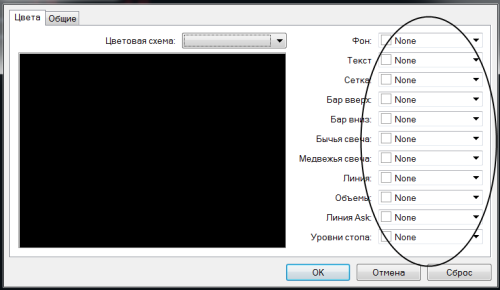
- We will see approximately the following picture:
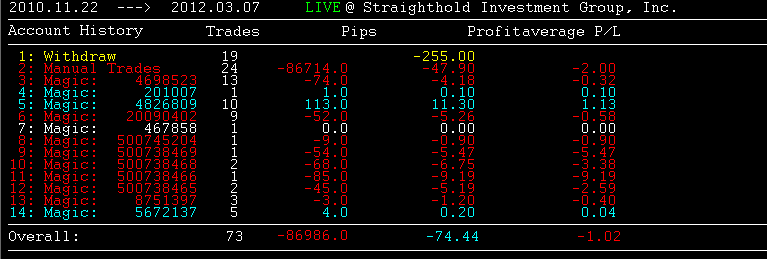
- Where we can see:
Manual Trades - the number and result of positions opened manually
Magic: XXXXXX - the number and result of positions opened by an expert advisor using this magic number (it can usually be viewed in the expert settings).
- Description of the columns:
Trades - the number of closed orders
Pips - profit/loss in pips
Profit - profit in the deposit currency
Average P/L - the average profit/loss ratio