
How to open a demo account

Day one. A friend of a friend's acquaintance said that you can make money on forex. She said that to do so you need to take the course "Forex for Dummies" (sounds like something for losers). You immediately decided to try your hand at trading. You registered an account, deposited some money, and lost it all on the very first day. Perhaps the friend of a friend was not entirely wrong. You could have avoided blowing your money by taking the basic course, and for practice you could also have tried trading on a demo account. Today's lesson is dedicated to opening a demo account for Forex trading.
What is a demo account?

A demo account is a virtual account with virtual money, almost completely identical to a real one. By trading through this account, you risk absolutely nothing, but the profit on this account is also virtual. Trading on a demo account is MANDATORY practice for every beginner trader. No one has ever meaningfully earned a single penny by starting to trade without prior preparation.
All trading systems, strategies, expert advisors and indicators are first MANDATORILY tested on a demo account, and only after that are they applied to a real account. After you complete the basic course "Forex for Dummies " you must work on a demo account for at least three months.
Differences between a demo account and a real one

As we mentioned earlier, a demo account is almost identical to a real one. Let us try to understand what the difference is.
The price and quotes on real and demo accounts can sometimes differ a little among different brokers. This is because demo accounts are processed with lower priority. Here we are talking about 4 - 5 five-digit points. Quite often, many brokers have four-digit demo accounts, while real accounts are five-digit.
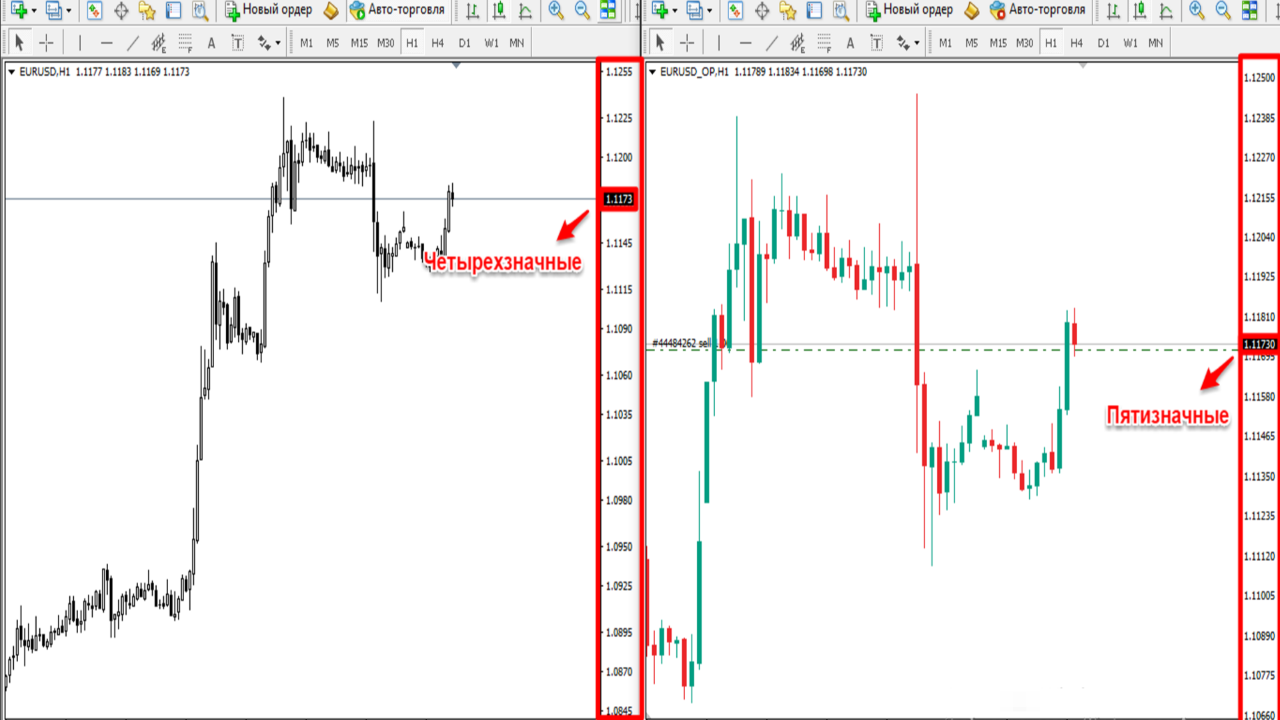
Sometimes this confuses beginners and they have to adapt to everything all over again. Demo accounts have one more confusing advantage: order execution on demo accounts is almost perfect (because virtual money is not sent anywhere), and requotes and slippage are almost completely absent. All of the disadvantages listed above apply to scalpers, pip traders, traders who trade the news, and various expert advisors with critical entry points and execution timing. These differences do not apply to traders who make several trades a day or any other long-term investors. Such people will not notice the difference at all, and if you are a beginner, that is exactly how you will trade.
Opening a demo account through the personal cabinet
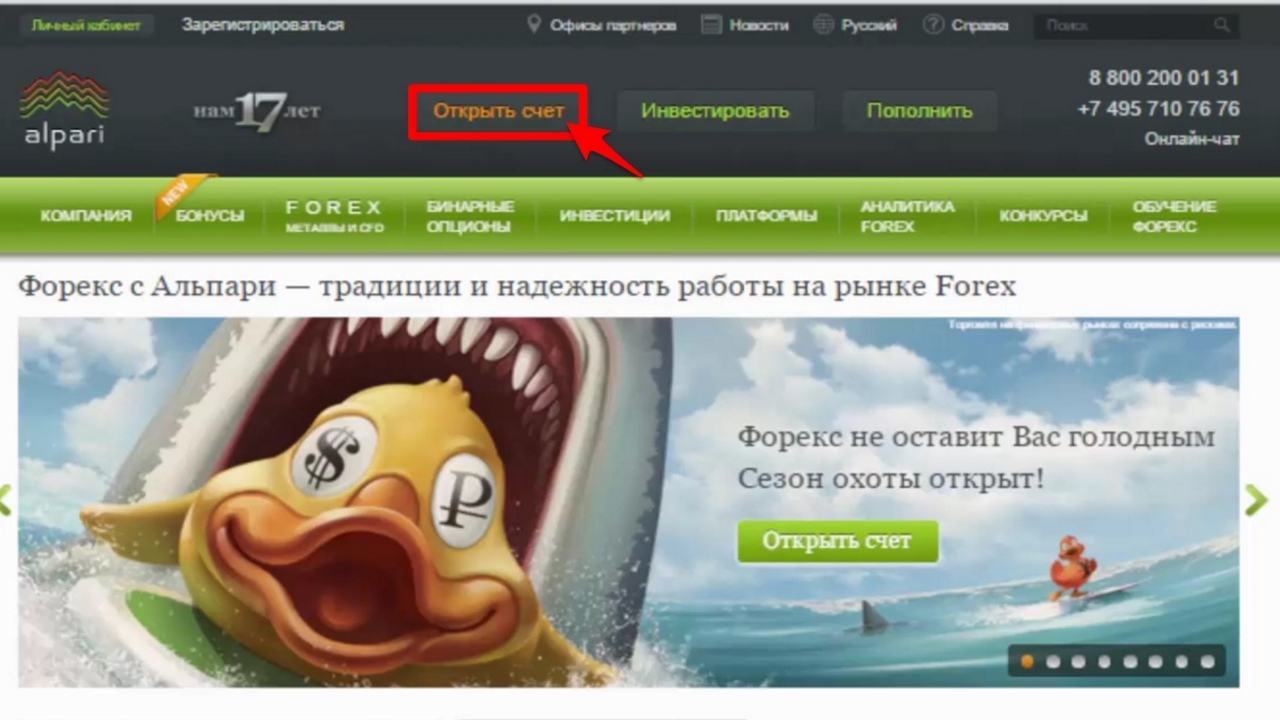
Go to the broker's website http://www.alpari.finance/ru/ and click the Open Account button.
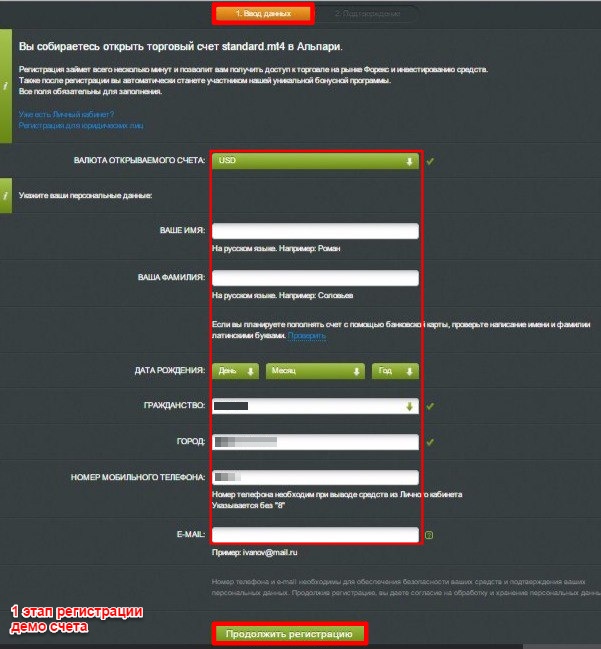
 A form will appear before you, where you are asked to fill in the required fields. I recommend entering accurate information so that no difficulties arise later in your work.
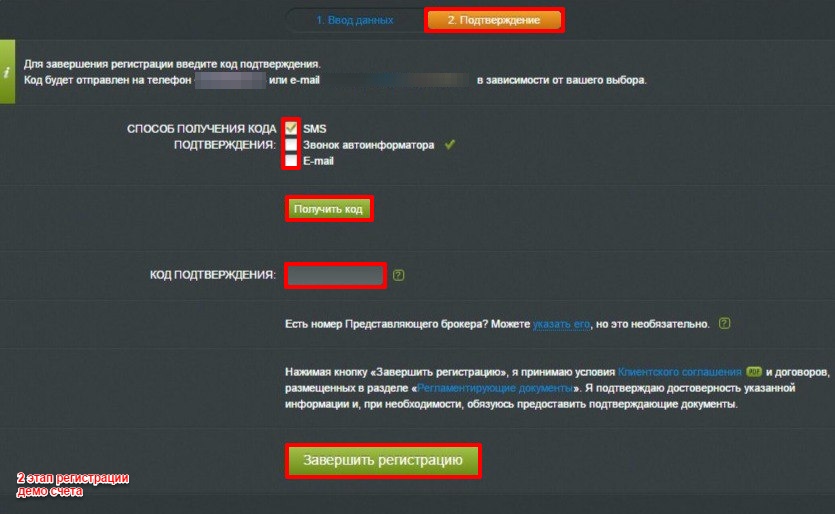
Wait to receive the access codes
A few seconds after submitting the data, you will enter your personal cabinet. All the data you need for work is also sent to the email address specified during registration. To continue opening a demo account, you need to go to the "Open Account" section and click on "Forex, spot metals, CFD.
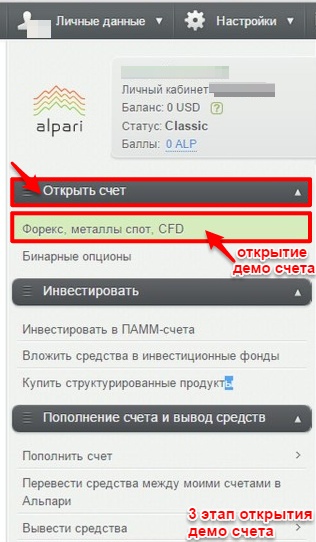
Follow the instructions
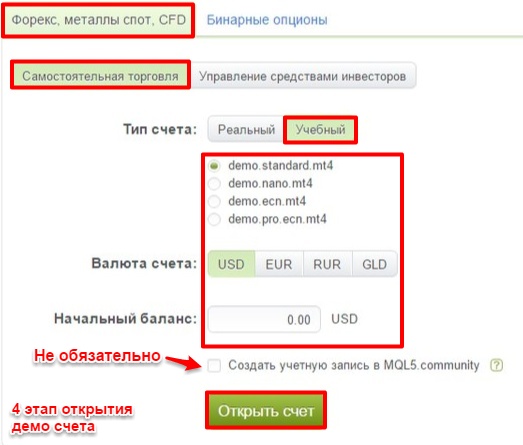
Receive the login details for the demo account and proceed to the fifth stage of opening it and downloading the trading terminal.
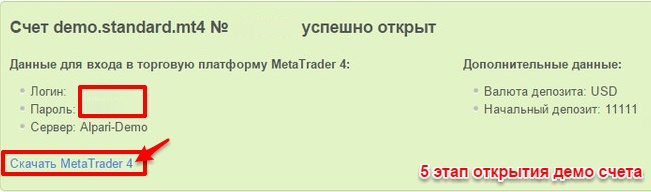
In the personal cabinet, where information about the details of your demo account appears, there is a link to download the MetaTrader 4 trading terminal. This program is necessary for trading on both demo and real accounts.
Choose the platform you are interested in and download it.
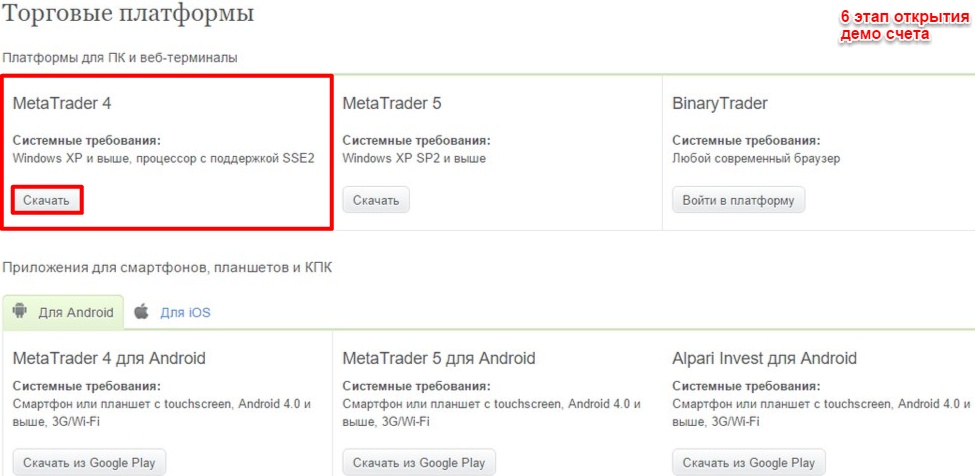
Wait for the file to finish downloading, find it, and proceed with the installation.
During the installation, agree to all the terms. In the Alpari Limited MT 4 window, you need to enter the login details for the demo account to authorize in the terminal.
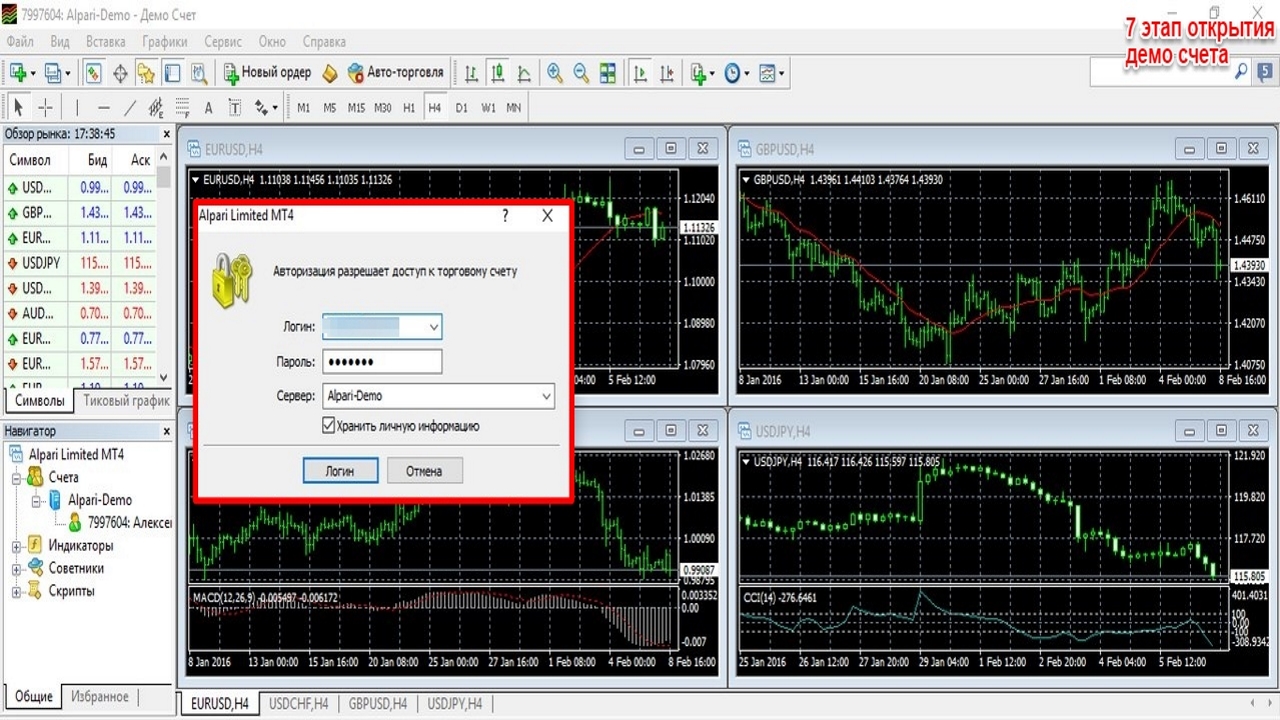
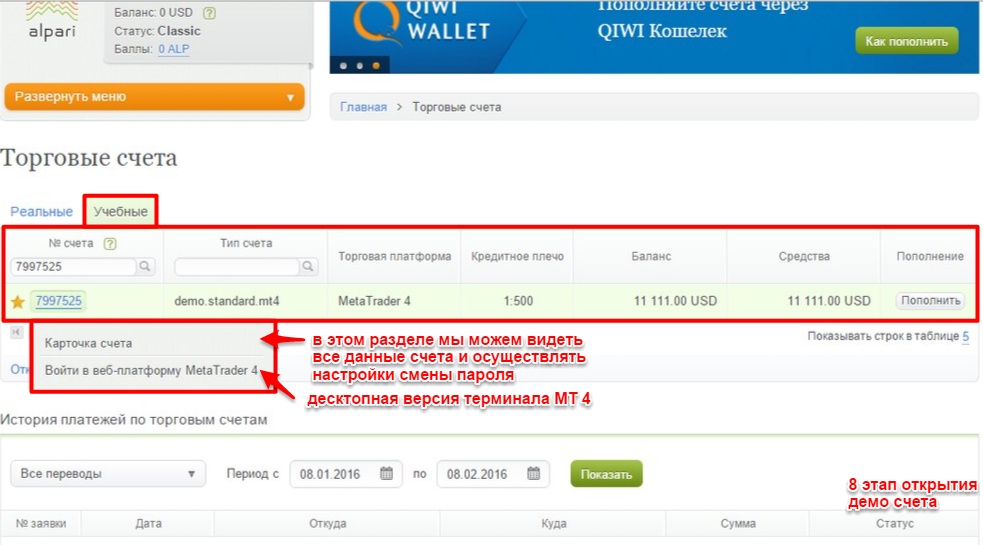
Return to your personal account, find the section "My Accounts" - "Trading Accounts" - "Training Accounts" In the window that has just appeared, we can see our training account.
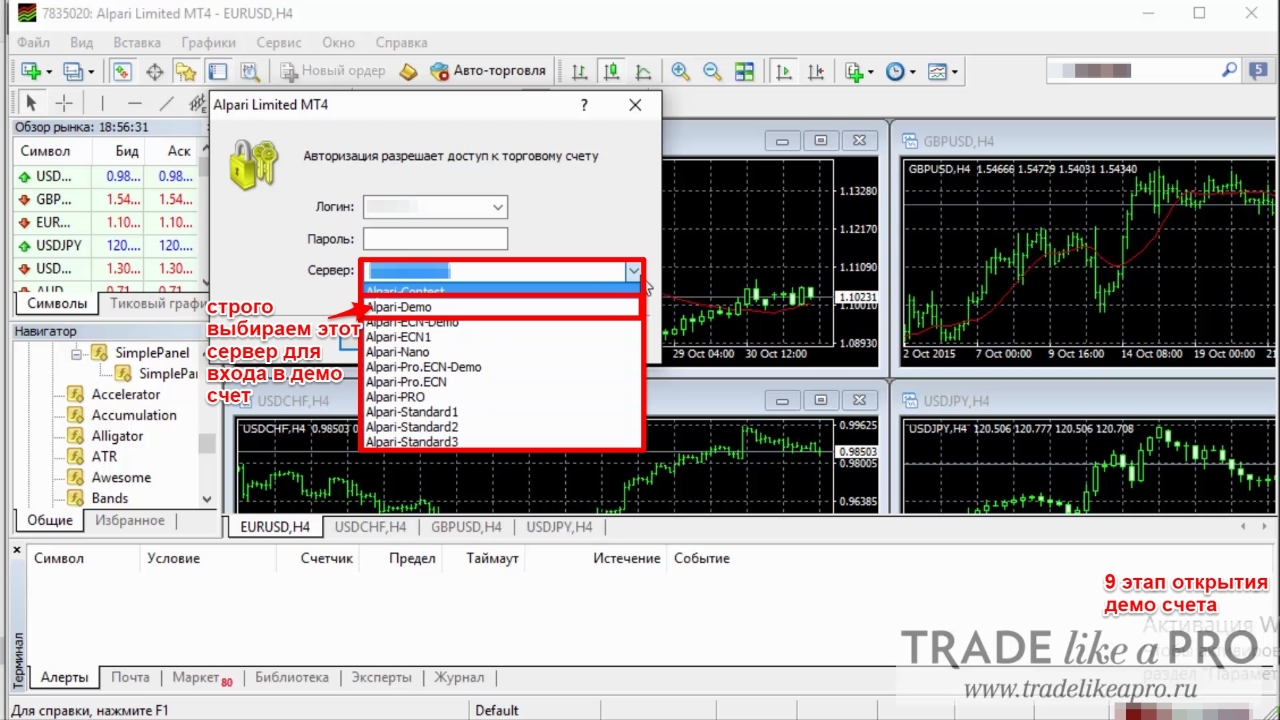
Enter the current information to confirm the login and password of our account.
We can verify that the account is connected by looking at the lower right corner of the screen, where the current connection status is displayed. If there is no connection, then accordingly there is no connectivity.
Opening a demo account via Metatrader 4
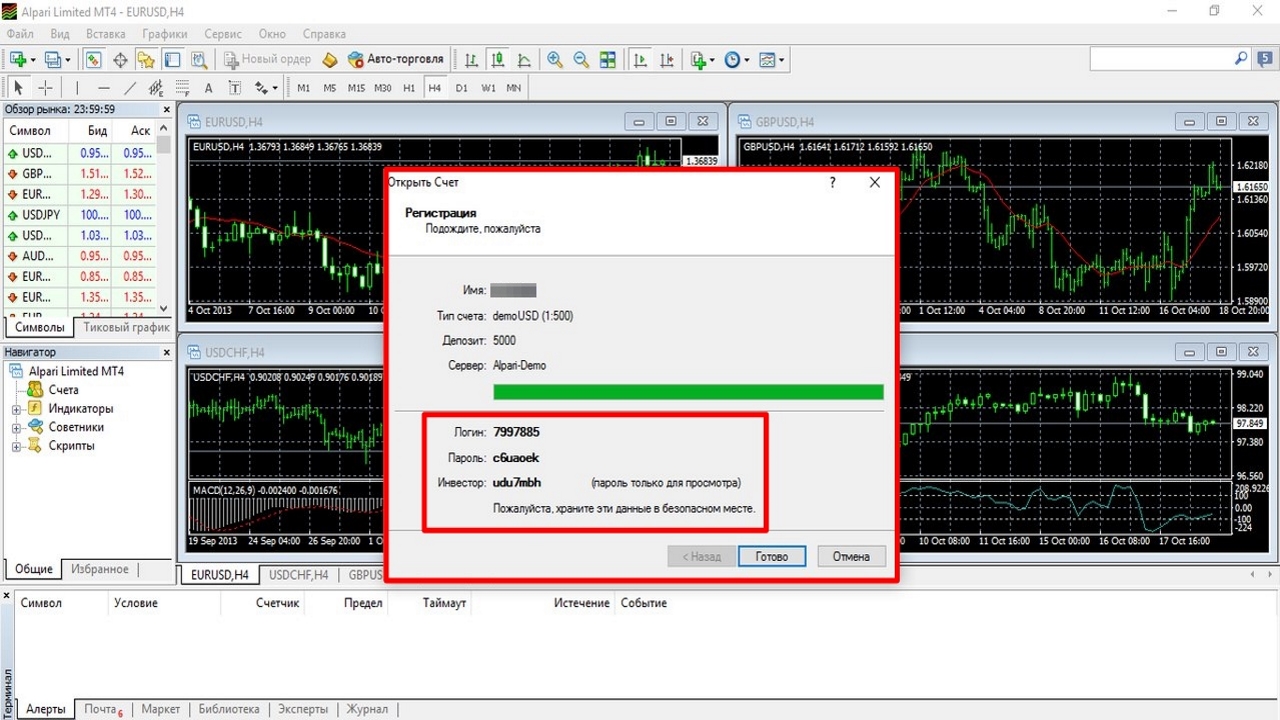
Now let us consider the possibility of opening an account through the trading terminal. Go to the menu "File" - "Open an Account" - choose the account type - "New Demo Account". Filling in the fields offered to us has no significance at all, except that the email should at least somewhat correspond to reality. And in the other fields you can enter any characters.
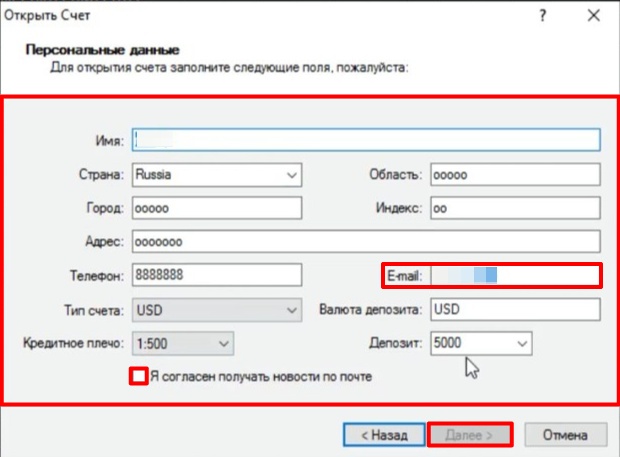
After clicking the "Next" button, save the account details in a convenient place for yourself.
Why do I win on a demo account, but lose on a real one?

In everyday use, you can quite often hear that a demo account is very different from a real one. As proof of this statement, they may even cite statements (reports), saying that on a demo I am always in profit, while on a real account I am only in the red. There may be several reasons for this:
- You did not see the difference between a five-digit real account and a four-digit demo account;
- You are a scalper, a pip hunter, you trade the news;
- You did not figure out the settings of your advisor;
- It is psychologically difficult for you to separate virtual money and real money. The main mistake of a beginner trader is that they can get stuck on a demo account forever and ultimately completely lose interest in forex trading due to the fear of losing real money. I strongly recommend studying the basics of trading psychology when working in forex; it will come in handy.
And in conclusion

As you have probably already understood, a demo account is a mandatory attribute for beginners, and it can also be used by experienced traders to test and practice new strategies. Still, before registering a demo account, we strongly recommend taking the course "Forex for Dummies".
Respectfully, Alexey Vergunov TradeLikeaPro.ru