
Free VPS Server: Myth or Reality?
 Just ten years ago, most Forex traders knew almost nothing about remote servers, and automated trading systems were only beginning to gain popularity. Now you can find thousands of different Forex robots online; moreover, anyone can now create their own expert advisor. You do not need programming skills for this, it is enough to use special tools.
However, for an expert advisor to work correctly, always deliver signals on time, and open trades (with full trading automation), you need an uninterrupted Internet connection and round-the-clock access. Not everyone has the ability to keep a computer turned on 24 hours a day, and Internet providers can also let you down by bringing the network down. In such situations, using a VPS server is an excellent solution.
Renting a VPS server costs an average of $10 per month, which is more than $100 per year. For professional traders such expenses are not a problem, but beginners have a perfectly understandable desire to get by with minimal investment at the start. That is why in this article we will try to figure out whether it is possible to get a VPS server for free, and if so, how?
Is It Possible to Get a VPS Server for Free?

A VPS server has become a popular service for Forex traders, and many companies providing this kind of service are already operating on the market. To outperform competitors and attract new clients, such companies run various promotions and offer the most favorable conditions possible, thanks to which traders have an opportunity to rent a VPS server at a big discount, or even completely free of charge.
In particular, there are two proven ways to get a VPS server for free:
- As a bonus from a Forex broker;
- From Amazon (for one year).
Let us examine each of them in more detail.
Free VPS Server from Forex Brokers

A VPS server from a broker is no rarity now; almost every second Forex company is ready to provide such a service to its clients, and without any additional fee. However, it would be wrong to call such a VPS server truly free, because brokers provide access only if specific conditions are met (as a rule, the trader must have a certain amount of funds on deposit).
Let us consider the conditions for getting a VPS server from several popular brokerage companies.
Instaforex
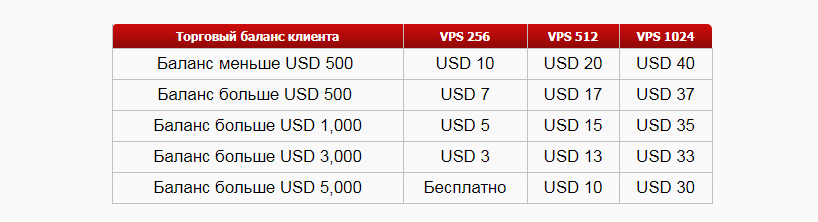
To get free access to a dedicated server from this broker, you must have at least $5000 in your account. In this case, the client receives the minimum VPS 256 package, with a 3 Gb hard drive, 256 Mb of RAM, and a processor frequency of 400 MHz. To get more powerful hardware, you will have to pay.
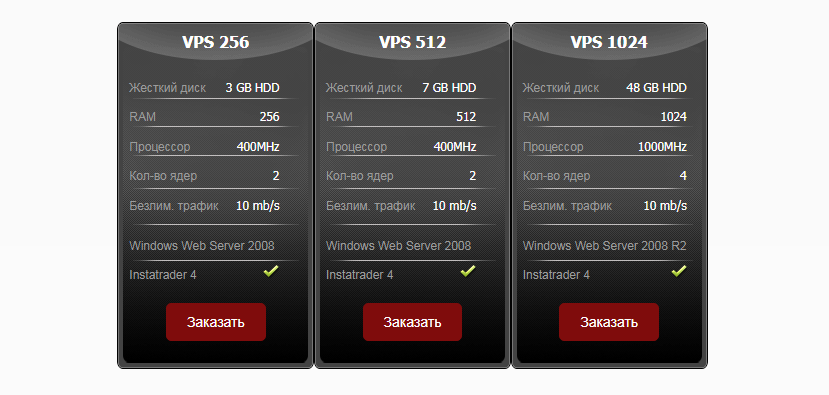 Clients with less than $5000 on deposit can get a discount on the service, but they will still have to pay to use the server.
 Exness
This broker offers access to a VPS server without any additional fee provided that the trader has opened an account with the company for at least $500. There is only one server type, and its detailed specifications are not presented on the website. It is only specified that the data transfer speed is high and the ping of the trading terminal is minimal, amounting to 0.4-1.25 ms.
RoboForex provides a VPS server with an Intel(r) Xeon(r) E5 processor, 1 Gb of RAM, and 30 Gb of hard drive space. At the same time, the client only needs to have at least $300 remaining in the trading account. However, in addition to this, the trader must comply with additional conditions:
- Verification must be completed;
- Trading turnover must be at least 3 lots per month.
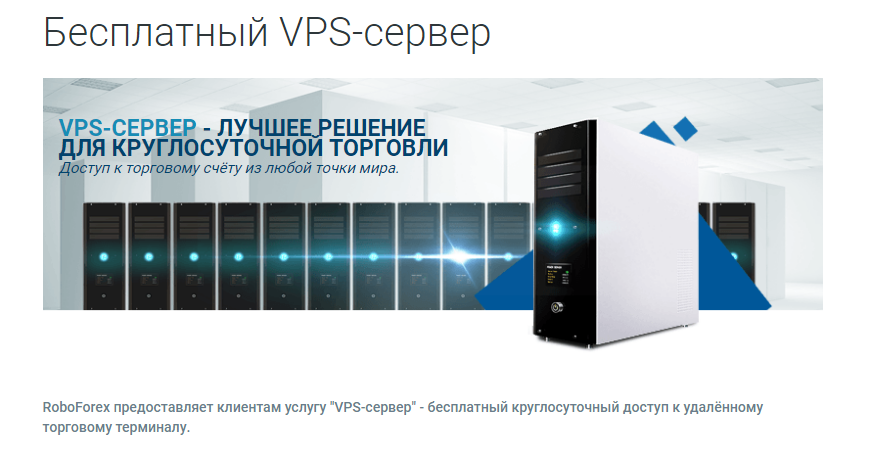 Thus, in addition to having a certain amount in the account, to obtain access to a VPS the client must trade actively every month.
FortFS
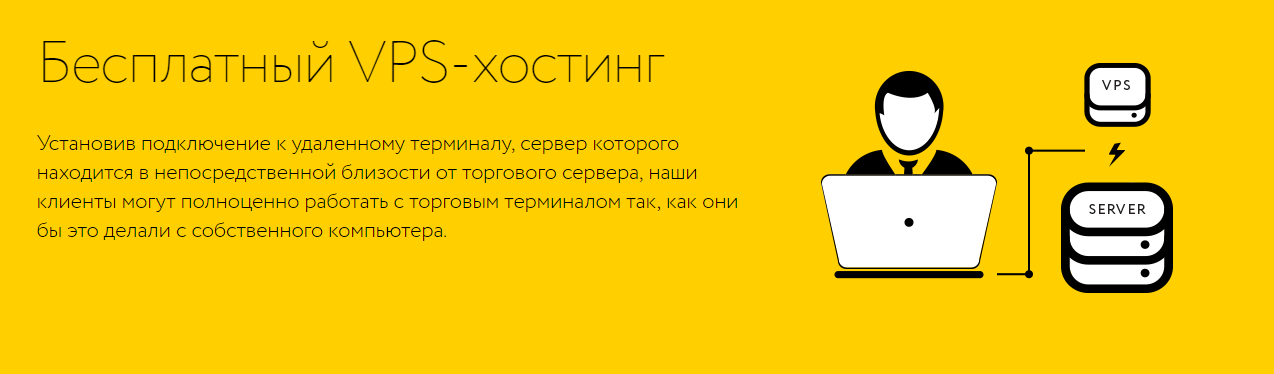
VPS from Fort Financial Services is one of the favorites among tradelikeapro.ru readers. FortFS provides its clients with a server with 1 Gb of RAM, 50 Gb of hard drive space, and a processor frequency of 1 GHz. The service is active for users with a deposit of at least $1000.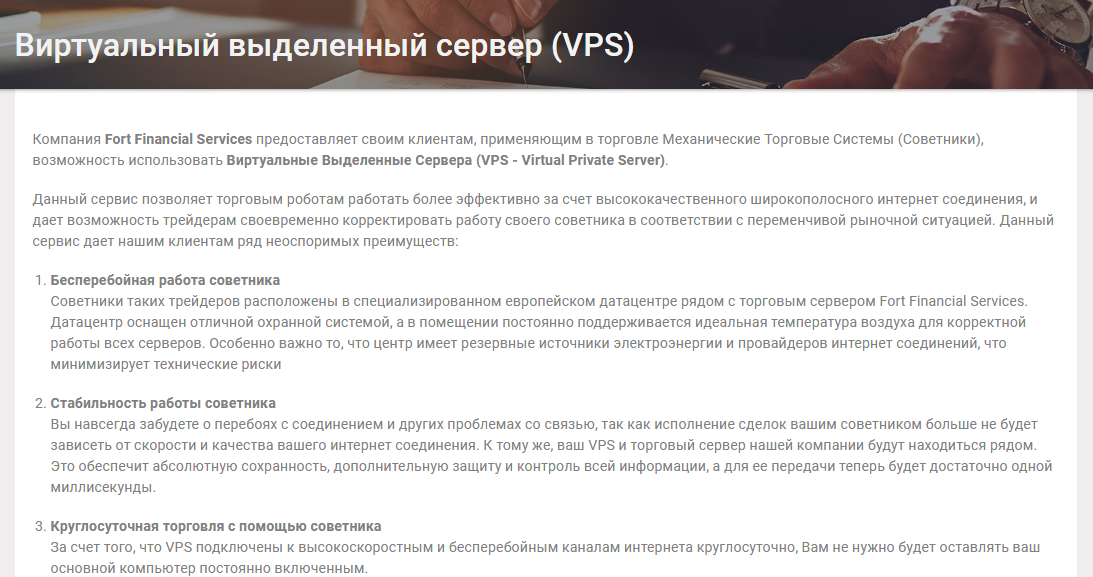
Free One-Year VPS Subscription from Amazon

This VPS server has no direct relation to Forex; it is a promotion run by Amazon itself. Nevertheless, it is quite suitable for use in Forex trading, and it is an excellent opportunity for traders to get a remote service for use for a year completely free of charge.
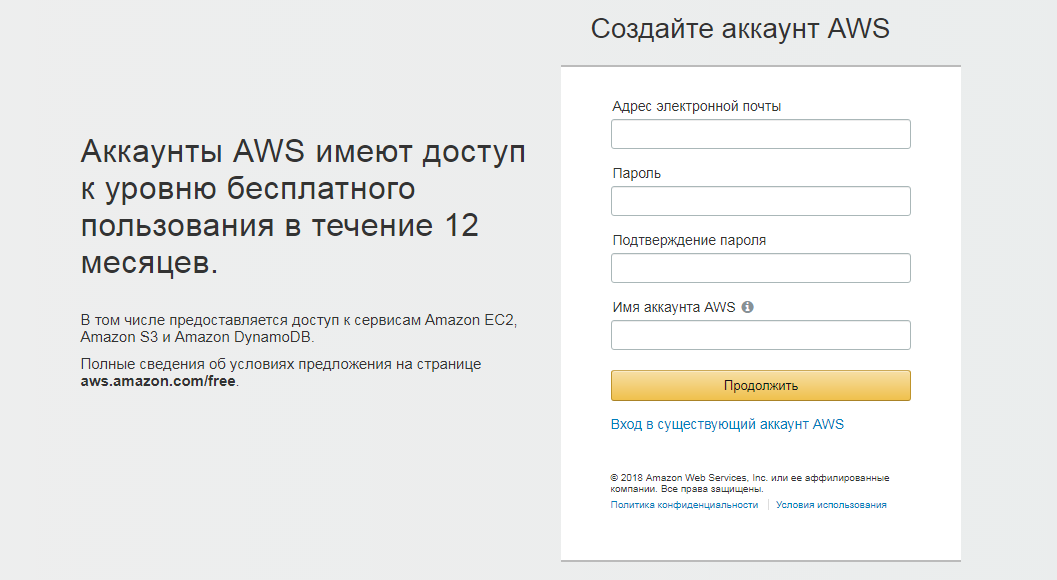
To get a free VPS from Amazon for a year, you first need to register on the aws.amazon.com portal. To do this, you need to go through several stages.
Creating an account begins with specifying an email address; you also need to come up with a password.
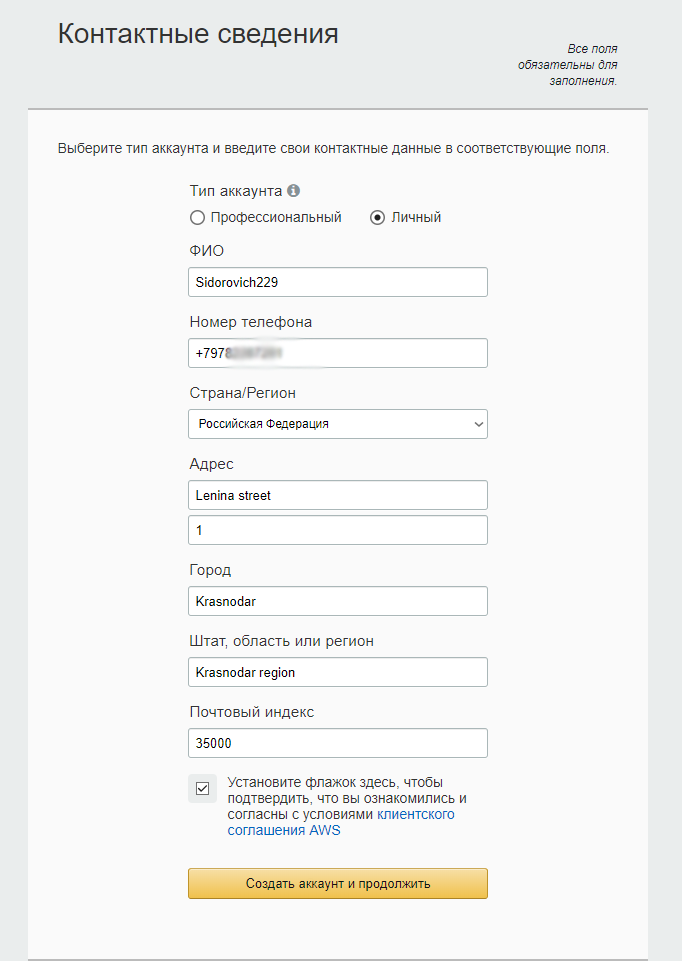
 The next step is filling out the form with contact details. It is better to provide real information, although if you only plan to take advantage of the opportunity to rent a VPS for free for a year, any plausible data will do.
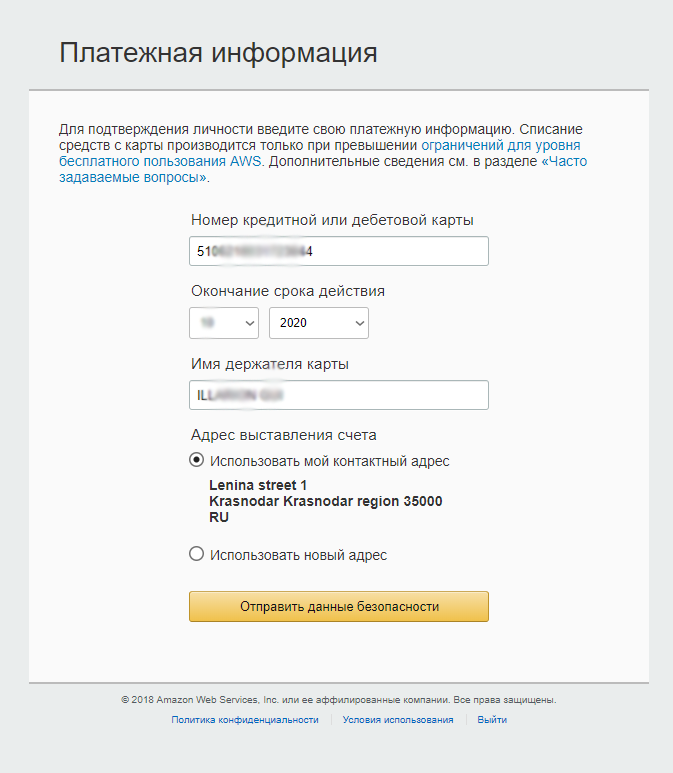
 Next you need to confirm the payment details (link a card to the account). There are several features here:
• You need a MasterCard; for example, a Sberbank card in rubles or a virtual card from Yandex will work;
• The account must contain an amount equivalent to at least $1. The amount will be charged from the account for verification and then returned;
• The card must support online payments without using a CCV code.
When using a Yandex card, you need to enable online payments for it in advance. In the “Cardholder Name” field, it is better to specify your real details in Latin letters, even if the card is not personalized.
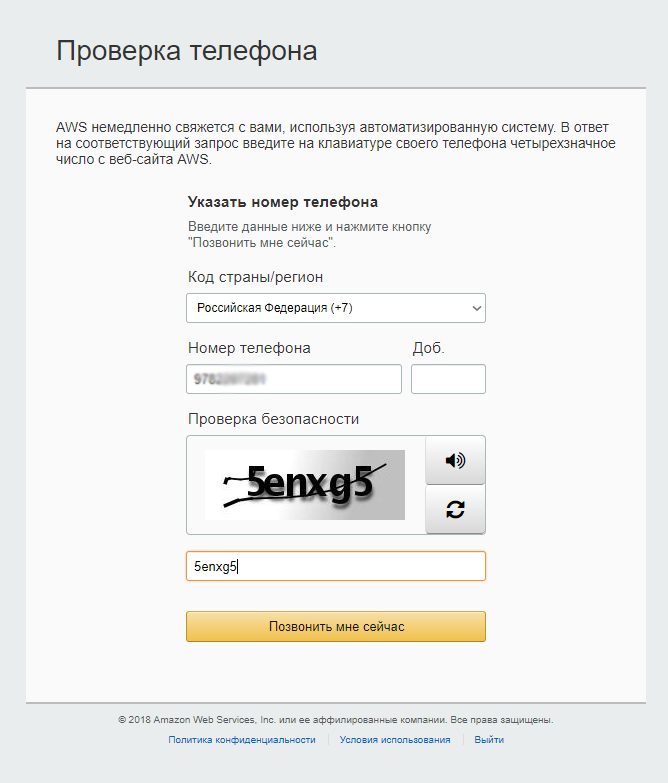
 After confirming the payment details, verification via phone number follows. After entering the number, you need to wait for a call from Amazon and enter the PIN code in the corresponding field. After that, the verification and registration as a whole will be completed, and you can begin setting up the VPS.
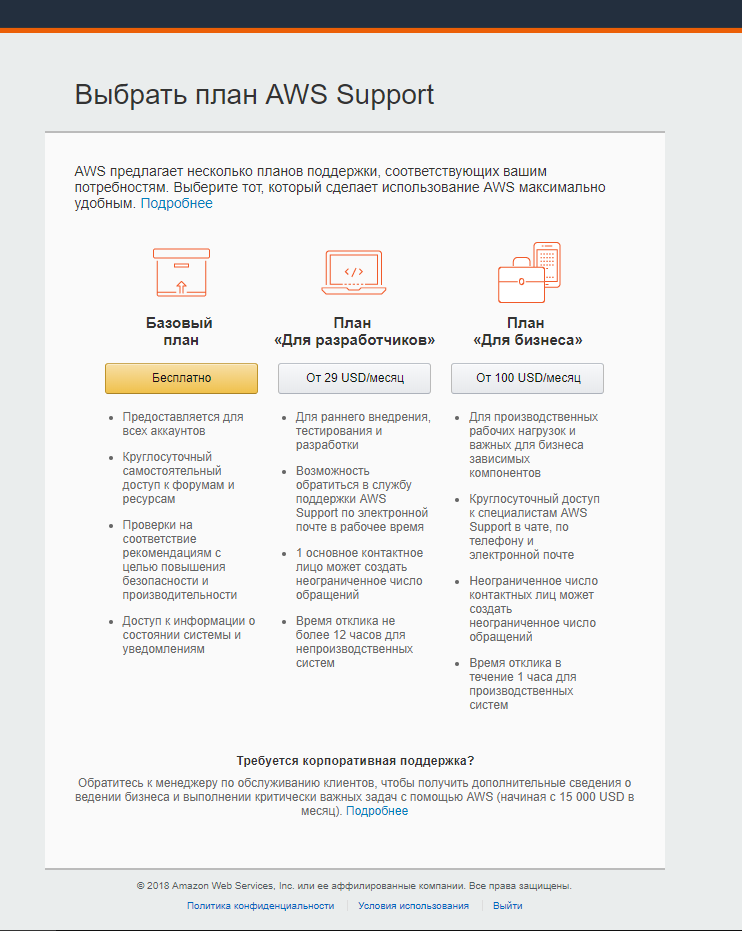
 Before launching the account, choose the free basic plan. You will be asked to specify the purposes for using the service; you can enter any information there.
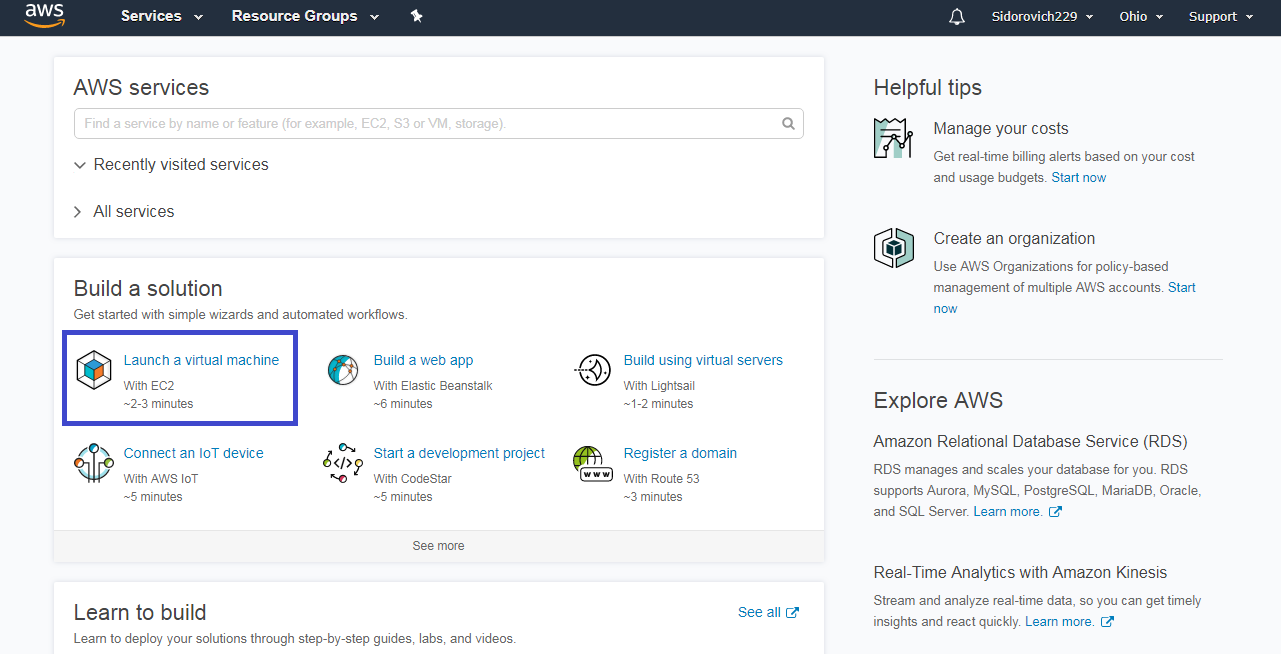
 Once in the account, you need to select the “Launch Virtual Machine” item right on the main page.
 Sometimes the service will ask you to wait for some time: access to VPS setup opens within 24 hours from the moment of registration.
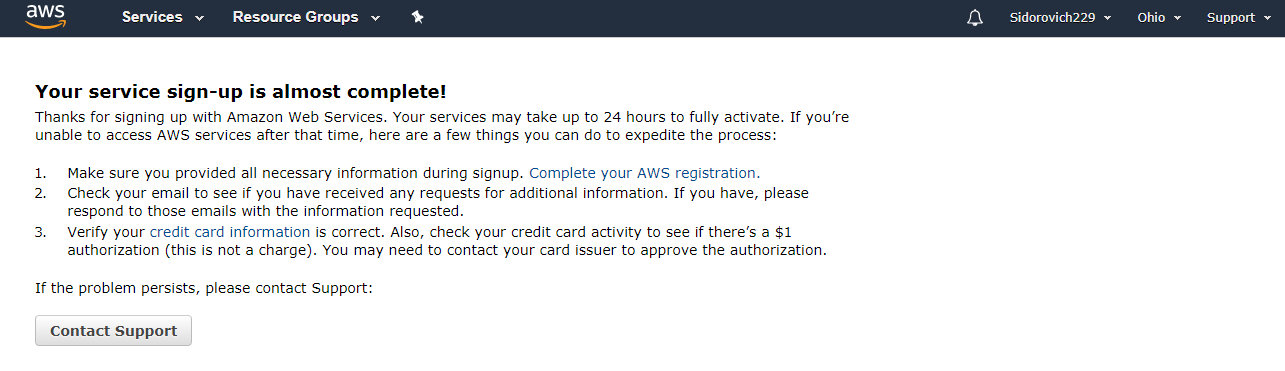 When access is obtained, you can begin setting up the VPS. The first item is choosing the operating system. The optimal option is a fairly lightweight one, Windows Server 2008. Its power is quite enough for working with the terminal, while the load on the server will be minimal.
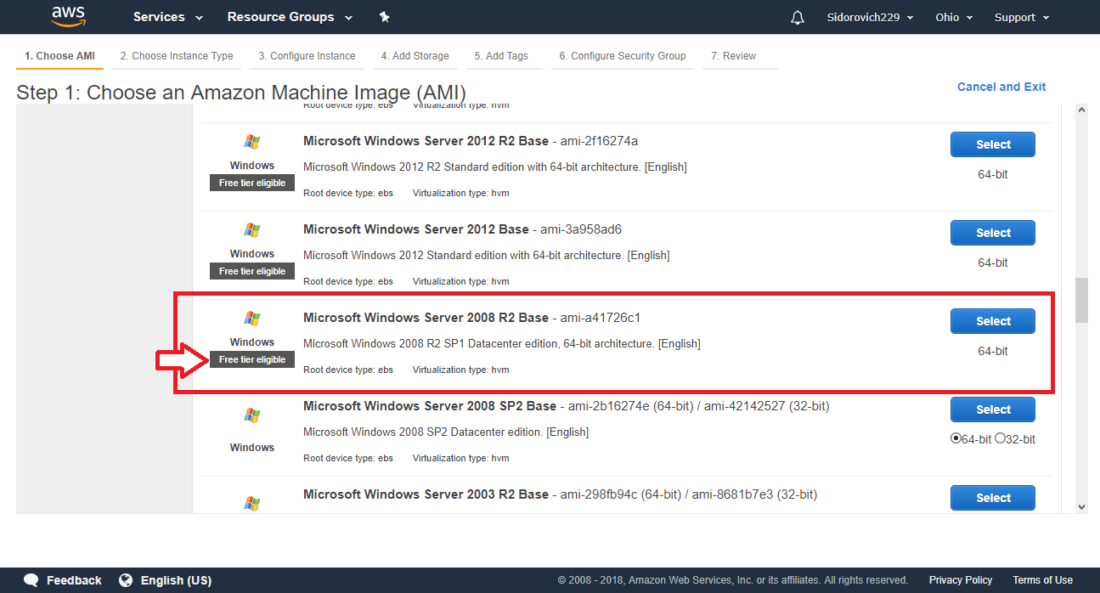
Next you need to choose the VPS type. Since there is only one free option, leave it as default.
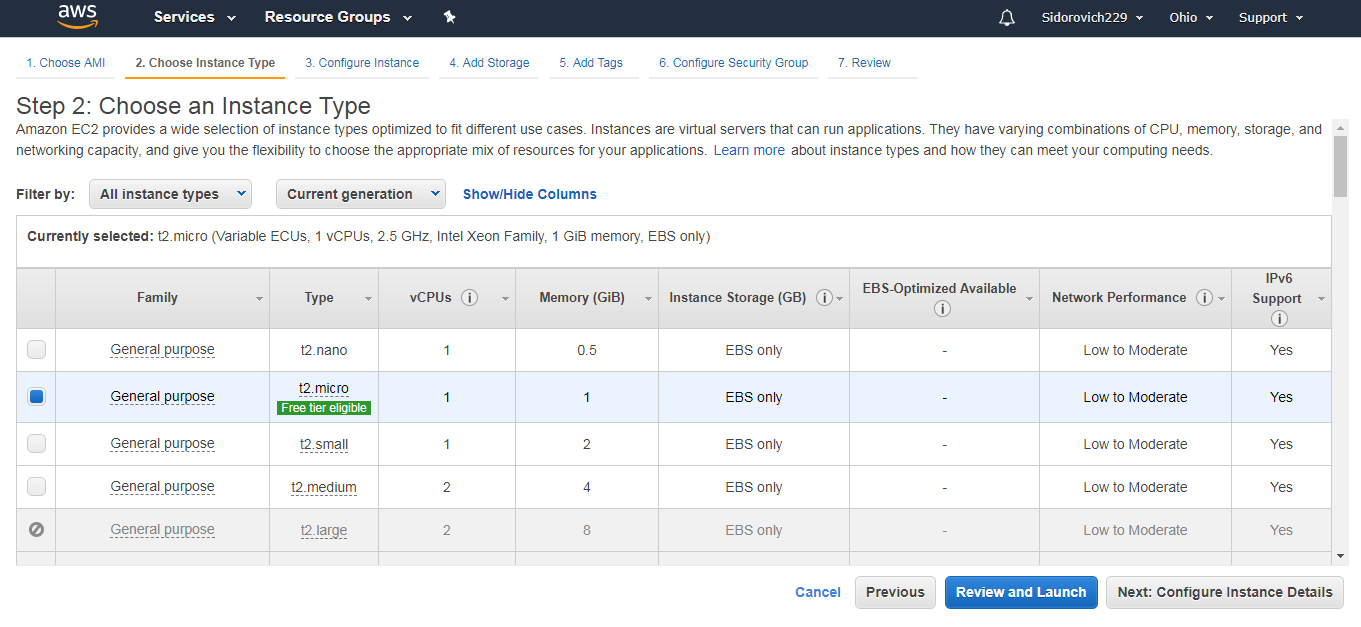 All the remaining steps can also be completed automatically, without changing anything in the settings, and proceed straight to launch.
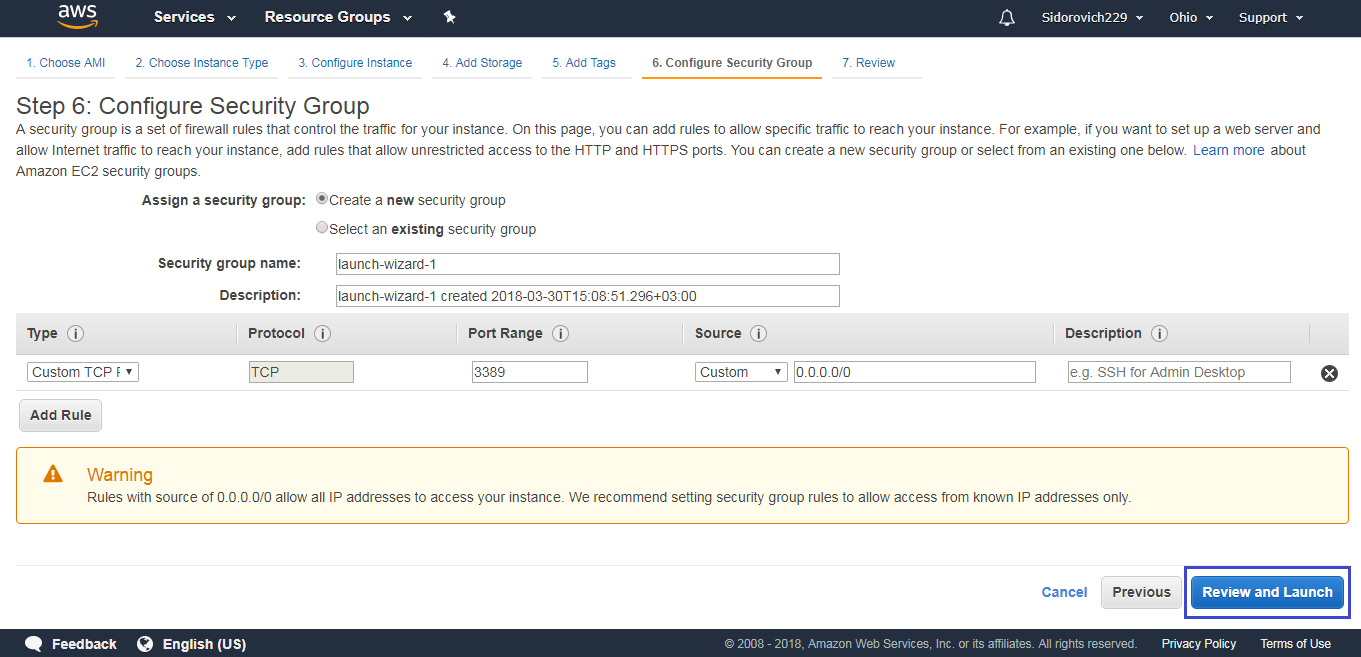 Before launching, you need to create a key pair. To do this, choose the corresponding command in the window that appears. The service will generate a key pair in a separate file, which will be downloaded to your computer. With its help, you will be able to access the virtual machine from your computer.
Now an important point! Creating key pairs. Choose the “Create a new Key Pair” item. In the “Key pair name” line, enter any name using English letters, click the “Download key pair” button, and save the file. The downloaded file will later allow us to access the virtual PC via Remote Desktop. The downloaded file will have the .PEM extension; keep the file in a safe place!
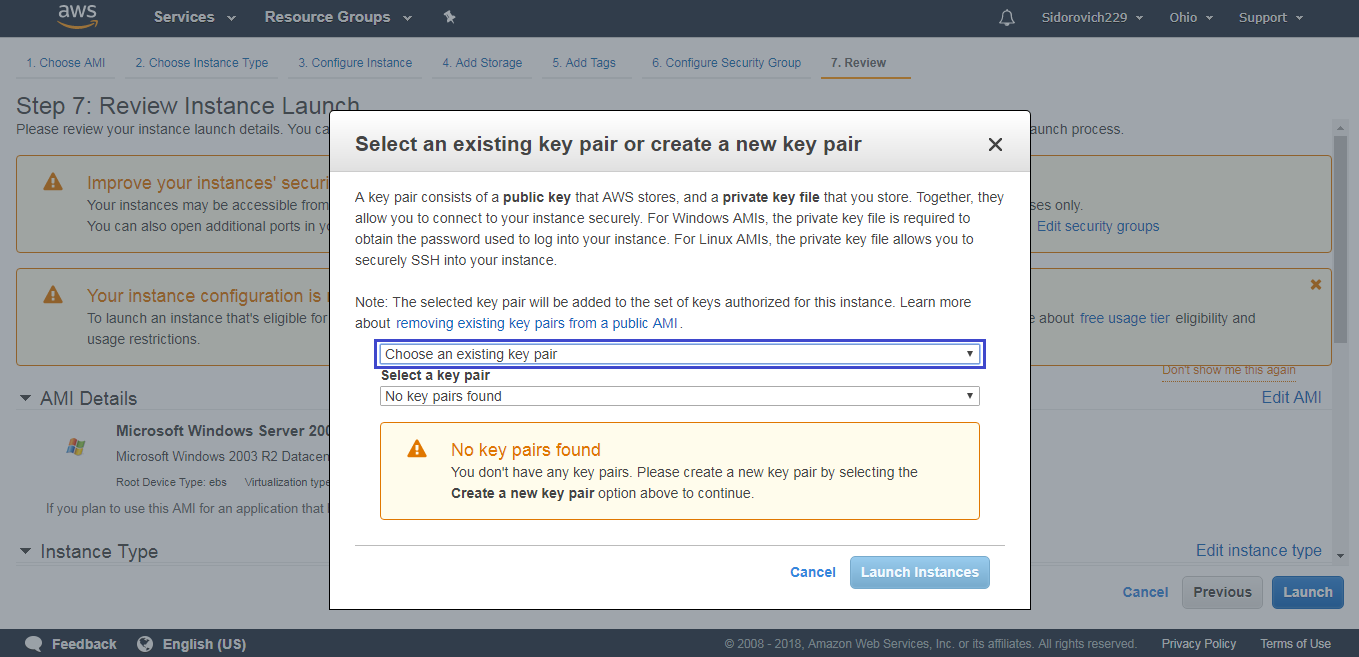 After the file is downloaded, a message will appear saying that the server has been successfully created, and you can view its details in the account.
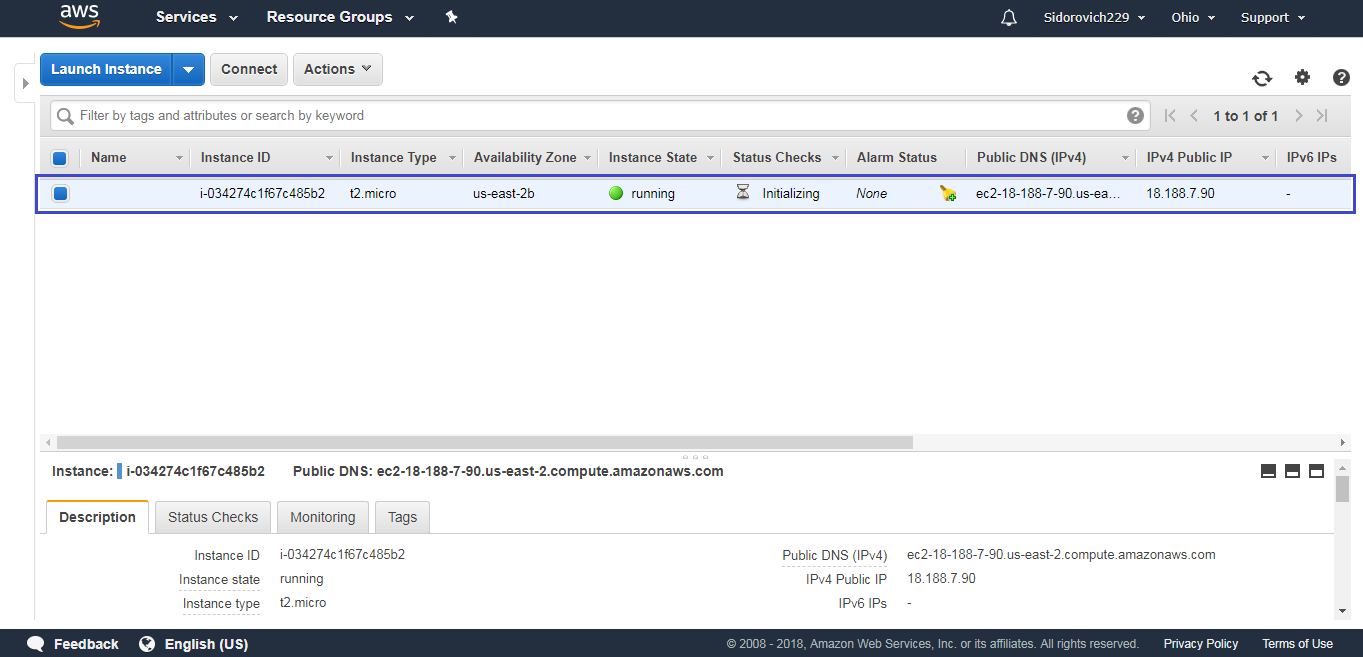 So, the VPS has been created; all that remains is to learn how to connect to it.
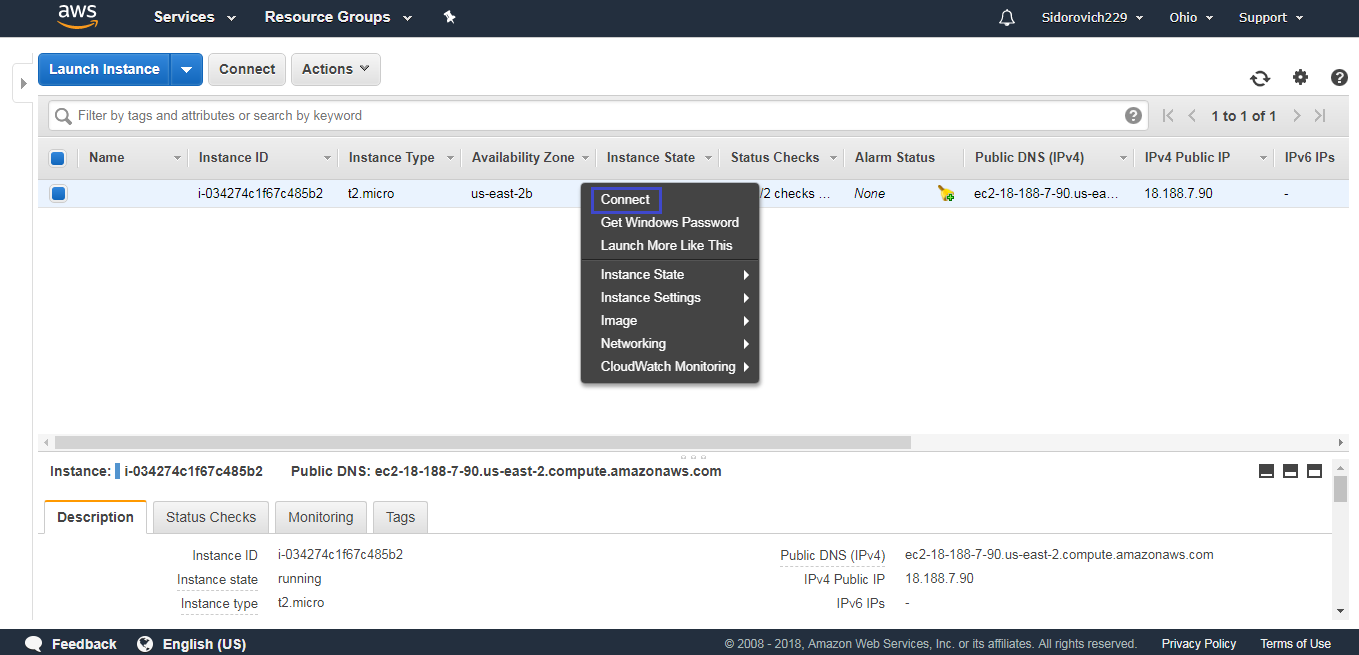
First, right-click on the line with the server and select the Connect command.
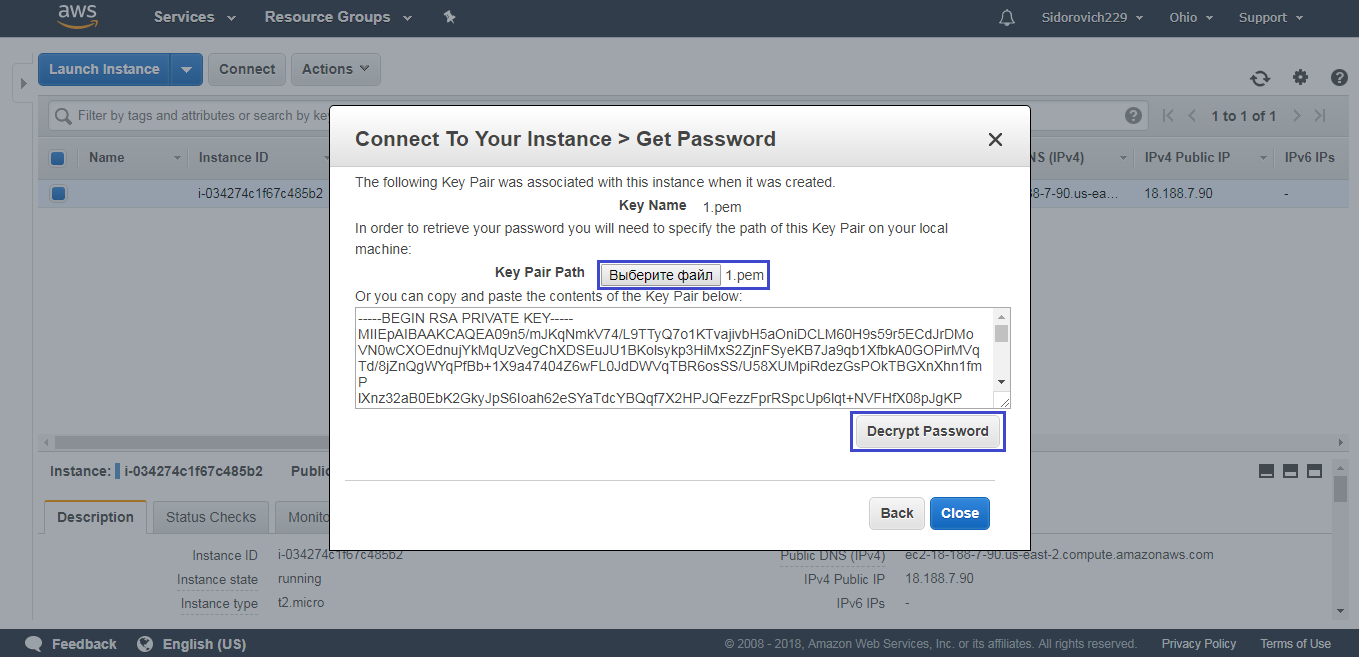
 The connection setup window opens. To work, we need a login and password. The login has already been created (by default it is always “Administrator,” though it can be changed later), and the password must be generated.
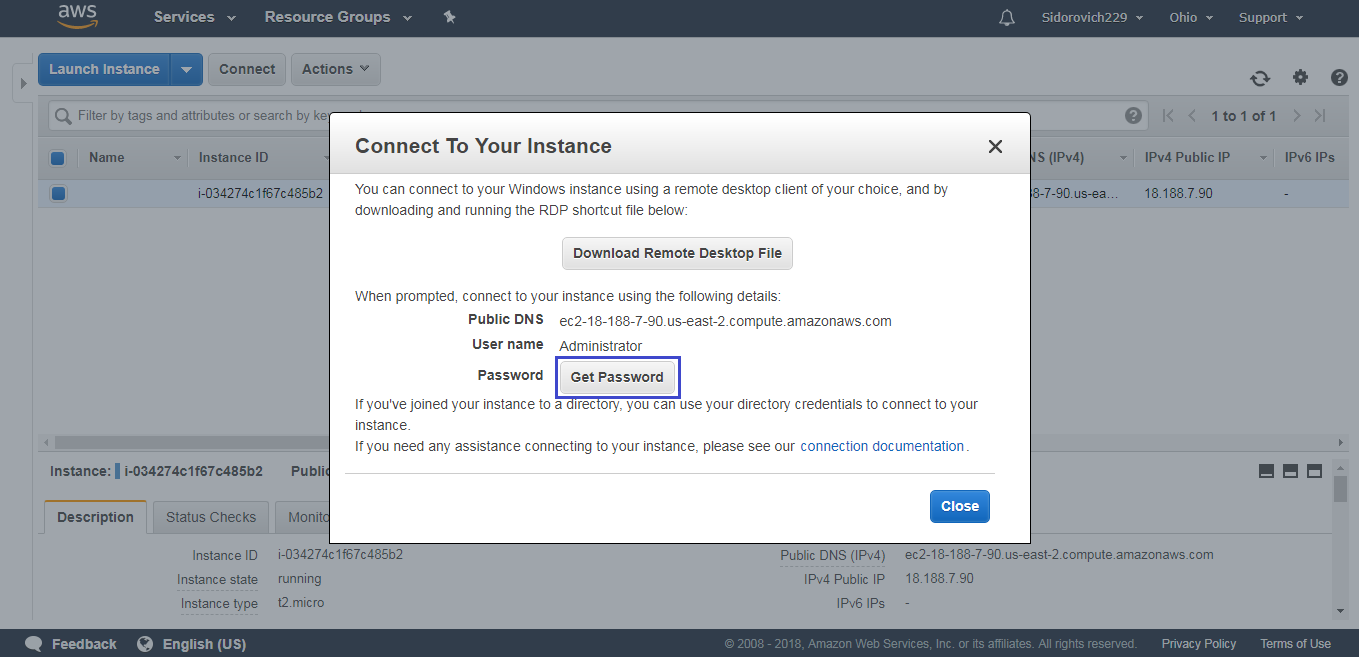 After clicking “Get Pasword,” in the next window you need to attach the file generated earlier in order to generate the password. After that, the key pair will be inserted into the field and you will be able to create the password.
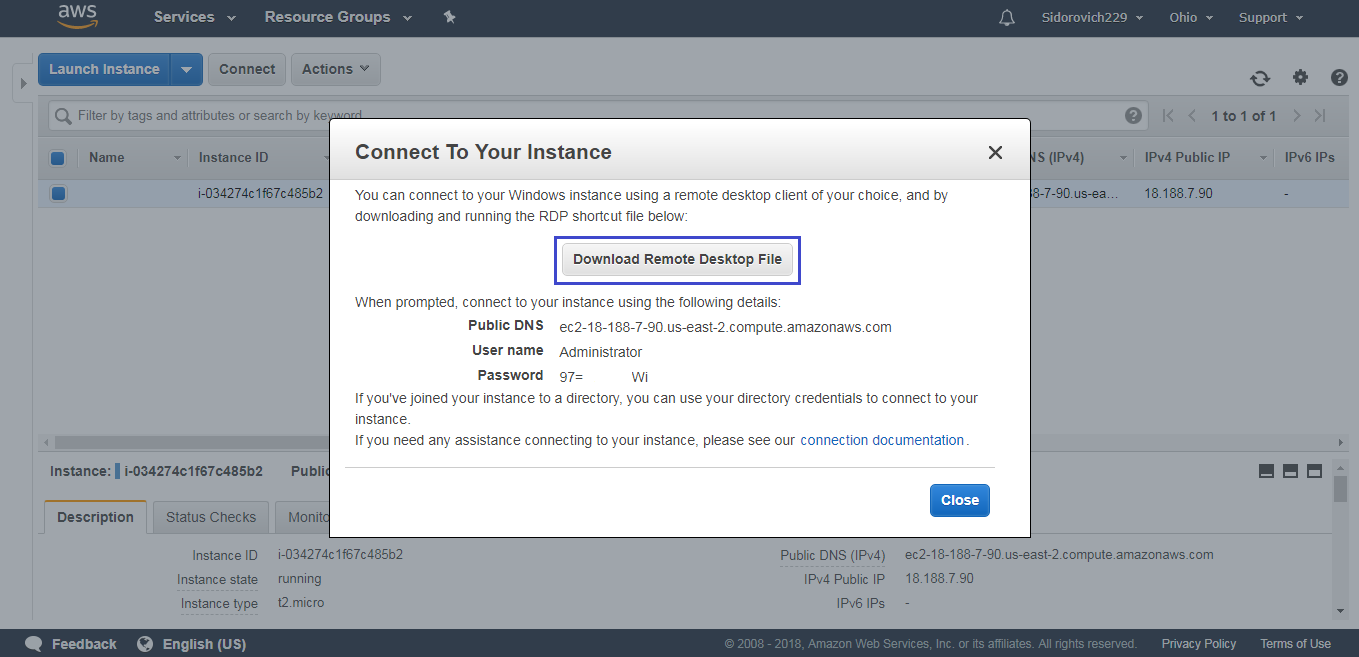
 The login and password have been obtained; now click “Download Remote Desktop File” to download a shortcut for launching the virtual machine from your computer.
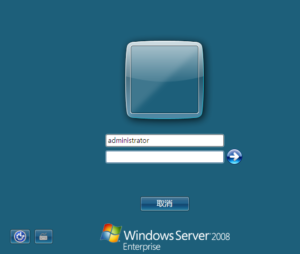
 A file will be downloaded to the computer; by launching it, you will get to your virtual server. All that remains is to enter the login and password!
After the server is configured, you can calmly use it in trading for a year without worrying about payment.
But the expiration of the free period is not the end either! The thing is that Amazon checks users only by email address. This means that year after year you can open new accounts, connect the old payment details to them, and continue using the service for free (at least until the promotion ends). Whether or not to use this little trick is for everyone to decide independently, but registering a new email address and Amazon account once a year is much easier and cheaper than paying from $100 for a server.
Conclusion

As practice shows, there are ways to get a free VPS. Even beginners who are not ready to open a $500 account with a broker can take advantage of Amazon's promotion.
However, for professional traders, the best solution will be renting a paid server from a specialized hosting provider. By paying $10-20 per month, a trader can be sure they are getting a powerful and reliable means for remote trading. When working with quality robots, such expenses are a mere trifle compared with the importance of ensuring a fast and uninterrupted connection to the terminal.
Best regards, Alexey Vergunov TradeLikeaPro.ru
