
Setting Up GMToffset - The Easy Way
 We have already covered how to set the correct GMT offset manually (this is needed for configuring some expert advisors). But there is also another, fully automated way.
We will determine the GMT offset for our broker using a special indicator, which is called GMToffset.
Download the GMToffset indicator from the link at the end of the post and install it (see how to install an indicator). Attach it to any chart of any currency pair in MT4.
You will see approximately the following:
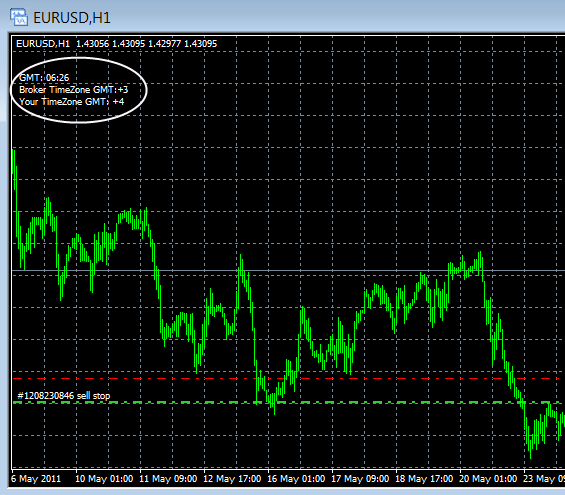 Description of the fields:
GMT - the current GMT time
Broker Timezone GMT - the GMT offset for your broker
Your Timezone GMT - the deviation from Greenwich time on your computer's clock.
Naturally, the only thing that interests us is Broker Timesone GMT. Whatever number appears on the chart opposite this item is the GMT offset parameter you are looking for for your broker.
Download the indicator
Do not forget that this indicator can be used only on business days, since on weekends the clock in the terminal stands still and the offset value will be displayed incorrectly.