
Mcandle Indicator - Watching the Higher Timeframe

It is no secret that many forex strategies use trend filtering based on a higher timeframe. Because of this, opening an extra chart is not always convenient, and you also want to be able to take a quick look at, say, the current daily candle and then return again to the working timeframe for directly making trades. The Mcandle indicator will help us with this.
Install the indicator according to the standard instructions. Open our working timeframe. Let it be M5, the five-minute chart.
Click Insert->Indicators->Custom->Mcandle
A settings window will appear:
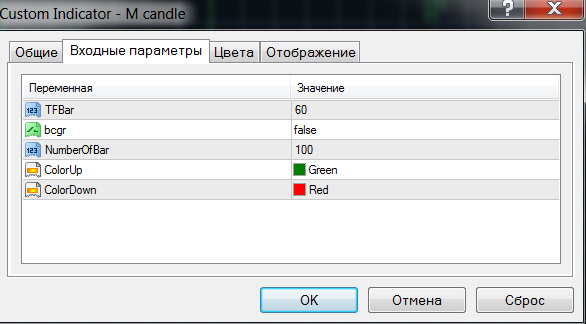
Where TFbar is the auxiliary timeframe that will be displayed on our chart with the help of the indicator. It is specified in minutes, so to display H1 charts set 60, H4=240, D1=1440, and so on.
Bcgr - whether or not to fill the displayed candles.
NumberOfBar - the number of displayed candles of the additional timeframe.
ColorUp, ColorDown - color settings for bullish and bearish bars.
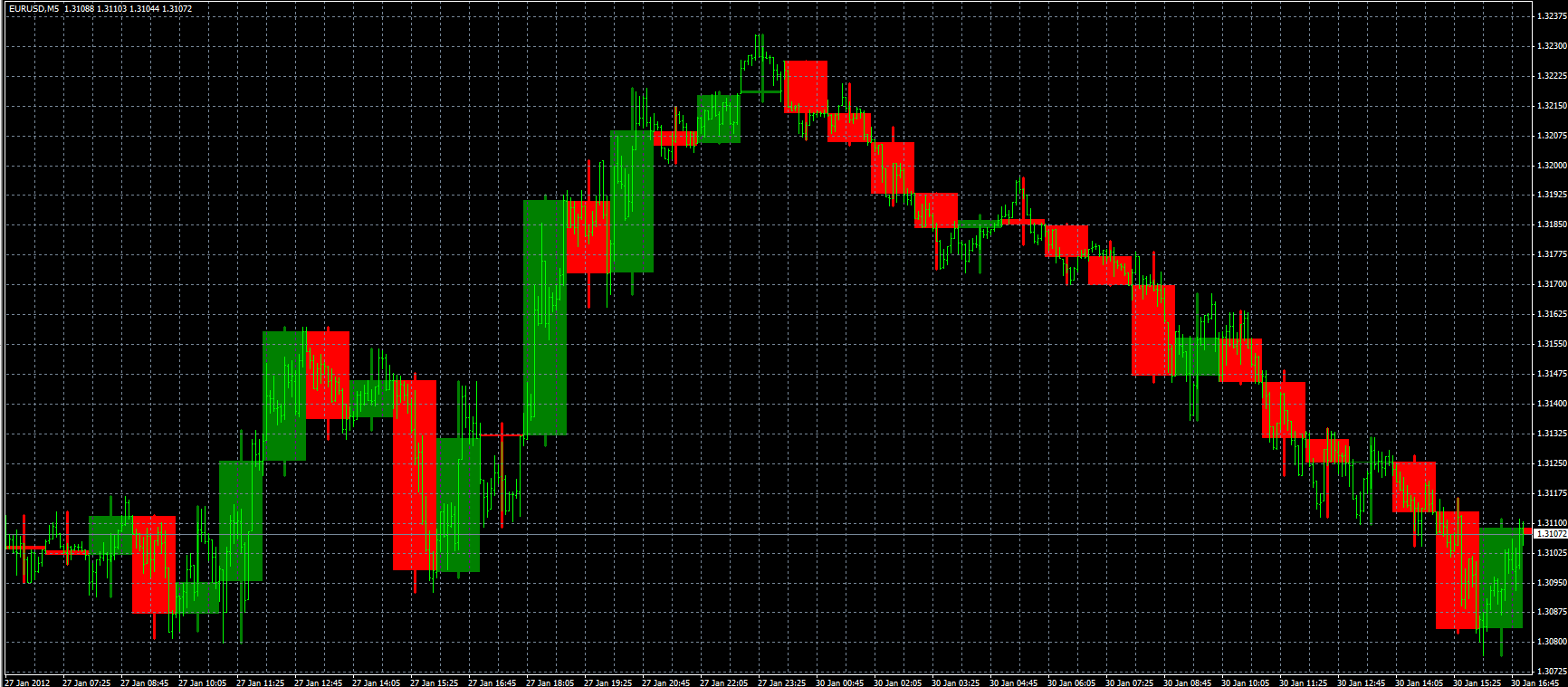
Let us set the display of the H1 timeframe (60) on our chart with five-minute candles. As a result, we will get a picture like in the screenshot below and will be able, without taking our eyes off our M5, to follow the situation on the hourly charts.
Download the Mcandle Indicator

Important! Installation Nuances in New Builds of Metatrader 4

Respectfully, Pavel TradeLikeaPro.ru