
Level Up Your Trading Skills with TradeSystem2

One of the main problems of a typical Forex trader is the desire to get instant results. We all want to be able to trade profitably and without mistakes this very minute. But the problem is that it does not work that way.
When you see a skilled pianist or dancer on stage, it seems to you that they have played or danced like that all their life. But you do not see the YEARS of practice, blood, and sweat behind their results. It is the same in trading. There is no way around training.
However, there is a way to cut the time. To take a shortcut. To outsmart the system.
Today we will look at an excellent program, a Forex trader simulator called TradeSystem 2, which allows you to manually test any strategy by simulating real trading. With this program, you will be able to gain several years of trading experience in just a couple of days.
Installation

So, let us start with the installation. A utility is installed that is technically an expert advisor, just like any other robot. See the universal guide.
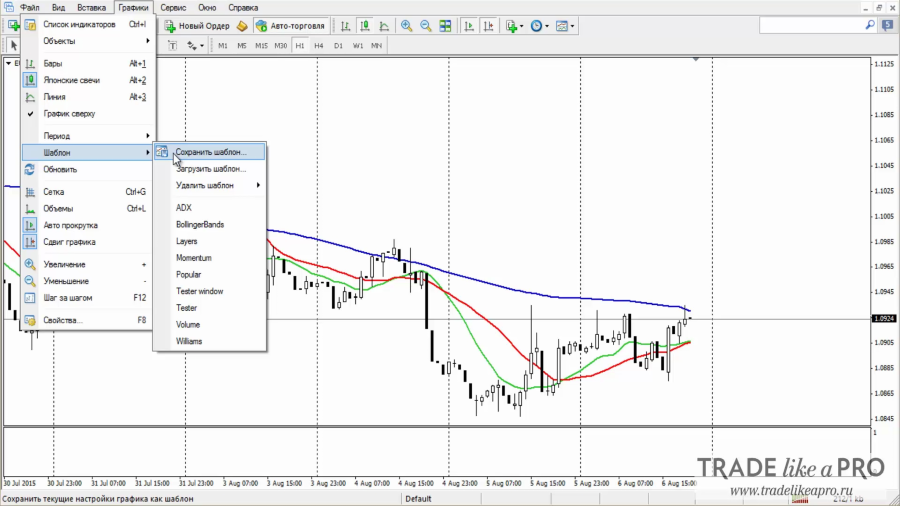
Separately, it is worth mentioning saving the template with your strategy specifically for this tester.
On the chart where your trading system is installed, add a custom indicator called Button Panel.
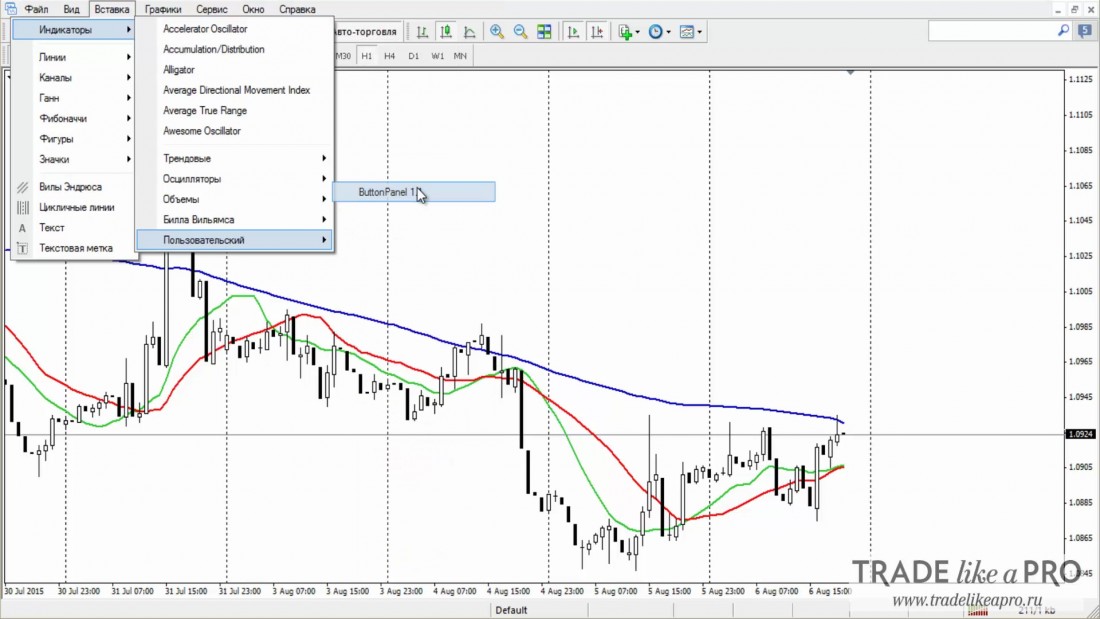
Did nothing happen? That is how it should be. In fact, our goal right now is to save the template that we will use when working with the strategy tester.
Go to templates -> save template, name this template tester.tpl, and save it.
Using the Simulator in Practice

Go to the "Strategy Tester" window and choose the new expert advisor that has appeared in our list, TsTester. Load the history by pressing F2. I will be testing the EURUSD pair.
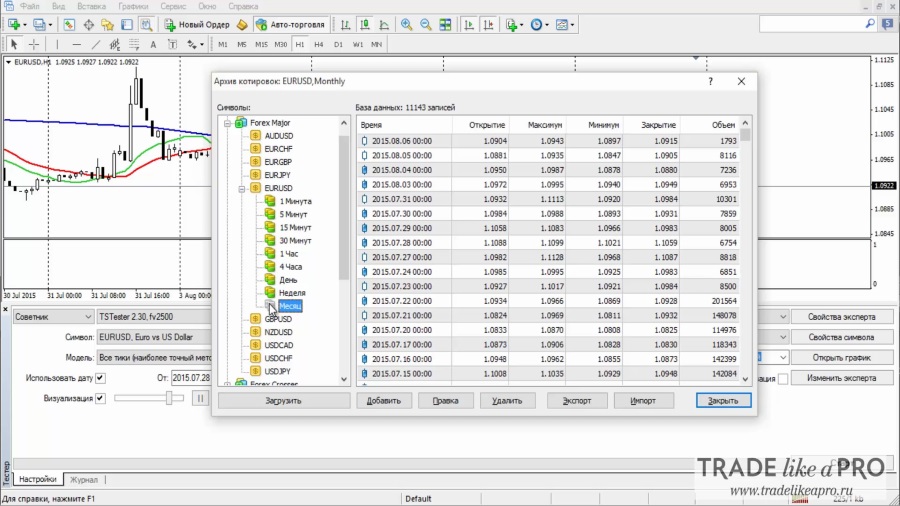
Our quotes have loaded, and we are ready to start testing. We need to choose a currency or some trading asset, select the date for the trading test, and set the visualization speed. You can speed up the testing by choosing the "open prices only" method. Choose the timeframe that is familiar to us.
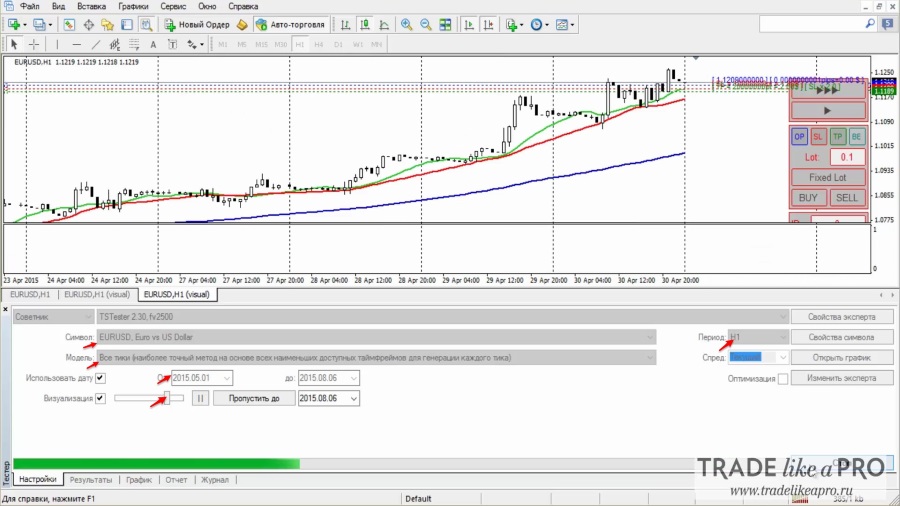
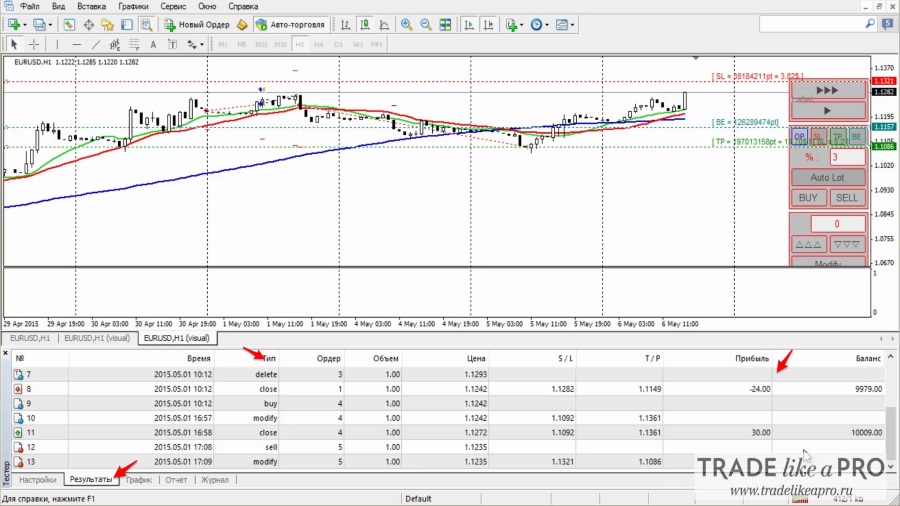
So, we can observe the control panel of our expert advisor and see three lines on the chart. They must be disabled immediately by pressing the gray buttons on our panel. With this strategy tester, you can test absolutely any trading system.
Let us try to do that. First of all, of course, set some lot size and press Enter. Then open a trade downward or upward. Set the take-profit and stop-loss by pressing the corresponding buttons. Lines will appear on the chart, and they need to be moved a little. The stop-loss and take-profit must be fixed by pressing the Modify button.
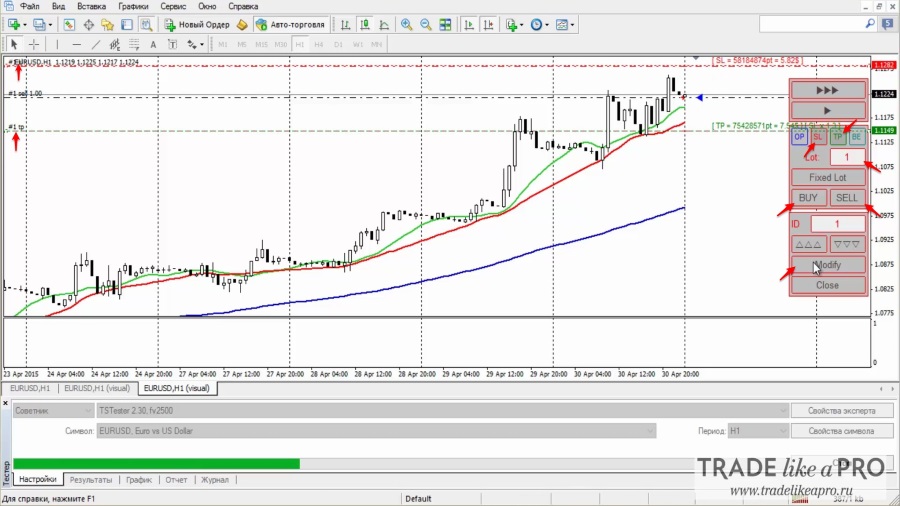
Let us try once again to open a trade, but in the opposite direction. We need to remove the lines again; this is important. Press "sell", set the stop-loss and take-profit, choose Modify, and wait.
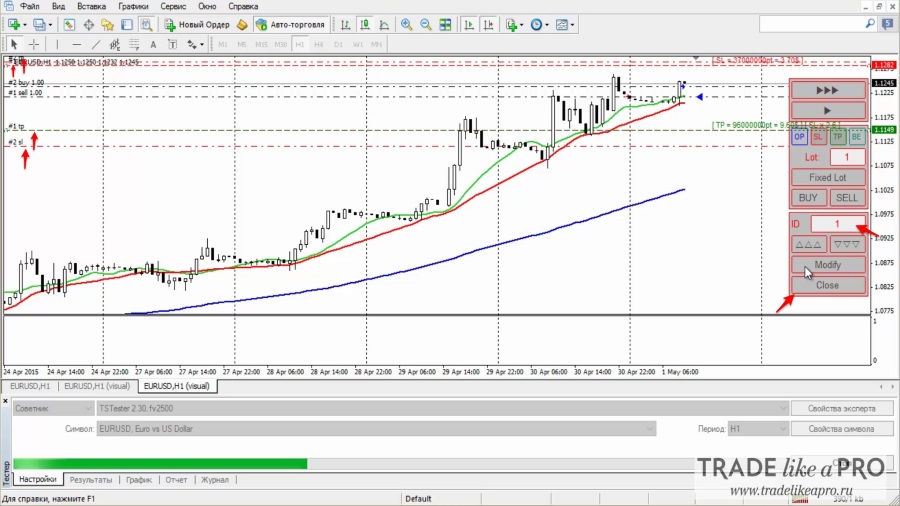
With this expert advisor, we can continue managing our orders simply by moving through their ID numbers using the two arrows.
The advisor also allows you to close trades according to their identifier by pressing the Close button.
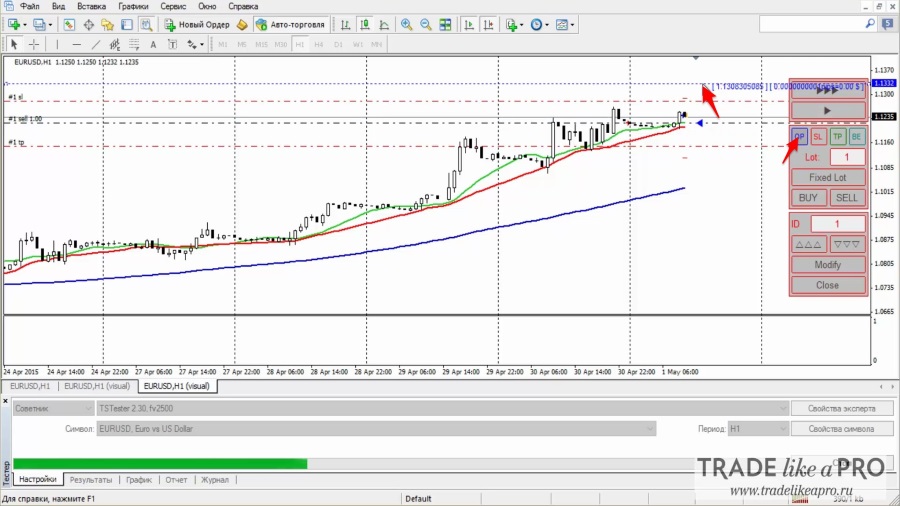
We also have two more buttons in the tester control panel, OP and BE. They are responsible for placing pending orders (OP), as well as working with moving an order to break-even (BE).
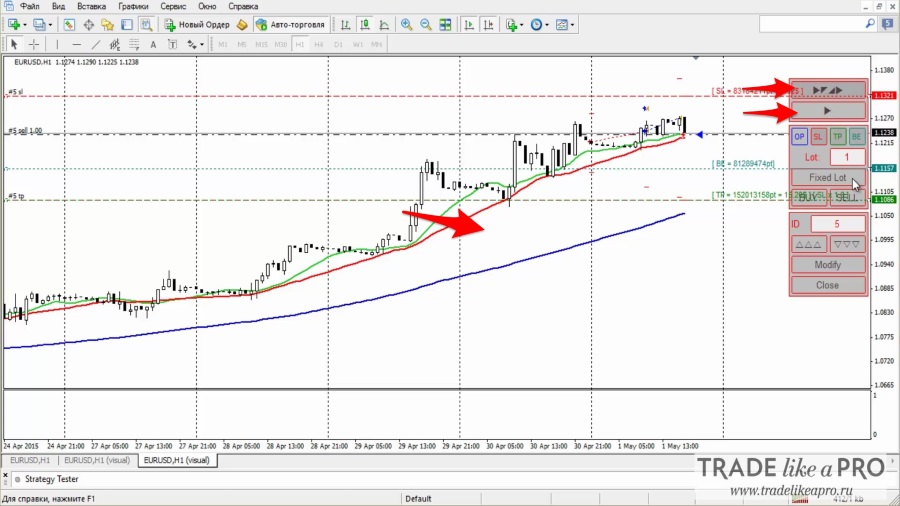
Also, we have buttons that pause the chart (the lower button in the screenshot below) and enable auto-pause after each candle (the upper button).
Open orders and trade history are displayed in the "results" window both during the test and after it is finished.
Conclusion

Overall, I would like to note that this tester is one of the best solutions I have come across on the market; moreover, it is absolutely free, while all the other options I encountered were more difficult to use, install, and of course cost some amount of money. As you can see, I use 3 moving averages on my chart; you can throw absolutely any indicator onto the chart, whether custom (downloaded) or standard, and test any strategies with TradeSystem 2.
The author of this program is our forum member fv2500, for which many thanks to him.
P.S. you can also express your gratitude to the author of the program financially; here are his WebMoney wallets:
R140456912580
Z373914649148
Download TradeSystem2

Forum Discussion
Respectfully, Alexey Vergunov TradeLikeaPro.ru
