
How to Set Up Email Notifications in MT4
 Hello, fellow traders! Many Forex expert advisors and indicators for the Metatrader 4 terminal have the option to enable email notifications. That is, when the indicator sees a signal to enter a trade, it can send you an email. This can be very convenient, especially if signals do not appear often. Likewise, an expert advisor can send an email when a trade is opened. The function is convenient, but for it to work, you need to make certain settings in the terminal itself. We will talk about them below.
Setting Up Notifications

First of all, you need to open your trading terminal and go to the "Service" - "Settings" tab:
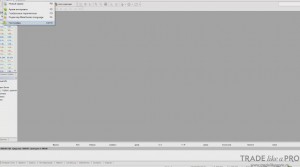
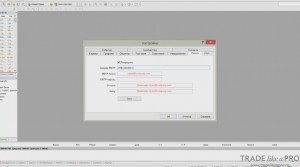
In the window that opens, find the email tab. In it you can see the fields that we will need to fill in. First, tick the box in the "Enable" field:
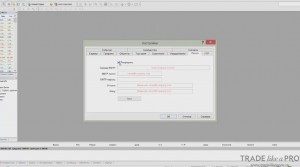
And then you need to specify the SMTP server for your email provider:
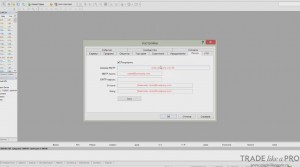
At the end of this article there will be a list of SMTP servers for the main email services, such as Yandex or Mail.ru. But the thing is that over time they can change, and in general you need to be able to find information about them on the internet.
To do this, you need to go to any search engine and type "smtp server ..." and then your email provider into the search box.
Suppose it is Yandex:
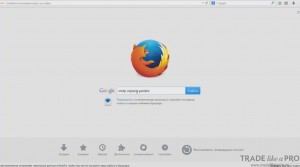
As a result, search results open:
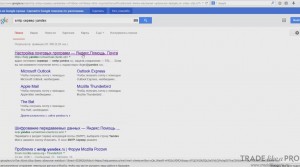
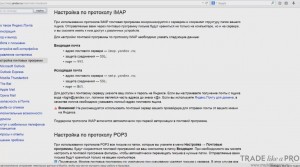
And by following the link we go to the Yandex help page, where all this data is present:
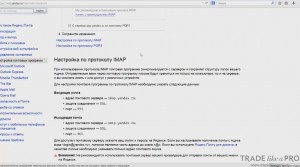
In this case, we have data for incoming mail and outgoing mail. For us, the mail will be outgoing. Because if you look at the settings in the terminal more carefully, you will notice that the SMTP server, the mailbox, and its password are specified here:
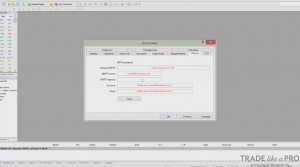
Why is this required?
The thing is that it sends a notification from our mailbox to another mailbox. That is, we give it the right to send notifications somewhere else on behalf of our mailbox. Therefore, we need to specify the login and password.
In the "From" field, we specify the mailbox for which we entered the password. But in the "To" field, we specify another mailbox. It can even be with a completely different email provider. Or we leave our own. But more on that later. The terminal will send us notifications on our own behalf to another mailbox. These are only technical details, so you do not need to worry about security.
MT4 will not spam anyone on your behalf! Here you can safely specify your data and not be afraid that someone will use it. Let us return to the SMTP page for Yandex. Here the address of the mail server is indicated:
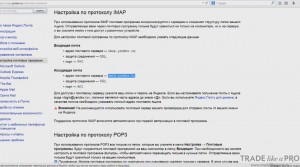
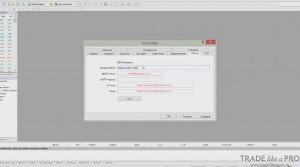
Copy it and paste it into the server field:
But do not forget that we also need to specify the port, so we go back to the data page and copy the port from there. In our case it is 465:
We enter it in the terminal, immediately after SMTP. After the link, put a colon and specify the port:
Similarly, you can find out the SMTP and port number for any other email service.
Now specify the mailbox and its password:
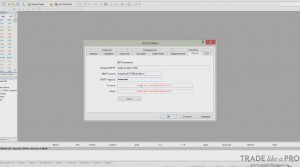
In the "From" field, copy our mailbox:
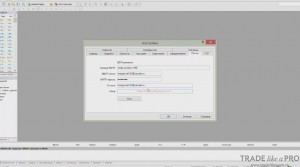
But in the "To" field, you can specify a different mailbox, as I wrote earlier, or you can specify the same one if you do not have a second one or if you do not want to create another one. Notifications will come to you from your own address:
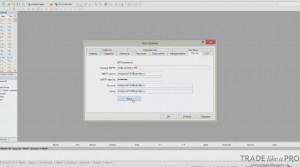
After the data has been entered into the fields, you need to press the "Test" button to check that the notifications are working:
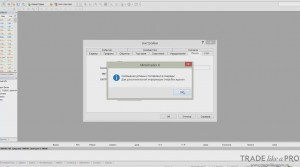
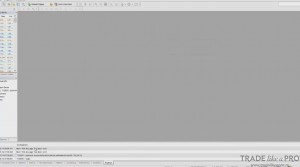
At the bottom, on the "Journal" tab of our trading terminal, a message will appear stating that the test message has been sent:
We go to the email and see the test message that the terminal sent us:
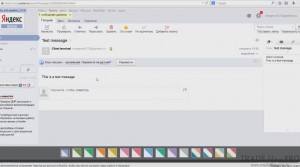
This means that now all notifications, if we have enabled them, will be sent to the mailbox.
As an example, let us use the Scalper Dream indicator:
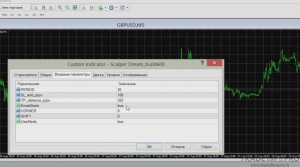
In the indicator settings window, you can see the "EmailAlerts" setting:
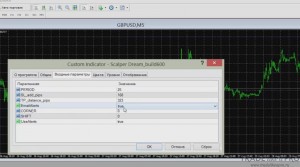
If it is enabled, then when a buy or sell signal occurs, the indicator will automatically send us an email message through the terminal.
Some expert advisors have similar settings. And when one of them opens any trade, an email notification is sent to you. This can often be very convenient.
That is all. I hope the information in the article was useful to you.
SMTP Servers and Ports for Major Email Providers

- Yandex smtp.yandex.ru:465
- Mail.ru smtp.mail.ru:465
- Rambler smtp.rambler.ru:465
- Yahoo - does not work with MT4
- Gmail aspmx.l.google.com (write it without specifying the port). For Gmail there is a limitation: you cannot forward to other providers. Only Gmail.
Sincerely, Pavel TradeLikeaPro.ru