
FX News Alert Program

Attention! Support for the program has been discontinued, use the Economic Calendar.
Greetings, fellow forex traders! When trading intraday, it is certainly worth paying attention to the release of important economic news (various statistics, speeches by politicians, etc.), and either not trading during the release of this data, or taking it into account in your trading strategy. Today we will get acquainted with the FX News Alert program for Windows, which will help you not miss the publication time of data capable of affecting currency movements.
1. First of all, the program needs to be downloaded and installed.
Go to the developers' official website via the link http://www.fxnewsalert.com/ and click the Free Download button.
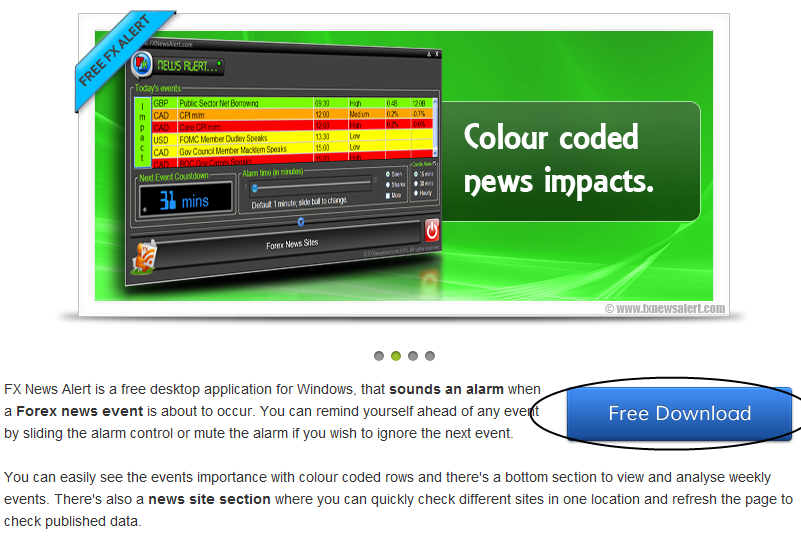
The program installer package will be downloaded to your computer. Next, open it with a double mouse click and install it the same way as any other software for Windows. I do not think anyone will have any difficulties with this.
2. Launch FX News Alert.
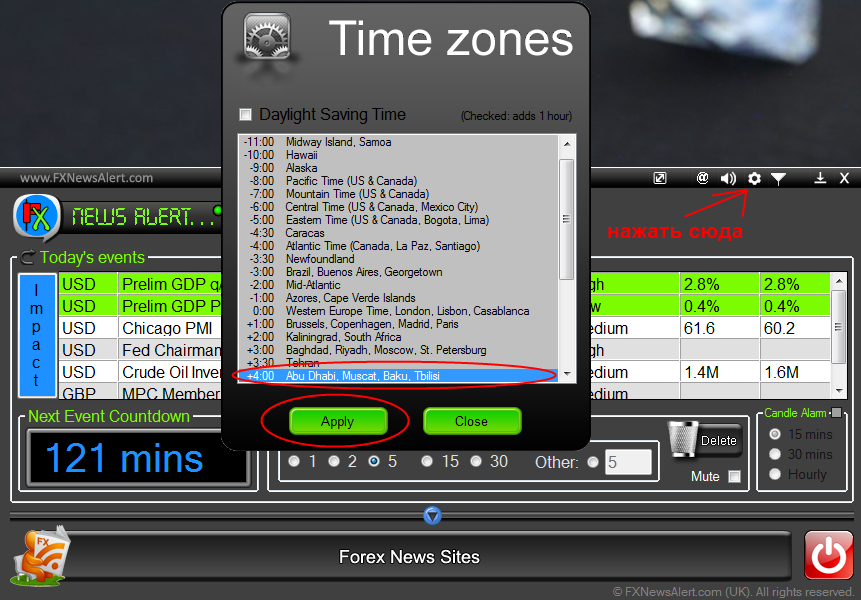
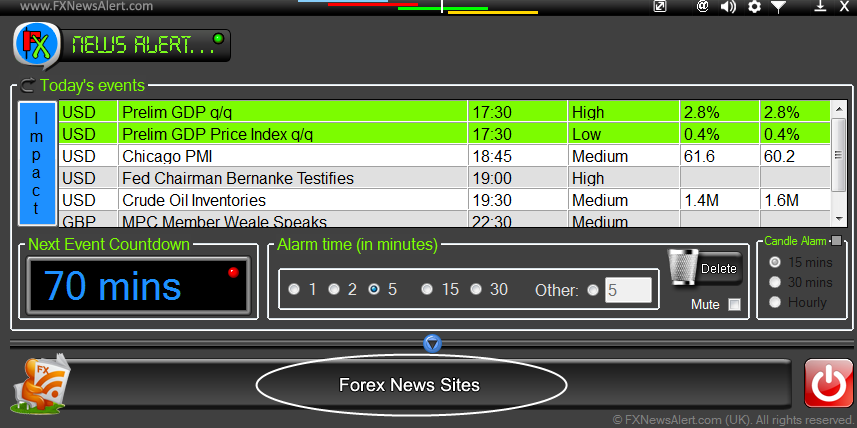
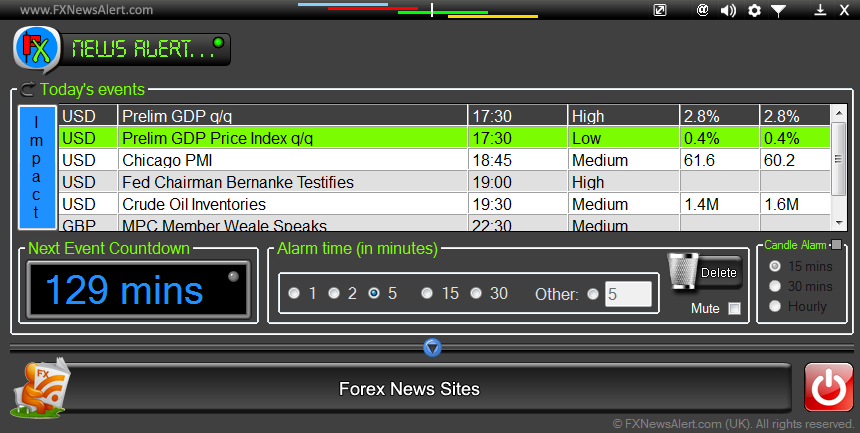 The nearest event is highlighted in green, Next Event CountDown shows how many minutes are left until it. For the release time of statistics to be displayed correctly, we should configure our time zone.
To do this, click the TimeZones button  at the top right, and in the window that appears select our time zone (GMT + 4.00 for Moscow time). Click Apply.
So, in the main program window we see a list of today's events. The currency whose pairs will be affected by the news, the event name, release time, degree of news importance, forecast, and previous value (if this is some kind of statistics) are indicated. All data is taken from the ForexFactory calendar.
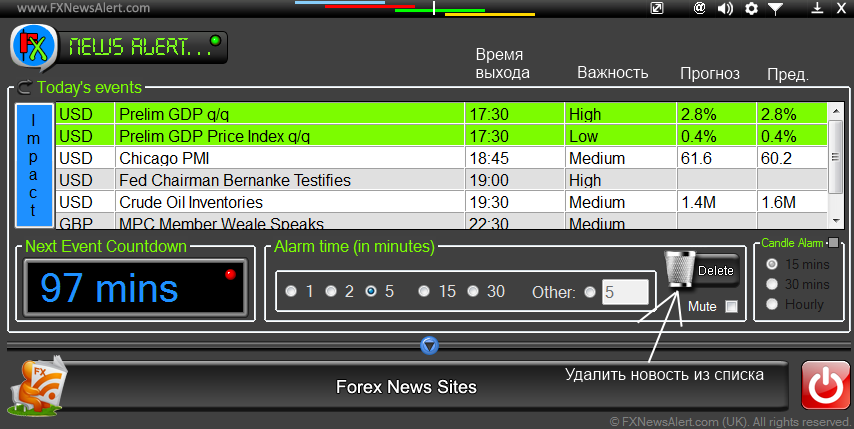
News differs by degree of importance:
High (red color) - possibly strong impact
Medium (orange) - medium degree of impact
Low (yellow) - weak impact or none
Non-Economic (white) - non-economic events (holidays, etc.)
If you click the Impact button (to the left of the news window), then all events will be colored depending on the degree of importance. There is a filter that allows you to disable the display of unimportant news and events related to currencies that are not of interest to you. To configure the filter, you need to click the icon  in the upper right part of the program window.
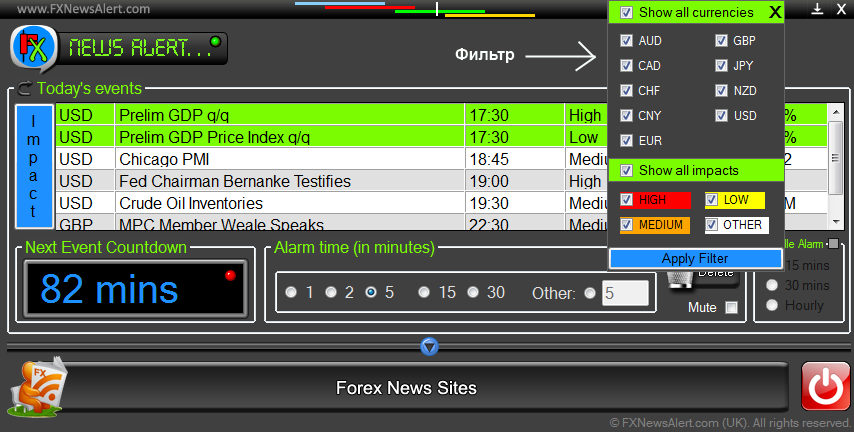
Under the list of events, you can set how many minutes before the event release the program will notify you with a sound signal. It is possible to change the "alarm clock" sound (the default is a siren) in the program settings (button  ).
).
You can also minimize the program window, turning it into a convenient widget - this is done by pressing the icon  .
.
3. Of the additional functions of the program, it is worth noting the ability to view the main data sources and their auto-update directly from the program. To do this, click on Forex News Sites at the bottom of the FX News Alert window. Then a window will appear where you can view the main sources of forex news and even set your own. There is nowhere to get confused there, I think you will figure it out.
Well, that is all. The Fx News Alert program is very simple and, after installing it and poking the buttons a little, you will without a doubt be able to work with it, even without knowing English.