
Types of Orders in Trading: Market, Limit, Stop and Trigger
Trading does not begin with charts; it begins with trading instructions, i.e. orders. You can buy or sell without a chart: even in 2026, in the era of the absolute dominance of electronic trading, you can place an order by phone.
It would seem, what could be simpler than placing an order: you just need to click Buy/Sell, Buy/Sell Limit or Buy/Sell Stop. However, a mistake in the order type can cost a lot of money, because each order type interacts with the market and liquidity differently.
In this article we will cover everything: from understanding basic market and limit orders to the nuances of stop orders, derivative orders in different terminals, and that very slippage that is dryly described in brokers' regulations.
Types of Orders
An order is an instruction to a trading system or exchange to execute a trade under certain conditions.
All order types can be divided into two large groups:
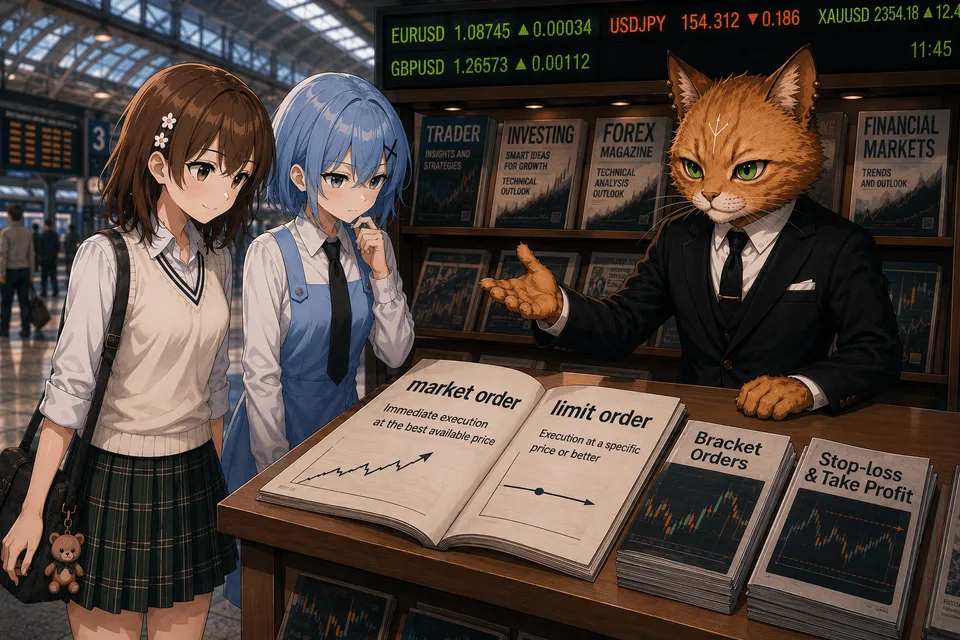
Market Orders — executed immediately at the best available price.
Limit Orders — executed only at the specified price or better.
Practically all other types of orders are derivatives of these two types.
Market Order / "At Market"
A market order means a trader's instruction to buy or sell right now at the best or available price that exists in the market. This means, on the other hand, immediate or almost immediate execution at the nearest available price from the counterparty: buying at Ask, selling at Bid.
The main advantage of market orders is instant guaranteed entry. The disadvantage is that the trader does not control the exact price, so during periods of high volatility the real execution price of the order can differ greatly from the price the trader sees in the terminal.
When the Buy/Sell Market button is clicked, the system starts "collecting" volume from the order book.
For example:
Price | Seller volume |
|---|---|
100.00 | 2 lots |
100.01 | 2 lots |
100.02 | 4 lots |
When buying 6 lots, the first 2 lots will be executed at 100.00, the second 2 lots at 100.01, and the remaining 2 lots at 100.02. The average purchase price will be 100.01.
That is exactly why a market order does not guarantee the execution price. It guarantees only that the trade will be opened as quickly as possible.
Limit Order / "Pending"
A limit order means an instruction to execute a trade only at this price.
The main difference between a limit order and a market order is simple. A limit order guarantees the execution price, but does not guarantee the time or even the execution itself.
For example. Current price: 100. The trader wants to buy cheaper and places a Buy Limit Order = 99. If the price reaches 99 and sellers are found at that price, the order will be executed. But if the market reverses earlier, the trade simply will not open.
There is often a situation where the price touches a limit order, but it is not executed. The reason is that there was not enough market liquidity to execute the limit instruction.
You can view clusters of limit orders in Forex directly on TLAP.
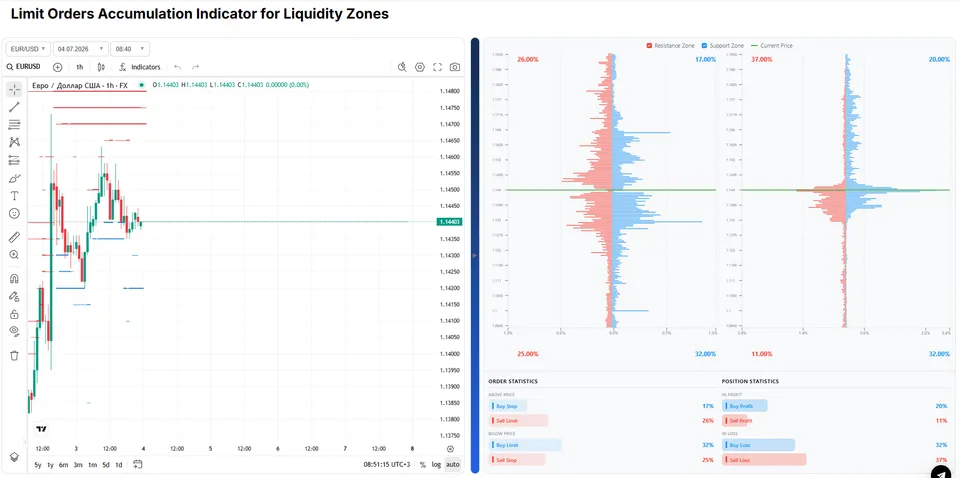
The limit order indicator is simple and clear. On the left is a chart with clusters of limit orders, and on the right is the order book.
Trigger Order (trigger orders)
As we said above, there are two types of orders in the market: market and pending (limit) orders. Everything else is not a separate method of execution, but merely a condition (trigger) for activating one of these orders.
After the trigger (condition) is reached, the system may send a Market, Limit, Stop Market / Stop Limit Limit. Therefore, it is always important to look at what exactly is specified after the word Trigger.
At the same time, in many terminals the term "trigger" is not specified for this type of order.
Buy / Sell Stop Orders
A Stop order means the price reaches a specified level, after which the stop order turns into a market order.
A Buy Stop is placed above the current price, while a sell stop is placed below it.
For example, the current price is 100, Buy Stop is 102, Sell Stop is 98. When the market reaches 102, the buy order is activated, and when it reaches 98, the sell order is activated.
In the example above, when the 102 mark is reached, the system places a market order to buy. At the same time, if there is liquidity in the order book only at 102.30, then the purchase will be made exactly at 102.30.
Therefore, stop orders do not guarantee the execution price. And this is exactly why a trader may often see a loss closed at the very extreme if they were caught in a stop hunt by a large participant.
Buy / Sell Stop Limit Orders
The question arises: are there stops that turn into limit orders? Yes, there are. Such orders are called Buy / Sell Stop Limit.
For example, the current price is 100, Buy Stop Limit is 102, Sell Stop Limit is 98. When the market reaches 102, the buy order is activated, and when it reaches 98, the sell order is activated. The price reached 98 and goes to 97.90. In this case, the system places a limit order at 98. If there are buyers at this price, the order will be executed.
Market / Limit If Touched (MIT / LIT) Orders
Platforms such as cTrader, NinjaTrader, as well as many other exchange terminals, have an MIT order. Logically, this is a trigger limit order:
The trader specifies the trigger price and the order opening price.
When the market touches the trigger price, a market order is placed.
For example, the current price is 100, Sell MIT / LIT is 102, Buy MIT / LIT is 98. When the market reaches 102, a market or limit sell order is activated, and when it reaches 98, a market or limit buy order is activated.
What are such orders needed for? Everything is very simple. If a "fat limit order" is immediately sitting in the DOM, it may not be touched.
At the same time, the trader has no desire to "watch" the price, but understands where the price may come within, for example, a pullback. In this case, a limit order may not be executed, while a market order will always be executed.
Buy / Sell Trigger
This is often what Buy Stop / Sell Stop is called: a pending market entry after a trigger.
The term "Trigger" emphasizes that execution is specifically market execution. If your platform separates "Trigger" and "MIT", check the description: MIT is limit, Trigger is market.
OCO (One Cancels the Other)
Two orders are linked to each other. If one is executed, the second is automatically canceled.
Used for simultaneously and automatically placing Take Profit and Stop Loss.
Bracket Orders
The entry, Stop Loss, and Take Profit are created immediately. After the position is opened, the protective orders become active automatically.
In advanced terminals, you can set complex Bracket Orders in which, for example, after opening, stop orders are placed in a form such as Buy / Sell Trigger.
Order Execution Types

When a trader sends a market or limit order, the broker must understand how to execute it.
Full execution / Fill or Kill (FOK) means a situation where there is no required amount of limit volume in the market at a nearby price, so the trade will not take place at all. It is used by large players so as not to spread a position across a dozen different prices.
Partial execution with cancellation of the remainder / Immediate or Cancel (IOC) means: “Execute what is available right now, cancel the remaining volume.” Suppose a trader wants to buy 10 lots, but there are counterparties for only 6.3 lots. The trader instantly buys 6.3, and the order for 3.7 is canceled. The entry turns out incomplete, but correct.
Return of the remainder (Return) implies execution of the available part, while the unexecuted remainder stays as a limit or market order and waits for further quotes.
Partial execution implies execution of a market order through several trades.
Slippage: the Main Pain of Market Orders
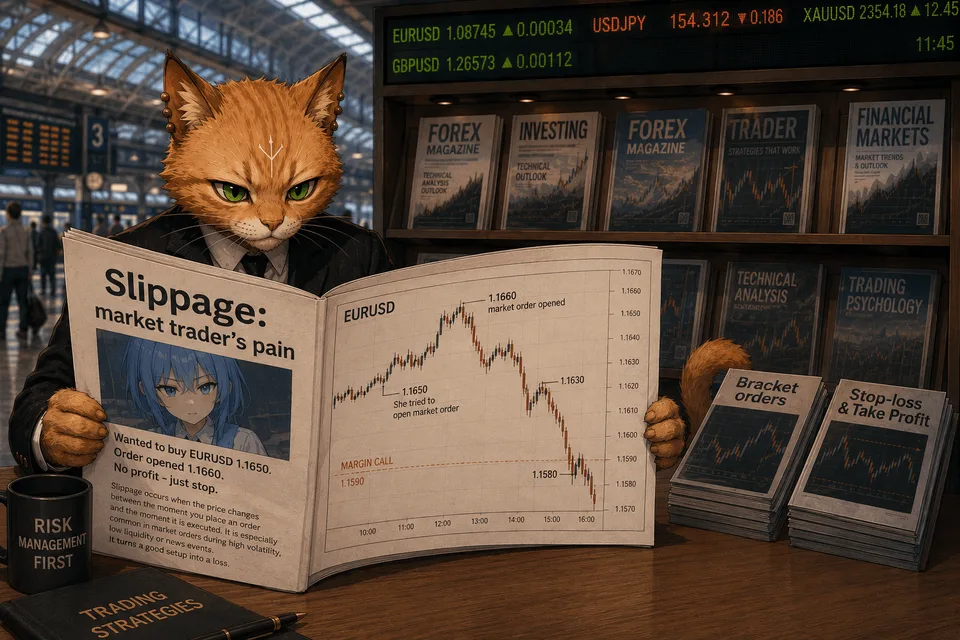
Slippage is the difference between the price a trader expects to see at the moment of sending/activating an order and the one at which it is actually executed. Slippage occurs in two cases:
A market order is sent manually at the moment of a fast move.
Buy Stop / Sell Stop are triggered.
There are two types of slippage: positive and negative. Positive slippage can happen: a trader wants to buy an asset at 100, but buys at 99.9. Negative slippage implies execution at a worse price: instead of 100, at 100.30.
But limit orders are not subject to slippage, because they are executed only at the specified price.
Summary
Despite the large number of names, almost all trading orders are built around two basic mechanisms: market and limit.
A market order guarantees execution, but not the price. A limit order guarantees the price (or better), but not execution.
Stop orders by themselves are not a method of execution; they are only a condition under which another order is sent to the market. More complex structures, such as Stop Limit, Market If Touched, Trigger Order, or OCO, simply combine these basic mechanisms to solve various trading tasks.