
Money Management Tools for Forex - Mega Collection
 Hello, ladies and gentlemen, forex traders!
As is well known, money management is the cornerstone of success in forex. Everyone knows this, and nevertheless, most traders lose money in Forex precisely because of an excessively inflated lot size.
We decided to bring together and systematize the entire toolkit (indicators, scripts, advisors, Excel tables, applications) with which a trader can calculate an adequate lot size for trading. Everyone will find something for themselves.
Theory
 How to calculate the lot manually, without using any indicators or Excel tables, has already been covered on the site more than once, but it is still worth giving the relevant links once again. The article about capital management is here; if you want more detail and video, see here. The MM topic and one useful indicator with an Excel table were also discussed in this topic. And here is one more article on calculating a trading lot manually.
The next important aspect is the calculation of the trading lot in advisors. It is covered in detail in this article, and there is also a video lesson there.
And how position size is calculated using the Kelly criterion (as well as what it is) can be read about and watched in this topic. And a large article on risk management in trading by Silentspec will be very useful.
Advisors for Lot Calculation
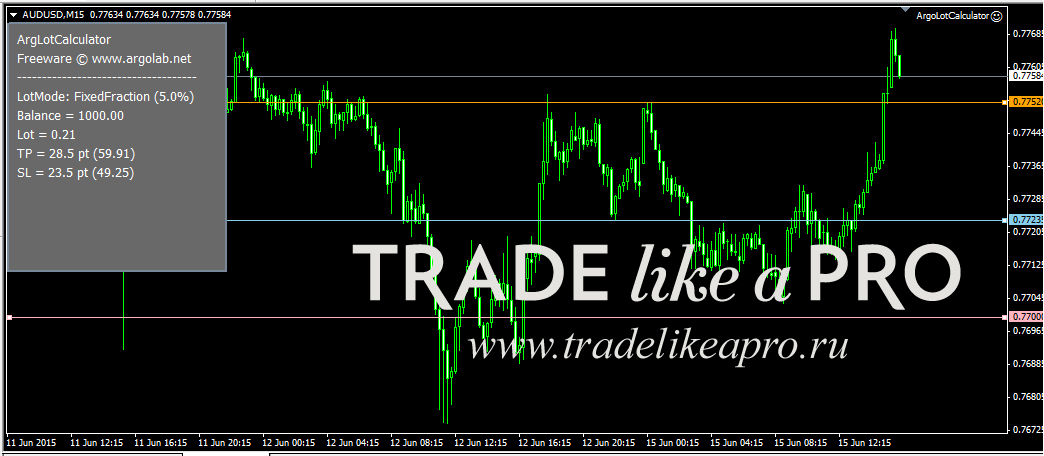
 There are helper experts for calculating trading lot size. One such helper is ArgoLotCalculator v1. It is installed as an advisor and has the following appearance:
 Advisor settings:
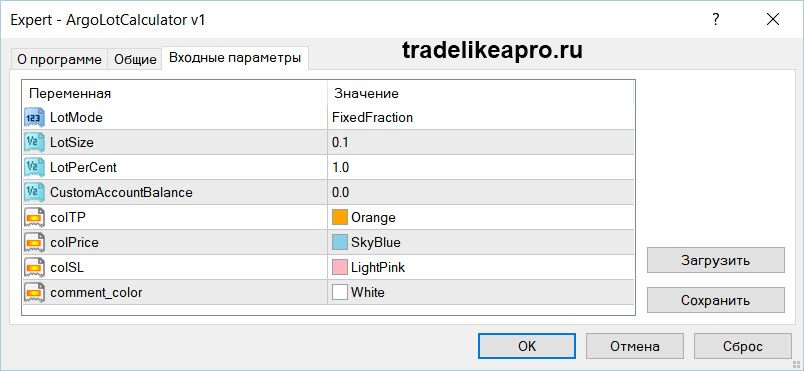
- LotMode is an important parameter; it has two settings (selected on the right from a drop-down window). When FixedFraction is selected, the lot is calculated so that the loss at stop loss equals the LotPerCent parameter, that is, the user-set percentage of the deposit (that is, the larger the deposit, the larger the lot; if the deposit decreases because of a series of losses, the lot will also be recalculated downward). When FixedLot is selected, there will be a fixed lot size for all trades;
- LotSize - here we set the lot size;
- LotPerCent - the risk size as a percentage of the deposit;
- CustomAccountBalance - here you can set the deposit size manually (if zero, the current balance value is used).
Next comes the choice of colors for the stop, take, and entry point lines. Pay attention to the lines: they can be dragged around the chart, and the advisor will immediately recalculate the data (see the information panel, where all calculated metrics are displayed). This is very convenient. Yes, you can view the topic on the forum about this helper.
Another very important advisor is Volume Correction v6.5; it is intended for adjusting the volume of open positions and pending orders of a PAMM account when investors deposit or withdraw funds. It will be of primary interest to managers of investor accounts. There is a topic on our forum, and this topic on the Alpari forum should also be studied even more carefully.
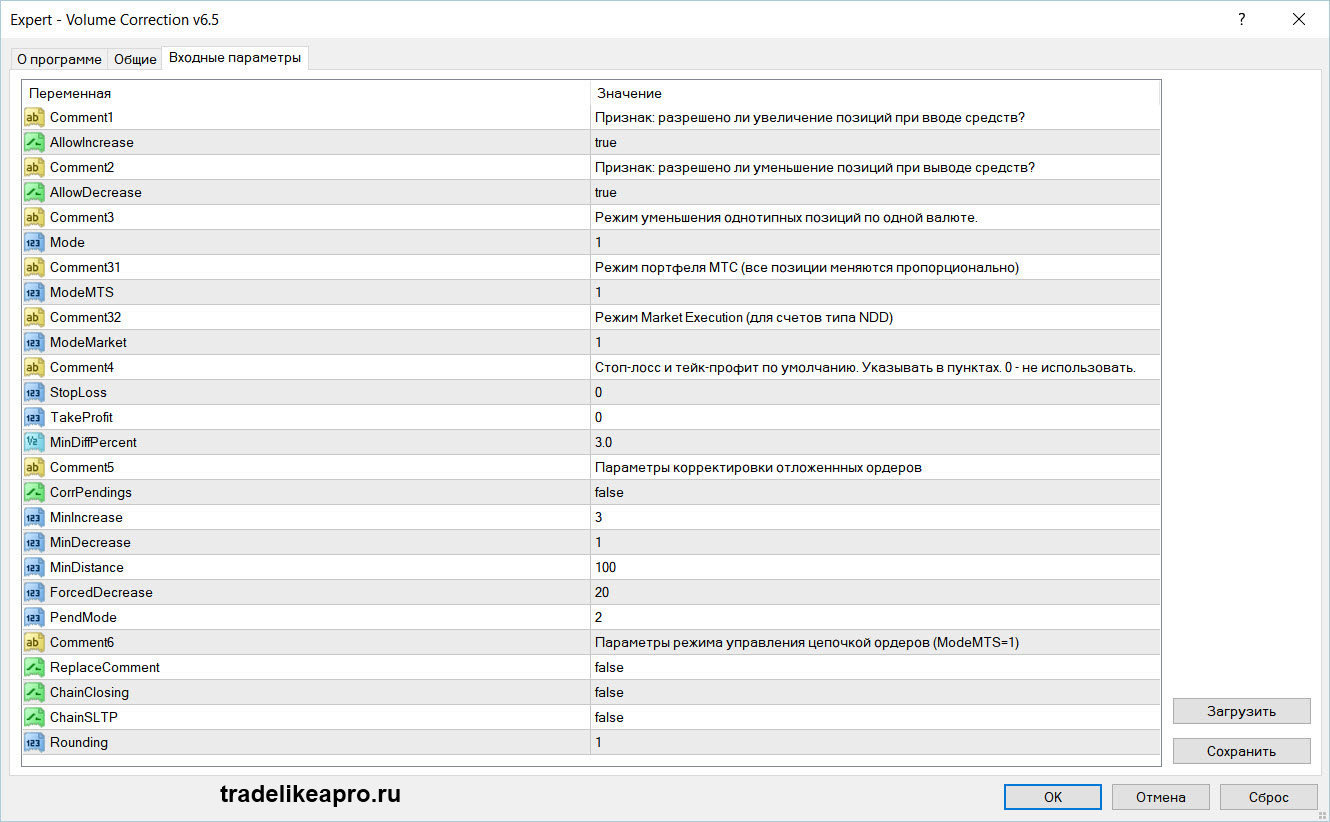 Advisor settings. The package includes a manual describing all of the bot's parameters.
Indicators
 Quite a lot of different indicators have been written for the MetaTrader 4 terminal that help with capital management, namely by calculating trading lot size (for MetaTrader 5 there are such indicators as well; you can view them in this topic). They are installed according to the standard instructions. The most interesting and useful ones are discussed below.
# Lot
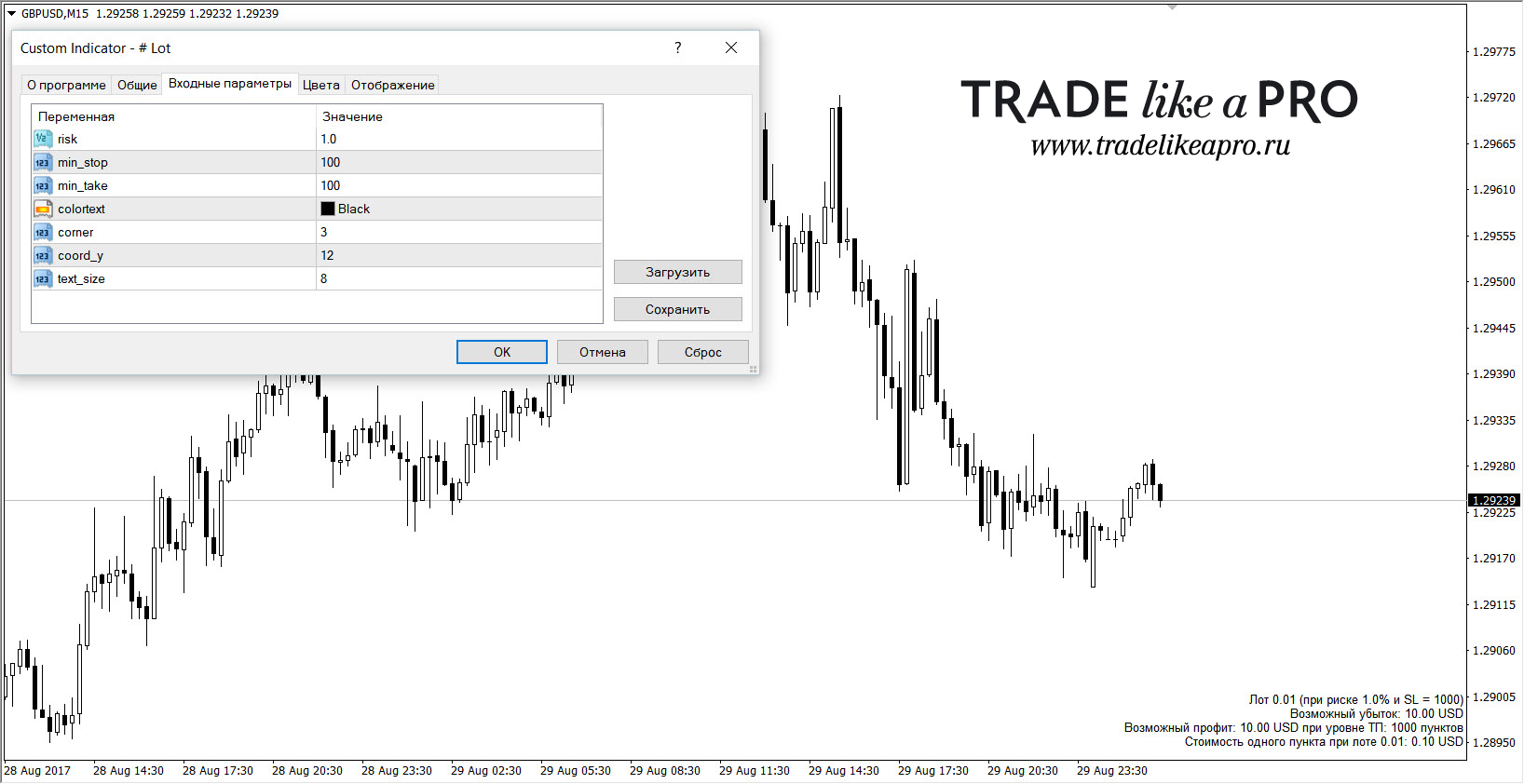 The indicator has many different modifications that, in essence, differ little from each other. In the settings, the risk as a percentage is specified, as well as the stop loss and take profit size. As output, the indicator shows the working lot calculated relative to the risk in percent and stop order points, the potential profit and loss when the corresponding orders are triggered, as well as the point value at the calculated lot. Appearance settings, such as chart placement and text color, are present.
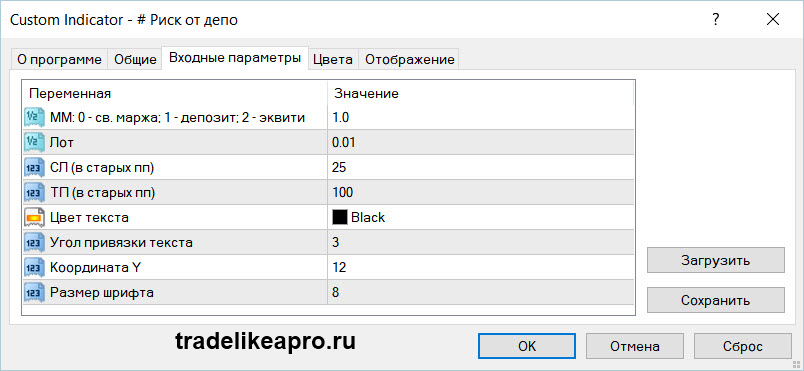
# Risk from Deposit
The indicator is similar to the one mentioned above, except that when calculating lot size it can take into account either the entire deposit or only free funds; see the indicator settings. This is a very important feature.
 ArgoLotCalculator v2.1
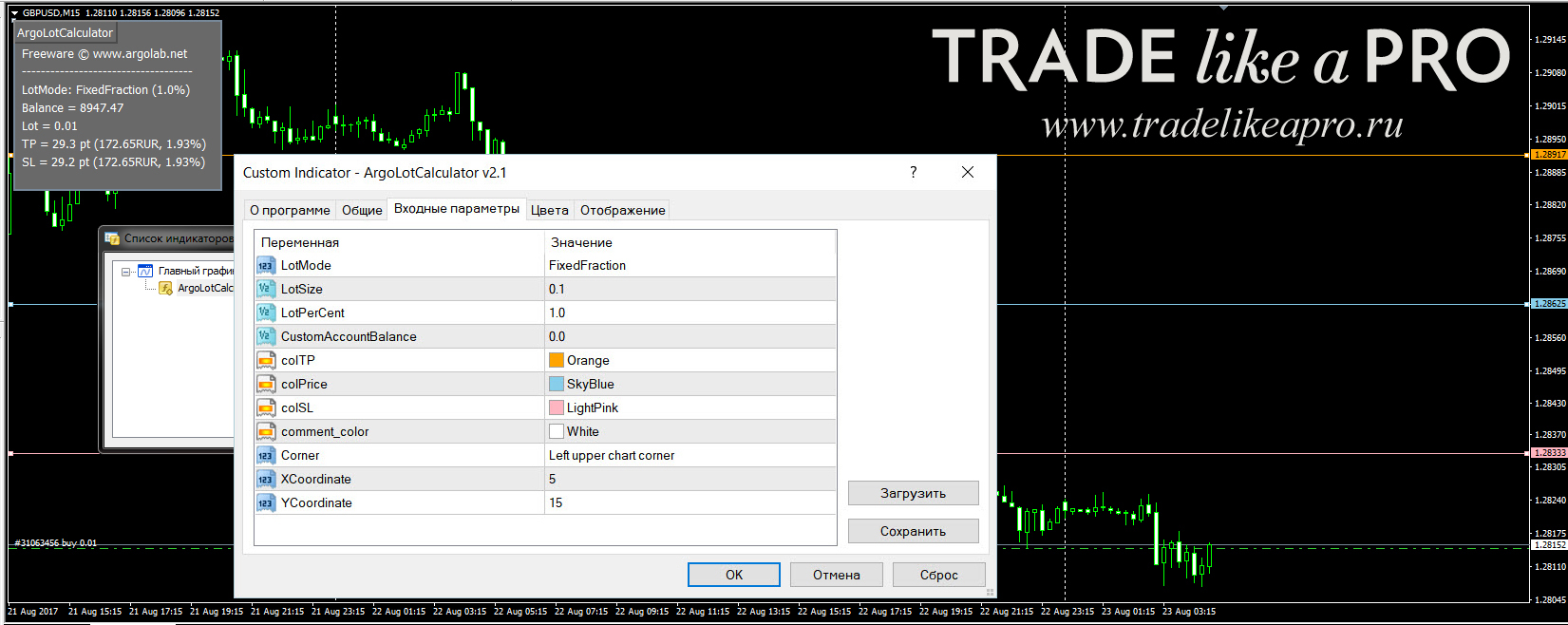 The indicator lets you quickly determine trade profit/loss depending on order volume and calculate lot size depending on the order stop loss level when trading with a fixed percentage (the loss at stop loss equals the specified % of deposit risk). Three horizontal lines are displayed on the chart, corresponding to the opening price, take profit, and stop order. The lines can be dragged with the mouse around the chart. The information window displays the lot, take profit in points and in deposit currency, and stop loss in points and in deposit currency. As you may have already guessed, this is an analog of the ArgoLotCalculator v1 advisor.
balance %
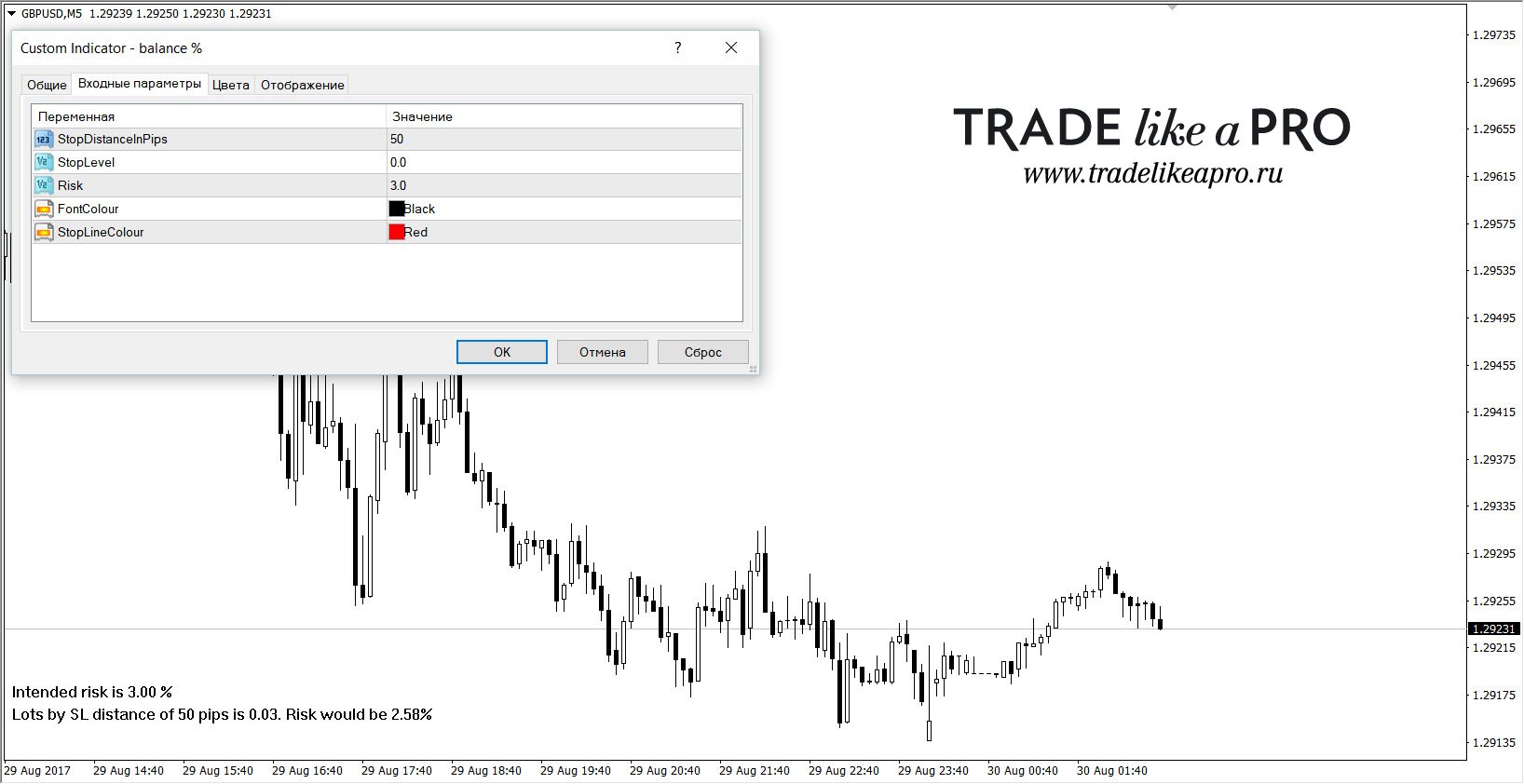 The indicator shows the calculated lot size for the trader-specified stop size and risk percentage.
Calc File
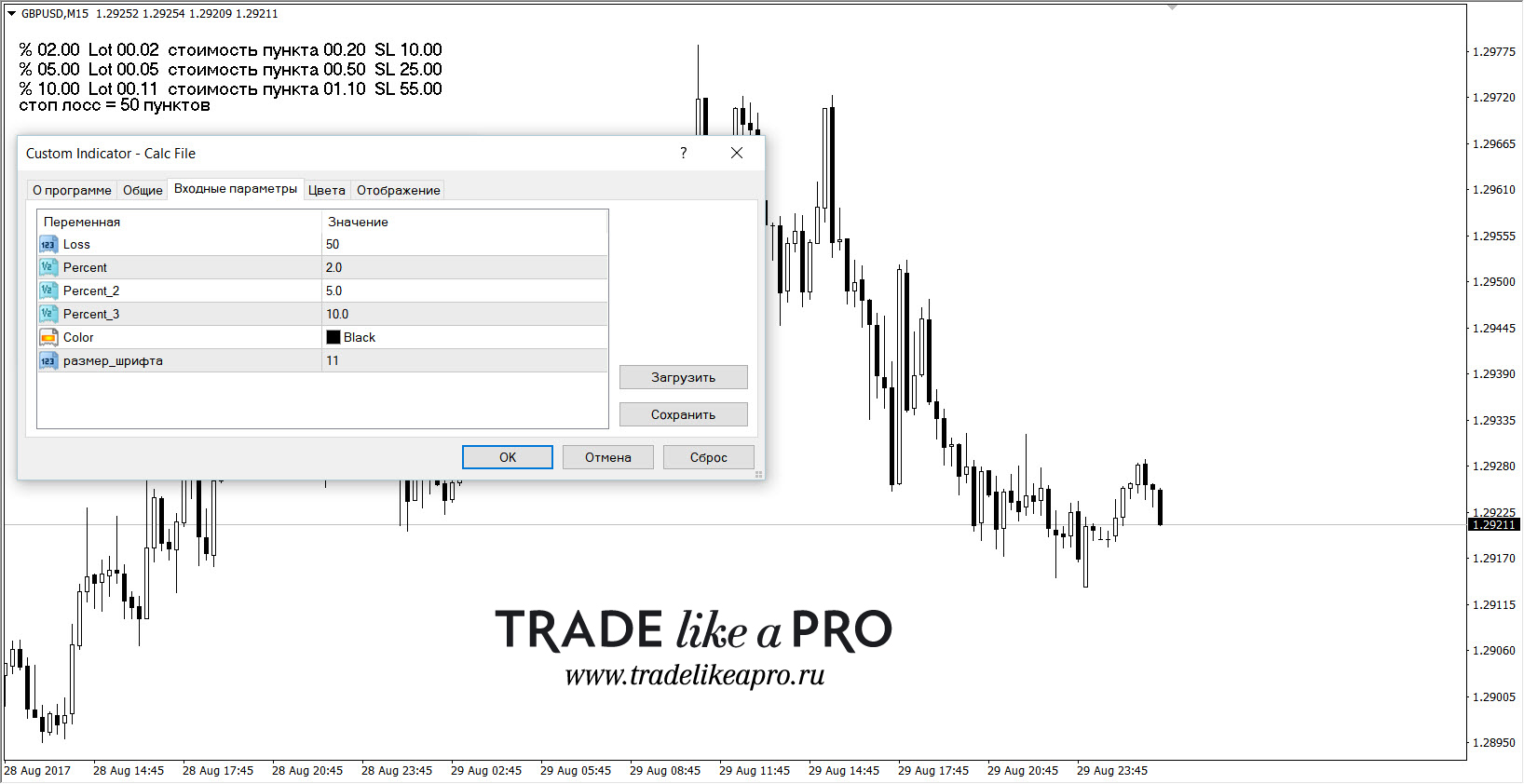 In the indicator, the stop order size and three possible risks in percentage terms are set once. It will perform calculations according to the specified parameters and show three lot sizes and three pip values (for the specified lot), the choice of which will correspond to the respective risk. There is also a choice of color and font size.
Infopanel TSLS_mod1
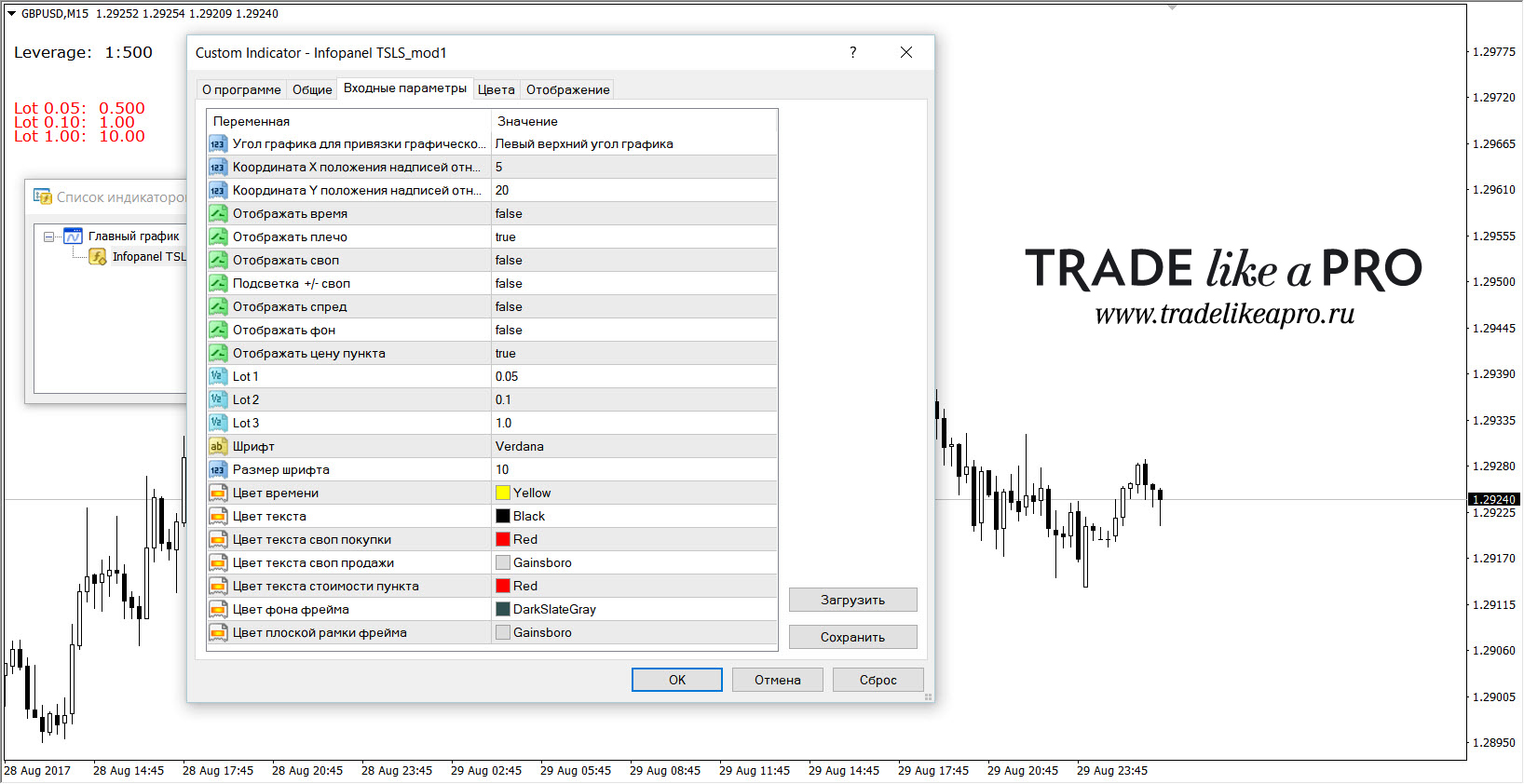 A very powerful and multifunctional info panel. All parameters can be turned on/off, and color selection is also available for all parameters. But we are interested in the money management section. Here you can set three working lot sizes, and the indicator will calculate what the pip value will be for them. It works on all currency pairs and metals. It will be useful for those who calculate MM manually or mentally, while the indicator only reminds them of the pip value, which differs from instrument to instrument.
 lot calculator
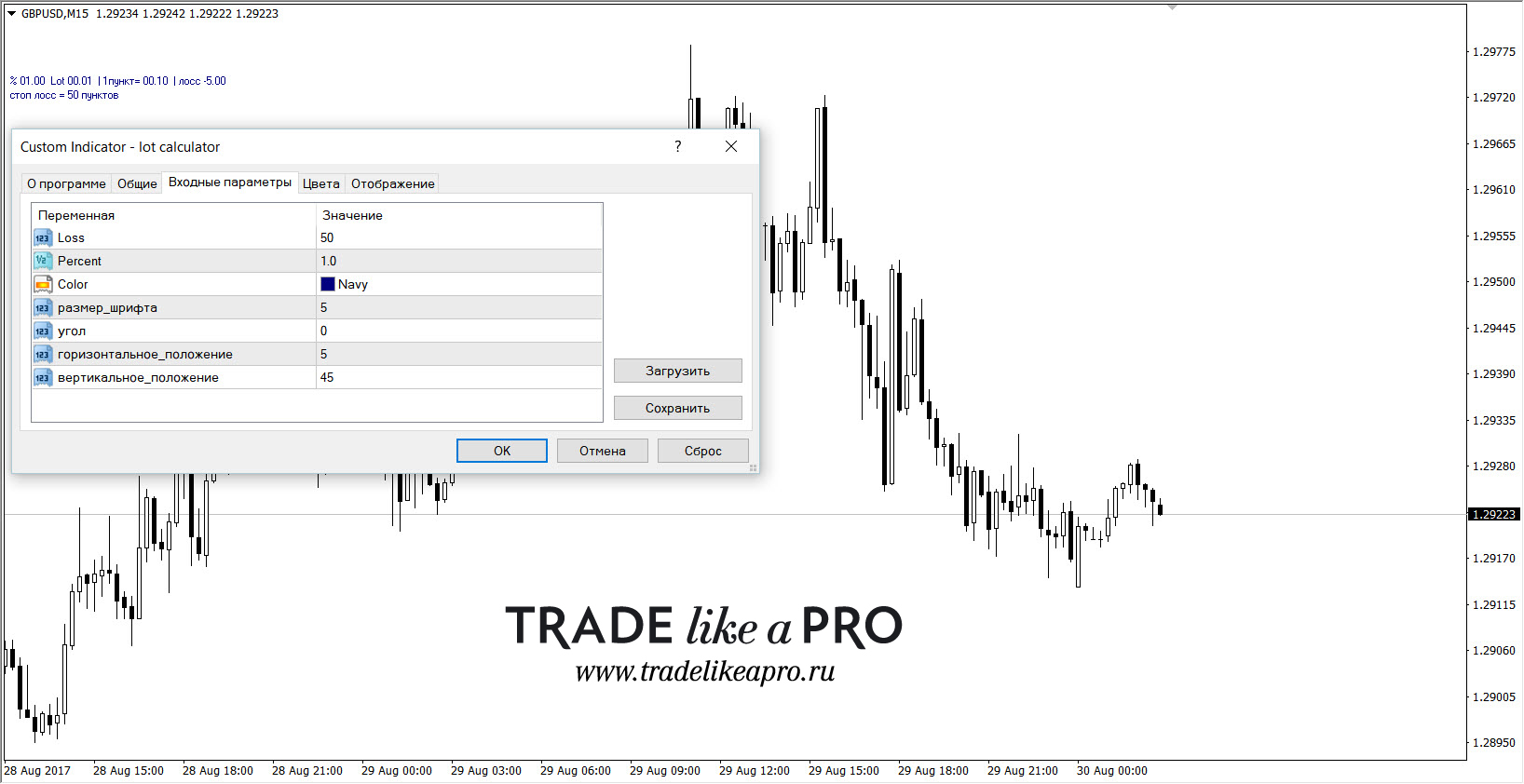 The indicator calculates the required lot for a specified stop loss size and risk percentage.
lot size calc
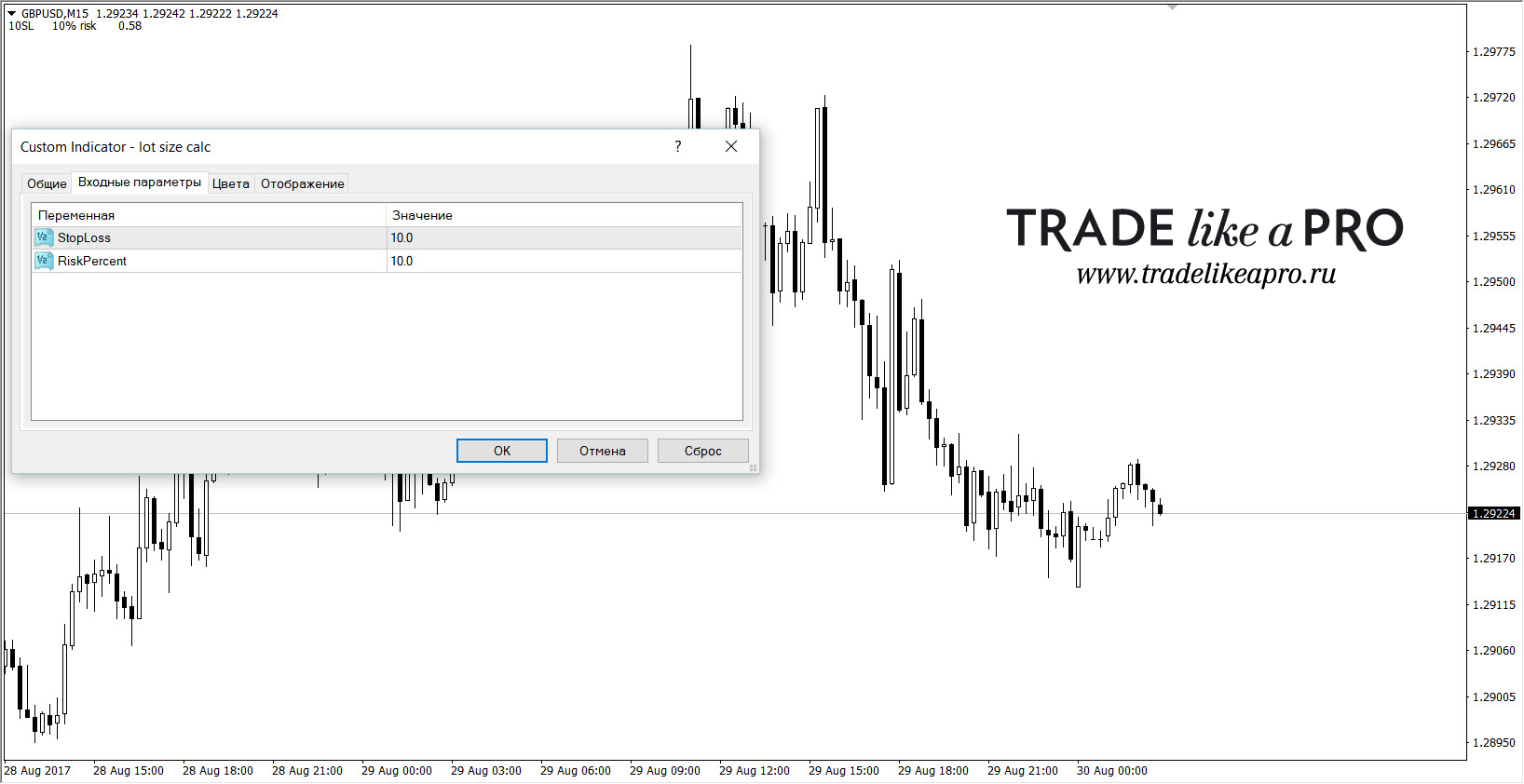 The indicator is simple and without frills: risk in percent and stop in points, and it will show you the required lot size.
lot_profit
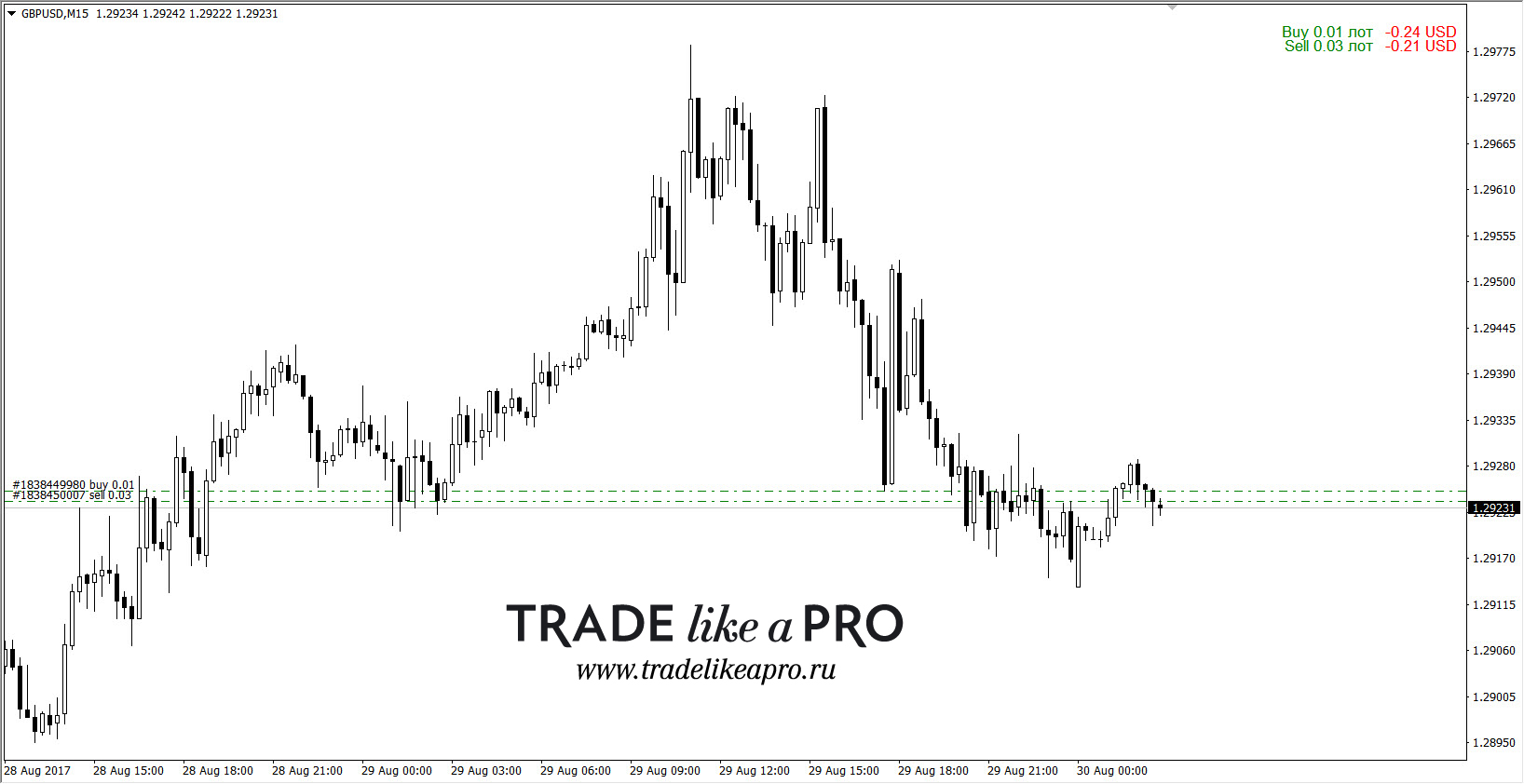 The indicator calculates/sums the lots of buy/sell trades and shows the result for the positions (plus or minus) in the deposit currency.
LotCalculator v1
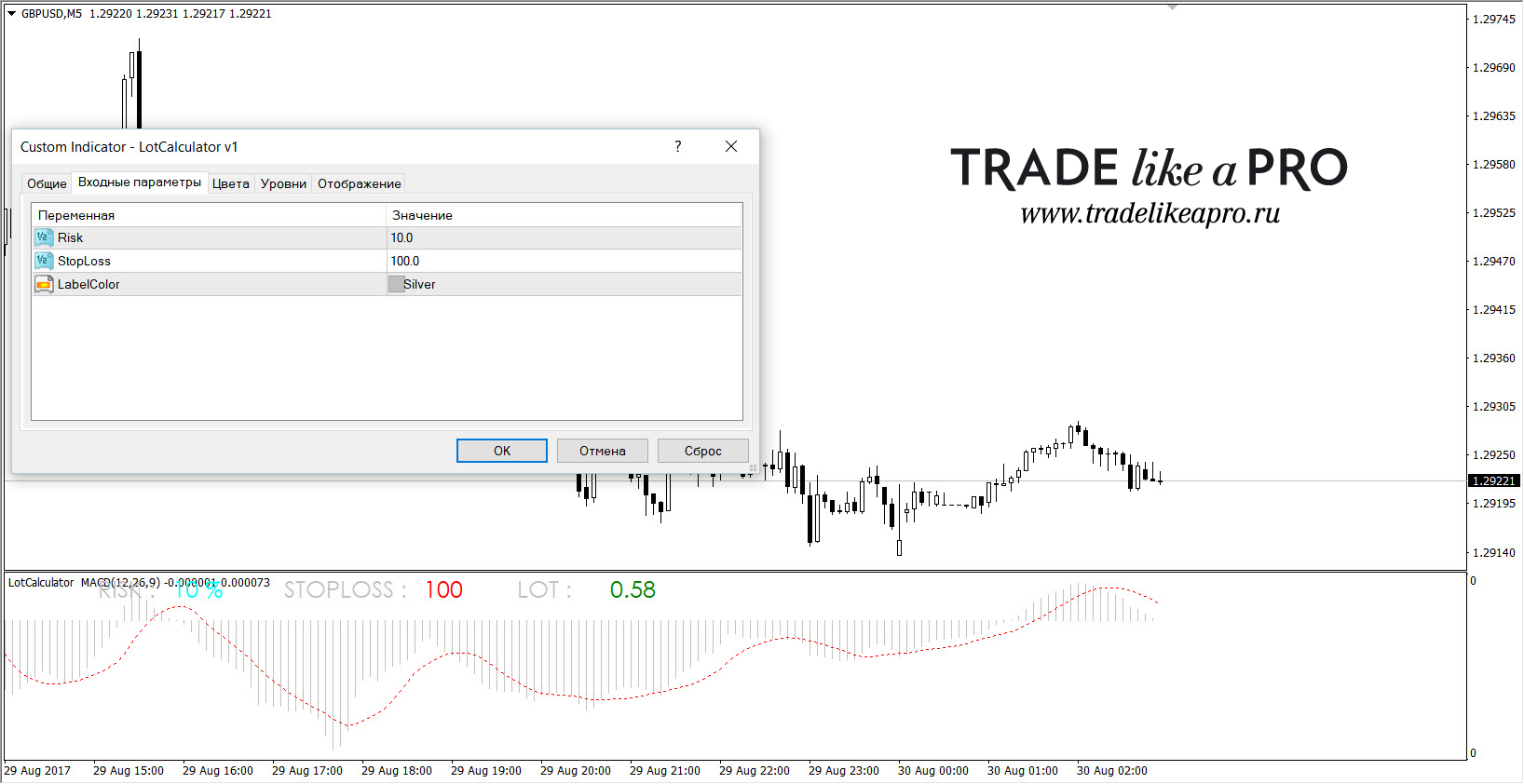 The indicator can be used in a subwindow together with any other oscillator (in the example, MACD). In the settings, you choose the risk percentage and stop size. Please note: the stop order is specified in five-digit points!
MAX_LOT
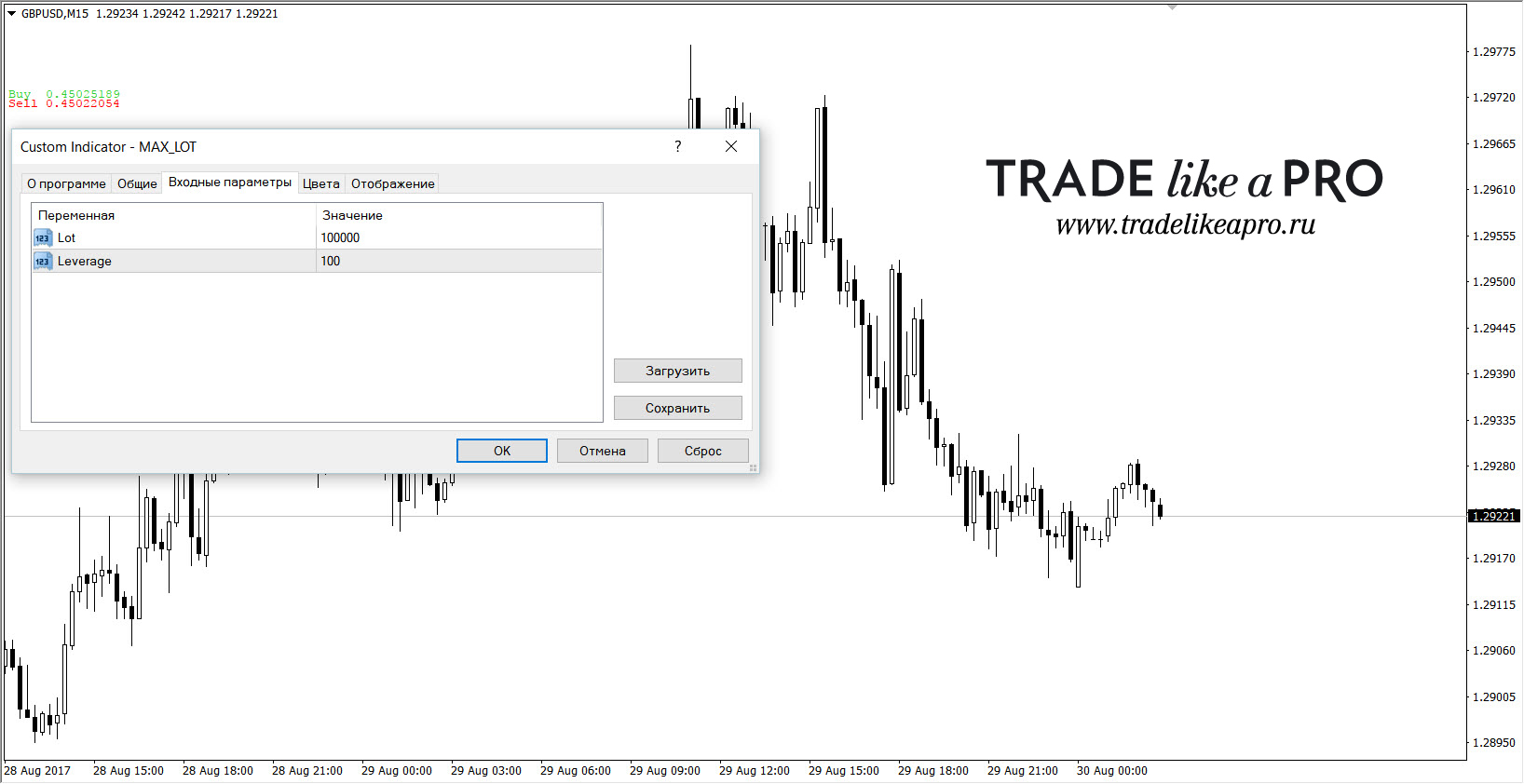 The indicator calculates the maximum lot size for your deposit relative to the set leverage. In the settings: the cost of a standard lot (for Forex this is 100000 dollars), and leverage. The leverage amount must be specified manually; then the indicator will perform all calculations for you.

MaxLot
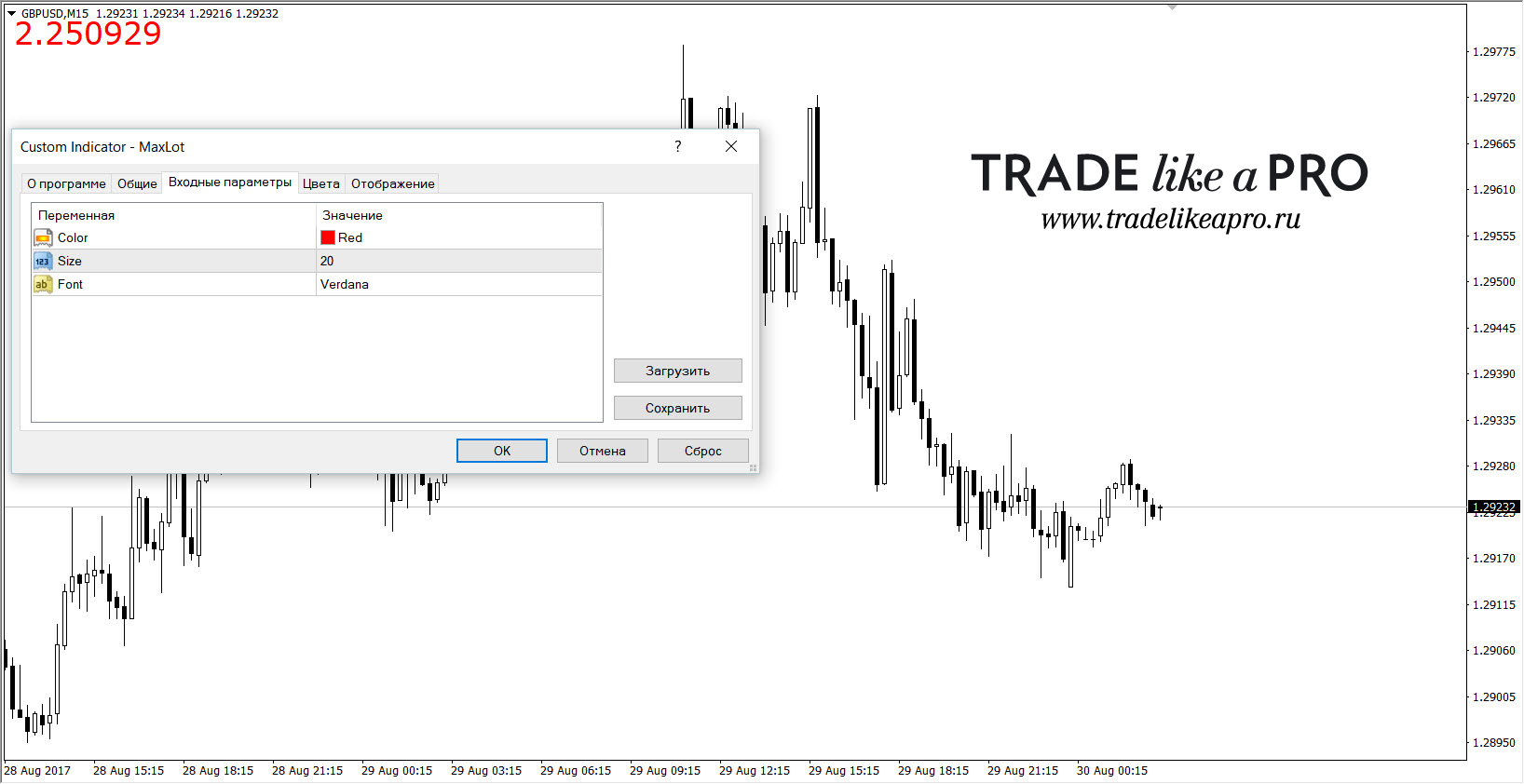 The indicator will show the theoretically maximum lot size at which the entire deposit will be tied up as margin.
All-In Lot
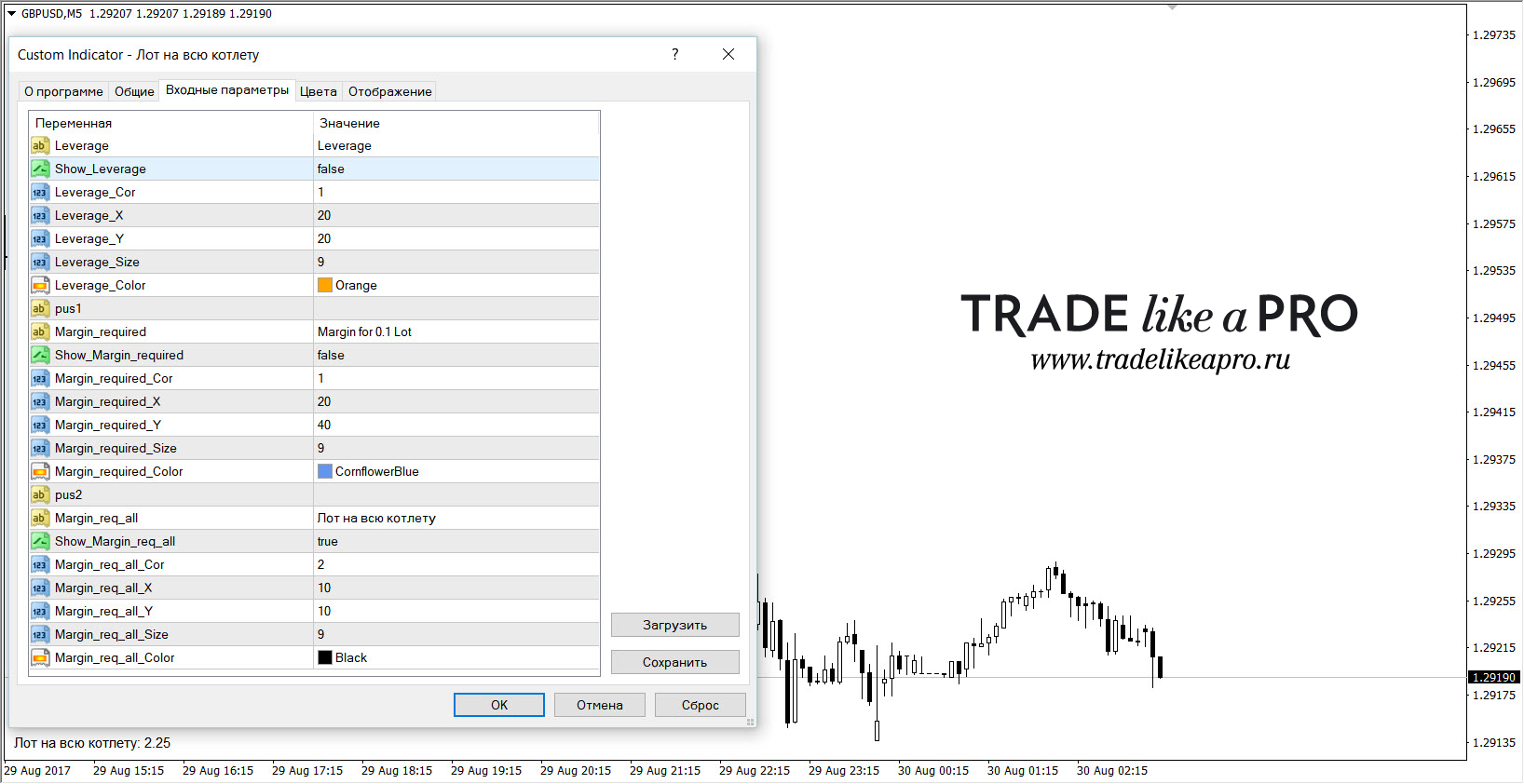 One of the tasks of the indicator is to show, as people on our forum like to say, the all-in lot. Which is exactly what it does. Additionally, the indicator can show the set leverage and the margin (margin) for the lot size set in the settings.
Raschet_lota_v1
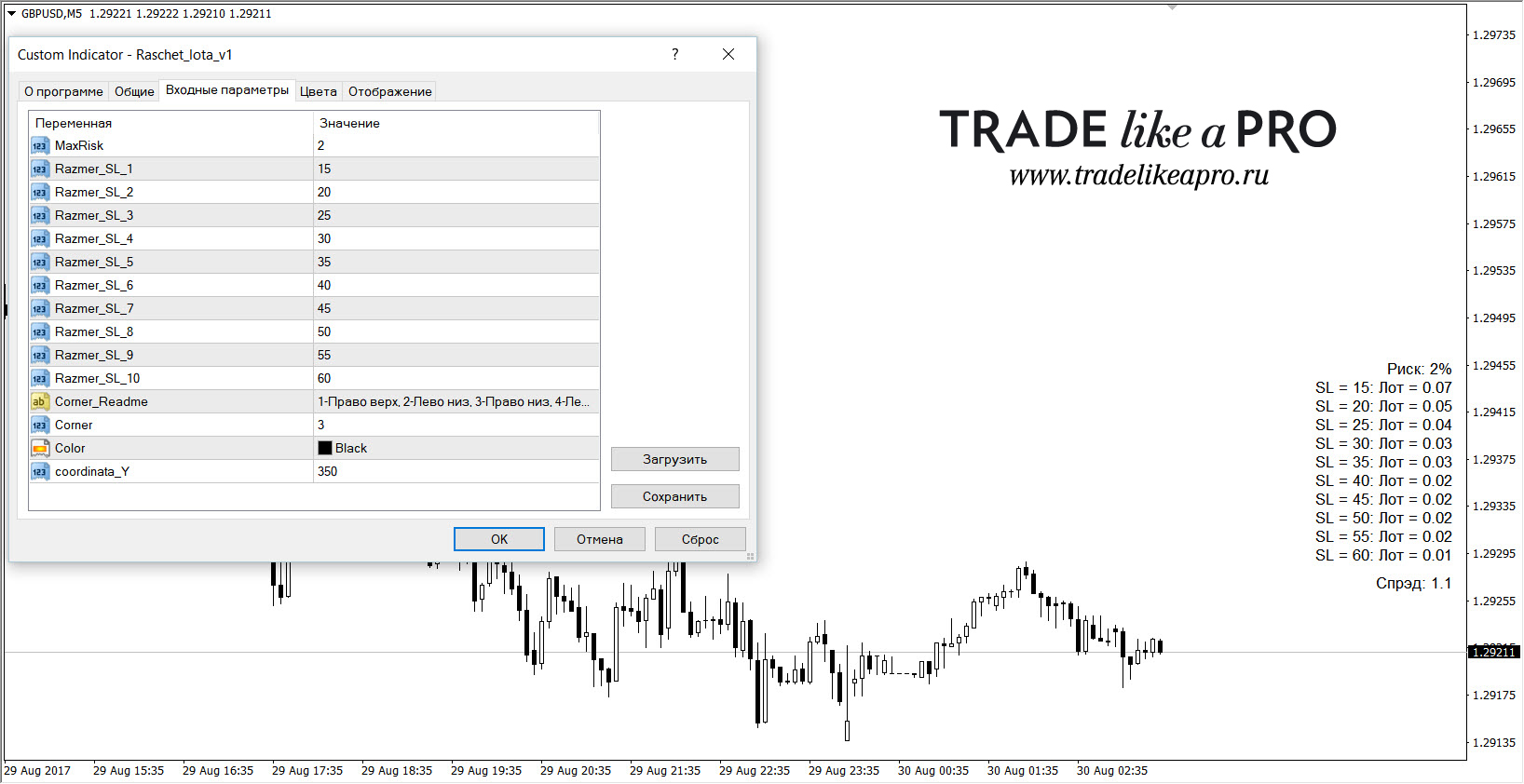 The indicator calculates the lot size for different stop order sizes based on the specified risk percentage. In the settings, you can set up to ten different stop sizes. As a bonus, it also displays the spread.
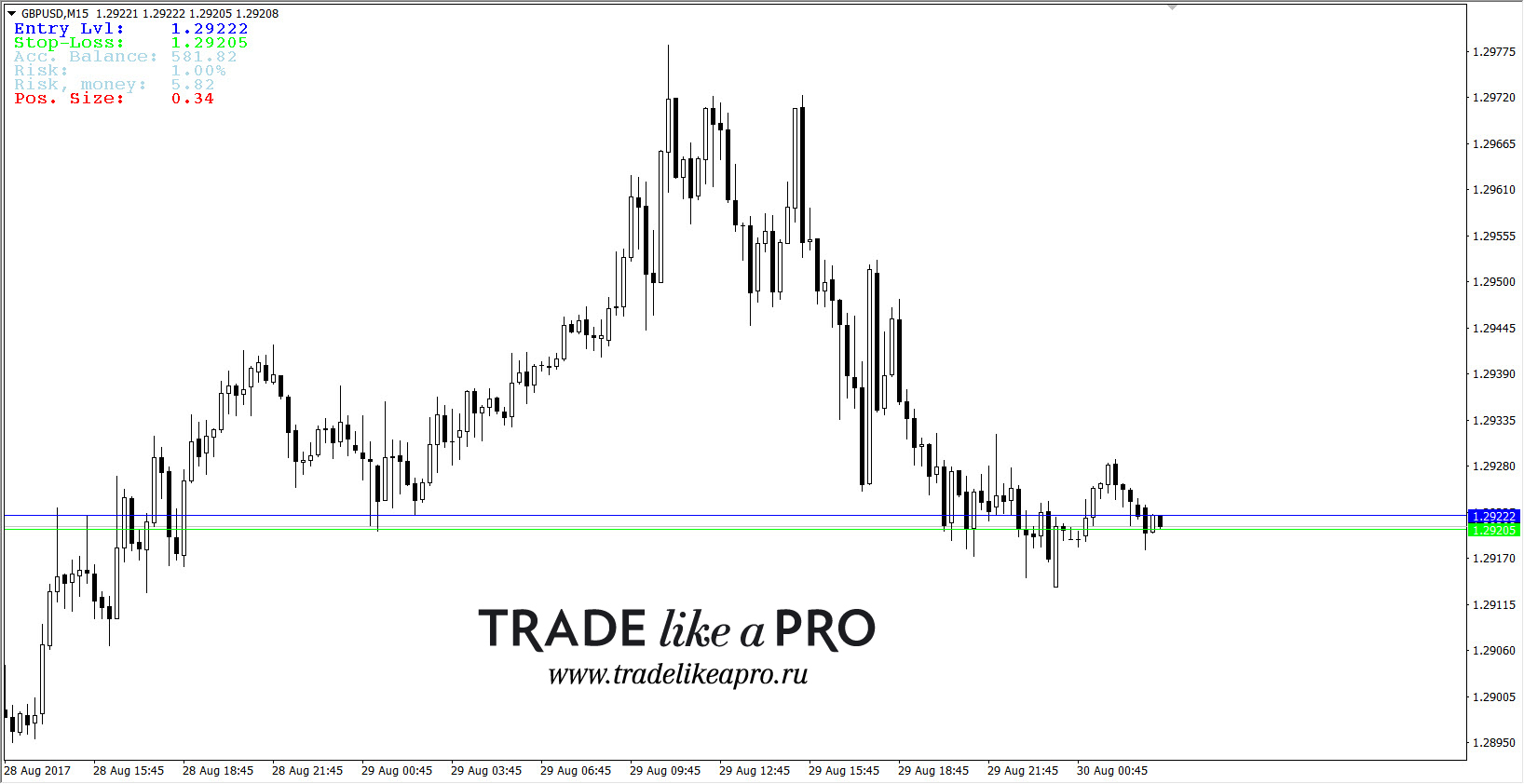
PositionSizeCalculator(1)
 The settings of this indicator:
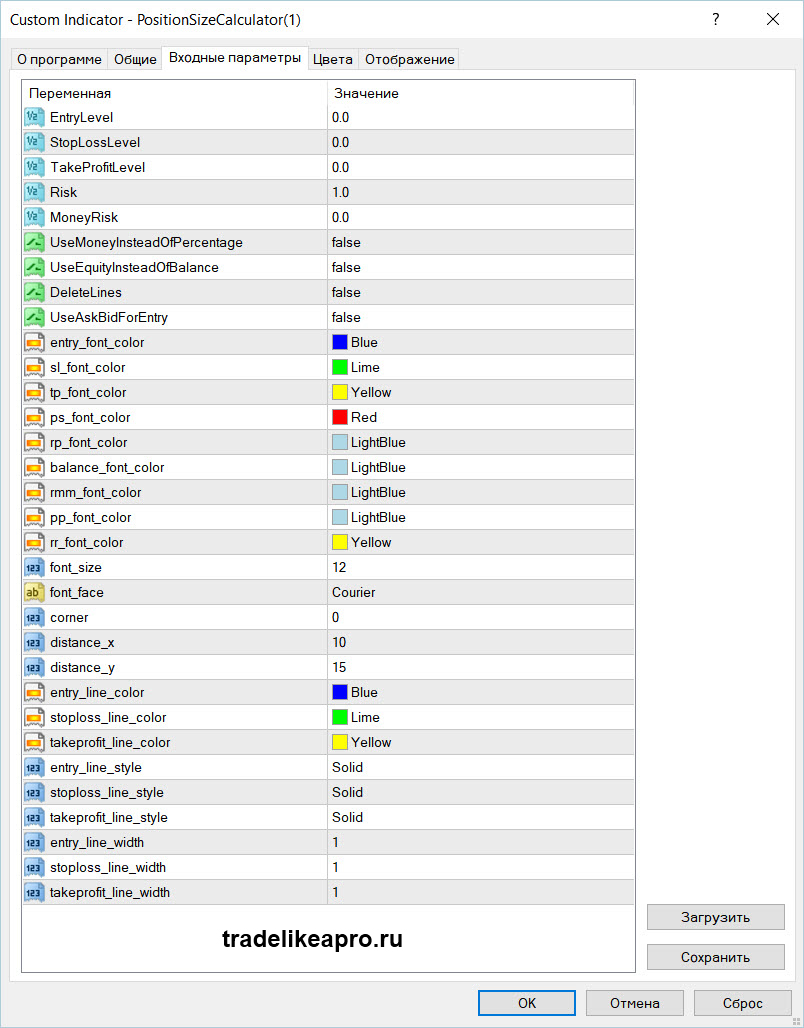 There are also two similar versions: PositionSizeCalculator_Main peter mod -1 and PositionSizeCalculator_Separate. The latter can be used in a subwindow with any other oscillator:
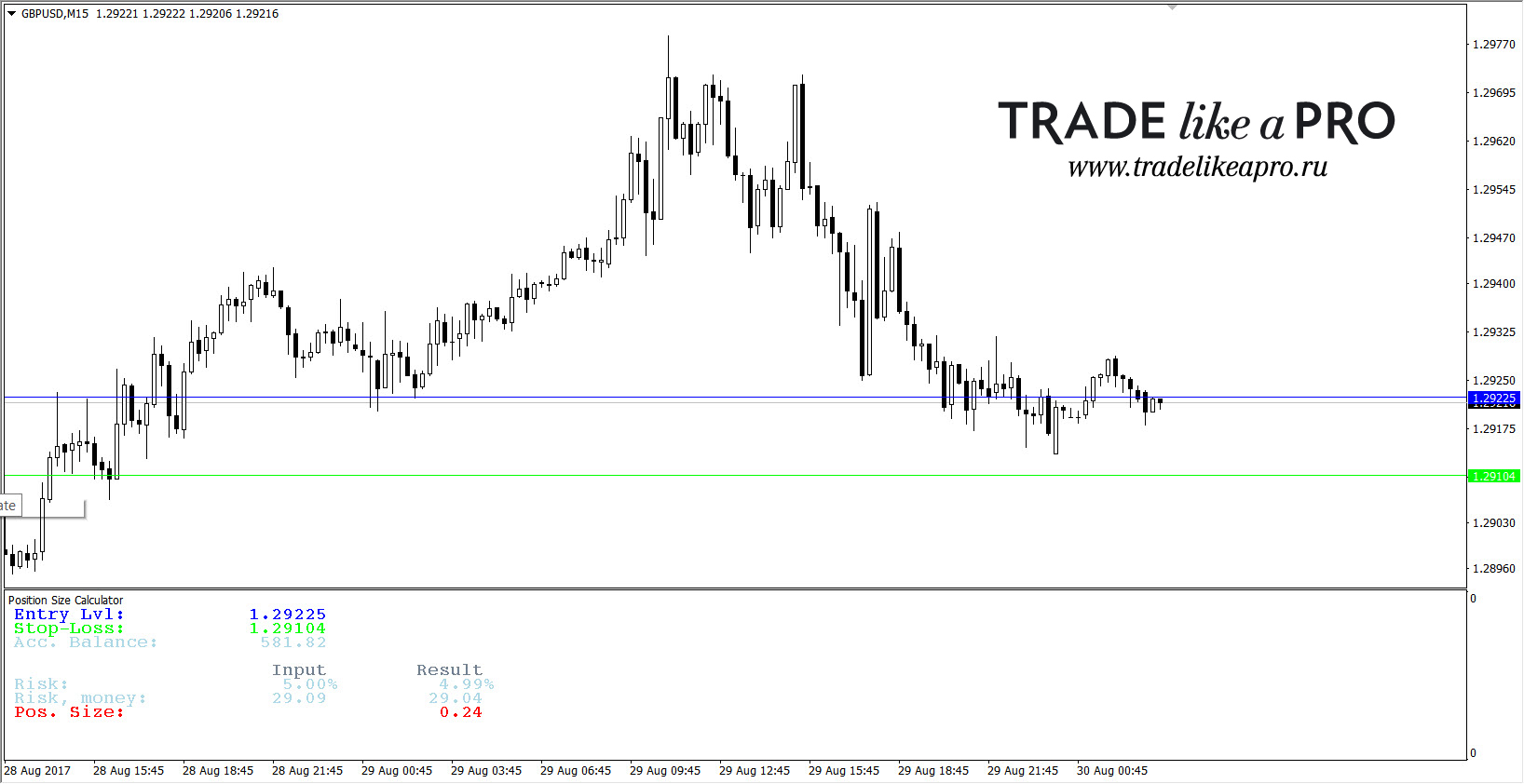 The indicator shows on the chart the lines of a possible entry and the stop order of the position. Then the balance is displayed and the percentage risk per trade is shown (anyone can set it in the menu). In accordance with the specified percentage risk, the risk in the deposit currency is calculated and the working lot is shown. The appearance settings are very diverse: an individual color can be set for each line.
The main feature is that the stop and take lines can be moved around the chart, and the indicator will recalculate the readings for the working lot. For example, you risk 5% of the deposit and that is 50 dollars in money. No matter how you move the stop line, this data will not change. But if the stop is very close to the current price, the lot size will be quite large; if you move the stop order many, many points away from the current price, the indicator will recalculate the lot so as to lose the same amount of money if the large stop is triggered. And all this is done online, quickly and promptly. In a word, it is very convenient.
i-UrovenZero
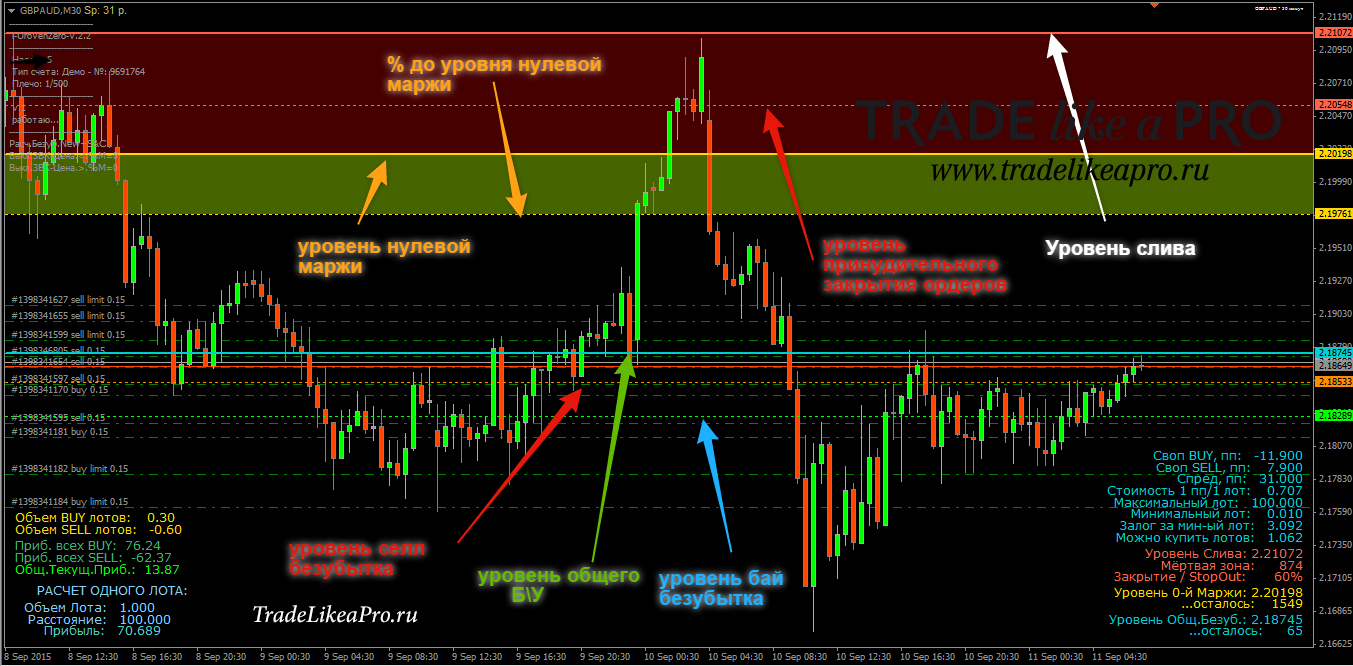 The i-UrovenZero indicator has a number of modifications and is a very multifunctional machine. I will say right away that you can see a full description of all the capabilities of these indicators at this link. A brief description of the capabilities: a useful indicator for those who manually trade grids and locks, it shows all the necessary information on the account and open positions, break-even levels, stop-out, and full wipeout.
Calculators for Lot Size Calculation
 As a rule, such calculators are available on brokers'/dealing centers' websites. One of the most popular ones from Alpari can be found here. The calculator is quite multifunctional and allows accurate calculations of lot size on all account types with this broker.
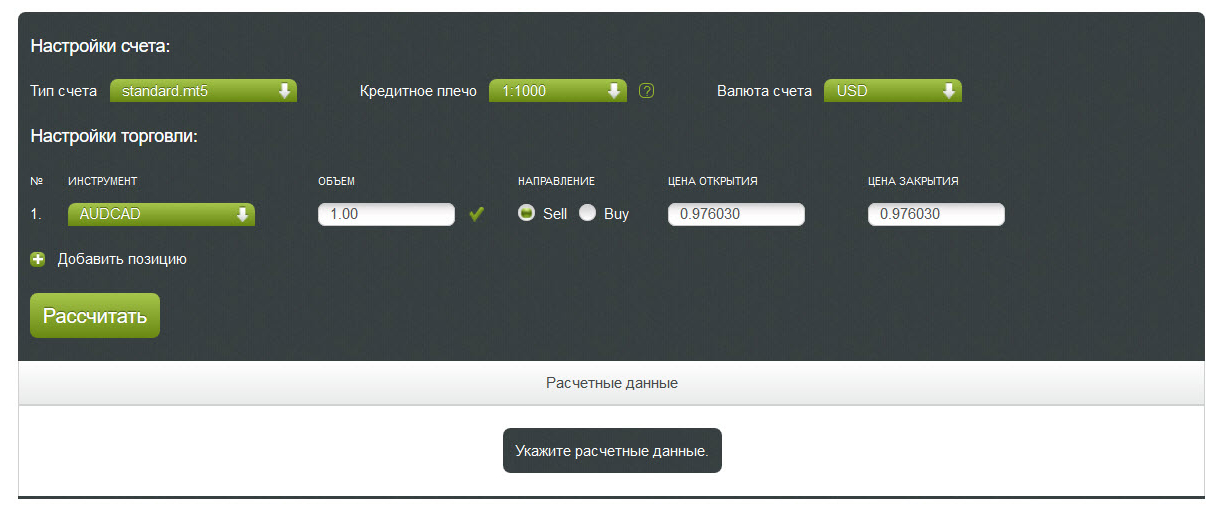 There will be no difficulties or complications in working with it: all parameters are simple and clear: account type, leverage, account currency. Then you need to enter the parameters for a specific trade: select the instrument, specify the volume in lots, the direction, buy or sell, specify the opening and closing price (that is, in essence, specify the take profit), and perform the calculation.
One more nuance of using such a calculator: for example, you are working with some unusual and volatile pair like GBPJPY. You know that the pip value there is not 1 dollar per 0.1 lot, as on EURUSD, for example. In the calculation parameters, you instead specify the opening direction opposite to your intended one (your technical analysis says you need to sell, but you calculate the trade for buys, and thus the closing price field will in fact be your stop order). Based on the calculation results, you will have data on margin, pip value, as well as profit on the trade, which in your case will be the loss by the stop order. If the loss turns out to be unacceptable, reduce the volume (lot) by half and calculate the data again.
If tying it to a specific broker account type is not so important, and you just need to know the trading lot size in general, then you can use the lot calculator on our website - the description of how it works is presented there as well.
In addition to the usual lot calculation for a single trade, our website has a compound interest calculator. It is located here. It can be used both by potential investors who want to roughly estimate possible profit/loss when investing in a PAMM, for example, and by deposit racers who want to know how quickly they can turn 100 dollars into one million. All calculation results can be saved as a png file or printed. And yes, all the nuances and specifics of using the calculator are described there in detail.
Applications for Lot Size Calculation
 There are also quite a few applications, including ones from our forex portal, that can help a trader calculate the trading lot.
Under the aegis of our site, a powerful smartphone application has been developed that performs trading lot calculation. This application is Forex Calculator; there is a detailed review with a video review here, so we will not repeat ourselves. Links to download this application are at the end of the article, along with a link to the forum.
Besides it, by the link at the end of this article, you can download a simple, no-frills lot calculation application - risk_calculator.
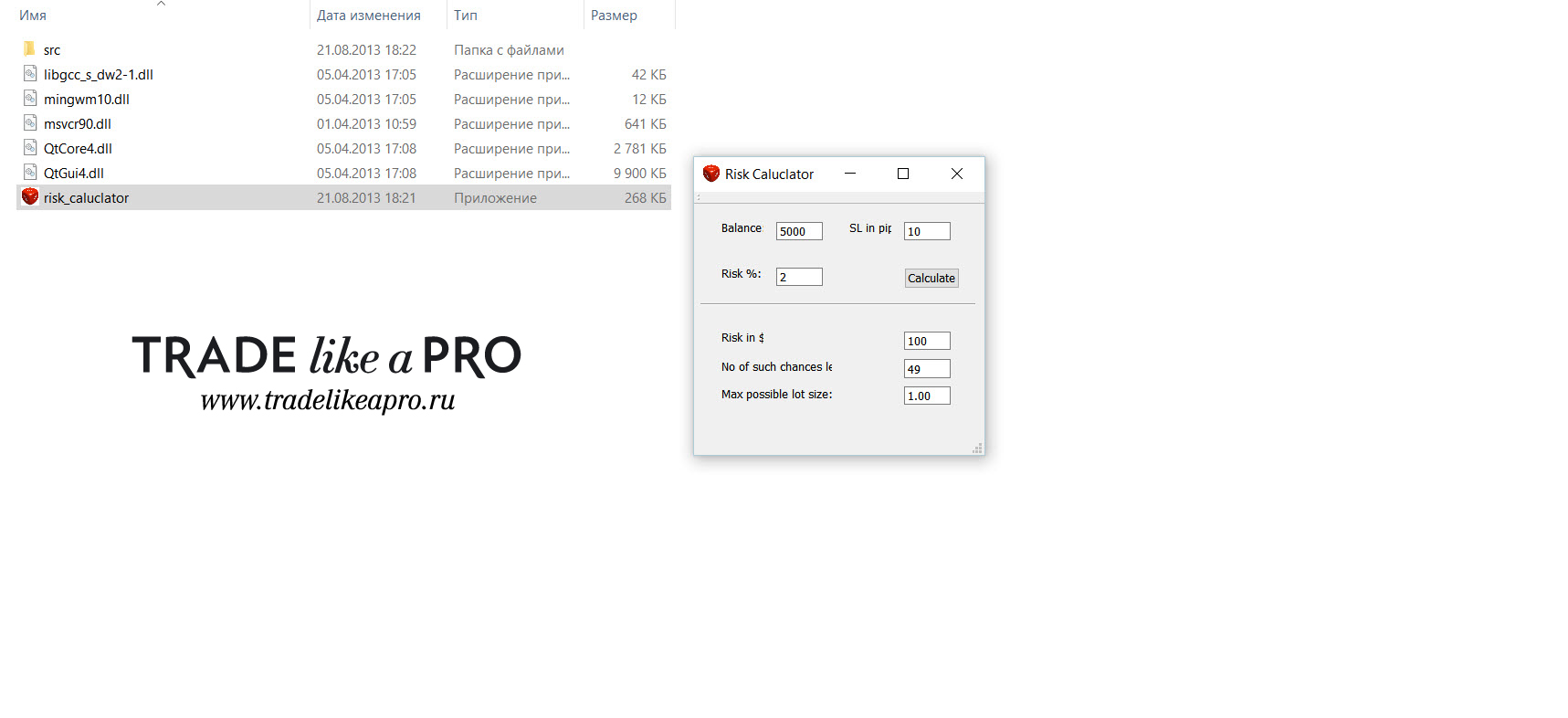 Its appearance is shown in the screenshot. The application does not require any special knowledge to install: it launches with a mouse click from any folder, and the functionality is as simple as possible, allowing you to calculate the trading lot in a very rough approximation. The settings are also intuitive and simple:
- Balance - the deposit size must be specified;
- SL in Pips - the stop order size in pips;
- Risk % - the risk as a percentage of the deposit;
- Calculate - calculation of the data;
- RISK in $ - here we get the risk in dollars;
- No Of Such Chances Lot - here we get the total number of trades that would bring the deposit to zero if the stop order were triggered;
- Max Possible Lot Size - the maximum lot size for our risk as a percentage of the deposit.
Scripts
 For those who are not interested in indicators, there are corresponding scripts that will help the trader calculate lot size. It is worth noting that the scripts are installed according to the standard instructions.
1 Sell 1 perc risk and 1 BUY 1 perc risk
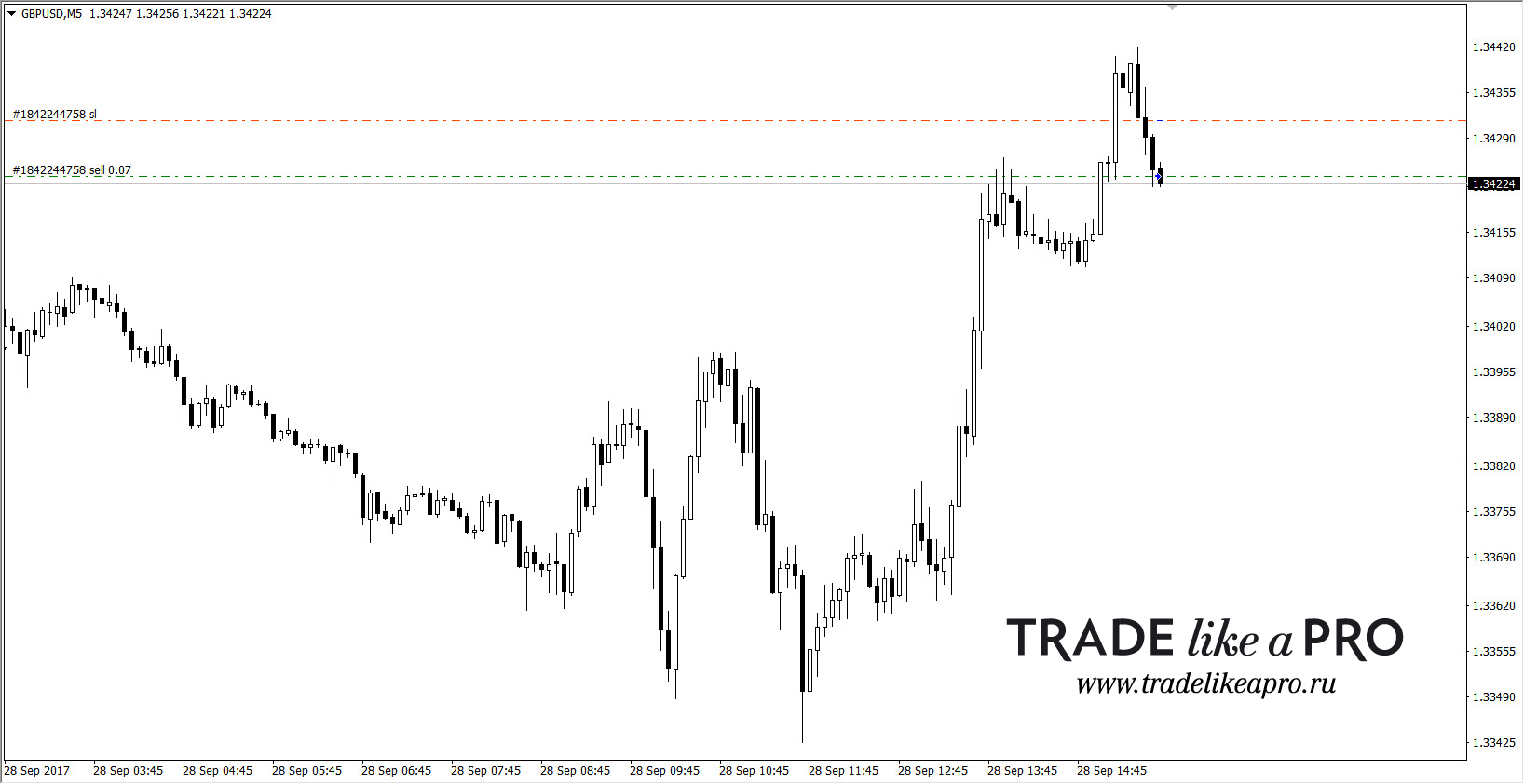 A pair of scripts for opening market sell and buy orders respectively. Relative to the stop size and the size of your deposit, the lot size is calculated so that if the position loses, you will lose about 1% of the deposit. The scripts are available with open code, and if you wish, you can enter the settings you need in MetaEditor and save them.
AutoMM_V1
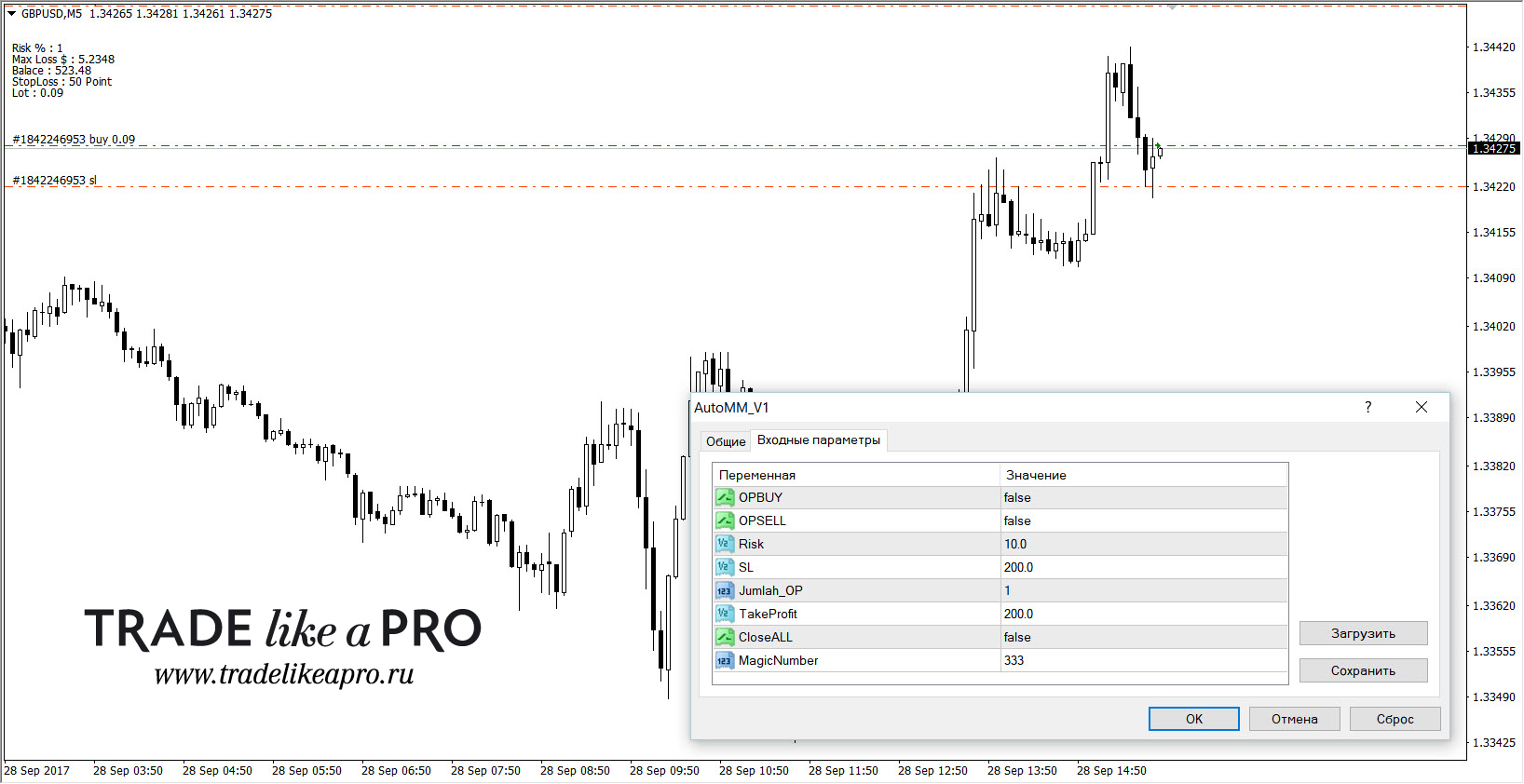 A script for opening trades with specified parameters - see the picture. First, choose the trade type, buy or sell, set the risk as a percentage of the deposit, and the stop order size (in pips). In addition, you can specify the take profit size and the magic number of the future order (for example, if you will later manage it with some expert advisor). Then click OK and the position is opened. Naturally, before using it on a live account, study all the script's capabilities carefully and practice on a demo account.
Buy and Sell
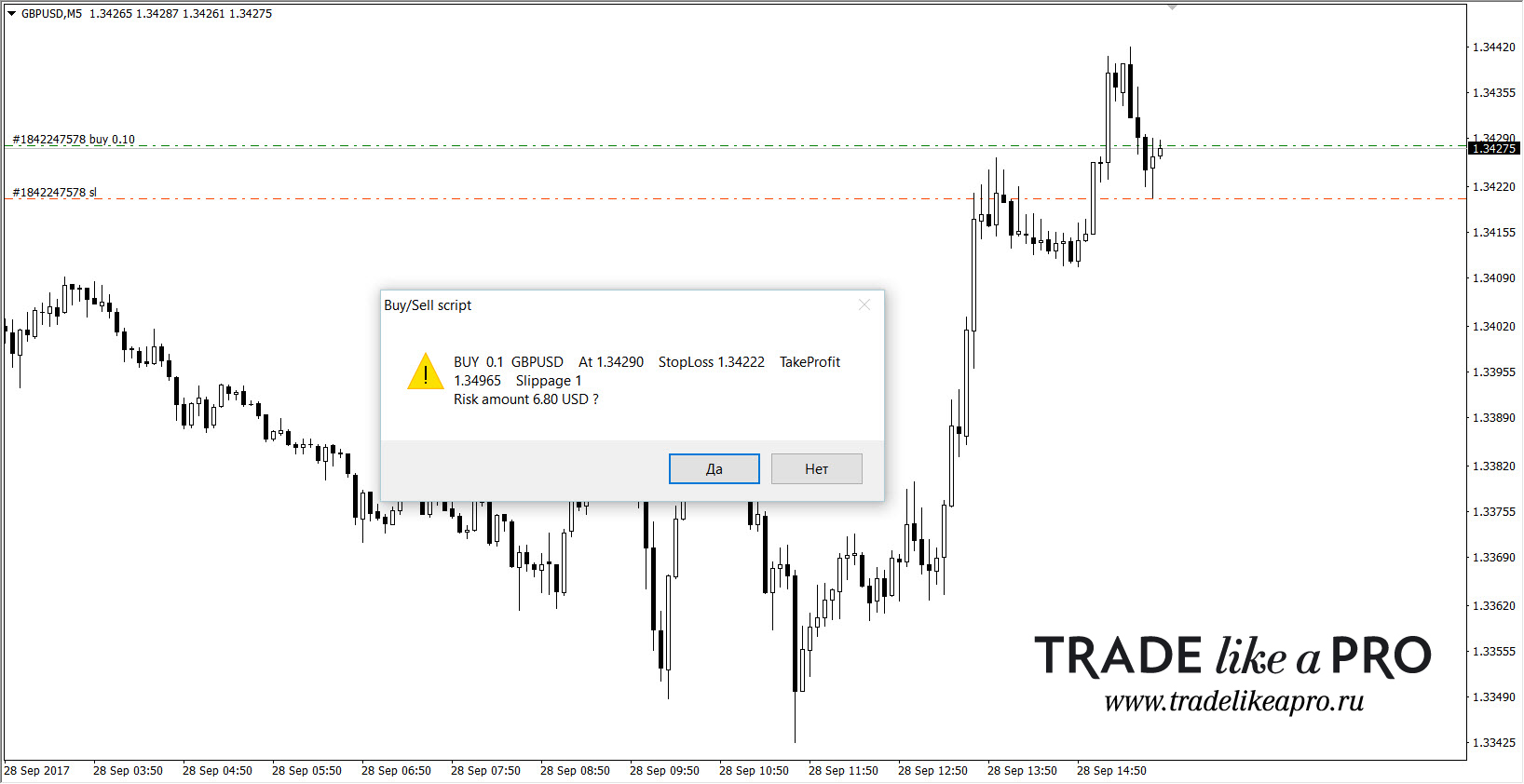 Buys (above) and sells (below):
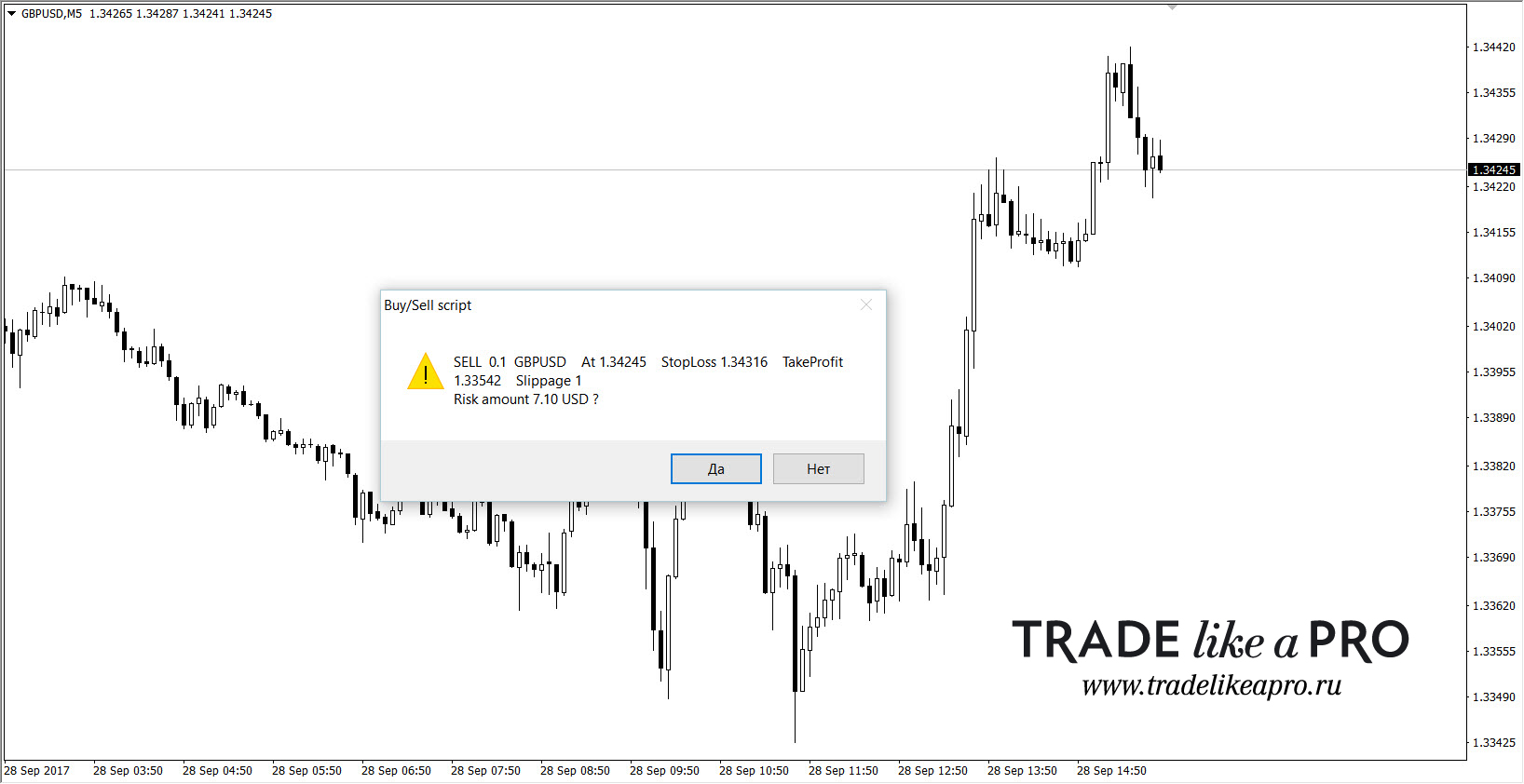 These two scripts are for opening positions. This is how they look in operation:
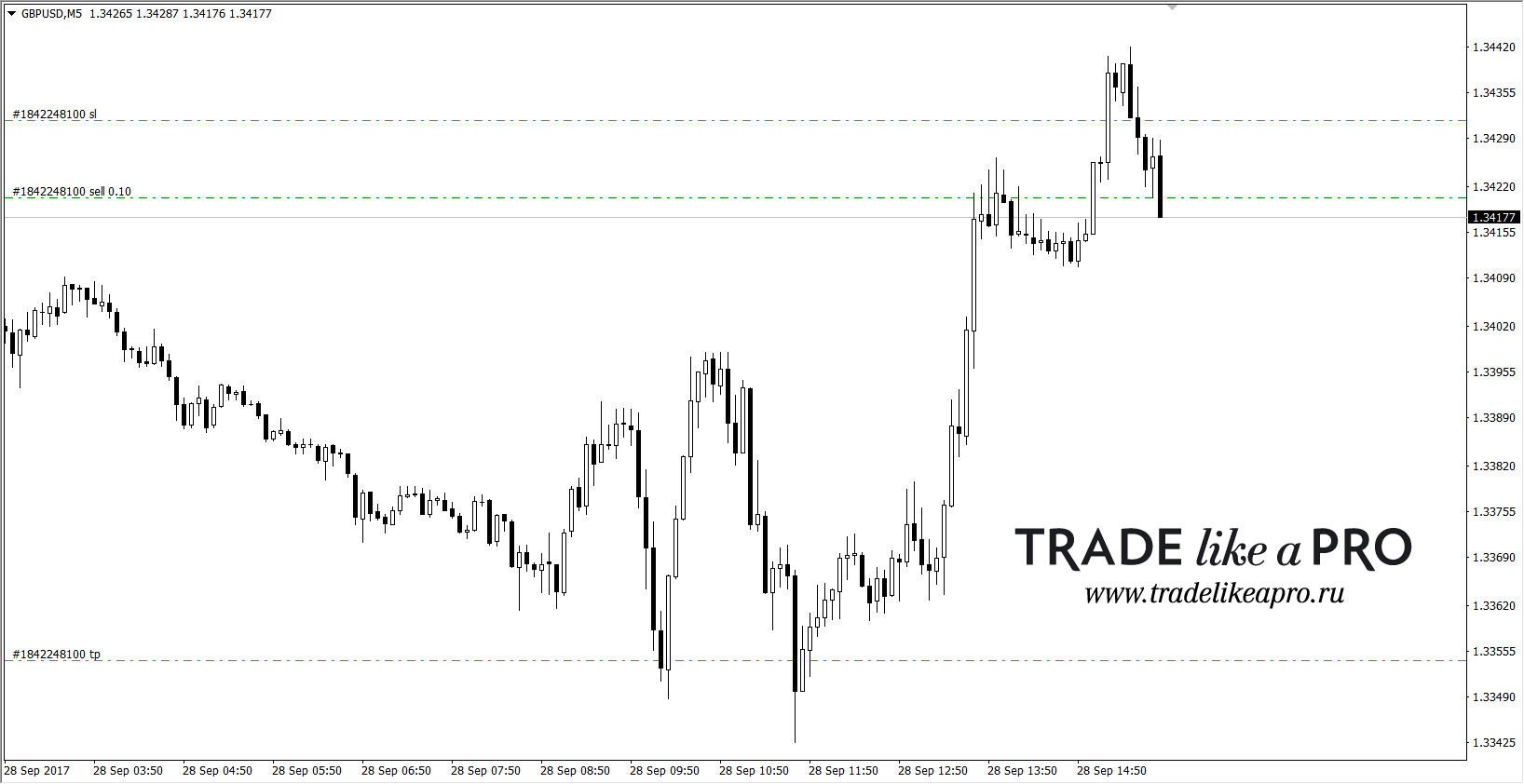 Simple scripts for opening buy/sell trades. They have no settings. The risk on the opened trade roughly corresponds to a percentage of the deposit.
Buy_nonQuery and Sell_nonQuery
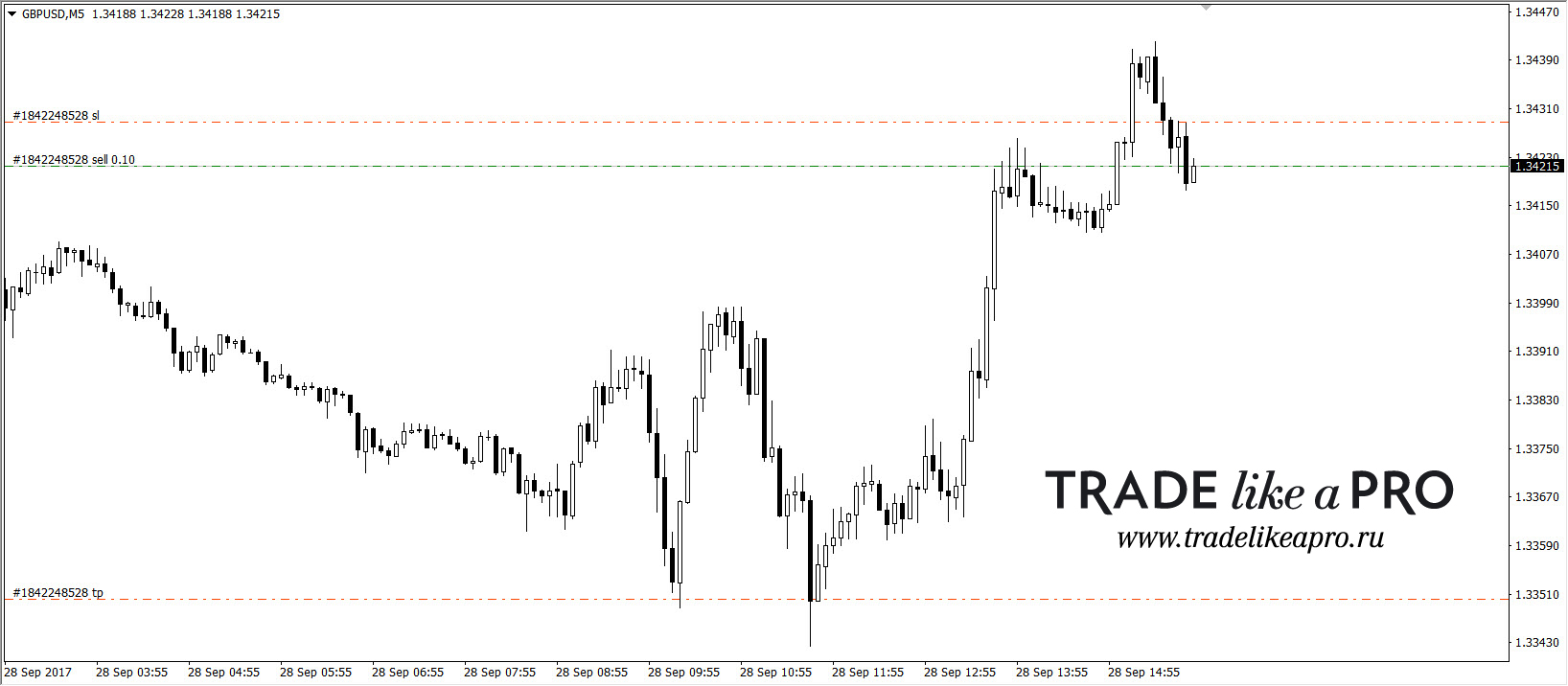 These scripts open buy/sell positions and have no settings. The opened position has a risk of about 1-1.5% of the deposit.
Buy_Percent
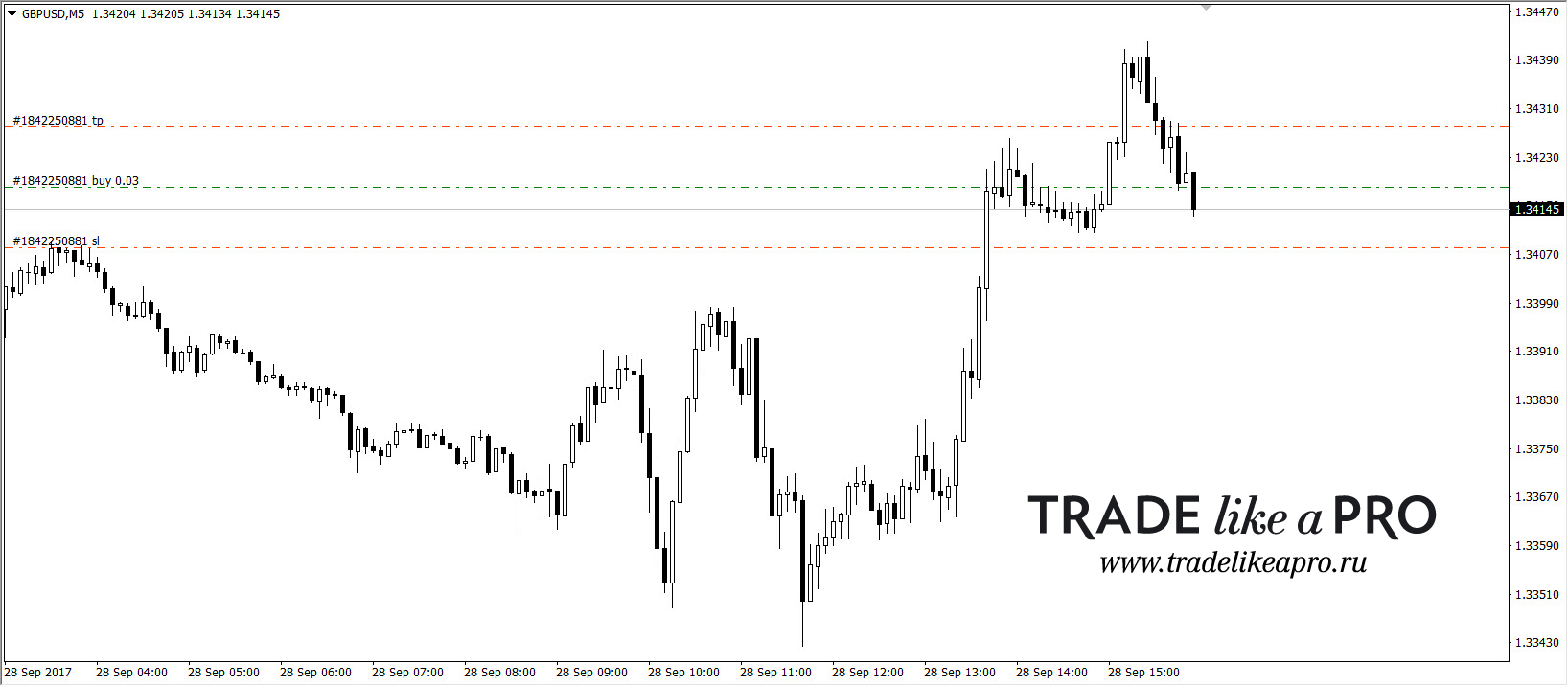 The script opens a buy position. In the settings, before launch, you specify the stop size you need - in five-digit points, the risk as a percentage + you can specify the take profit size. Then OK and the trade is open.
 And finally, a couple of powerful extras. These are the EasyOrder and mt4mm scripts (to run this script, the mt4mm.dll file must be in the Libraries folder).
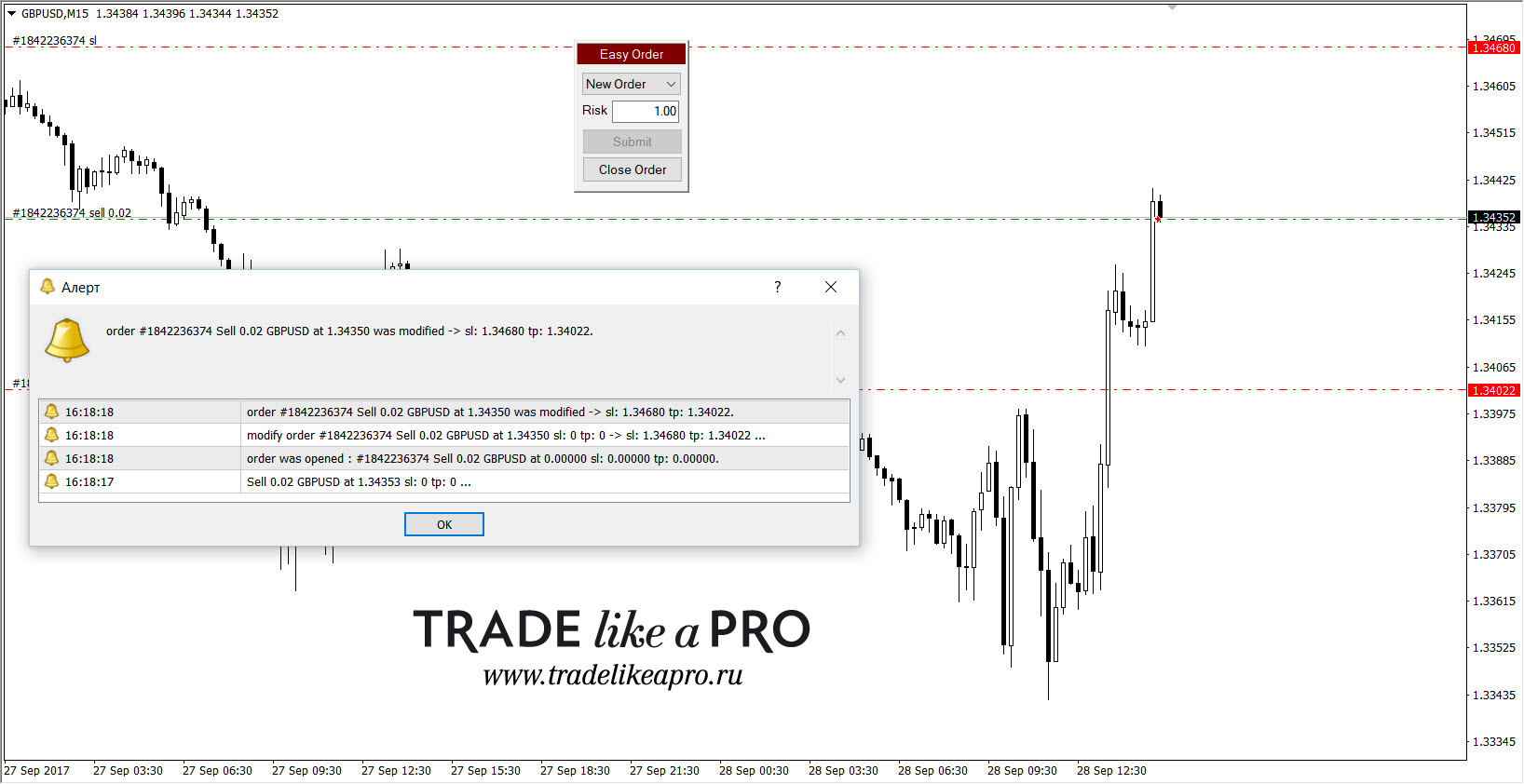 The EasyOrder script is placed on the chart of any instrument, can work together with some auxiliary advisor, and can be dragged to any place on the chart. With its help, you can open all types of orders - both market and pending (we choose the order type in the New Order tab). In the Risk tab, set the risk size as a percentage of the deposit and press the Submit key - the order is open/set (if pending). Close Order is the key for closing an order - when you press it, you are asked for the order number - which one exactly you want to close (for example, you may have five orders open in the market - you can choose which one exactly to lock in profit/loss on).
In a word - a very useful thing!
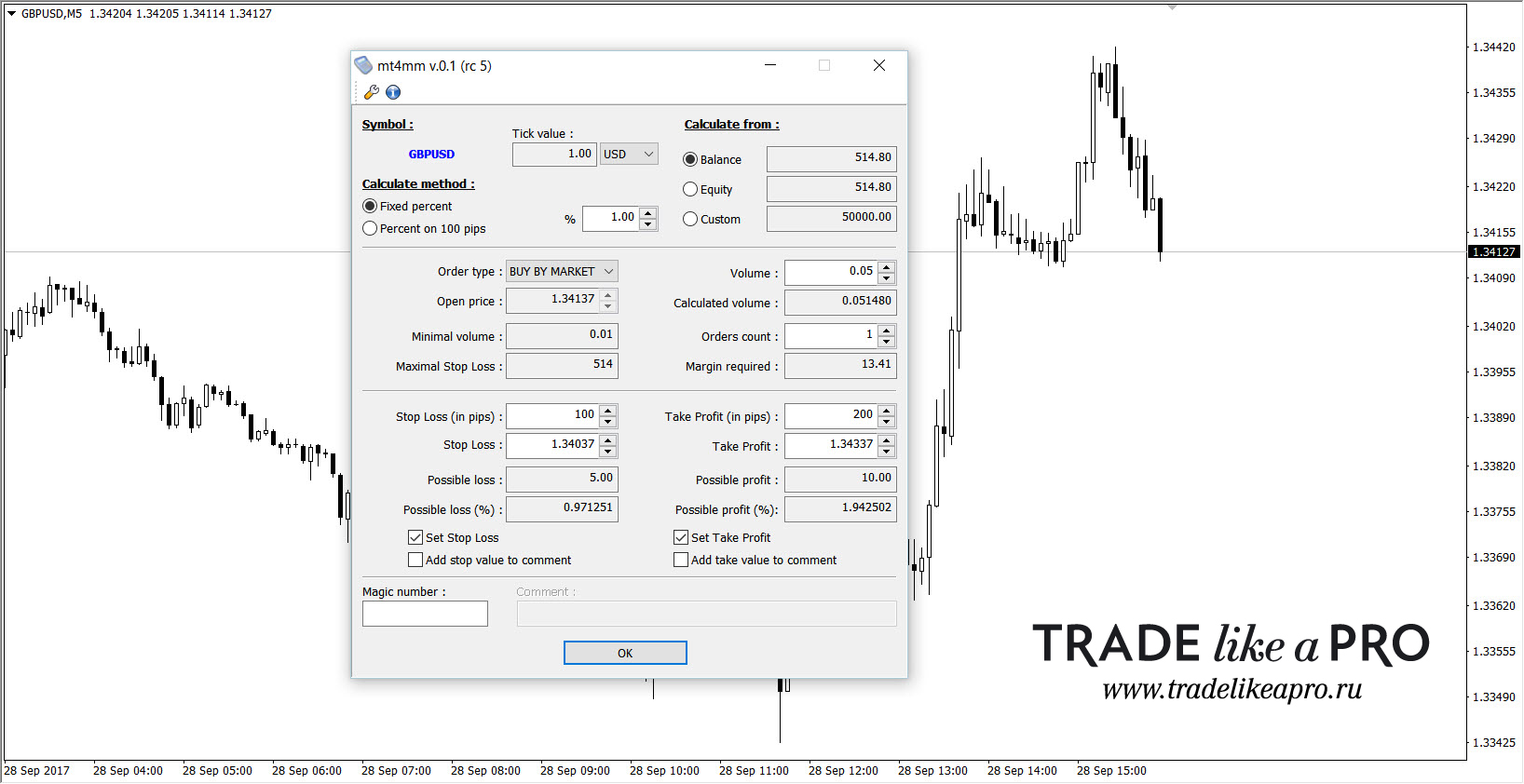 Another multifunctional script is mt4mm, which lets you open all types of orders and more. Let us go through all of its parameters in order.
Top menu. The symbol is shown in blue, along with the pip price and the deposit currency. You can choose other currencies as well (euro, yen, franc, and so on; since their pip price differs, it can be entered in the Tick value field). The working lot can be calculated either by balance (the entire deposit amount) - the Balance tab, by equity (only free funds, without taking drawdown and margin on open orders into account) - the Equity tab, or by a specific amount entered by the user in the Custom field. Of course, the risk as a percentage is also available and adjustable.
Middle menu. Order type - here we choose the order type - market or pending - there are six options in total (Buy, Sell - market, Buy Limit, Sell Limit, Buy Stop, Sell Stop - pending orders). Next, we set the opening price, the lot size - if you know your working risk exactly, and in the Maximal Stop Loss tab you can specify the risk in deposit currency.
The next four parameters - the trade volume in lots - can be set manually; the Calculated volume tab shows the standard lot value (for example, with a full lot the contract value is 100000 dollars and so on); Order count is the number of orders to open - one, two, three (and so on) orders at once; and margin is how much money will go into collateral after opening a trade with a certain lot - this already depends on the leverage set on your account.
Bottom menu. Here are the stop loss and take profit settings - in points, and you can also set a specific order execution price. In the Possible loss/profit tabs, the monetary result will be calculated for what happens if the stop or take is triggered, and this calculation will be affected by the size of the set (or calculated) lot - for example, with a 20-point take profit and a full lot, the profit result will be 200$ and so on. In the Possible loss/profit % tabs, the same will also be indicated, but as a percentage of your deposit (possible profit/loss as a percentage of your deposit if the corresponding orders are triggered).
Also at the very bottom there are checkboxes for setting stops and takes - if these orders are not needed, remove them; you can also set your own magic number - if an advisor will later manage the trade or if you need to distinguish orders in trading statistics for different strategies. The comment tab is inactive - accordingly, we will not type anything there.
As an example, let us place a pending sell order above the price with a size of three percent of a 1000 dollar deposit on the USDJPY pair.
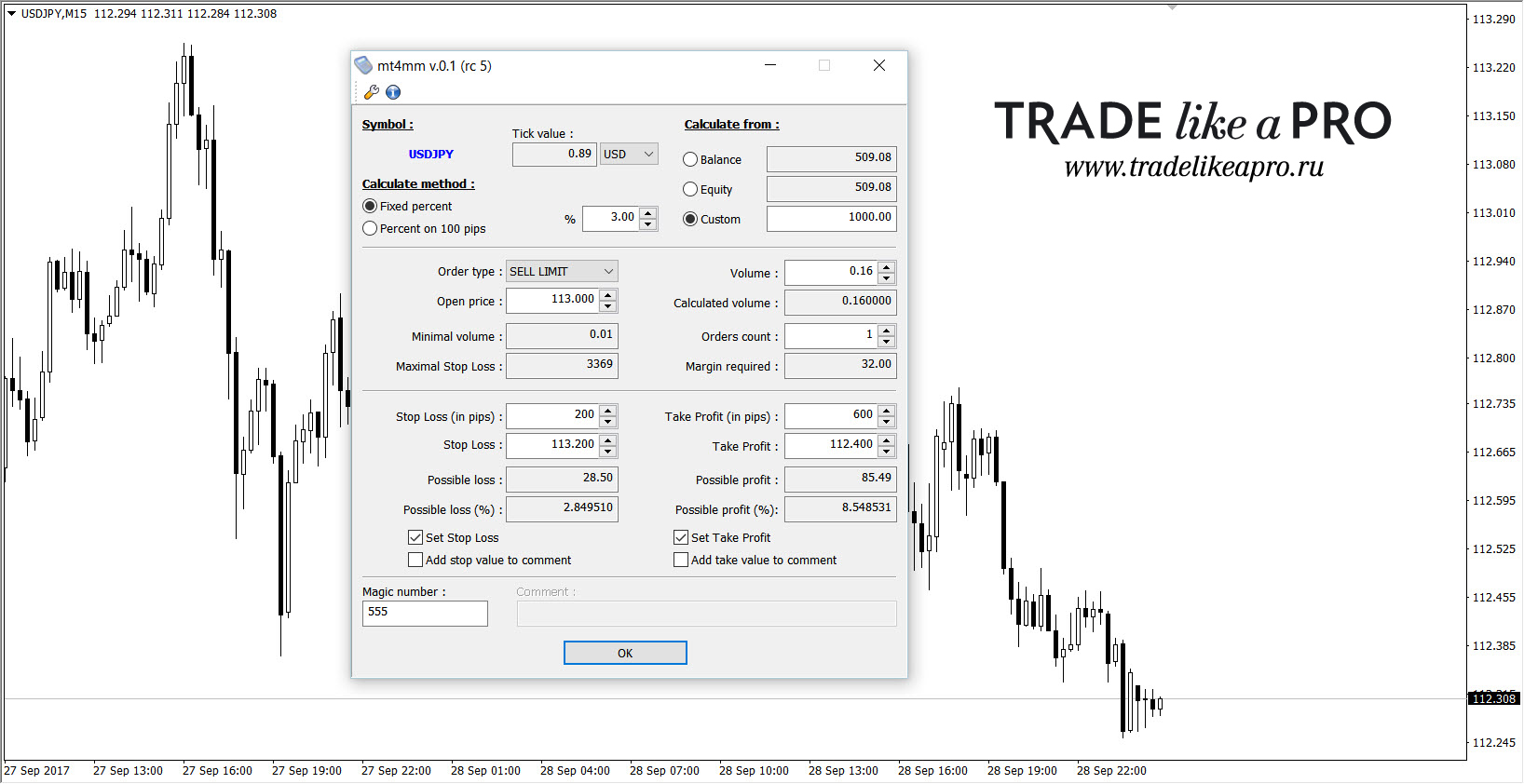
- set the fixed percentage - three;
- in the Custom tab - our deposit size is 1000$;
- the pending order type for selling is Sell Limit, naturally;
- let the price be 113.000;
- stops and takes - 20 and 60 points - in the script we enter "five-digit numbers" - 200 and 600 respectively, otherwise your stop will be only 2 and 6 pips;
- and the magic number can be set to 555 - for luck)
Please note - the script has already calculated our lot size - 0.16; in addition, the monetary loss is known - 28.5 dollars (which is approximately 3% of a thousand). Press OK.
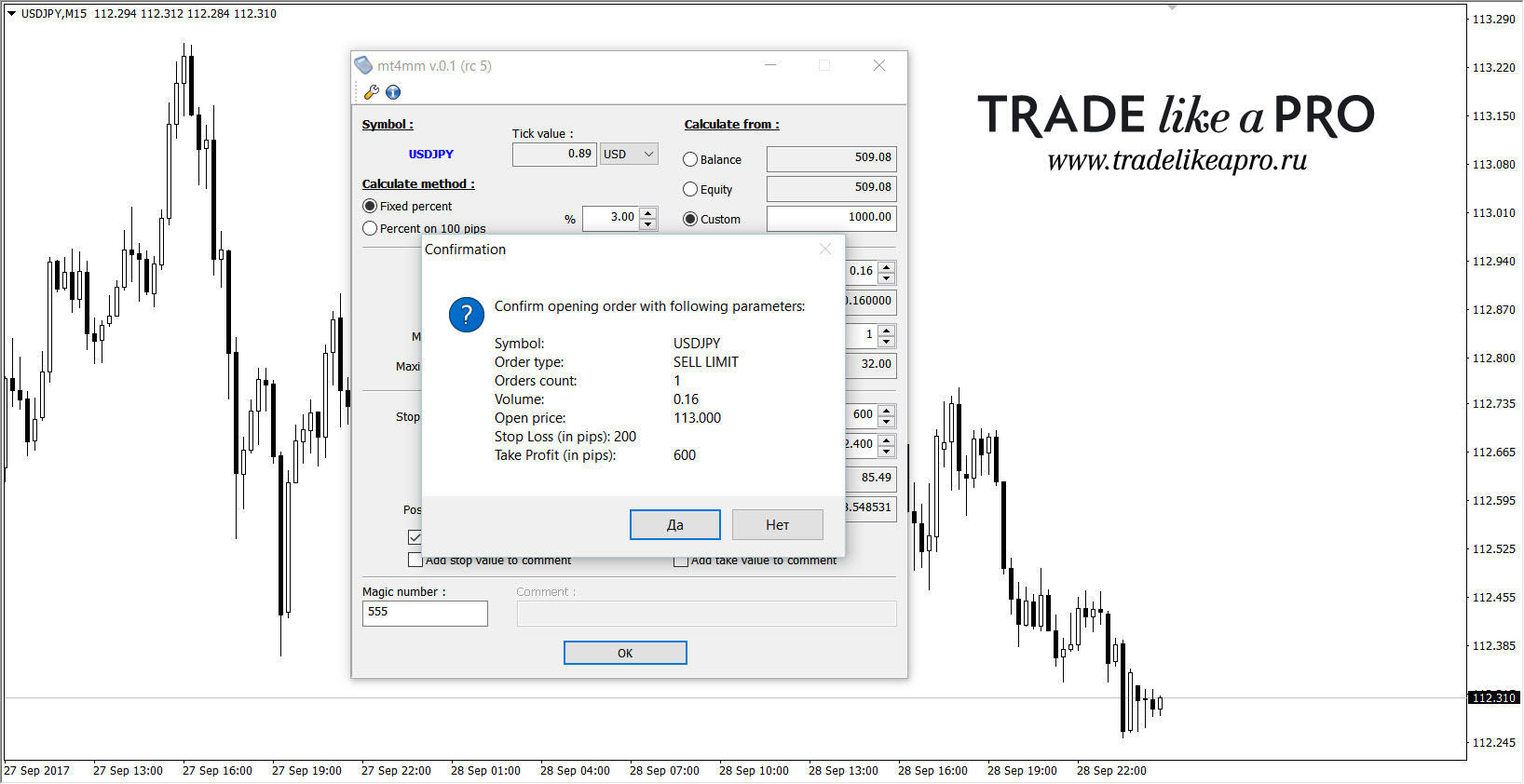 Immediately after OK, we are offered to check the entered parameters once again - the currency, order type, number of orders, their lot volume, opening price, and stops/takes. If everything is correct - click Yes.
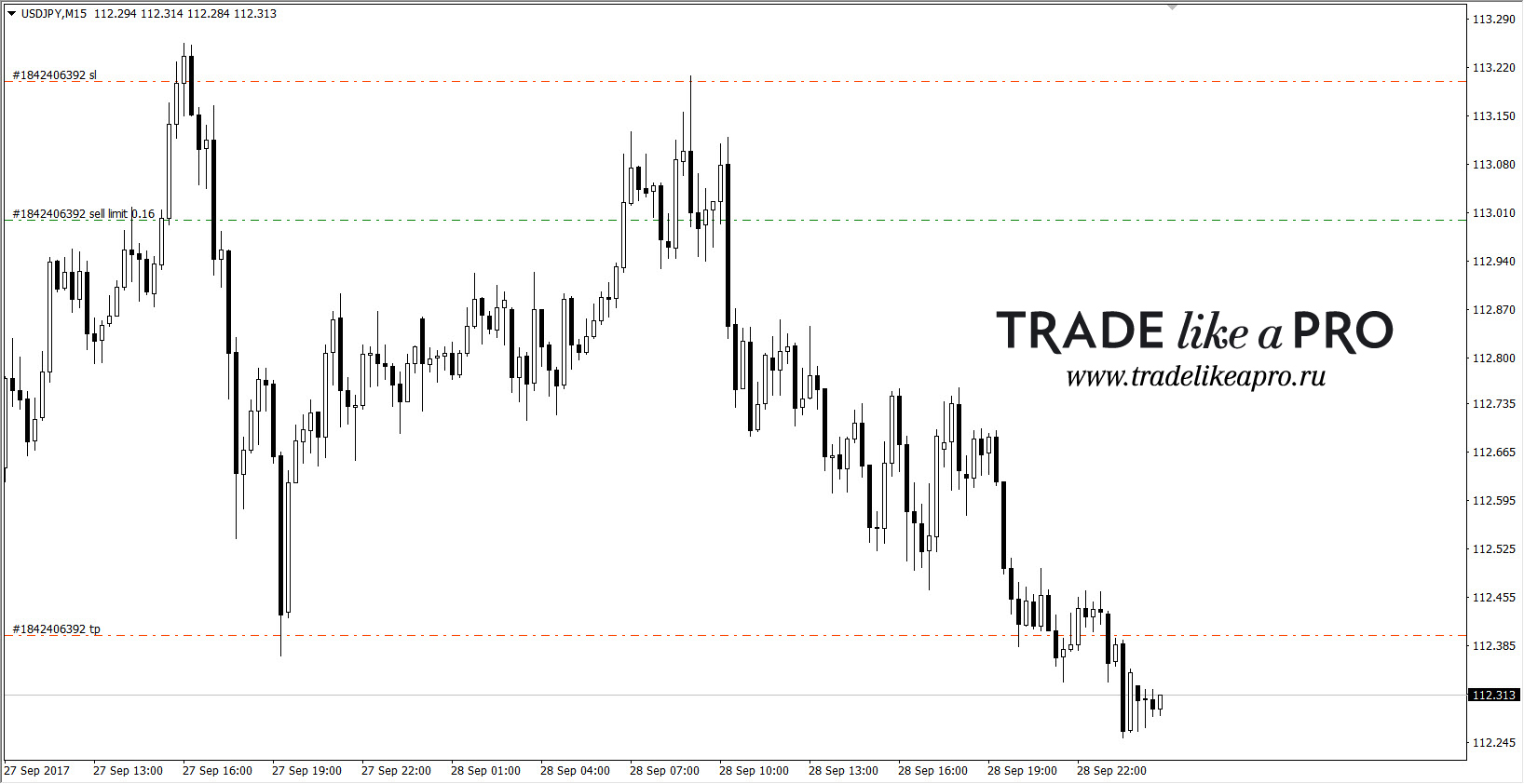 And our pending order is in the market, waiting for its time. Overall, everything is quite simple, even a beginner can figure it out. The main advantage of this script is that you will not be able to mess up or make a mistake - as often happens with inexperienced traders - here you will no longer be able to mix up buy and sell or open with 3 lots on a 1000 dollar deposit and, if unlucky, lose all your money in one trade.
Excel tables

Our site has a powerful video course on working with the Excel program (you can view it here and here). But if something is unclear to you or you are simply too lazy to build tables for your tasks, you can use ready-made ones, and a great many of them have been created. The Excel program offers a trader simply a huge arsenal of possibilities for calculating the trading lot and more. Attached are tables with a wide variety of functionality. We will analyze some of them here in detail.
LotSize (ENG)
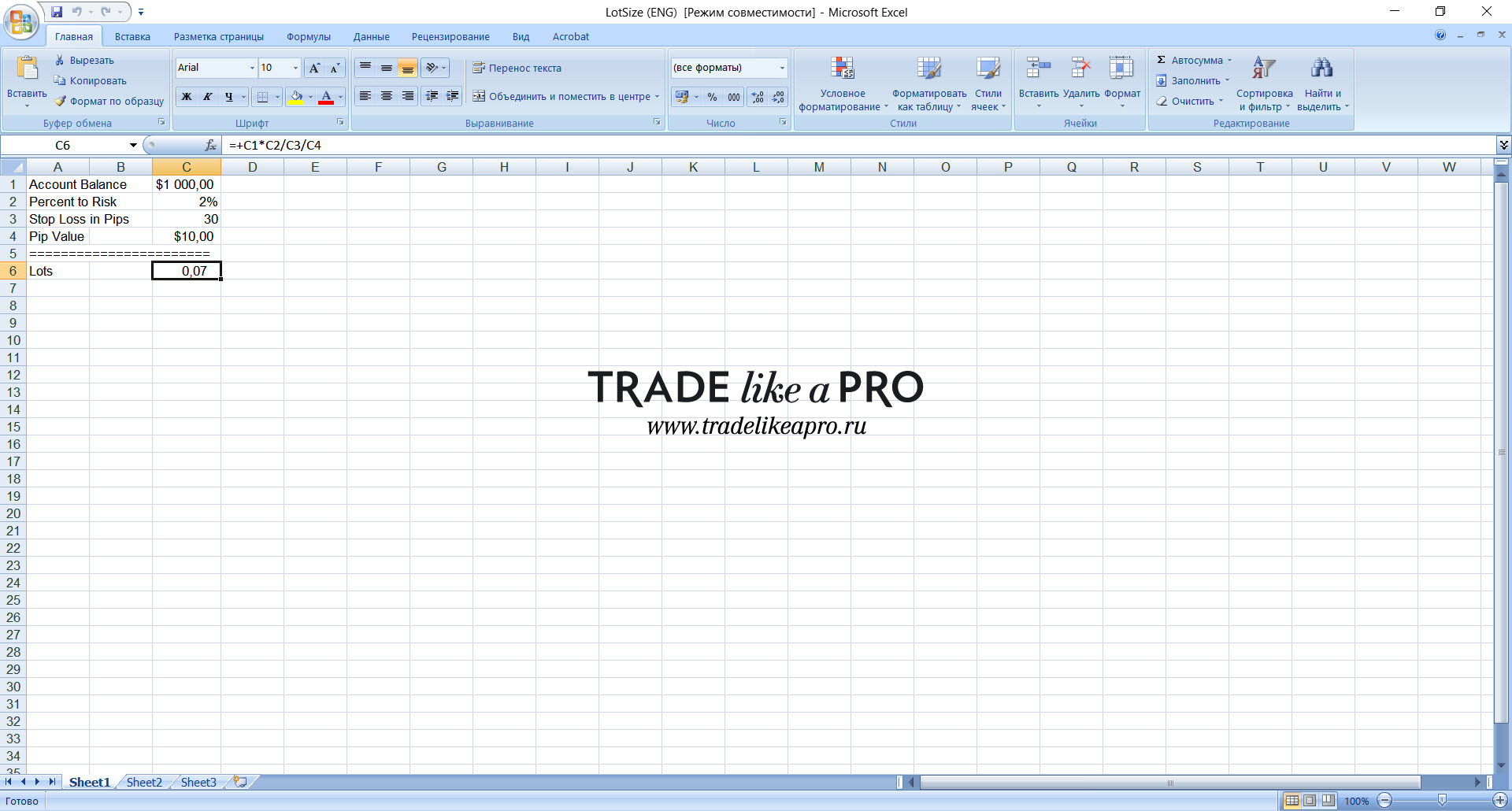 The simplest lot calculation calculator: enter the deposit size, the risk as a percentage, and the stop order size (in points). The required value is shown in the Lots field. The Pip Value field takes the pip price into account - if for some instruments, for example yen pairs, a pip is cheaper and you account for that, the calculator will recalculate the lot size a bit - as a result the data will be more accurate.
Magic-of-Money-Management (ENG)
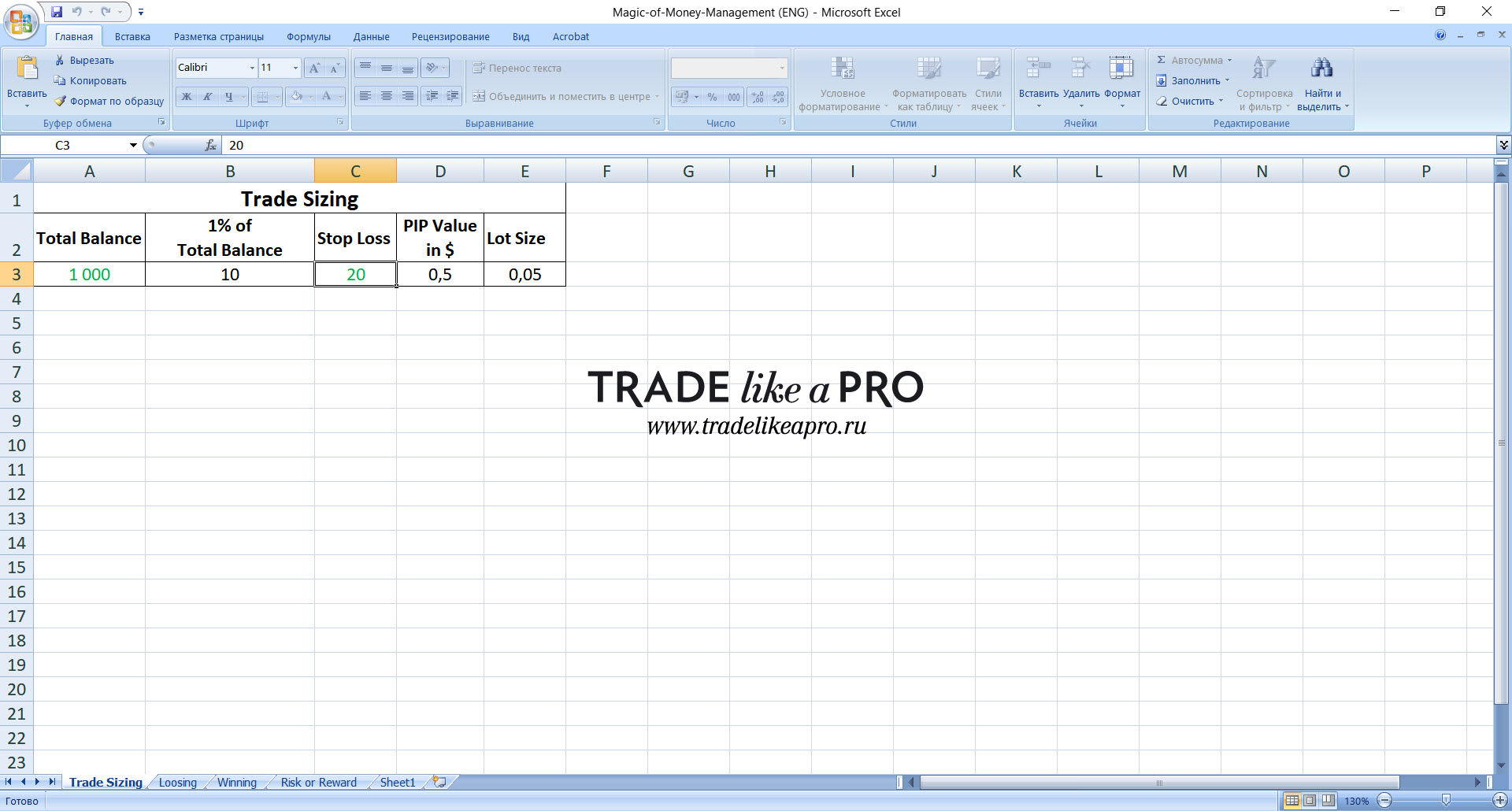 The table has only two input parameters - the deposit size (Total Balance) and the stop loss size (Stop Loss). Based on this data, the pip price and the working lot size are calculated. Please note - here the risk is calculated relative to a loss of only one percent of capital!
Money Management Calculator (ENG)
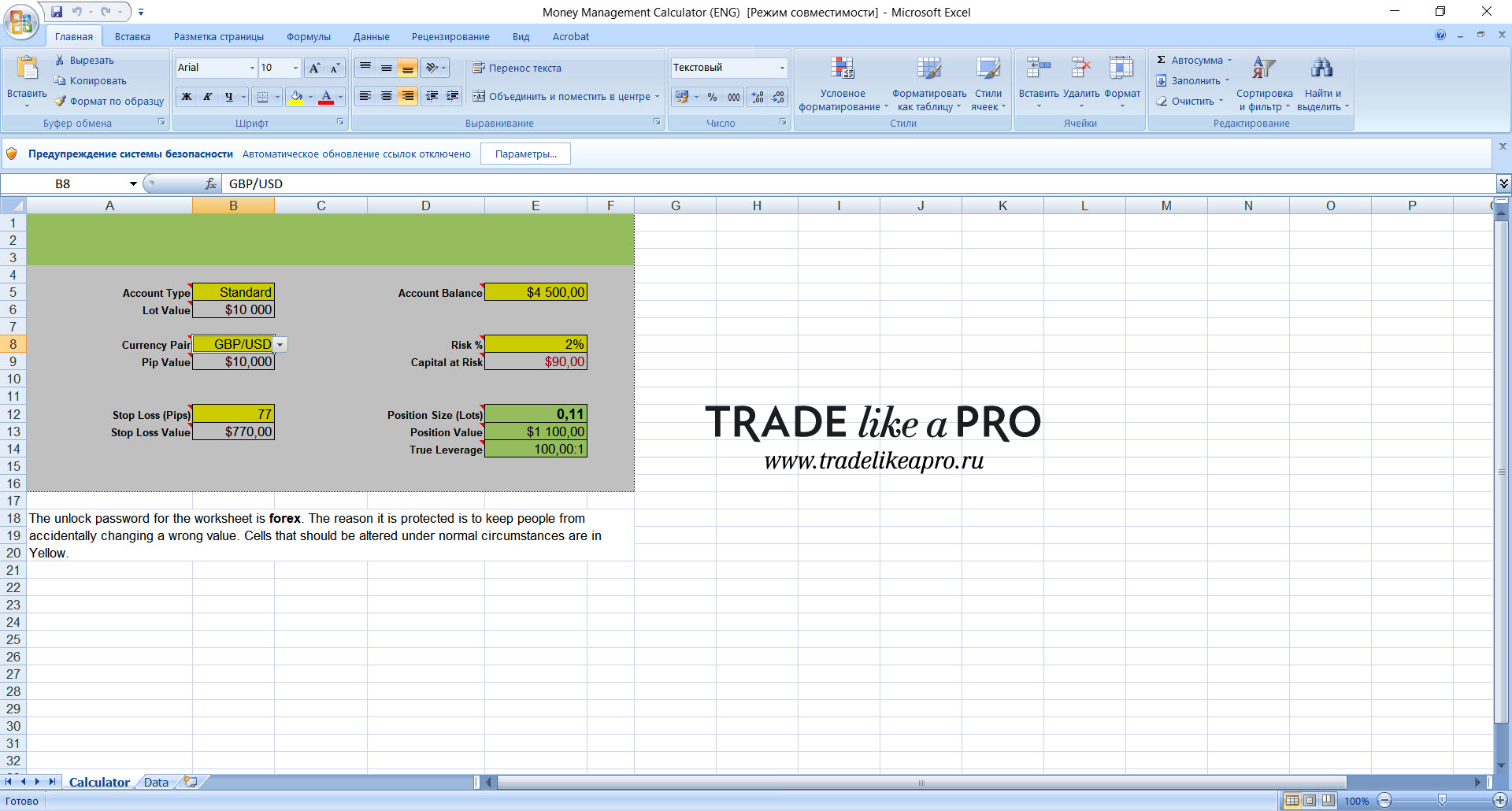 A multifunctional table; I will say right away that there are several such typical ones in the collection, but they are identical in their functionality - therefore the description of one will suit all similar ones.
- Account Type - account type - cent (mini) or classic (standard) - enter it;
- Lot Value - here the contract value is issued automatically (for a standard account, a 100000 lot costs);
- Currency Pair - in this window we choose the currency pair we need (the list is not small);
- Pip Value - pip price;
- Stop Loss (Pip/Value) - stop order in points (enter it) and currency;
- Account Balance - enter the deposit size;
- Risk (%/Capital) - the risk as a percentage of the deposit is entered, and just below the same amount is automatically calculated in money;
And then three calculation parameters:
- Position Size (lots) - the calculated lot size for trading with the selected risk;
- Position Value - the total value of the position (for example, with a 0.5 lot this is 50K $);
- Tru Leverage - leverage.
Position sizing with dynamic PipValues and MT4 DDE (ENG)
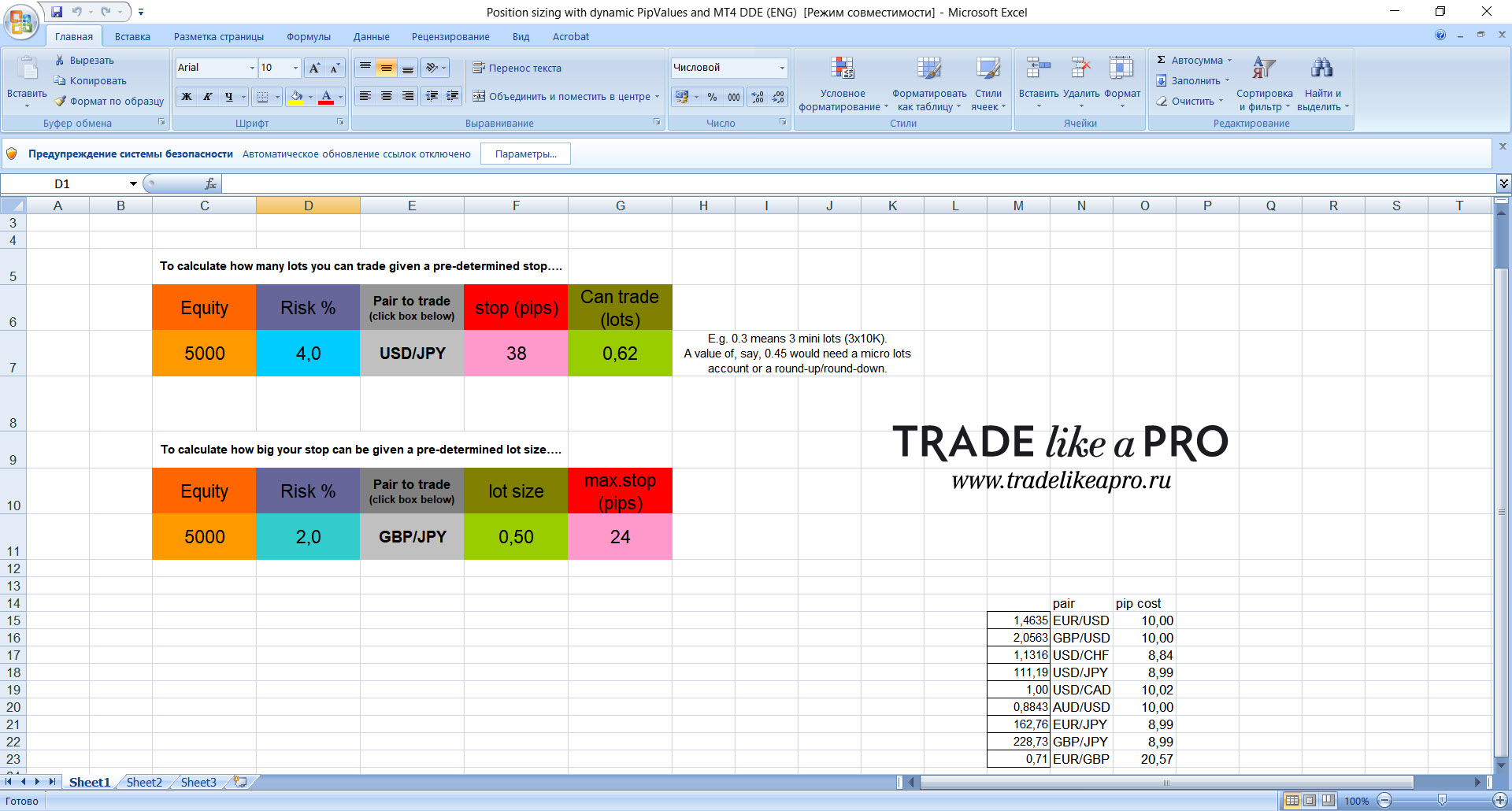 This version of an Excel spreadsheet for calculating the working lot comes from our American colleagues. It essentially consists of two calculators. With the first calculator, we determine what lot volume can be traded taking into account the size of the stop order.
- Equity - specify the deposit size;
- Risk % - risk as a percentage of the deposit;
- Pair to trade - by double-clicking on the window, the option to choose the currency pair where we are opening the trade will appear;
- stop (pips) - the stop order (in pips);
- Can trade (lots) - here the calculator computes the maximum lot size for us.
In the second calculator, the reverse is done instead: the stop order is calculated relative to a specified lot size. All the parameters there are similar to the first one, only the last two (stop and lot) have switched places.
Risk (ENG)
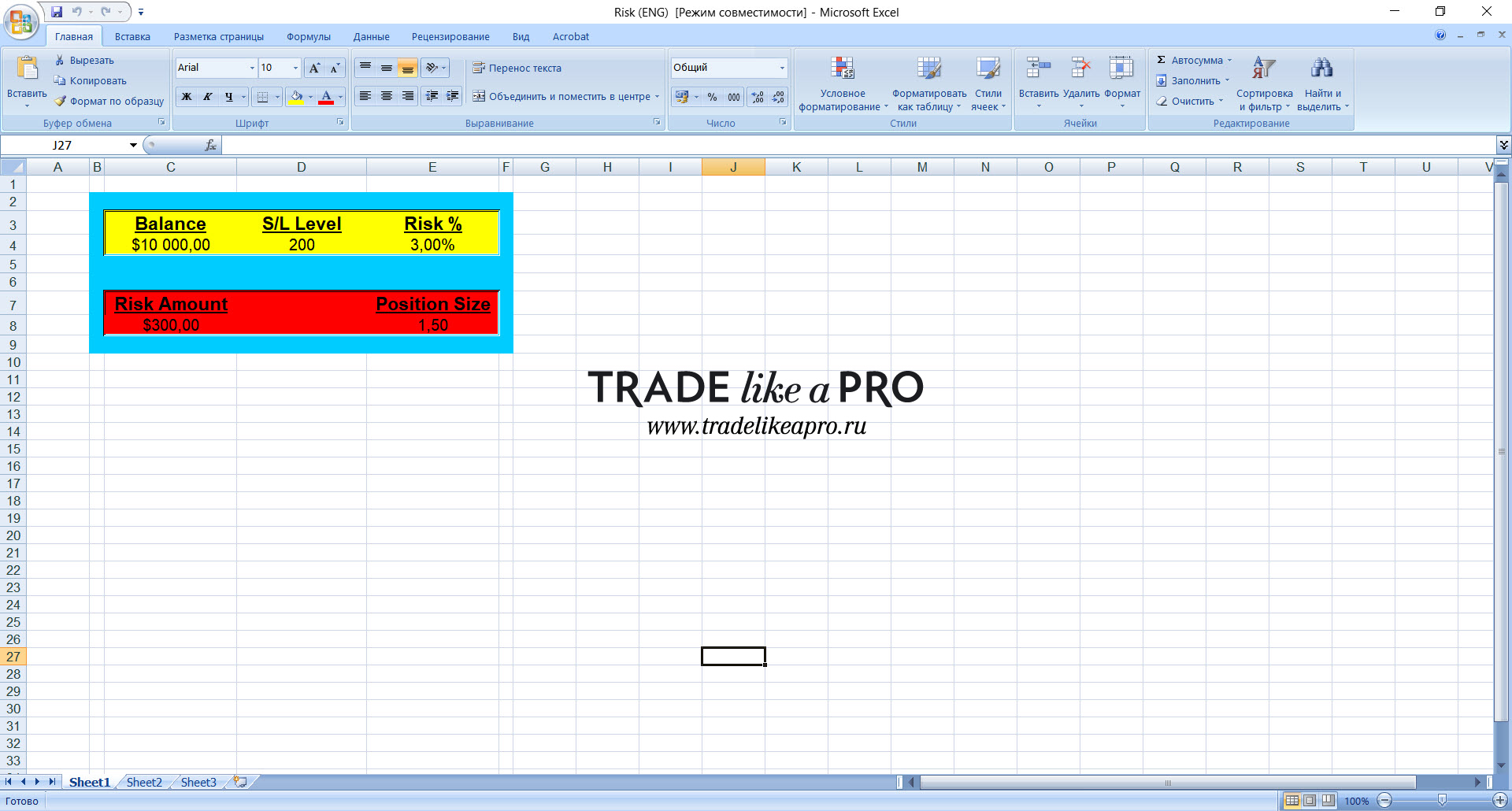 A simple spreadsheet for quickly calculating the working lot. You enter the deposit size, stop size (in new pips), risk as a percentage and in money. Position Size is where the required lot size will be calculated.

Risk Management Calculator (ENG)
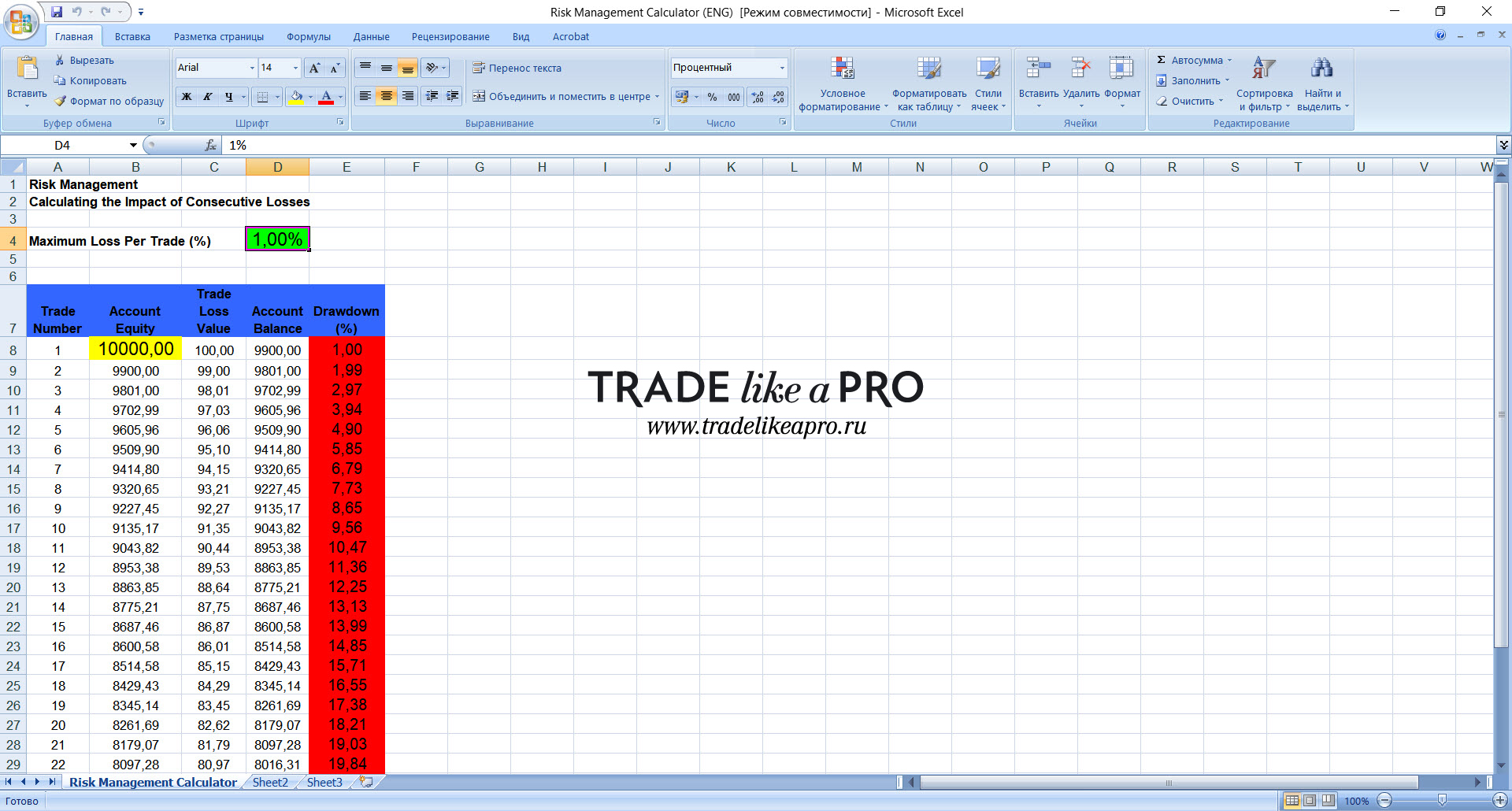 With this spreadsheet, you can calculate what will happen to your deposit if you get a series of losing trades in a row. By default, it offers as many as three dozen stops with a 1 percent risk from the deposit. You only need to fill in two parameters in the spreadsheet: Maximum Loss Per Trade - risk as a percentage (green field) and Account Equity - your deposit (yellow field). All calculations will then be performed automatically.
TradeLikeaProLotCalculator (RUS)
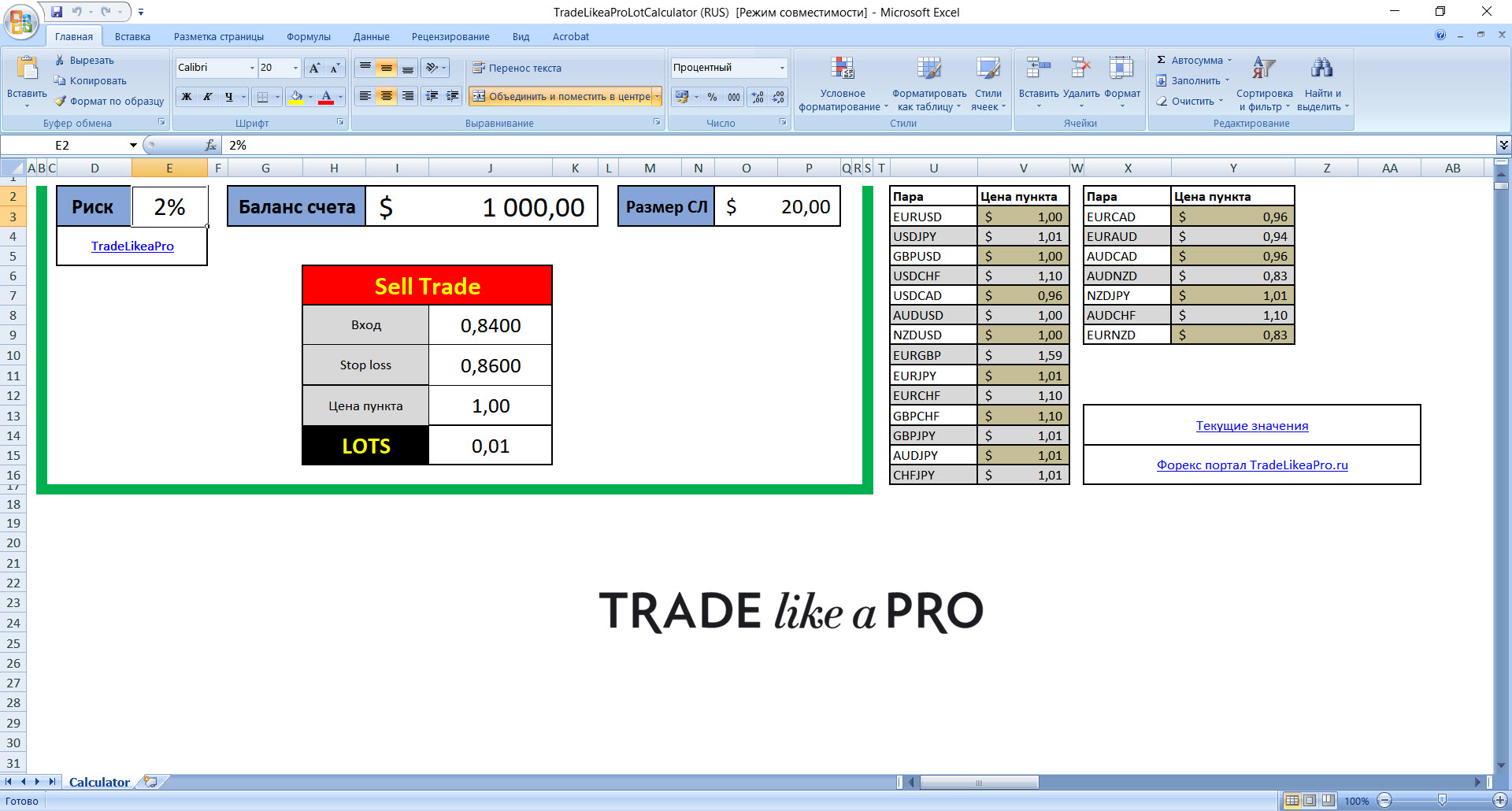 A spreadsheet for lot calculation from our website.
- Risk - here we specify the risk as a percentage of the deposit for one trade;
- Account balance - specify the size of our deposit;
- SL size - the stop-loss size in money must be specified;
- Sell Trade - in this tab, by double-clicking, we choose the trade type - buy or sell, and a separate buy or sell is also selected for instruments with the Japanese yen;
- Entry - specify the opening price of our position;
- Stop loss - specify where we placed the stop order;
- Pip value - specify the pip value (the table on the right; if the data is outdated, you can follow the link to the trader's calculator at Alpari);
- LOTS - the trading lot size set in accordance with our risks will be indicated here.
MM for InstaForex (standard) (RUS)
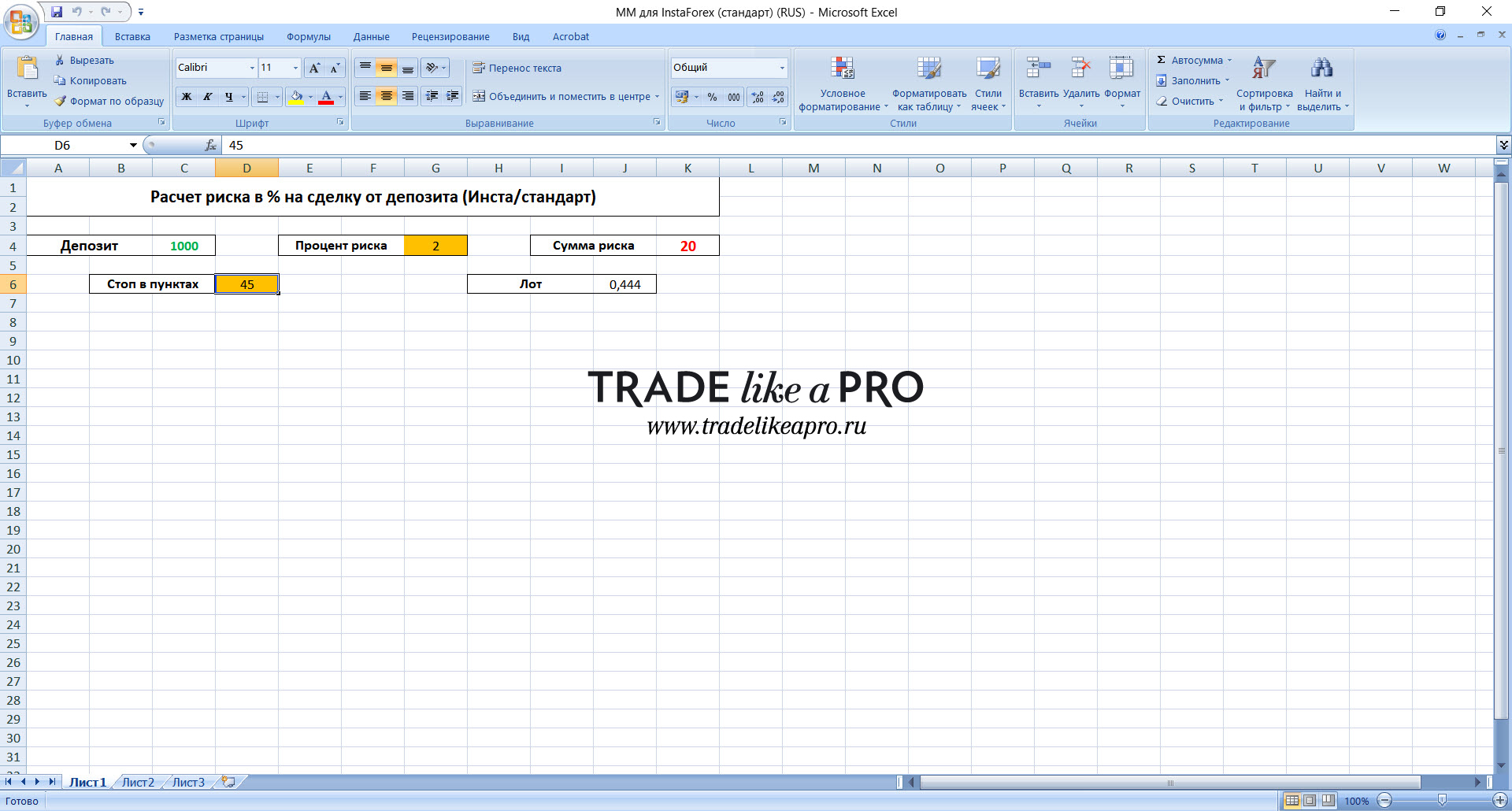 In this spreadsheet, you can calculate the lot size for the broker InstaForex. A special feature of this dealing center is a non-standard trading lot size, which is especially beneficial for users of martingale expert advisors. All parameters are standard: deposit size, risk as a percentage, risk amount in the deposit currency, and stop in pips. When entering the desired parameters, we will be given the trading lot size for this broker.
Lot Calculation on FOREX (RUS)
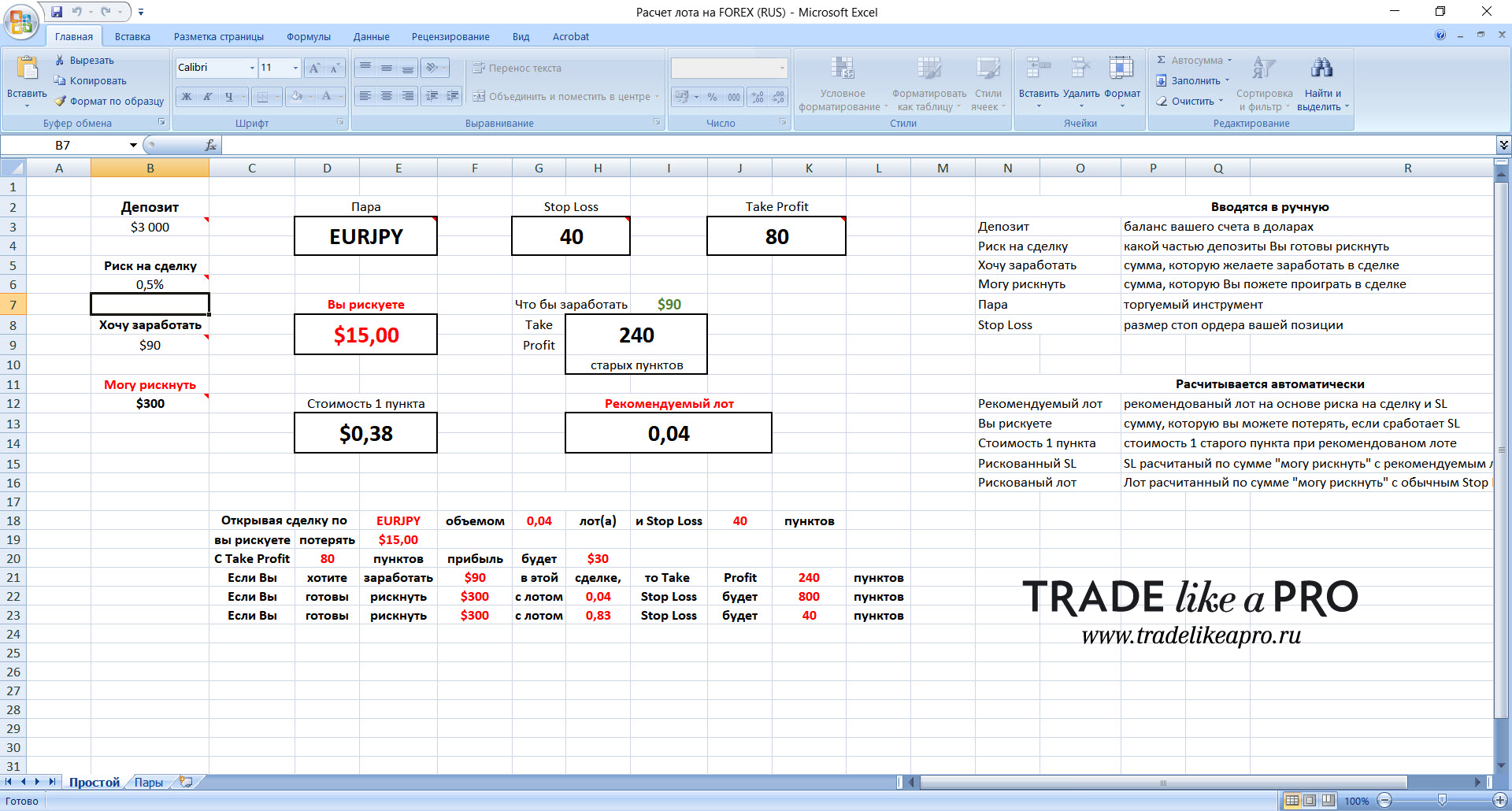 A very advanced spreadsheet for calculating the working lot. The settings are:
- Deposit - specify the size of your deposit;
- Risk per trade - specify the risk percentage;
- I want to earn - specify the desired profit in the deposit currency;
- I can risk - specify the amount you are ready to risk if the stop order is triggered;
- Pair - specify the instrument on which the trade will be;
- Stop Loss - specify the size of the stop order in pips;
- Take Profit - specify the profit target size in pips;
All other data in the spreadsheet will be calculated automatically, in accordance with the specified parameters.
Lot Calculation by Silentspec (RUS)
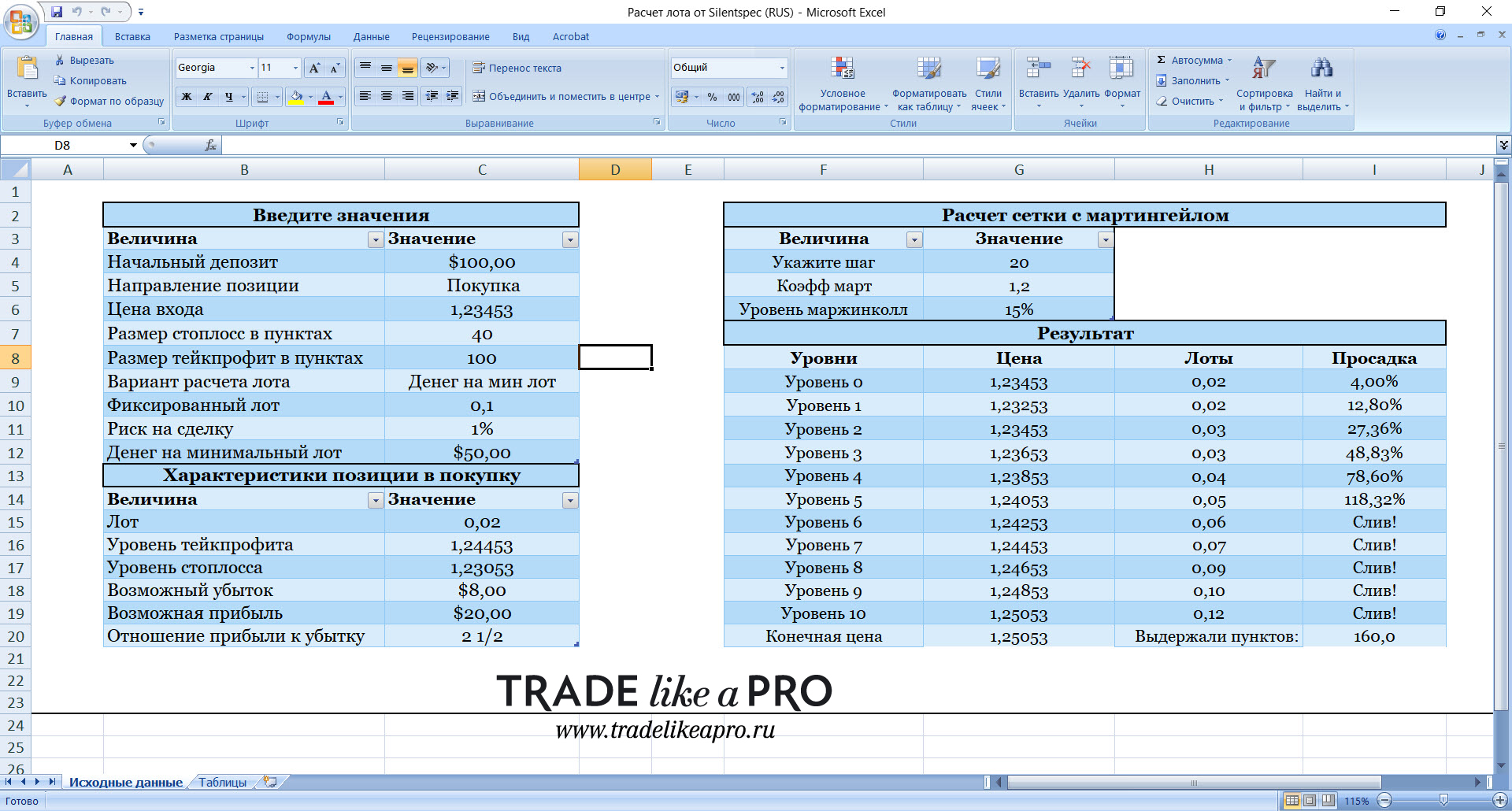 In the spreadsheet, you can calculate the lot size for a single trade and also calculate the grid for a martingale expert advisor. The spreadsheet settings are as follows:
- Initial deposit - specify the initial deposit;
- Position direction - on the right, select buy or sell from the drop-down window;
- Entry price - specify it;
- Stop-loss size in pips - specify it;
- Take-profit size in pips - specify it;
- Lot calculation option - on the right, you can choose a fixed lot, a percentage of the deposit, or money for the minimum lot;
- Fixed lot - you can specify a fixed lot size if that is exactly the trading style planned;
- Risk per trade - you can specify a fixed risk as a percentage of the deposit;
- Money for the minimum lot - how much money is needed for the minimum lot.
After entering all the values, all the characteristics of the buy or sell trade will be calculated below: lot size, stop and take values, possible profit and loss on the trade, as well as the profit-to-loss ratio. The lot size will depend on the calculation method you choose in the Lot calculation option tab - either a fixed lot (which you specify in the Fixed lot tab), or Risk per trade as a percentage.
To calculate a martingale grid, the deposit size and the lot calculation option are entered in the left part of the spreadsheet. In addition, you need to specify the initial lot size in the grid (usually 0.01 lot). In the right part of the spreadsheet, we specify the step between orders in the grid and the martingale coefficient (usually 1.2-1.4-1.6-1.8-2). After entering all the required indicators, the results will be calculated in the right part of the spreadsheet.
Martingale Grid Calculation (RUS)
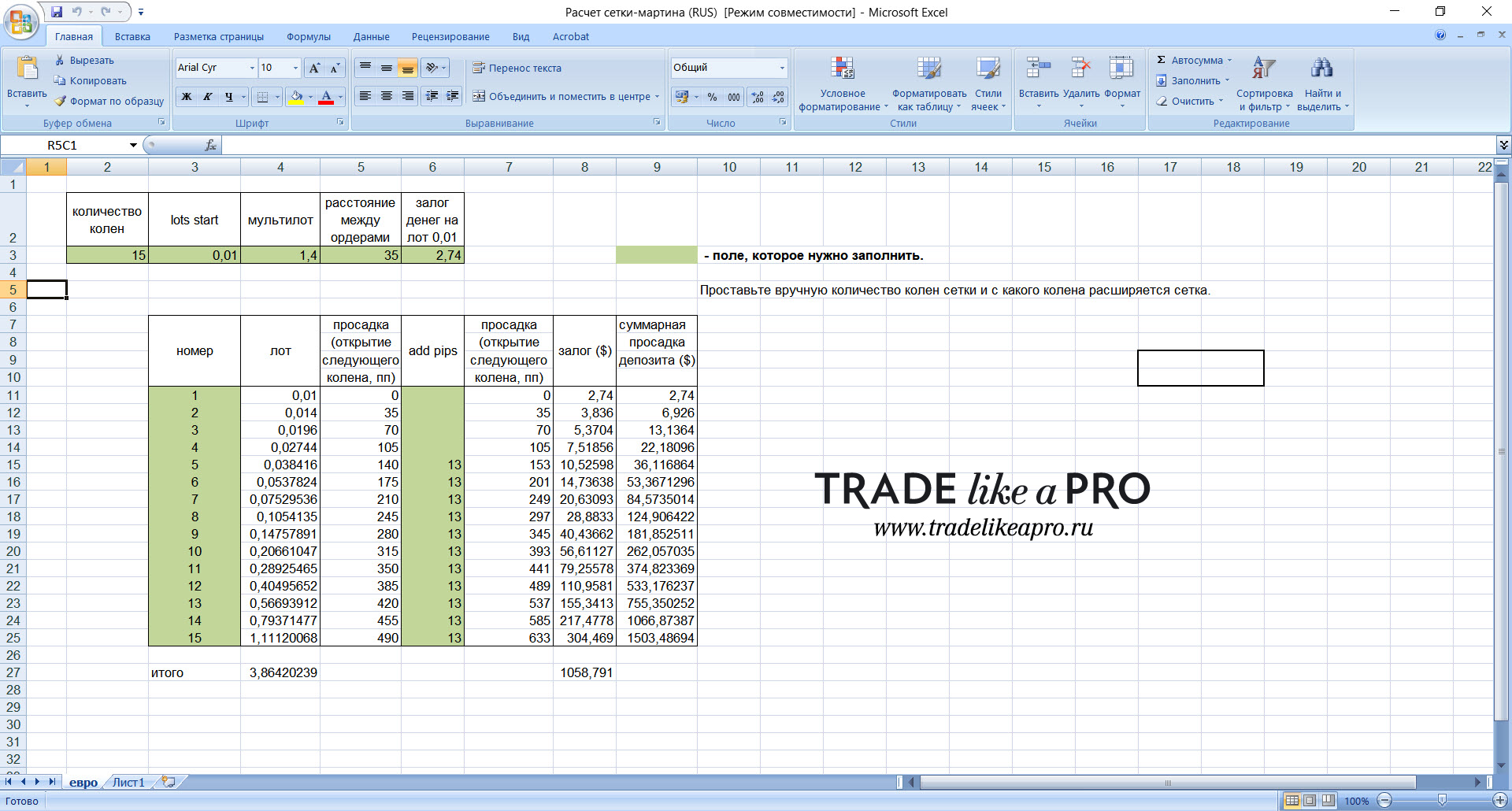 The table allows you to calculate the order grid for a martingale expert advisor.
- number of steps - specify the maximum number of orders that the expert advisor is allowed to open;
- lots start - specify the starting lot (usually this is 0.01);
- multilot - specify the multiplier by which the lots in all subsequent orders will be multiplied;
- distance between orders - specify the step between orders (in points);
- money margin for a 0.01 lot - specify the cash margin for the minimum lot according to the leverage set on the account.
After filling in all these parameters, the data needed for the work will be calculated automatically.
Conclusion
 Calculating the size of the trading lot for successful trading, and for preserving and increasing capital, is fundamentally important. Besides the numerous tools, do not forget to always check the result obtained on paper with a pencil and an ordinary calculator - this will be especially relevant if you have a PAMM account and considerable capital, which is also constantly changing due to deposits and withdrawals by investors.
Also do not forget about the Online Lot Calculator on our website. We recently added the main cryptocurrencies there.
Success to you and see you again!
Download All Money Management Tools for Forex

Respectfully, Pavel aka Pavel888 TradeLikeaPro.ru
