
Where to check Forex quotes on weekends?

Greetings, fellow Forex traders. As we all know, money never sleeps in the financial markets. And Forex is no exception. Trades are concluded 24 hours a day, 5 days a week. Orders from large players will continue to reach brokers on weekends as well. And this sometimes leads, as we remember, to gaps.
So, you are sitting on Sunday evening waiting for the market to open, wondering what price trading will start at. But in fact there is a way to find out in advance whether there will be a gap and how much the quotes have changed since the close on Friday. Forewarned is forearmed.
And in this lesson we will talk about where and how to find current Forex quotes on weekends, when your trading terminal is not working.
So, where are we going to check quotes on weekends while the price in our trading terminal is still standing still?
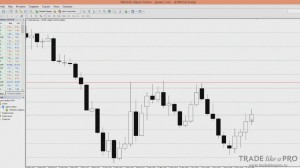
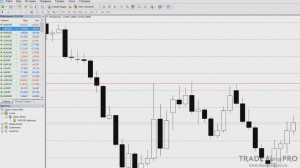
You can see that at the time of writing the article, the candle close price, that is, the last price that was on the EUR/USD pair chart, was 1.0809. Until the market opens in our trading terminal, we will not know whether a gap occurred, whether the price fell or increased.
We have no information at all. And this can be very useful to know, especially when gaps occur. After all, if you know in advance that a gap will happen, you will be able to take some actions at the market open. That is, trade that gap, or close positions as quickly as possible.
This will help you understand whether you should wait for the market to open or leave everything as it is and go to bed early.
Where will we check quotes?
There are several options, but the most popular and convenient option is forex.tradingcharts.com.
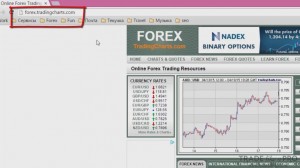
On this site, in addition to charts and quotes, there are also various news items and forecasts, but in English. But the language of quotes and charts is international, so this will not hinder us.
You can open the chart of the currency pair we are interested in right from the menu:
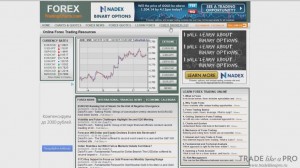
Or you can click the link in the "CHARTS & QUOTES" menu and a separate page with the chart will open:
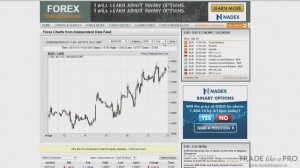
By default, the EUR/USD currency pair is set for the chart. You can easily replace it with the one you need:
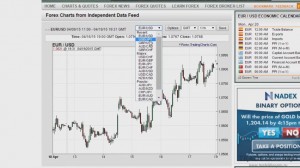
The menu contains the most recently opened currency pairs, divided into popular pairs and majors.
If you did not find the currency pair you need in the list, then click Other/Select:
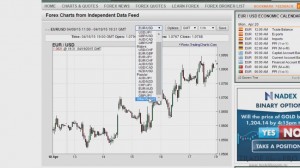
In the menu that opens, you can choose the currency pair you are interested in:
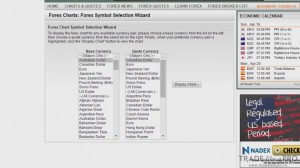
Let us look at the EUR/USD currency pair as an example:
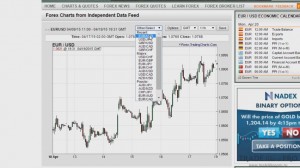
By default, the time is set to GMT, that is, Greenwich time. We will not change it because it is more convenient for us this way:
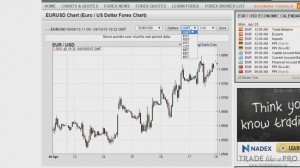
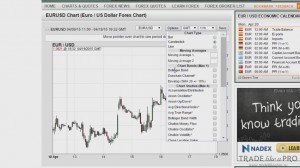
On the chart you can set bars, candles, a line chart, and even add moving averages and various other standard indicators:
The chart period can be set to 1 minute, 5 minutes, 1 hour, and 1 day:
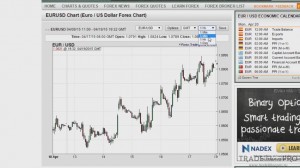
For clarity, I will set 5 minutes and, to save the changes, click the "Save" button, which is located on the right.
As a result, we will get a chart like this:
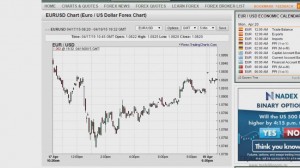
Please note that when we move the cursor along the chart, the values in the information panel at the top change:
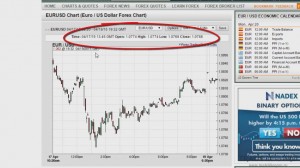
Here we are interested in the time, the opening price, the candle's closing price, the high, and the low. As we can see, we have Friday's data, and then already the date for Sunday. Please note, the price was around 1.0829, and then it sharply drops by 10 points, and the next candle shows 1.0819 points. All because of very low liquidity. Therefore, the price can drop sharply downward. What conclusions can we draw from this?
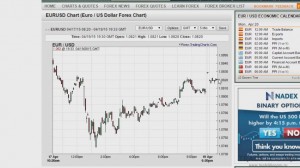
The latest price at the moment is 1.0820 points. And the closing price on the chart was 1.0809 points:
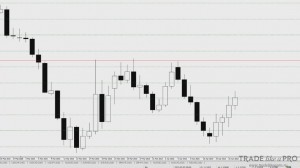
It rose by 19 points. In this case there would be nothing scary. But on days when there are GAPs, you would feel a significant price difference. Moreover, you would know this in advance and be prepared for it. Similarly, we can open the chart of any currency pair.
Let's open GBP/USD:
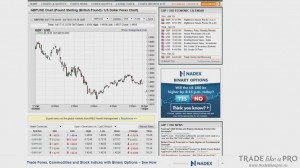
Compared to Friday, the pound fell. The quotes at the week's close were 1.4935 points, and the latest price on Friday was 1.4960:
The difference is about 20 points. This is of course not a strong change, but at least you know that the price went down. If you have a large position, such data may be significant for you personally.
What is this for?

In order to know in advance whether there will be GAPs or not. To understand whether the price has changed or not. And besides, there is always a share of personal curiosity that can be satisfied this way.
When to watch the data?

I advise checking them on Sunday evening, because there is not much point in looking on Saturday or Sunday morning. Even if the price does change on the chart, by evening it may return to its original value. Therefore, it makes sense to check in advance whether there will be a GAP or not on Sunday evening. Somewhere around 22:00 Moscow time. After that, you will know whether you need to wait for the market to open or can safely go to sleep.
Best regards, Pavel Vlasov TradeLikeaPro.ru