
Testing Expert Advisors in Real Time
 Hello, friends. Unfortunately, the strategy tester in Metatrader 4 does not give a truthful picture of how a forex expert advisor will work on a real account. And the most optimal indicator is your own account, monitored on myfxbook.
However, before putting a new robot on your main account, it is worth conducting so-called forward testing: observing the expert advisor working on a small real or demo account for some time. This will save you a lot of nerves and money, although it takes time. In this lesson we will talk about how to conduct such testing in real time, what to pay attention to, which account types are suitable for which expert advisors, how to analyze the final result, and so on.
How to monitor your account?

To create monitoring for an expert advisor, I recommend using the service myfxbook.com
There are analogs of the service, but it is better to use this one, since for a number of reasons it is better than its counterparts. We have a separate lesson on the site about how to register monitoring, connect your account, configure it, and so on. Therefore, we will not dwell on this point.
So, suppose we put the expert advisor on monitoring. And the question arises:
How long should you test an expert advisor before putting it on some main account?

Of course, the correct answer would be: "the more, the better."
You can never have too much data. But on average, the minimum period for drawing any adequate conclusions is about three months.
Why three months? Very often beginners have the desire to install an expert advisor and not wait a long time for its statistics. It works for a couple of days and brings profit. From their point of view, a logical idea arises: "What am I waiting for? I am losing potential profit, and if only the expert advisor were bringing me tons of money on a real account right now." They put it on a real account, and it turns out that the expert advisor was not quite good and the test simply fell on a period when it made a profit. As a result, the beginner loses money on a real account, which could have been avoided if they had waited three months.
Therefore, I advise you not to rush to put expert advisors on main accounts. Get three months of statistics on a demo account or on a small real one in order to draw any conclusions. Remember: the market is not going anywhere from you. The next question that may interest a beginner is what to use:
Demo or real account?

Which account should you choose for testing an expert advisor in real time? Here everything depends on its type. The type of expert advisor is usually specified in its description on the site, on the forum, or wherever you download it.
Overall, this is it:
- For Martingale expert advisors, grid systems, and the like, it does not matter whether the account is demo or not. Their operating principle does not depend much on execution quality.
- Scalpers, or expert advisors with clearly pronounced small take-profits, should be put only on real accounts. No exceptions.
- Trend-followers, that is, robots that take 50 or 100 points per trade, are also not very sensitive to the account type and any account can be used.
For those who prefer to test expert advisors on cent accounts, it is worth taking into account that execution on cent accounts is slightly worse. Again, everything depends on the broker. Know that if there is an opportunity to open a full-fledged small real account, it is better to open it than a large cent one. Naturally, if your deposit allows competent use of money management in the expert advisor. The next question that is often asked:
Can you put an expert advisor on a real main account right away?

A seller monitoring with thousands of percent of profitability is available, and the expert advisor seems to work well in the strategy tester. Can it be put on a real account right away?
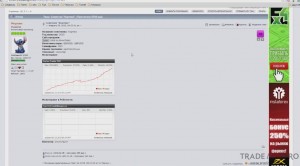
I would think carefully before doing that. Why? Because it is worth asking yourself an important question: "Can the author of the monitoring be trusted?" Is he interested in your good results?
If this is a seller, then naturally he may be interested in the expert advisor showing more profit in order to sell more copies of it. Therefore, such monitoring should be approached with a certain degree of skepticism.
First of all, pay attention to whether the account is marked as real on the monitoring page:
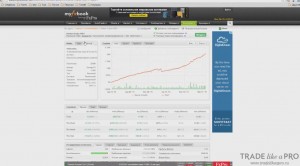
The trading history and trading privileges must be verified:
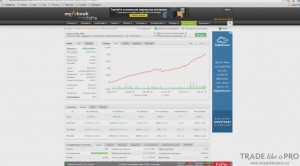
This means that the author has the right to open trades on this account. It means that they did not obtain an investor password from somewhere, but created the account themselves and connected the monitoring. We have an article on the site with more details on how to verify the authenticity of monitoring on myfxbook.com. And even so, these checkmarks do not guarantee that nothing has been altered somewhere.
There have been cases when sellers made arrangements with the tech departments of small brokers and "drew" beautiful pictures in the "trading" monitoring. Then they sold the system to people for 10000$. The seller disappeared, and for some reason the expert advisor worked poorly.
Therefore, even a fully verified monitoring of a real expert advisor account should be treated with a degree of skepticism. I would rather pay attention to monitorings from ordinary users on forums:
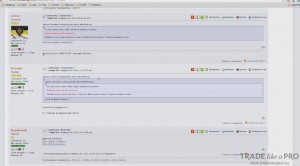
On our website, we maintain a RoboTest section:
Expert advisors are placed on accounts here, and we test them in real time. But since we do not have a goal of selling them, we do not watch them very closely.
The most important thing is to ask yourself the question: "Is the author interested in good monitoring results?" If there is a benefit for them, treat it with suspicion. If, however, there is a lot of third-party data, the tests are good, and you have experience trading expert advisors, then you may place it on a live account right away. But only if you have experience. If you are a beginner, it is better not to take the risk and to thoroughly check everything before putting it on a live account.
Monitoring Analysis

Let us imagine that three months have passed. Some expert advisor had been running on your demo account. And now we analyze it and see whether it is worth putting on a live account. The main mistake beginners make is to look at the return percentage. Suppose the expert advisor made 1000%, that is it. Nothing else matters. Straight onto a live account. But it is possible that the next day the expert advisor will lose all of it.
Or vice versa, the expert advisor shows some small increase, but the equity line is smooth. And the person thinks: "A couple of percent. Why would I need that? To the furnace with it!" And deletes it.
These are all beginner mistakes. First of all, you should look at the overall equity line and the drawdown.
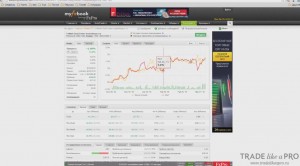
Drawdown is written in the monitoring statistics, while the equity line itself is displayed visually. If the percentage is small, but the equity line is fairly smooth and the drawdown is small, then what can we do? You can increase the lot at any time, or increase the deposit. Possibly by attracting investors' funds. The most important thing is a smooth equity line.
The percentage may be small, but it can be increased with the trading lot. We evaluate drawdown, of course, not only visually but also in numbers. This is very important. If the results are not very good, do not rush to delete the expert advisor. It may work well, just not on all pairs.
To apply a more detailed analysis, go to the "Main" section and look at the currencies:
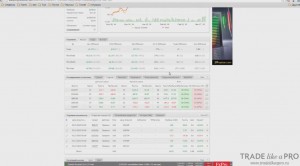
On this expert advisor, the EUR/JPY, EUR/USD, and GBP/USD pairs generate profit, while USD/CAD and USD/JPY do not. And if we remove them from the account and take the expert advisor off them, the picture will be much more positive. And the account's profitability will increase.
Often, by removing pairs that are unsuccessful for the expert advisor, you can even turn a losing monitoring into a profitable one. And since this is a test account, on the main account you will already use the selected currency pairs that show themselves in the best way.
Please note that there is a "Custom Analysis" button in the monitoring:
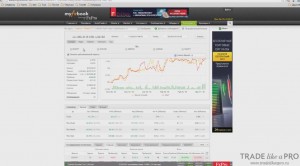
Here you can show or hide the pairs you need or do not need and look at the results. In addition, you have the option to set the monitoring period that will be displayed on the chart.
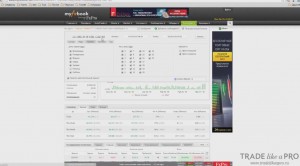
In the Trading tab, you can set certain restrictions, for example, remove sell trades and leave only buy trades:
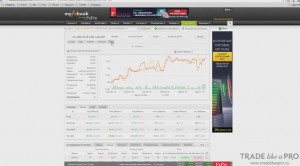
Let's remove the unprofitable pairs and leave only those that bring profit for our example:
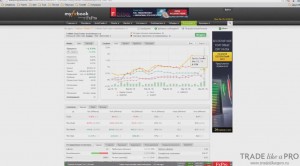
So, we can see that our deposit growth has increased. But since I increased the time frame, the growth is not as noticeable.
Therefore, I will change the parameters and then you can see a completely different result:
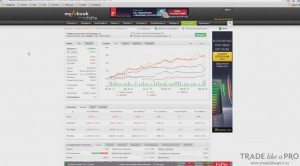
The profitability of this monitoring has almost doubled. A smoother equity curve has appeared. This is how you should look for weak links in your expert advisor. Pairs that do not suit it bring losses or are constantly in motion.
In addition, you should watch the periods of time in which it works poorly. Maybe you started testing the expert advisor during the New Year holidays. As we know, this period is not considered entirely representative. You can easily set monitoring from a specific date or set a time interval to get data for analysis.
It happens that a week after starting the expert advisor, you decided to change the parameters and now want to see the results without using the previous parameters. In general, use the "Custom Analysis" tool, it is quite useful.
Conclusion
The most important piece of advice is, "Do not rush to put expert advisors on your main accounts." The market will not run away from you.
Respectfully, Pavel Vlasov TradeLikeaPro.ru