
MQL4: Collecting Tick Data Automatically
 Hello everyone!
The longer you work on developing automated trading systems, the more often the question arises of the need to use quality quotes for trading instruments, without "holes," missing bars, and other unpleasant issues. In general, what is needed to work competently on creating trading robots? Of course, you need to know a programming language. Naturally, you need trading experience in order to develop systems. Of course, you need the tools for developing advisors (in our case this is the MT4 or MT5 terminal) and a good understanding of how it works. But the most important thing, and what beginner "bot builders" often overlook, is that we need a quality quote history. There is even a saying, "garbage in - garbage out," which means only one thing: if you test your advisors on low-quality data, it is very likely that you will get test results extremely far from the real state of affairs.
How to solve this problem is in today's material.
Where can we get quality history?

Some brokers provide their own quotes. For example, if you have a live account with Alpari, you can download minute quotes directly from the terminal starting from 1999. Some brokers also provide tick quotes, but as a rule, at best from 2007 onward. At the same time, the earlier the year, the worse their quality.
Today I am opening a small series of articles that will be devoted to working with quotes. We will discuss various problems connected with quotes and write different scripts and indicators to solve these tasks. The ultimate goal of this work will be to obtain a complete and comprehensive toolkit for working with quotes.
If you search the internet, you can find more than one source of quotes, including tick data. But there are several major disadvantages to using third-party quotes, meaning not from your broker. First, these quotes are not from your broker, and the profitability and the overall behavior of advisors that are especially sensitive to the quote stream, particularly tick scalpers, tends to differ greatly across different data feeds. In the worst case, it may very well turn out that a bot optimized on Dukascopy tick data will drain on your broker's data. And re-optimization will have nothing to do with it, the streams are simply very different. Of course, this is a question of the bot's robustness, but the ideal option would be to use tick data from your own broker. Second, most third-party quotes that you can find for free usually cannot boast such an important quality as quality itself. Most often, when analyzing them you will find many holes, missing data, gaps, and other artifacts.
Our tasks

Thus, as a result of our reasoning, we have come to several pressing tasks:
1). We need a tool for obtaining the tick history of our native broker, the one we are going to trade with. This history, although it will not let us optimize our advisors from the hairy old years, will help us understand whether the results of running an advisor on third-party history differ from running it on our broker's history and, based on the degree of difference, make a decision.
2). We need a tool for checking the quality of third-party quote history. We must be sure that our history, on which we so painstakingly optimize our advisors, is not trash and not a sieve.
3). We need a tool for obtaining sensible third-party quote history. Suppose you downloaded ticks from a dozen different sources and it would be nice to combine them so that in the end you get a quote file with all the holes filled. But doing this manually for each instrument is simply madness. Therefore, guided by the thesis that laziness is the engine of progress, we need to come up with a way to do this automatically, "without getting up from the couch."
4). We need a tool for various manipulations with the quote history format. For example, we have *.tks files with ticks, but we need to get *.Csv files with minute history. How can this be done? Of course, by writing the appropriate script. Or, for example, when it already comes down to testing an advisor, and we have only our *.csv files, we need to convert them into *.fxt format so that the terminal understands them and tests our grails on them.
5). What else interesting can be done along the way? We can develop criteria for assessing the quality of the quote stream from the broker's server, track the average spread at different hours of the day and days of the week, for example. I think comparing data from different brokers would be quite interesting, informative, and, most importantly, would have considerable practical value.
Collecting ticks automatically

So, we have the five lines of work outlined above. If they are solved properly, in the end we will get a truly comprehensive toolbox for a "quote tamer" and will close forever the question of where to get quality data for testing.
And the first thing we will talk about is how to obtain your broker's tick quotes yourself, or those of several brokers. For this we need to have data on the arrival time of each tick and the Bid and Ask prices corresponding to each quote. We will obtain such a data set over a long period by saving this data to a special file online, which we will then continue to use in our work. The main part of the work can be shifted to a program, which we will write today. We will probably design this program as an indicator for the MT4 terminal, and all that will be required after it is written is simply to attach the indicator to a chart in the terminal.
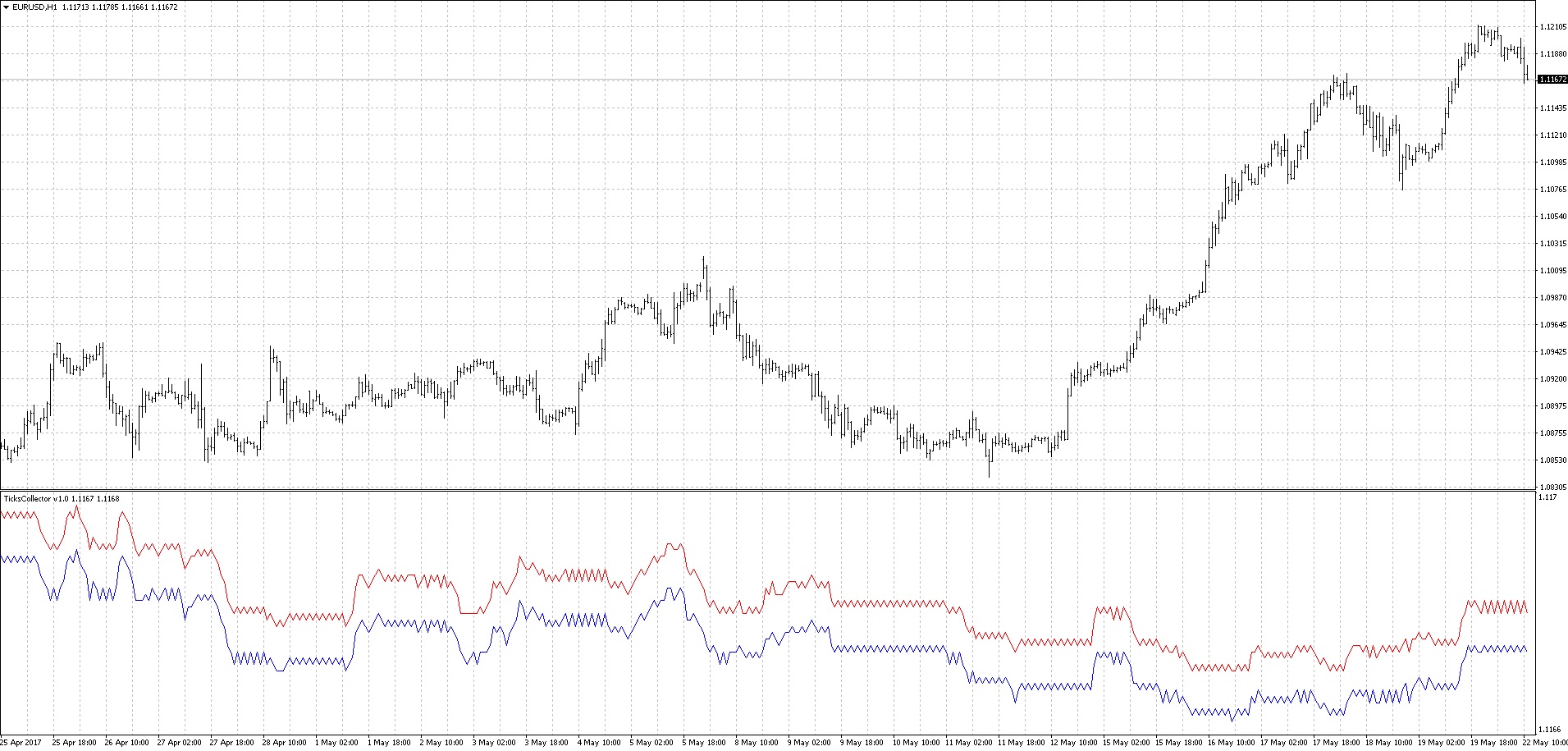 With the arrival of the first tick, the collection of tick data will begin, which can be judged by the appearance of Ask and Bid charts in the lower panel. The data will be saved by the indicator to the terminal data directory in .tks format, meaning tick data. In this case, the file name will match the instrument name. Well then, I think the main picture is clear, and we will sort out the details as the play unfolds. I will not give code listings in written form; we will go through all our code in the video lesson.
Conclusion

Today we created a fairly simple indicator for collecting tick data from the MetaTrader4 terminal. This indicator undoubtedly has room for further improvement, especially in terms of ease of use. For example, we could immediately prepare csv files with the periods we need or add broker names to the file names. We could also add functionality to the indicator that would allow it to send data to another server, which would form files by groups and merge the data into one large file, and also implement an interface in the form of a simple web page that would provide us with files for the broker of interest, converted into csv format for the required timeframe for the dates specified in the request parameters. That is, further improvement of the indicator is, by and large, limited by your imagination, capabilities, and the tasks facing you.
Download the indicator

The following lessons from the "Working with Quotes" cycle:
- MQL4: Converting tick stream files
- MQL4: Merging tick files
- MQL4: Analyzing accumulated tick history
- MQL4: Testing on real history
Best regards, Dmitry aka Silentspec
TradeLikeaPro.ru