
Fibonacci Channels - Your Secret Advantage
 Hello, forex trader friends!
As is known, the golden ratio coefficient characterizes the harmony in the structure of the entire world around us, and Fibonacci numbers represent a universal language for the mathematical description of natural processes. This does not mean that the whole world can be turned into one big formula, but it is a fairly simple way to evaluate low-level processes. In Forex trading, Fibonacci numbers play a major role, helped by the countless variety of ways they can be applied.
Today we will take a detailed look at one of the effective tools for successful work - Fibonacci channels. We will learn how to build and apply them in trading.
Fibonacci Channels

Just as all living things strive for harmony, the market also strives for correct forms, creating recognizable chart patterns on the graph. The proportions of the numbers in the Fibonacci sequence are quite natural for the entire world around us, and the financial markets are nothing other than a part of it. What also helps in this matter is the fact that we receive almost all information about the market in graphic form, which, in turn, simplifies analysis and subsequent decision-making.
A Fibonacci channel, as a tool, is the Fibonacci grid (or extension) that is surely already familiar to you, stretched over a standard equidistant channel. In this way, you can mark intermediate trend movements and corrections, identifying potential key levels on the chart.
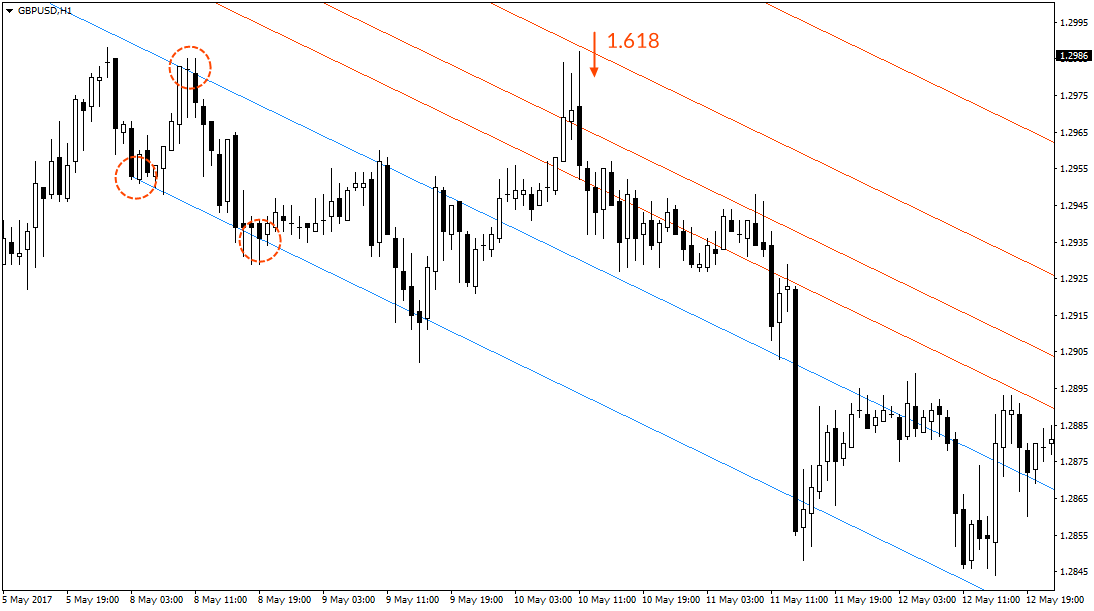
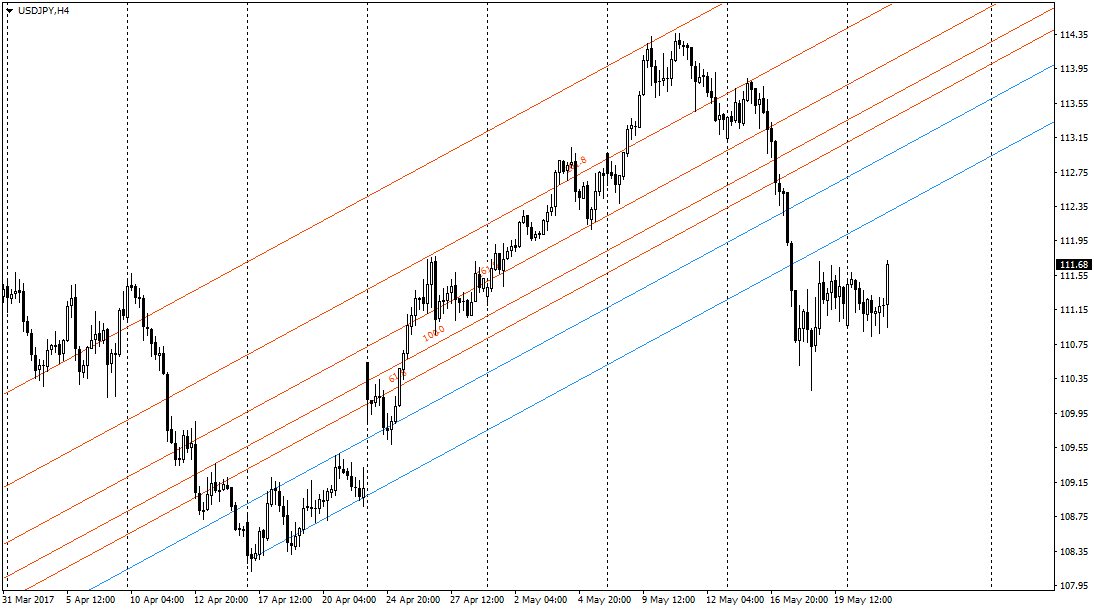 On the chart, the channel we marked is highlighted in blue. Each red line corresponds to a certain extension from the range of this channel, observing the Fibonacci sequence ratios.
Building a Channel in MetaTrader 4

To build a Fibonacci channel, go to “Insert” - “Channels” - “Fibonacci”. As with an equidistant channel, three anchor points are enough to build it.
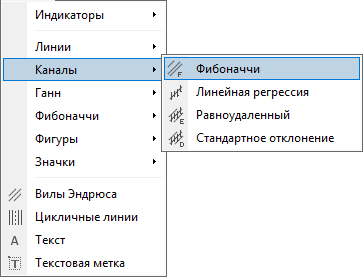 For convenience, the link to the figure can be placed in the quick access menu, directly on the toolbar. To do this, right-click in the toolbar area and choose “Customize”.
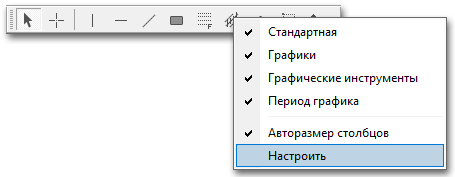 Now, in the left menu, select “Fibonacci Channel” and click “Enable”. All selected elements are displayed in the right window. By simple dragging, you can change the relative position of the elements on the toolbar.
Application in Trading

The standard use of the Fibonacci channel is building it at the beginning of a trend formation to mark potential support/resistance levels.
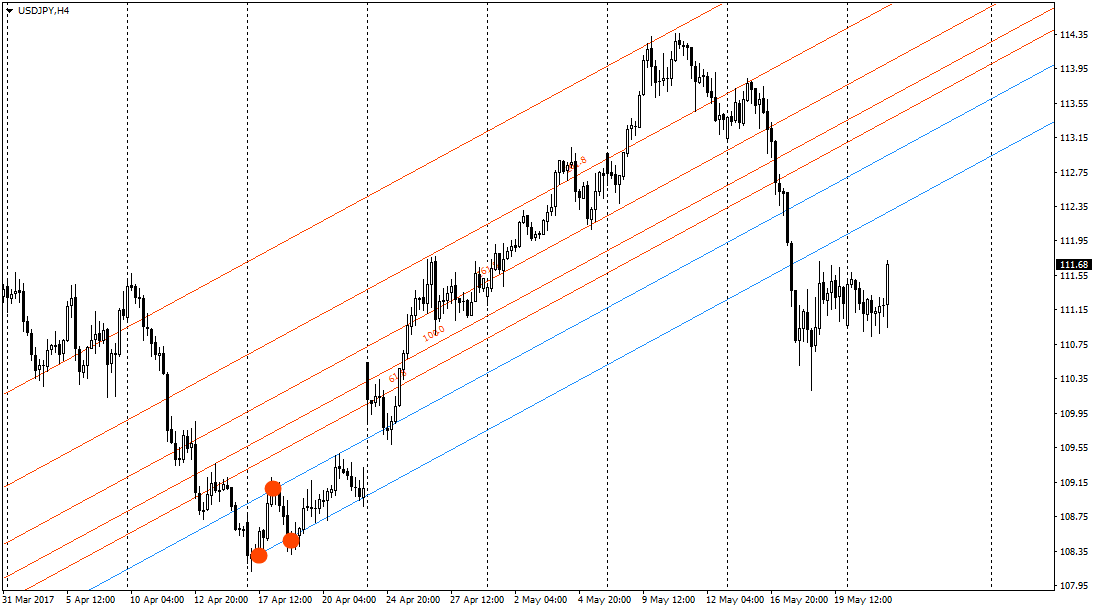 The basis of the Fibonacci channel is the standard equidistant channel. Three anchor points are enough to build the channel, usually marking the beginning of a new movement formation. That is, we focus on the first 3 extremes. In the case of an upward trend, the first point is the turning point of the movement itself, and the second is a test of the resistance level. To complete the pattern, the third extreme must form above the first. Having identified the extremes, we build the channel along the candle bodies.
Channel boundaries represent potential levels of support and resistance. Very rarely does price pass through channels “clean through”; most often, price consolidates or reverses as it approaches the channel boundary.
This property can be used to your advantage. When entering with the trend, we usually wait for a better (more favorable) price, but this always comes down to solving one task - determining the moment when the correction ends. By building a Fibonacci channel, we can use extension levels as a guide, entering the market when one of them is touched.
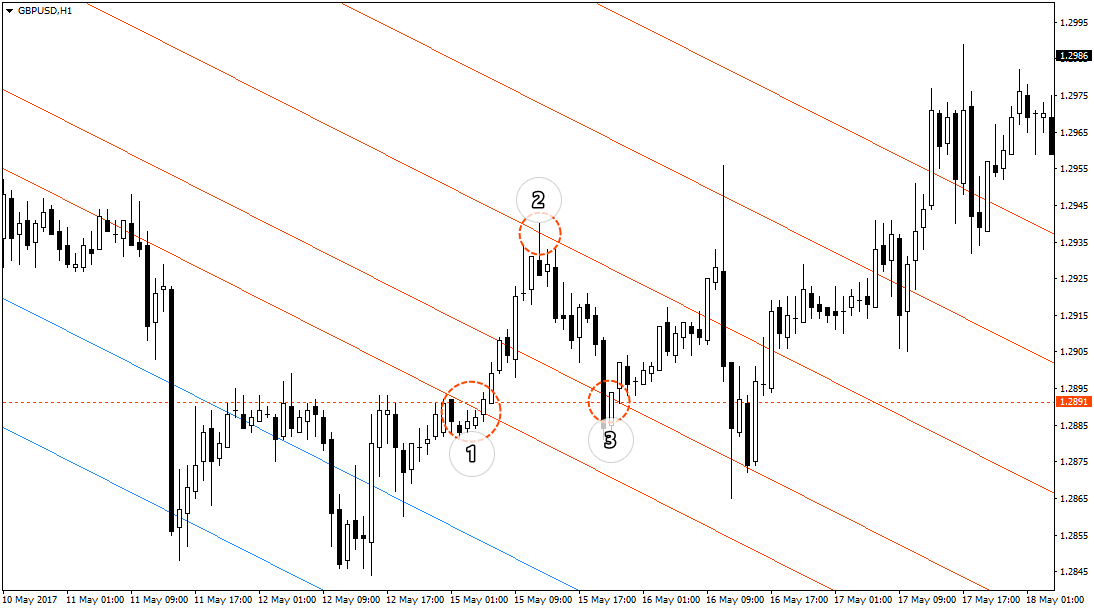
 Another way to use channels is to identify reversals. In this same example, we observe such a situation: price, almost without stopping, passes through the intermediate Fibonacci channel (1), stopping at the 1.618 level (2). Finally, we have confirmation of the support level (3) and a change in the direction of the main trend.
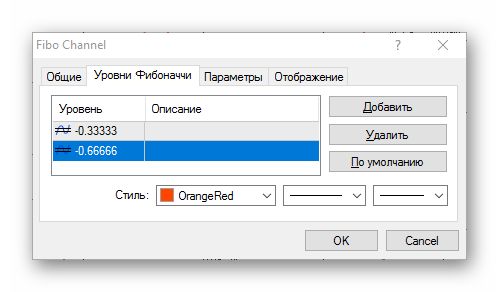
 Another way to identify reversals is to build a 3-section channel. It is also quite simple to build. First, build a regular Fibonacci channel. Then go into the object properties, to the “Fibonacci Levels” tab, and delete all current levels. After that, add two new ones: -0.33333 and -0.66666. The negative sign means that the levels will be located inside the boundaries of the built channel.
 This method of construction describes a single trend movement well and allows reversals to be identified. The signal to act is when price moves beyond the boundaries of our channel. After that, price forms two new extremes, all in the unmarked area.
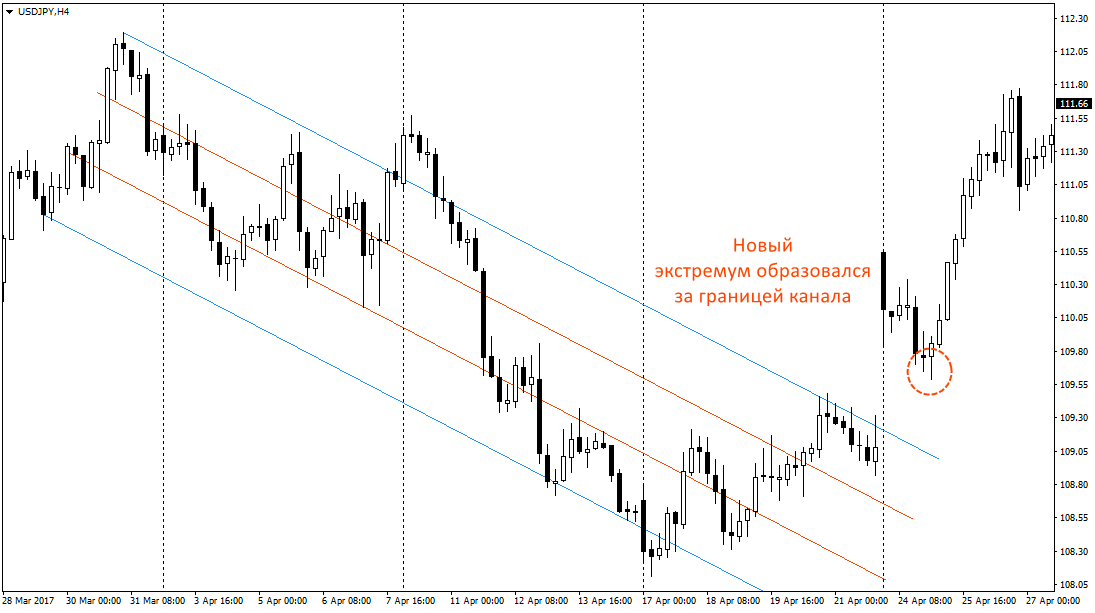 Thus, we get 3 anchor points: the low of the previous downward trend and two new extremes. You can enter a buy after point 3 is formed. The signal for an exit will again be a move beyond the boundary of the marked channel and the subsequent formation of new extremes.
Conclusion

Fibonacci channels are an excellent graphical analysis tool: they are easy to use and make it possible to determine the boundaries of trend movement with ease. The three-section channel is quite an effective way to identify reversals, especially if you practice swing trading. For beginners, however, I advise against using this method alone, since building this graphical model requires some experience, and it is extremely important here to identify the extremes correctly.
Best regards, Alexey Vergunov TradeLikeaPro.ru
