
How to Trade While on Vacation?
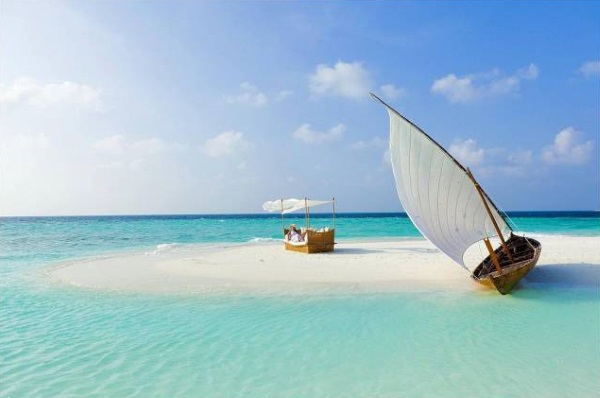
Hello, fellow Forex traders! Summer is in full swing, and many of us are heading off to faraway places: to warm our bones in the sun in Crimea, wander through the cathedrals of Paris, buy up all the junk at a sale in Milan, or simply dive with sharks in the Emirates. But what about trading? After all, money, as we remember from the movie Wall Street, never sleeps!
Today we’ll talk about how to trade in the harsh conditions of five-star hotels, what to take with you on a trip, which apps not to forget to install on your smartphone, and so on. Everything about trading on vacation!
What to take with you?

Laptop and mouse
The most important thing. Broker marketers can sing songs about the era of mobile trading from iPhones, but they cannot replace a full-fledged computer.
Which laptop should you choose? If we talk about the road version, then this is an ultrabook. If the trip is long, it makes sense to carry a regular 15-inch one. This is how I determine my choice: if I’m going for 1-2 weeks, then I take an ultrabook, if I’m going for 3-4 or more, I take a 15-inch one.
Personally, I prefer Asus. I won’t list specific models, since new ones are constantly coming out. Choose based on price-to-quality ratio and reviews on Yandex Market.
"What about the MacBook? It’s so cool and it has an apple on the lid!" A MacBook is essentially an expensive internet browser. If you pay attention to what the hipsters sitting behind MacBooks at Starbucks are doing, you’ll see that in 99% of cases it’s either social media or email. Because a MacBook is not intended for anything else.
If you were suddenly given this laptop with an apple on the lid, do not rush to sell it. Fortunately, Apple left the option to install Windows.
As for the mouse, it takes up little space and is many times more convenient than a touchpad. Not always, but I try to take it with me.
Smartphone and tablet
Although these devices won’t let you trade fully, if your computer breaks down (and this will happen at the MOST inconvenient moment), they can help a lot. And they’re simply convenient). Personally, I use an iPhone + iPad combo. If Apple computers aren’t that great, their mobile devices are better.
Power plug adapter
An important detail that many people (including myself) sometimes forget about. Find out in advance via the Internet what sockets are in the country where you are traveling. And buy an adapter if you need it. An adapter can be bought at the airport; hotels often have them. But it’s better not to count on hotels. In our era of online shopping, you can buy an adapter even before your trip.
PowerBank
Despite the prevalence of sockets in airports and cafes, it would be a good idea to take an external battery for your phone/tablet with you. And don't forget to charge it)
Bank cards
And the more, the better) Russian banks are very fond of blocking tourists’ cards. And not all cards process transactions. So the more cards you have, the better. In general, when I travel, I try to use cards from Payoneer, ePayments and ePayService. No one blocks them, all transactions go through, and there are no conversion fees.
Flash drive
This will also come in handy. Especially when you need to print something. You can also install a separate MT4 on it.
Internet in hotels

When choosing a hotel, you should pay attention to the nuances: is Wi-Fi provided free of charge? Unfortunately, even in expensive hotels, Wi-Fi is often paid for. Sometimes it's an extortionate $20-30 a day. So, if there are several accommodation options, it is better to choose one with free internet.
The Internet can be free, but with reservations:
Lobby access only

This happens more often than you’d like. As a rule, it’s a weak signal that doesn’t even reach the second floor. Yes, there are comfortable chairs, tables, and air conditioning, but the most you’ll be able to do is open a couple of positions, upload photos, or read the news. Connecting to a VPS server is unlikely to work.
In-room access

Consider yourself lucky. Quite a decent option. The speed is usually enough even for video calls.
Access throughout the hotel

The best option. With this service you can trade right on a sun lounger by the pool or on the beach, sipping a cocktail. In fact, with such Internet, your vacation is practically not in danger!
Internet in cafes and restaurants

Well, it’s unlikely that anyone will have problems with this. Although, again, there are nuances: for example, a cafe may require you to like it on Facebook or register in the system. For registrations, you can use the service https://10minutemail.com/
Internet on the plane
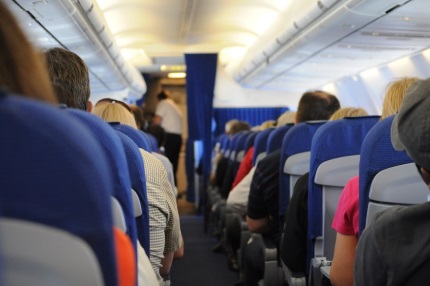
Some companies now provide Wi-Fi on board during the flight. The speed, of course, isn’t great, so you won’t be able to watch online videos. But you can read the latest article on tradelikeapro.ru or close a couple of trades. Just pay attention to prices and restrictions. If Aeroflot charges 10 dollars for 10 megabytes (robbery), then Emirates offers 500 MB for 1$. Prices vary greatly.
Mobile Internet
Forget about “profitable” options from Russian operators. This is a robbery, there is often no connection at all, plus a bunch of hidden fees.
Everything is very simple: you arrive at your destination and buy a local SIM card on the very first day. When signing up, explain that you need it mainly for internet access, and they’ll suggest a suitable plan. In many countries there are special “tourist” SIM cards that self-destruct after N days. You go home and throw the SIM card away. There is no domestic roaming anywhere except Russia, so you can travel with this SIM card to different cities/states within the same country.
Only modem mode is not available by default for some operators; you will need to contact your operator. Therefore, if you plan to use a SIM card in modem mode for a computer (all modern smartphones have this option), clarify this nuance in advance when purchasing a SIM card.
There are also all sorts of 4G modems - in my opinion, if you have a smartphone that can act as a modem, this is unnecessary rubbish. These modems work poorly, crookedly, askew... I threw away about five of them.
Apps for your smartphone
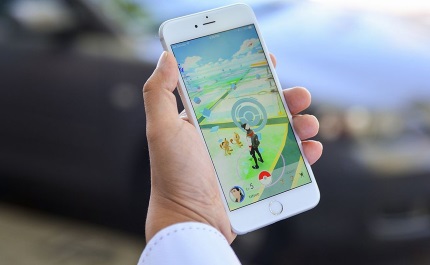
Mobile MetaTrader 45 - where would we be without it)
Remote Desktop (or equivalent) - to access the VPS server.
Speedtest - to check internet quality
CityMaps2Go (or any other offline maps) - so you don’t get lost in an unfamiliar city, even without internet. Download the map of the city you need in advance and use it even without internet.
Forex Calculator - don’t forget about money management)
Instead of a conclusion

And it’s best not to trade while on vacation. At all. Trust my experience)
Or trade, but with the help of expert advisors that quietly trade on the VPS server without your intervention. Or use something with rare entries, for example once a week Va-Bank.
But it’s better not to make manual transactions. Nerves from losses, the Internet disappearing at the most inopportune moment, do you need it? After all, you paid a lot of money for this trip, you were waiting for it, perhaps you were running around with documents for a visa. So why spoil your vacation? The market will not run away from you; there have always been and will always be opportunities. Return home and earn your millions. Have a good rest!
Best regards, Vlasov Pavel
TradeLikeaPro.ru
How to trade in the harsh conditions of five-star hotels, what to take on your trip, and which apps you should not forget to install on your smartphone.