
How to Disable Auto-Update in MT4
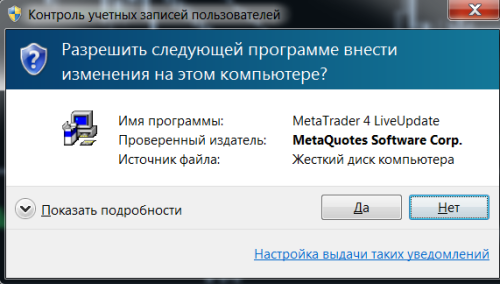
Are you annoyed by the constantly appearing Live-Update window when launching Metatrader 4? Or do you simply want to be sure that expert advisors/scripts will not stop working due to incompatibility after the next terminal update?
Well then, there is a way to disable this very Auto-Update in MT4.
Unfortunately, this cannot be done through the program interface, so we will take a workaround route :)
1. Close the terminal
2. Open the folder with the installed Metatrader 4 terminal; it is usually located in the Program Files directory.
3. Find the LiveUpdate.exe file
4. Rename it however you like, but in such a way that you can later remember what file it is. For example, "LiveUpdateOFF.exe"
5. That's it, now we have stopped the terminal auto-update. To enable it again, return the file "LiveUpdate.exe" to its original name.
Are you annoyed by the constantly appearing Live-Update window when launching Metatrader 4?